Free iOS Time Tracking App
for Modern Teams
Punchly’s free iOS time tracking app helps you track work hours accurately from anywhere. Start and stop timers in one tap, assign time to projects or tasks, and mark entries as billable with ease. Whether you’re working remotely or on the move, Punchly keeps your time organized and synced across devices.

What is Punchly
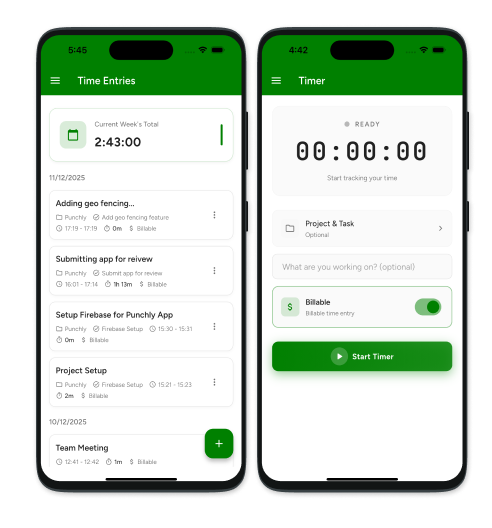
Punchly is an all-in-one time tracking and workforce management platform built for modern teams. It helps businesses track time, manage projects, record expenses, and streamline approvals in one place. With powerful reporting and simple workflows, Punchly makes time tracking clear, accurate, and hassle-free
How to track time with Punchly's iOS app
Punchly’s iOS app makes time tracking simple and flexible for individuals and teams. You can track work in real time, add entries manually, manage time off, and review reports—all from your iPhone. Whether you’re working on client projects or internal tasks, Punchly helps you stay organized and accurate with minimal effort.
Step 1
Create Punchly account
Sign up here for free Punchly account to get started. Once your account is created, you can access your workspace across mobile and web instantly.
Step 3
Start the timer
Start tracking time with a single tap. Select a project or task, mark the entry as billable if needed, and let the timer run while you work without interruptions.
Step 4
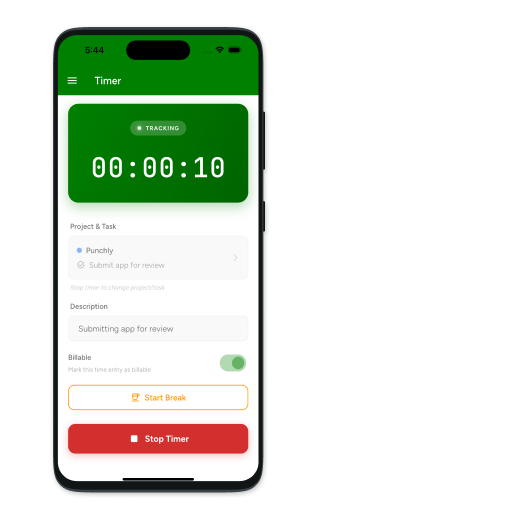
Enter details and stop the timer
When your work is complete, stop the timer and add details like descriptions, project names, or tags. This ensures your time entries remain clear and easy to review later.
Step 5
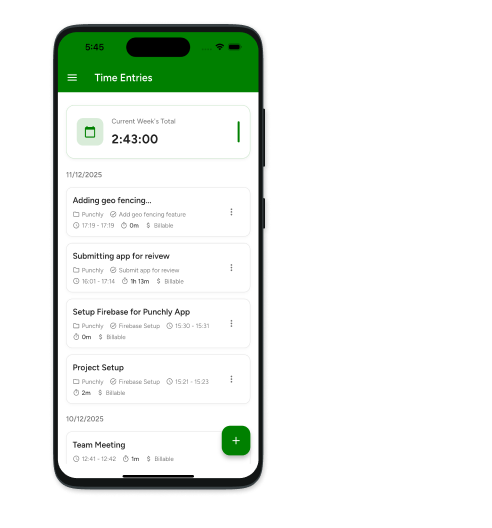
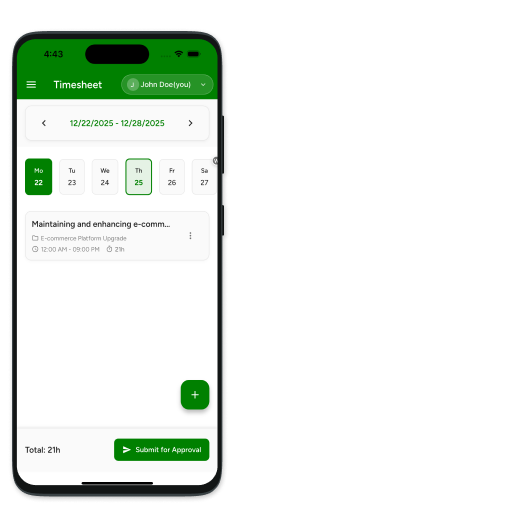
Add time manually
If you forgot to run the timer, you can add time entries manually. Choose the date, enter hours worked, and assign the entry to the correct project or task.
Step 6
Manage timer from notification
Control your running timer directly from iOS notifications. Pause or stop tracking without opening the app, making time tracking seamless during busy workdays.
Step 7
Reports
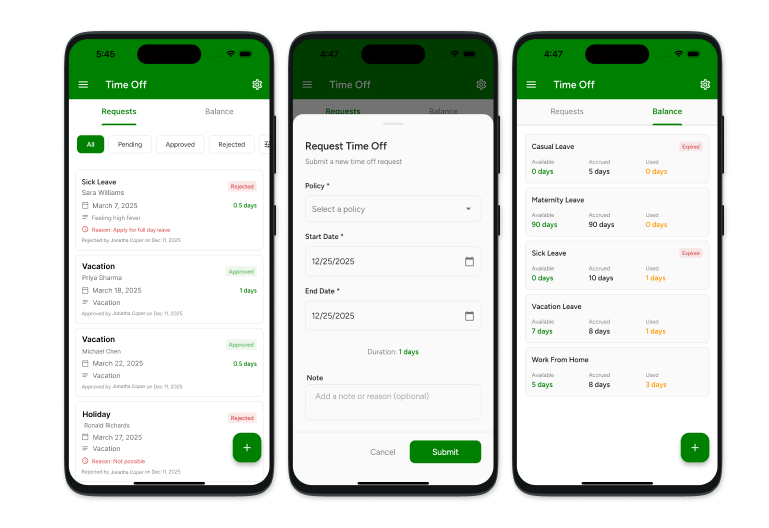
View summarized and detailed reports of your tracked time. Reports help you understand how time is spent across projects, clients, and days.
Step 8
Record expenses (optional)
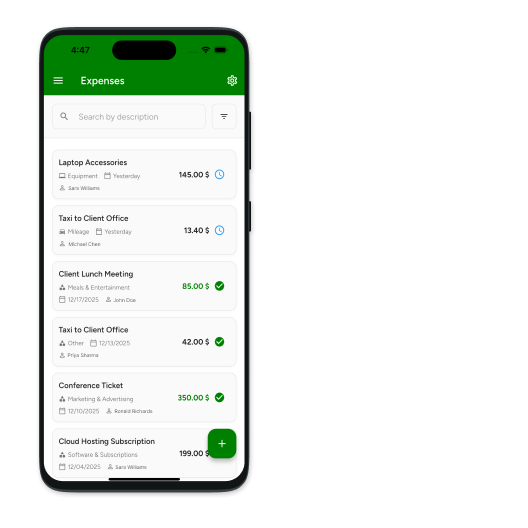
Log work-related expenses directly from the app. Attach amounts to projects, mark them billable if required, and keep all records in one place.