
Team time tracking where everyone sees what they should
Invite your people, give each one a role, and decide who can see and change what. Punchly works the same way for a team of five in one room and for a larger one spread across countries.
Free for up to 5 people. Paid plans from $2 a person a month. 7-day free trial of the Pro plan’s features, no credit card needed.

Add your team
Type your colleagues’ email addresses and press Invite. Each person gets a link, signs in with Google, Microsoft or a code sent to their email, and can start tracking time straight away. There are no passwords to set up or reset.
The Team screen lists everyone with their role, their group and whether they have joined yet. When someone leaves the company, deactivate them: they lose access, their seat is freed, and all the time they tracked stays in your reports.
A role for each kind of person
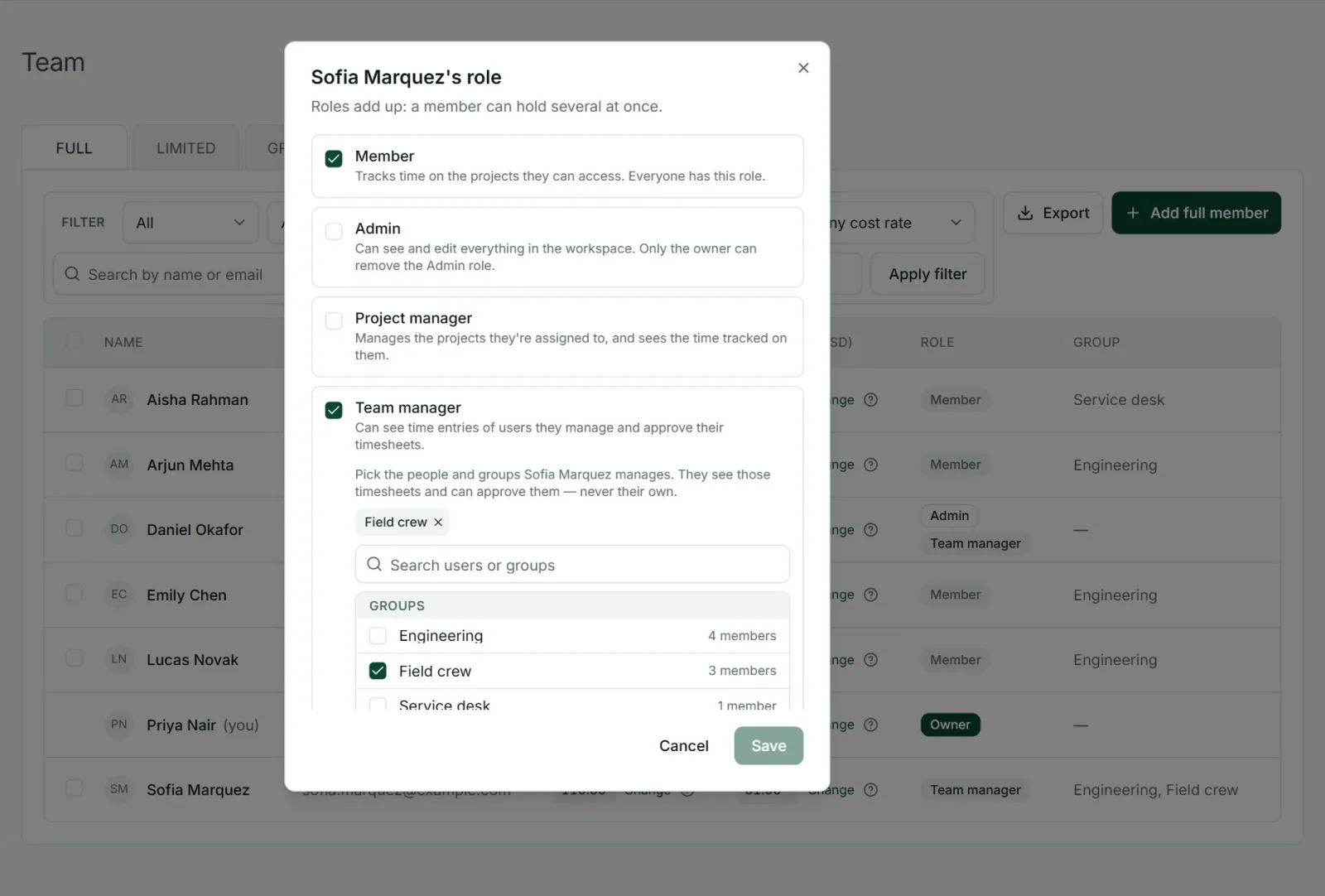
Not everyone needs the same access. Punchly has a small set of roles that match how teams really work.
Owner and admins run the workspace: people, projects and settings. Only the owner buys or changes the plan.
Team managers look after a group of people: they see their team’s time and approve their timesheets (Standard plan).
Project managers look after their own projects: the people on them, the tasks and the progress (Standard plan).
Members track their own time and see what you allow them to see.
Kiosk-only people have no login and clock in on a shared tablet.
Organize people into groups
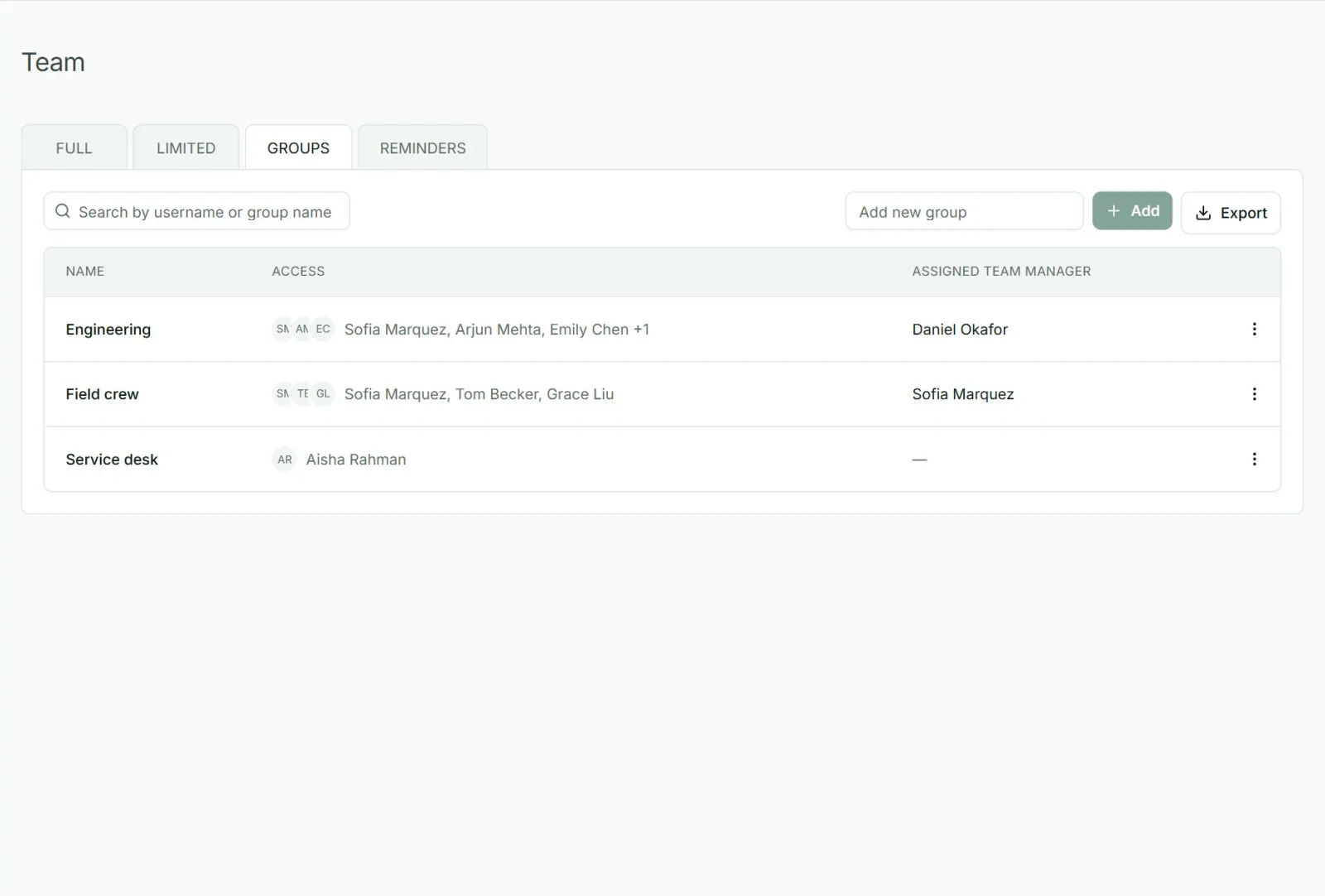
A group is a named set of people, such as “Engineering” or “Field crew”. Groups save you from picking the same ten people one by one. Add a whole group to a private project, give a team manager a group to look after, assign a task or a kiosk to a group, or filter any report by group. A person can be in several groups.
Decide who sees whose time
Time tracking only works when people trust it. By default a regular member sees only their own time. You can open that up, step by step, to match your company’s way of working.
Whose time a member sees: only their own, time on public projects, or everything.
Rates and amounts: admins only, admins and managers, or everyone.
Who can create projects, tasks and tags.
Hide pages such as Projects, Team or Reports from regular members.
Managers editing their team’s time (team managers come with the Standard plan).
Working hours for each person
Each person has their own working days and daily hours, eight hours from Monday to Friday to begin with. A part-timer or someone on a four-day week is set up once. These hours are then used everywhere: overtime in the attendance report, time off balances, reminders and the schedule all know what a normal day is for that person.
Timesheets filled in without chasing
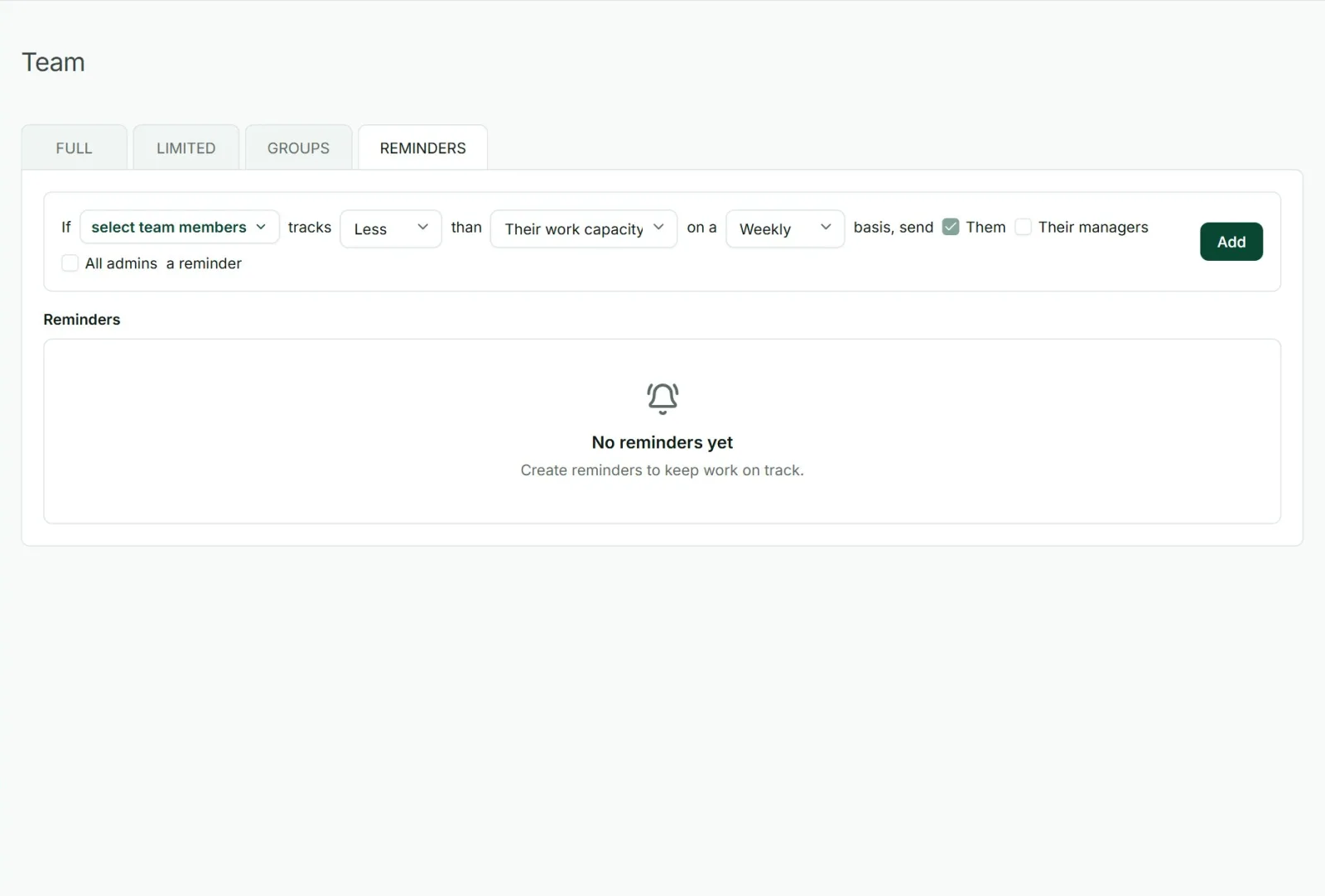
Reminders do the nagging for you. Write a rule as a sentence, such as “if anyone tracks less than their working hours in a week, email them and their manager”, and Punchly sends the emails every day, week or month. The rule allows for weekends, holidays and approved leave, so nobody is reminded about a day they were off (Standard plan).
More than one company? One login
A person can belong to several workspaces with the same account, for example a freelancer working for two clients, or a group with separate companies. Each workspace has its own people, projects, settings and plan, and switching between them takes one click.
Bring your data with you
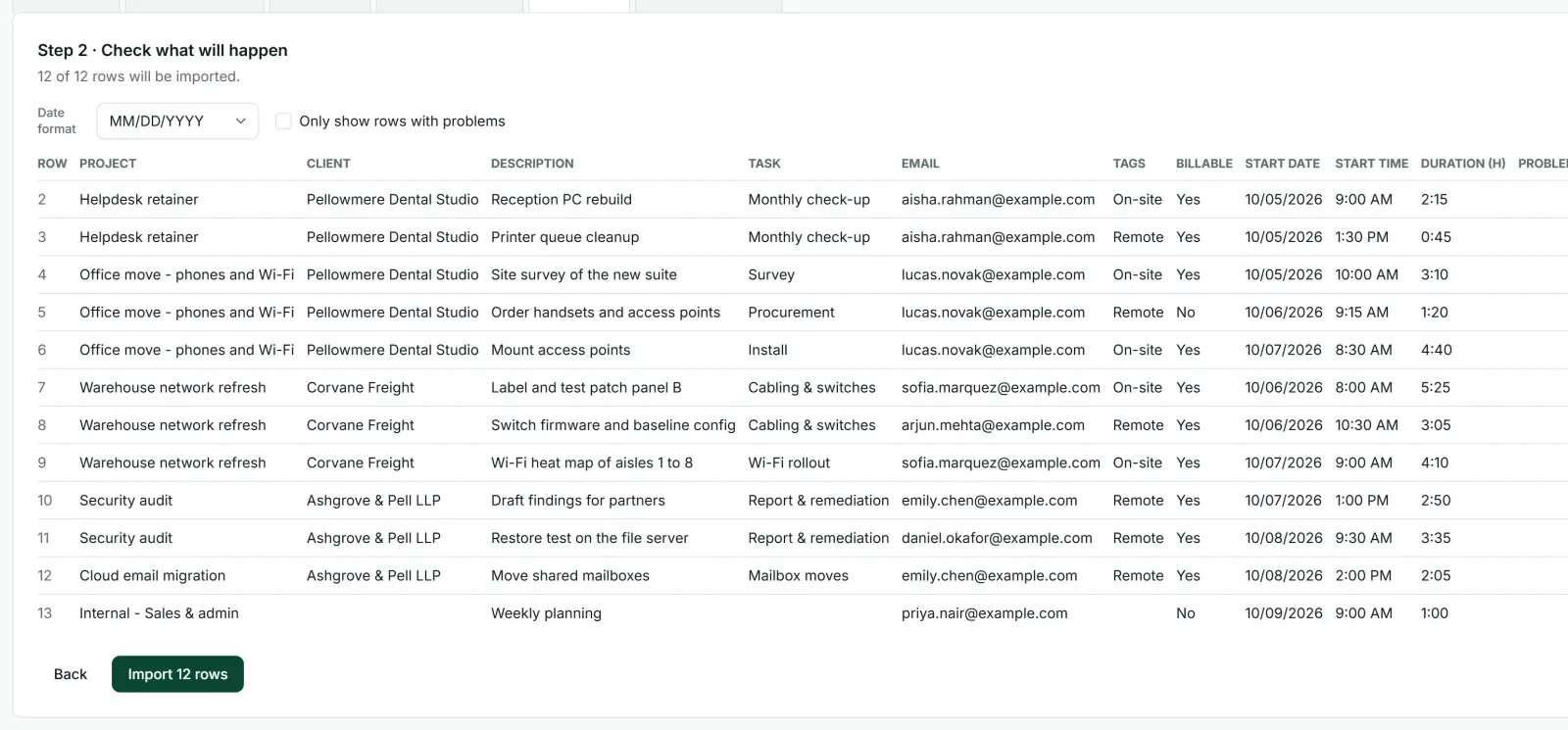
Moving from another tool or from spreadsheets does not mean starting from zero. Import your clients, projects and tasks from a file, and your past time entries as well, with a preview that shows what will be imported before anything is saved (Basic plan).
Who it is for
Small teams
Who want everyone tracking time the same day they sign up.
Remote and hybrid teams
Who need a fair, shared record of working hours.
Growing companies
With departments, team leads and project managers.
Businesses with office and field staff
On the same account.
Questions people ask
Something else on your mind? Our team answers from inside the app and by email.
Get your whole team tracking today
Create your workspace, invite your colleagues and see the first hours come in this afternoon.