
Jira time tracking without typing tasks twice
Connect Jira Cloud and your team tracks time against the real work. Each Jira project you choose becomes a Punchly project, and each of its issues becomes a task that people pick when they start the timer.
Standard plan, $4 a person a month. For Jira Cloud. 7-day free trial of the Pro plan’s features, no credit card needed.
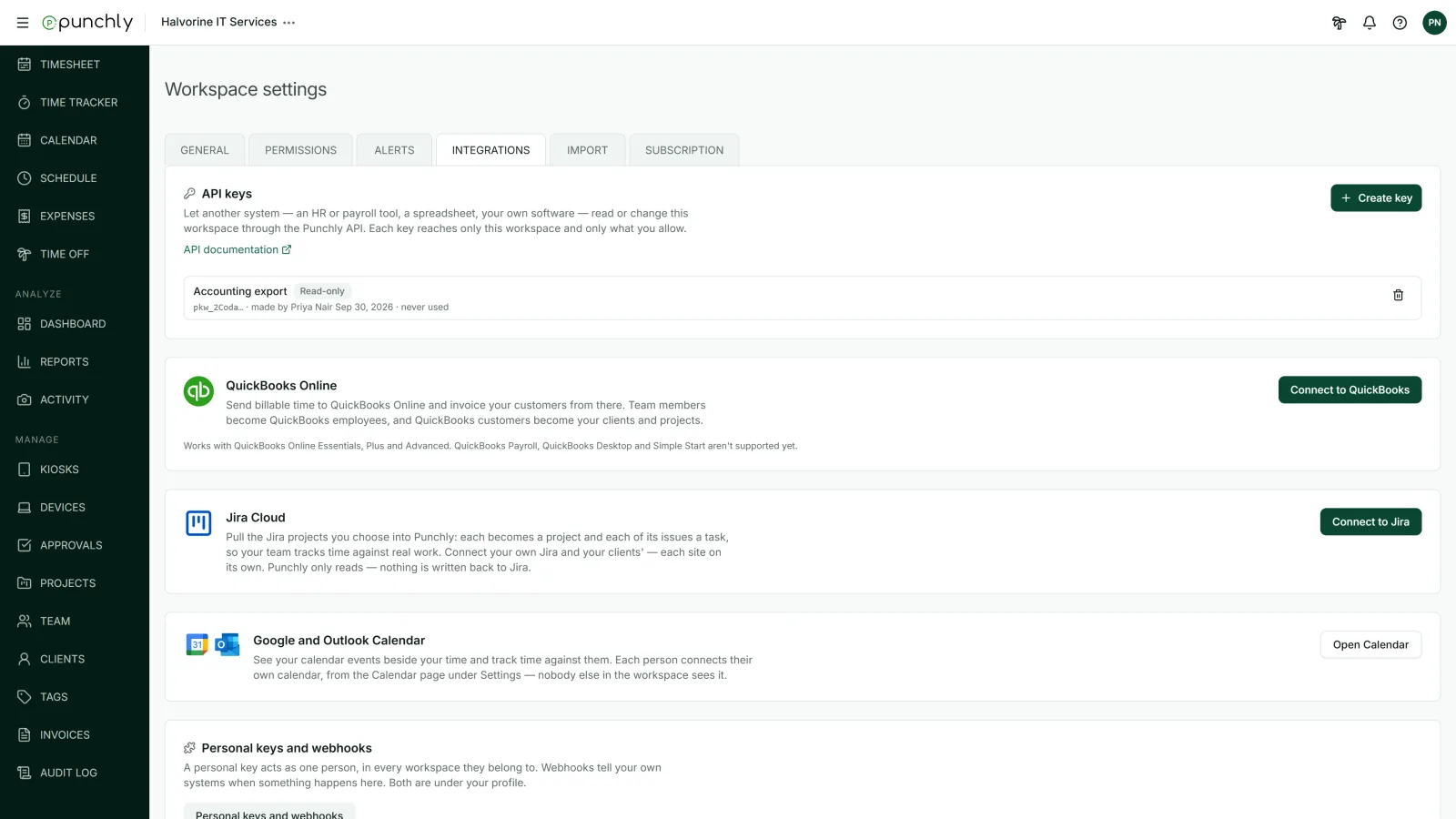
How it works
Connect
An admin signs in to Atlassian and allows Punchly to read your Jira.
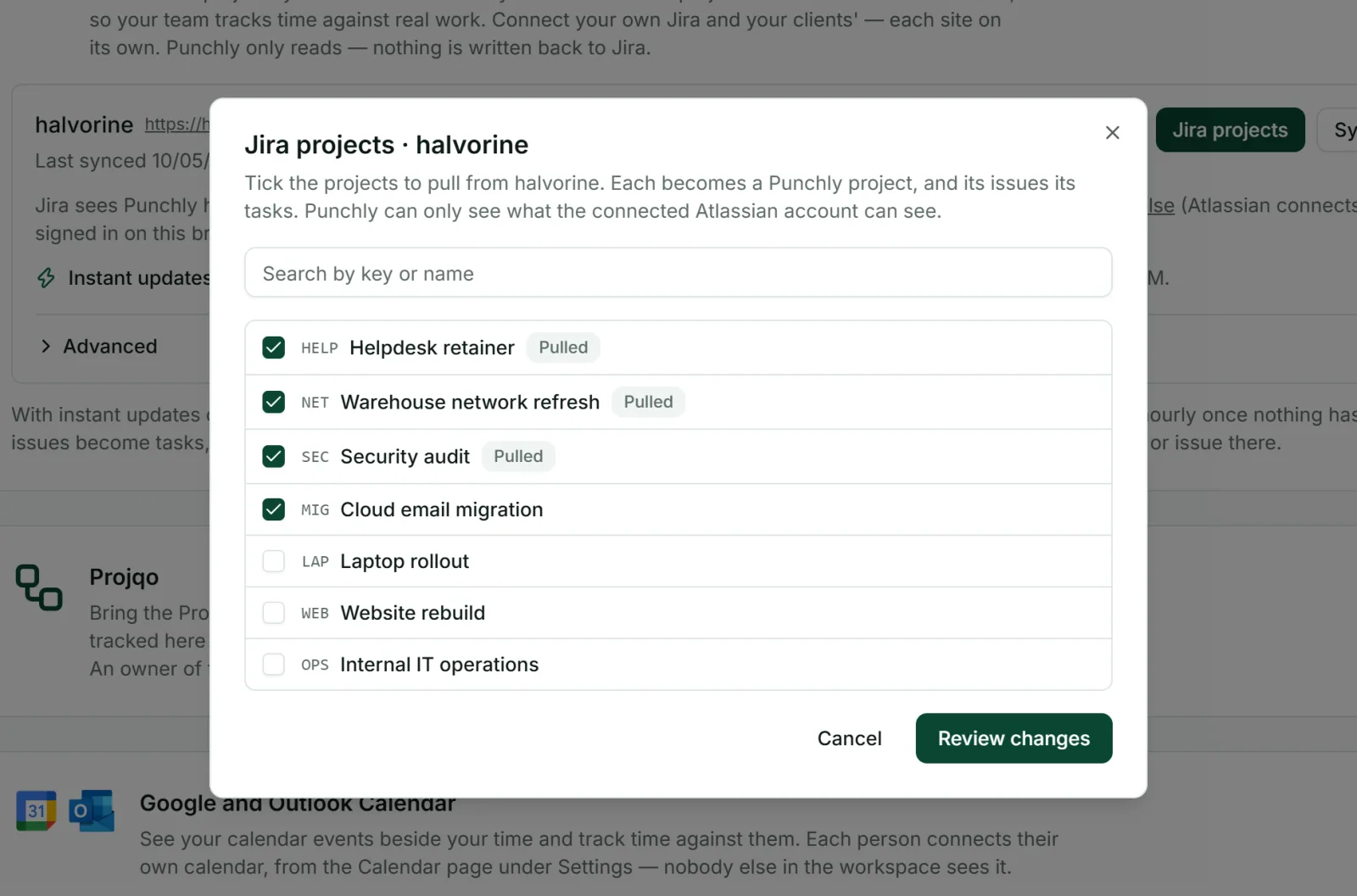
Choose projects
Select the Jira projects to bring in, review what will happen, and apply.
Track
Each issue is now a task named with its key and summary, such as “PROJ-12 Fix login”. People pick it in the timer on the web, desktop or phone.
It stays in step with Jira
You do not maintain two lists. Punchly checks Jira regularly, every 15 minutes while work is going on, and Jira also tells Punchly when an issue changes.
A new issue becomes a new task.
A renamed issue renames its task.
A resolved issue closes its task, so it leaves the dropdown. The time tracked on it is kept and still shows the task.
A reopened issue makes the task active again.
A deleted issue closes the task and marks it as deleted in Jira. Nothing with time on it is ever deleted.
Bring in only what you need
Punchly brings in open issues and resolved ones that changed in the last 90 days, so old work does not fill your dropdowns. For finer control, a JQL filter narrows which issues come in, for example to leave out epics.
Your Jira and your clients’ Jira
Agencies often work in more than one Jira. You can connect several Jira sites to one workspace, your own and each client’s, each with the Atlassian account that has access to it. Punchly sees only what that account can see.
Everything else Punchly does, on Jira work
A project that came from Jira behaves like any other. Set billable rates, give it an estimate (Basic plan) or a budget (Pro plan), decide who can track on it, and report on it. A small chip on the project and on each task opens it in Jira.
Reports by issue
By project and by person.
Estimates and budgets
For each Jira project (budgets on the Pro plan).
Invoices
From the billable hours.
Read-only, by design
Punchly only reads from Jira. It does not change issues, add comments or write work logs back. Your Jira stays exactly as your team left it.
Questions people ask
Something else on your mind? Our team answers from inside the app and by email.
Track time on the issue you are working on
Start the free trial, connect Jira and pick your first issue from the timer.