
Time tracking and invoicing in one place
The hours are already in Punchly. Pick a client and a period, and the invoice is built from the billable time you tracked, with billable expenses too if you record them on the Pro plan. Send it as a PDF, record the payment when it arrives, and always know what is still owed.
Standard plan, $4 a person a month. 7-day free trial of the Pro plan’s features, no credit card needed.
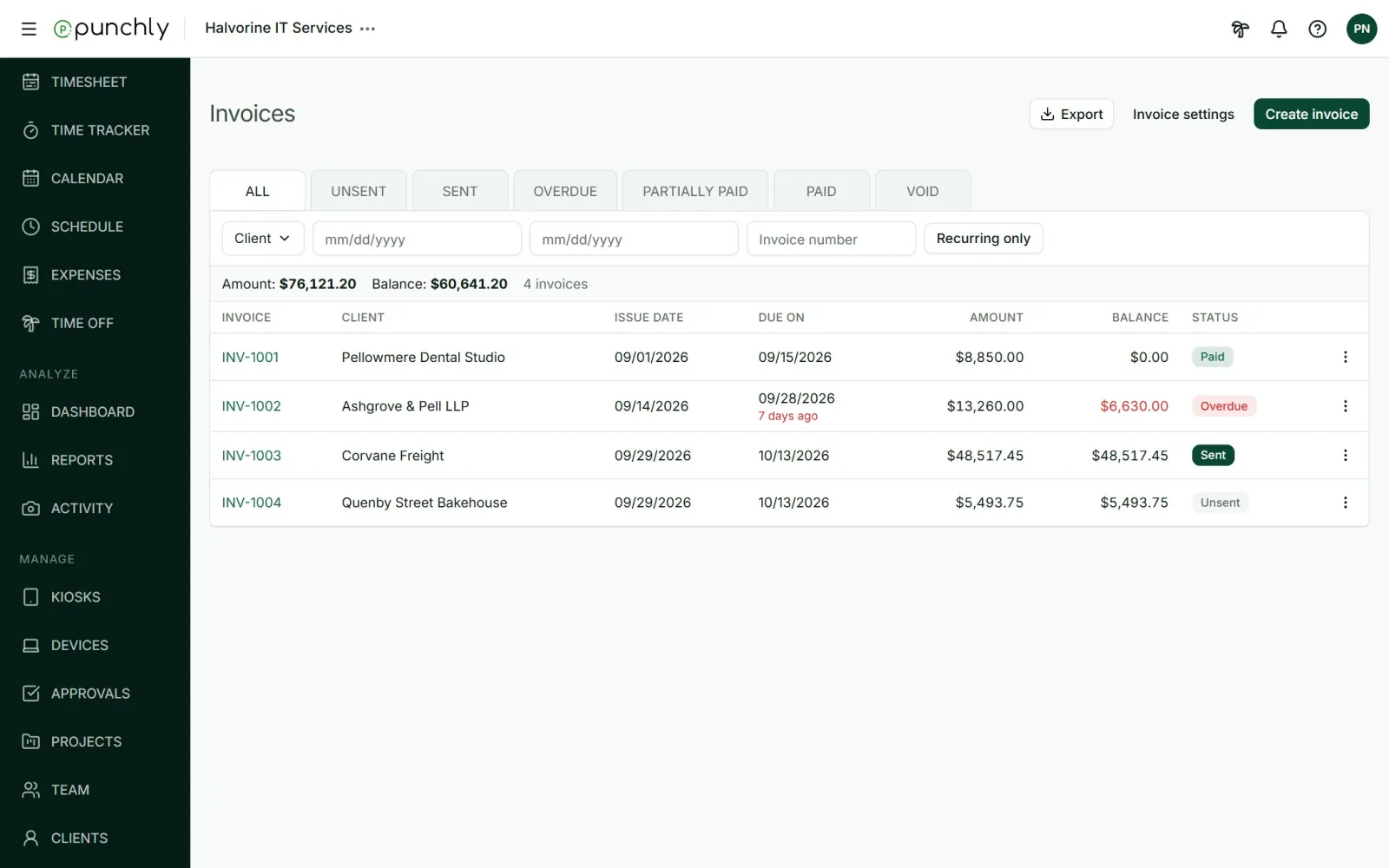
An invoice from tracked time in four steps
Create an invoice for a client. The number, issue date and due date are filled in for you.
Import the billable time and expenses for the projects and dates you choose.
Check the lines and add tax or a discount.
Send it by email with the PDF attached, or download the PDF.
Bill exactly what was worked, never twice
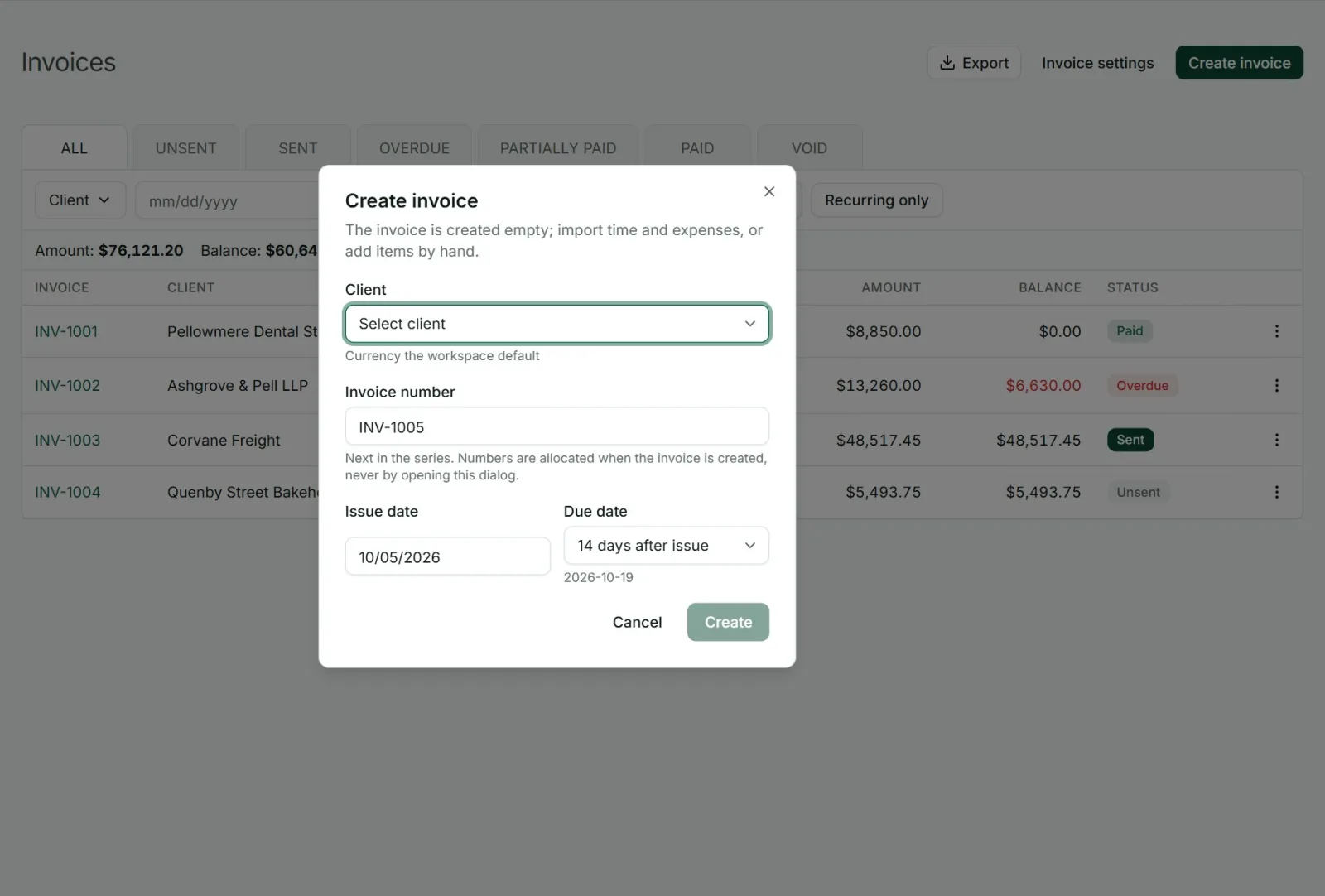
Typing hours into an invoice by hand is where mistakes happen: a week forgotten, a week billed twice. Punchly brings in only billable work that has not been invoiced yet, and marks everything it imports as invoiced.
If you remove a line from an invoice, its hours become available to bill again. Nothing is lost and nothing is double counted.
Show the client as much detail as they want
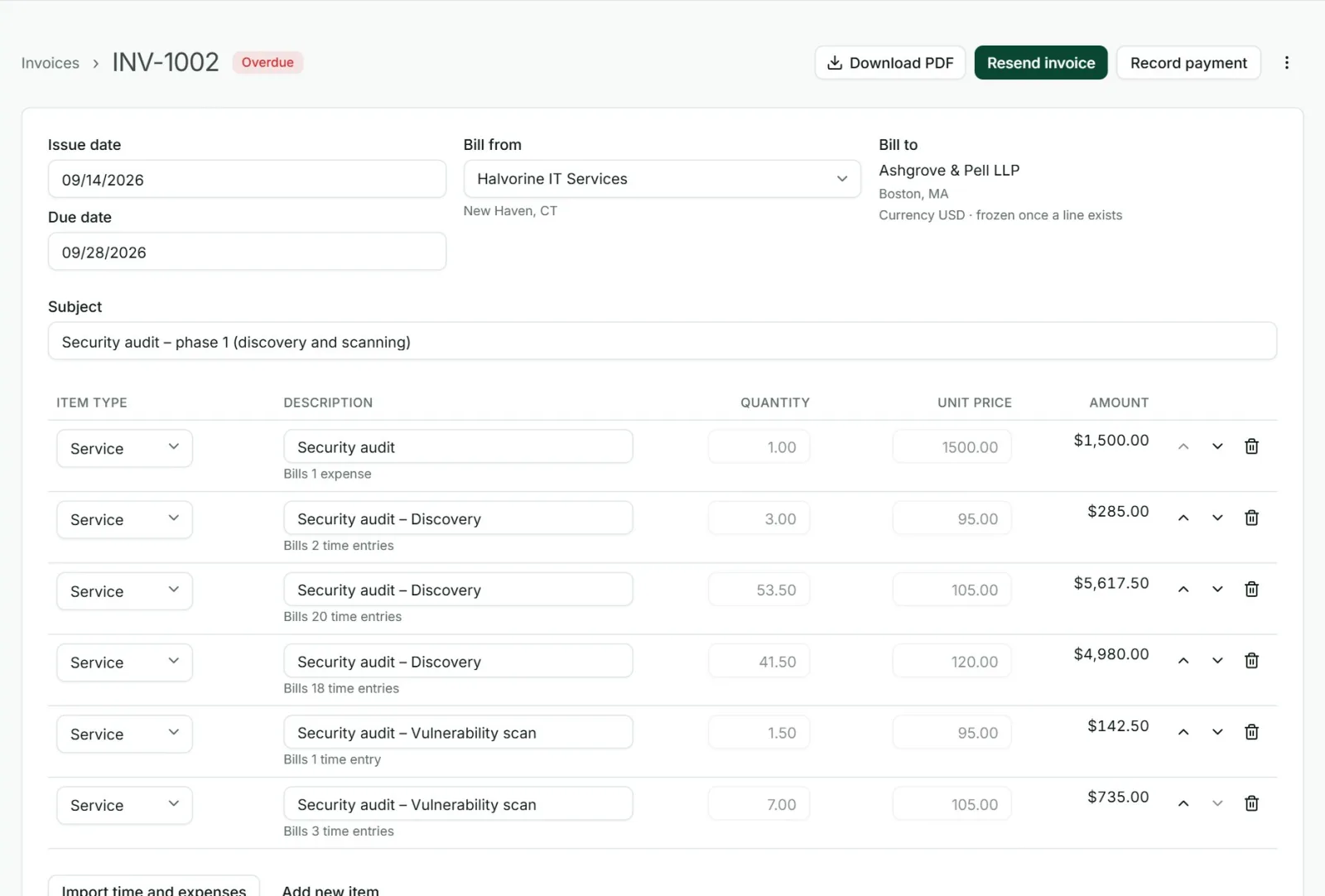
Some clients want one line that says “Consulting, 42 hours”. Others want every entry with its date and description. Choose the layout when you import.
Single line: all hours as one item.
Grouped: hours combined by project, by person or by date.
Detailed: one line for each time entry, with the details you choose to show.
Rounded time if you bill in blocks.
Expenses included with one click (Pro plan).
Tax, discount and your own wording
Each invoice can carry a discount and up to two taxes with your own labels, such as GST or VAT. Lines can be added by hand for fixed fees. The words printed on the PDF, such as “Bill to” and “Total”, can be changed to your own wording or language, and you can keep details for more than one company to bill from.
Send it, and chase it, from the same screen
Press Send and the invoice goes to the client’s email address with the PDF attached, using a message you wrote once as a template. Replies come back to you.
Punchly marks an invoice as overdue by itself once its due date passes, and a payment reminder is one click away.
Record payments and see what is owed
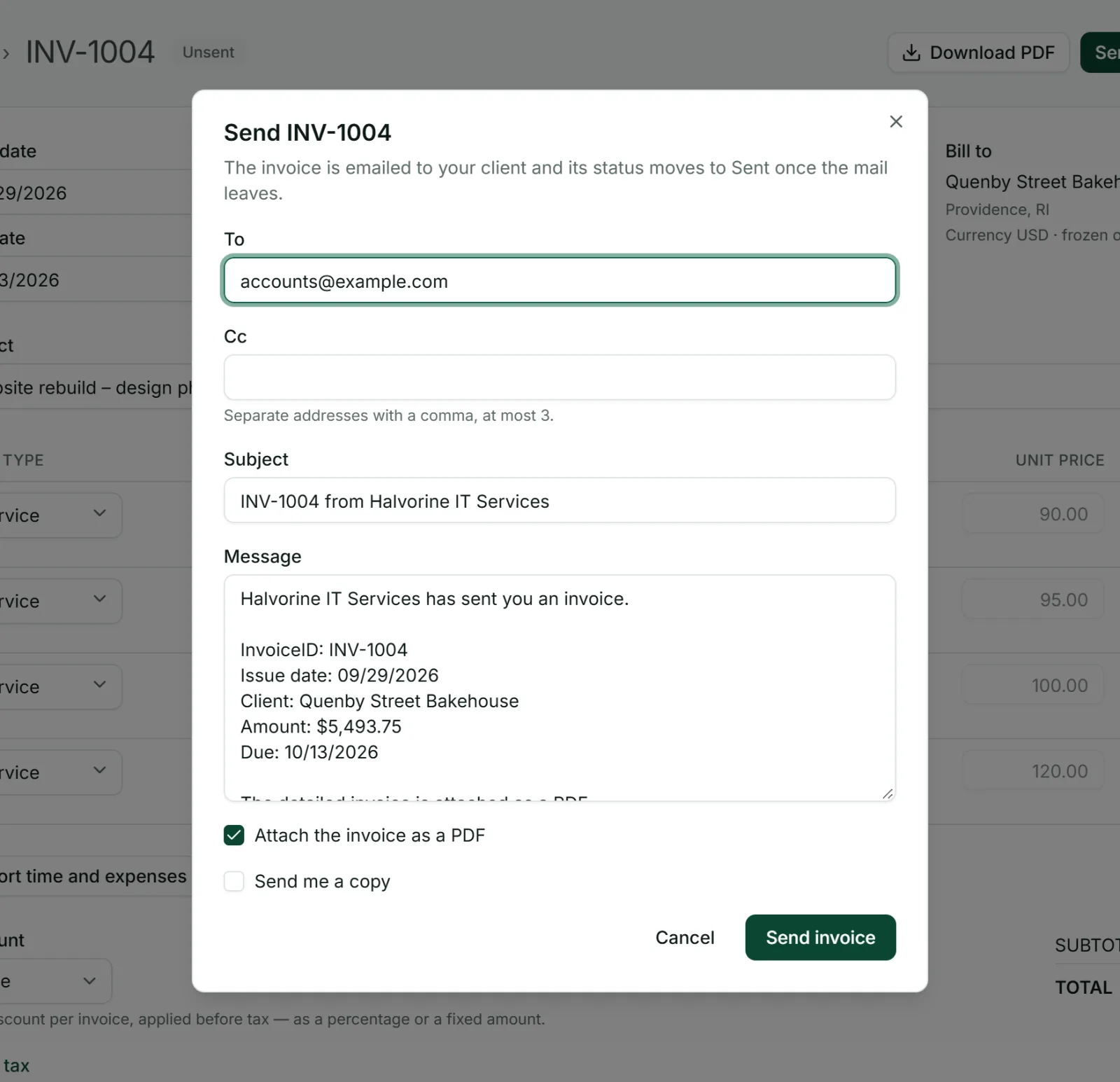
When money arrives, record the payment with its date, amount and method. A part payment leaves the invoice partially paid, and the rest stays as a balance. The list totals what you have invoiced and what is still outstanding, so cash flow is not a guess.
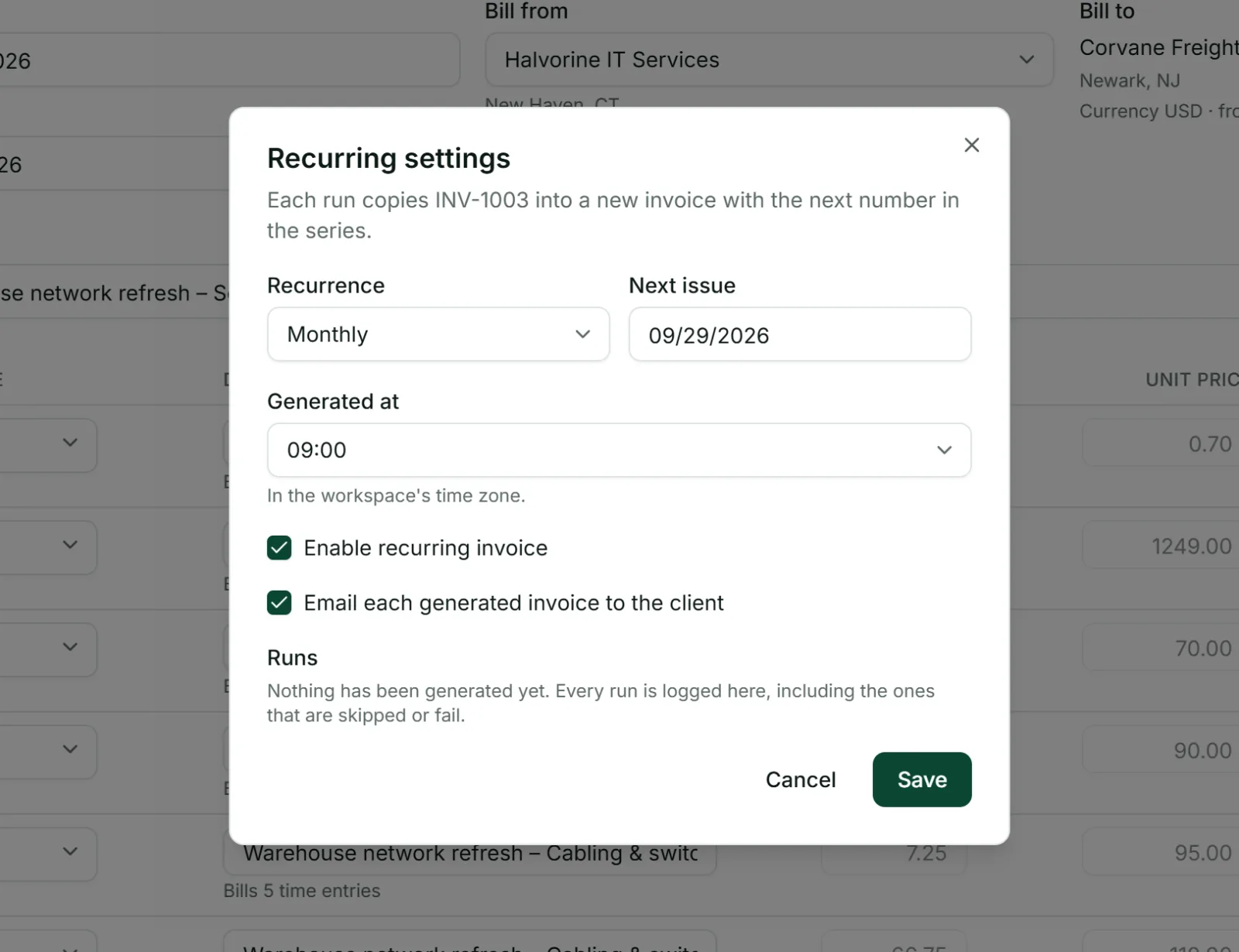
Recurring invoices for retainers
For a fixed fee billed regularly, set the invoice to repeat every week, two weeks or month. Punchly creates each new invoice with the next number and can email it to the client by itself.
Set it up once
Your company details, logo, numbering, default due date, taxes and email text are set once and used on every new invoice.
Numbering with your own prefix, and a year if you want one.
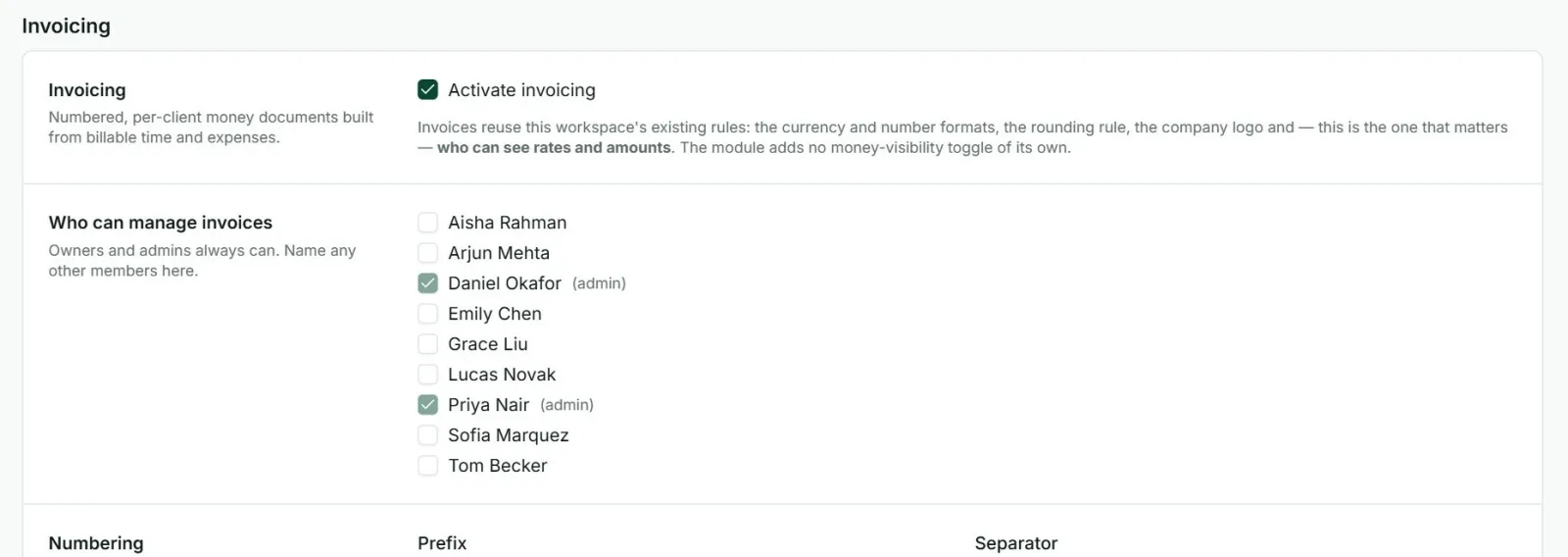
Who can manage invoices: owners and admins, plus the people you name.
QuickBooks Online: billable time can be sent on to QuickBooks.
Who it is for
Freelancers and consultants
Who bill by the hour and want the invoice ready at month end.
Agencies
Invoicing several clients from the same team’s time.
IT and professional service firms
Billing time and expenses together.
Anyone on a retainer
Who sends the same invoice every month.
Questions people ask
Something else on your mind? Our team answers from inside the app and by email.
Send this month’s invoices from your tracked time
Start the free trial, track a few billable hours and turn them into your first invoice.