
Time tracking for Projqo, kept the same on both sides
Connect Projqo and its projects and tasks appear in Punchly. Time tracked in Punchly shows on the task in Projqo under the right person, and time logged in Projqo shows in Punchly. Nobody enters it twice.
Standard plan, $4 a person a month. 7-day free trial of the Pro plan’s features, no credit card needed.
How it works
Connect. An owner of your Projqo organization approves Punchly for it.
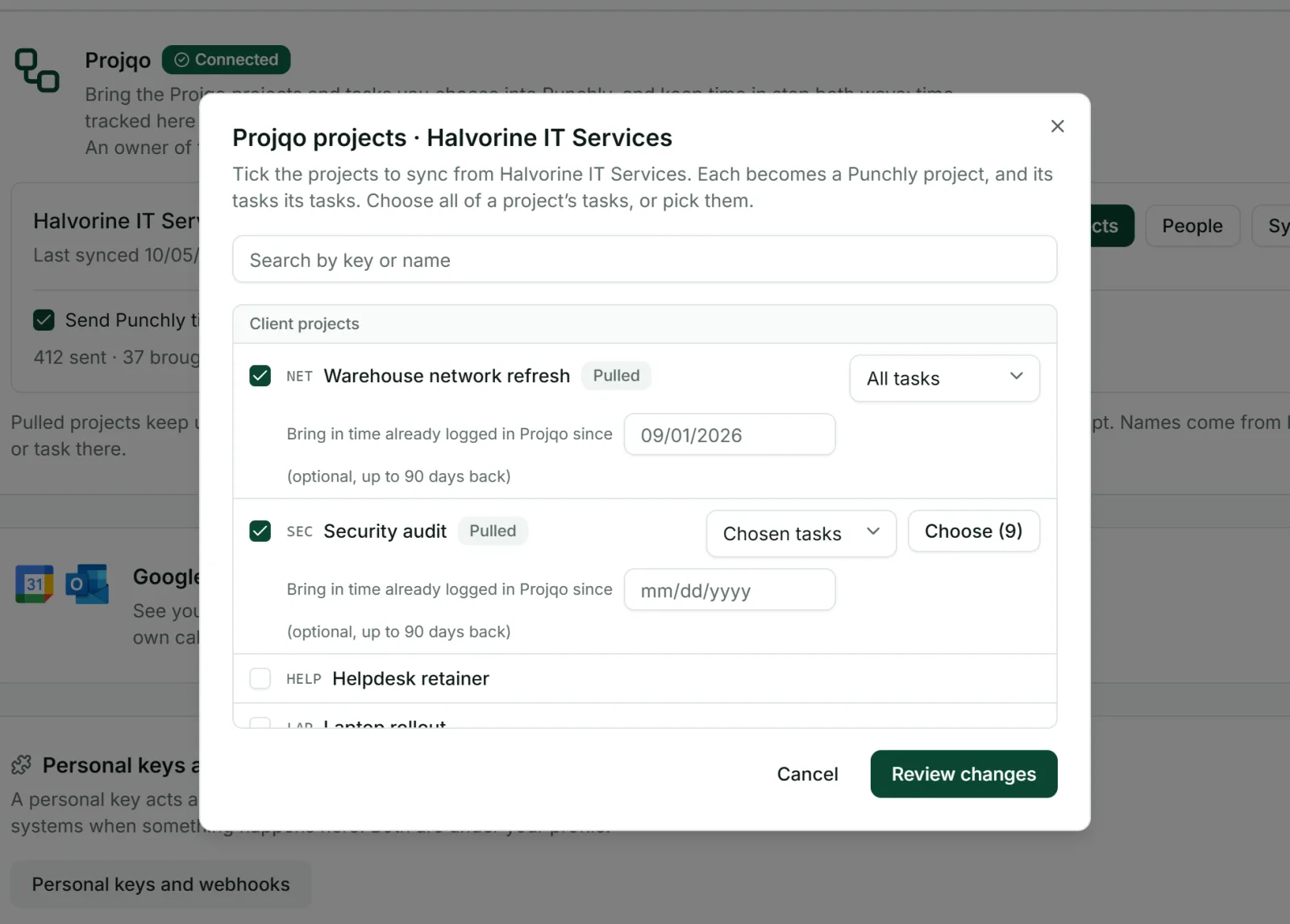
Choose. Select the Projqo projects to bring in, and for each one take all its tasks or only the ones you choose.
Match people. Anyone with the same email in both tools is matched automatically. Pair the rest by hand.
Track. People pick a Projqo task in the Punchly timer like any other task.
Time moves both ways
Punchly to Projqo: about a minute after a timer on a Projqo task is stopped, the time appears on that task in Projqo. Editing or deleting the entry updates Projqo too.
Projqo to Punchly: time a person logs on a task in Projqo becomes a time entry in Punchly on the same task.
Your choice: each direction has its own switch.
Punchly’s rules still hold
Time coming from Projqo follows the same rules as time tracked in Punchly. If a period is approved, locked or already invoiced, a change made in Projqo is not accepted, and Punchly lists it for you so that nothing goes missing quietly.
Projects stay up to date
Projqo tells Punchly about changes as they happen, and there is a regular check as well. New tasks appear, renamed ones are renamed, and closed ones are closed, with their time kept. Names come from Projqo, so rename them there.
Questions people ask
Something else on your mind? Our team answers from inside the app and by email.
One record of time for Projqo and Punchly
Start the free trial and connect your Projqo organization from Workspace settings.