
Free Time Tracker App for Windows
Track work hours, projects, and productivity directly from your Mac. Punchly’s macOS time tracking app makes it easy for employees and teams to record time accurately and stay focused throughout the workday.

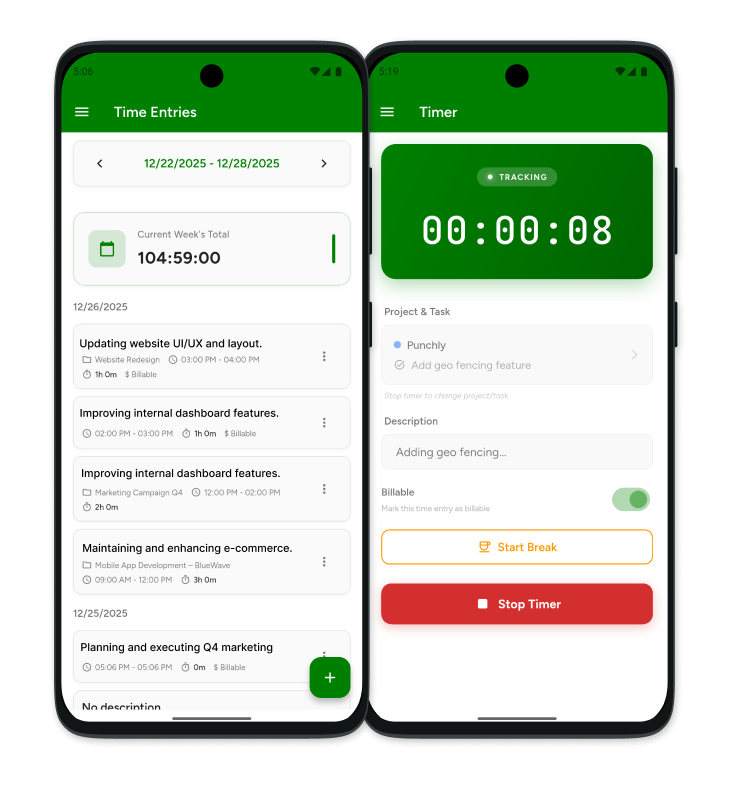
What is Punchly
Punchly is employee time tracking software that helps businesses track time, manage projects, monitor productivity, and simplify payroll processes. The Windows desktop app provides an easy and reliable way for employees to log hours and keep work data synchronized with the Punchly platform.
How to Track Time with Punchly’s Windows App
Get started with Punchly on Windows and begin tracking work hours in just a few simple steps.
Create Punchly account
Create your Punchly workspace, invite team members, and configure projects, clients, and time tracking settings.
Download Windows time tracking app
Download and install the Punchly Windows application on your computer. Sign in to access your workspace and begin tracking time.
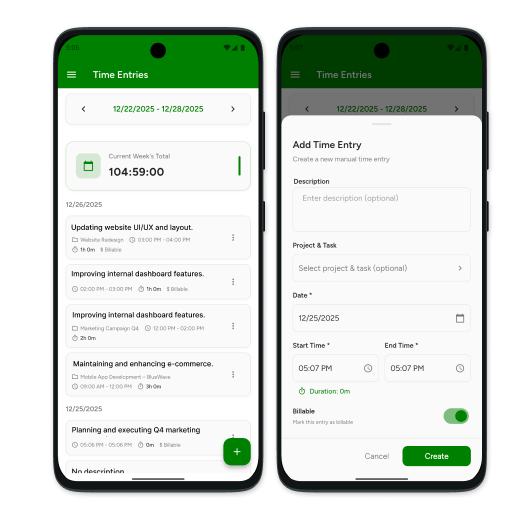
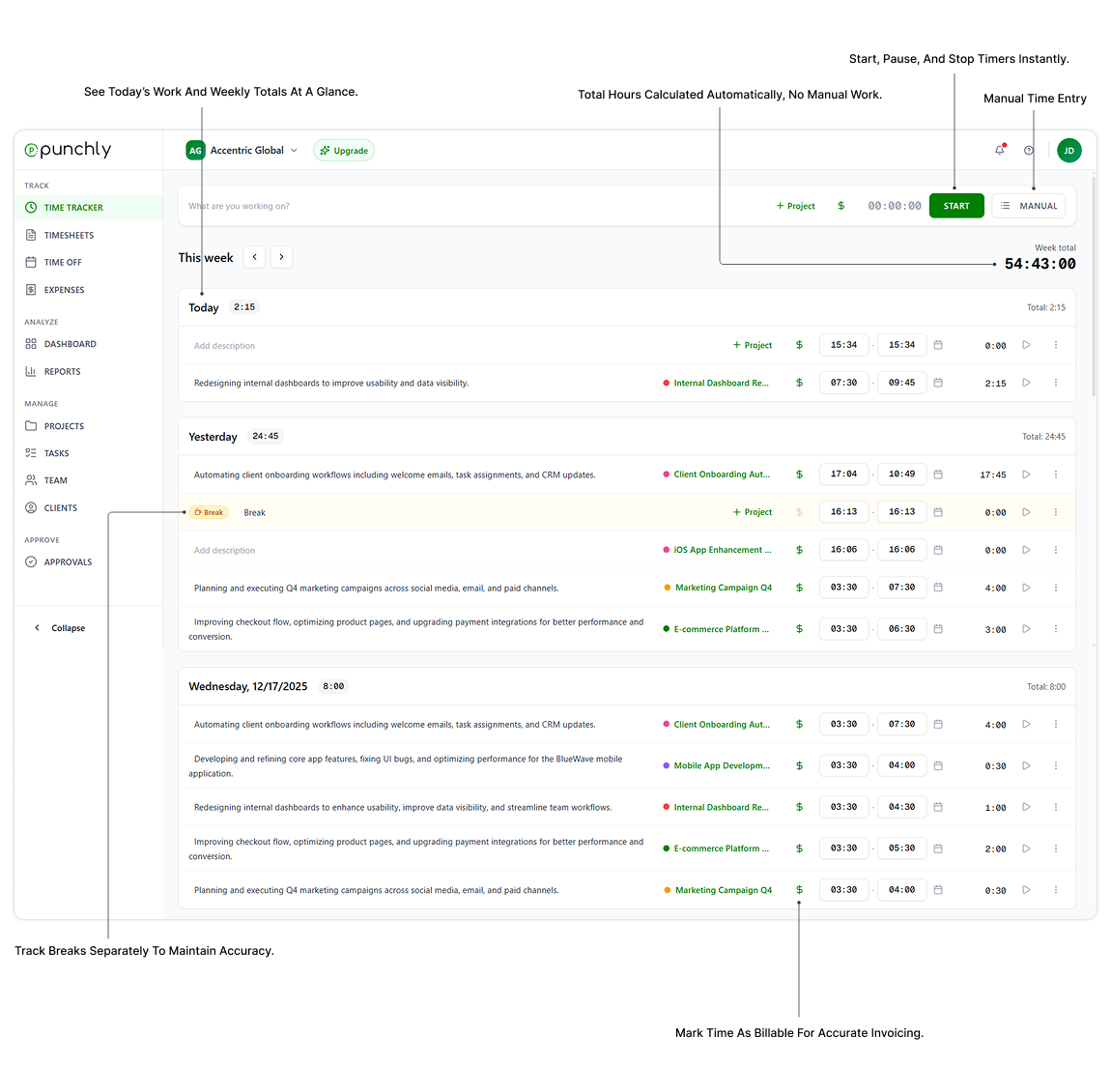
Start the timer
Choose a project or task and start the timer. Punchly records your work hours in real time and keeps everything synchronized automatically.
Enter details and stop the timer
Add notes, task descriptions, or project information before stopping the timer. Save your entry and continue managing your work efficiently.
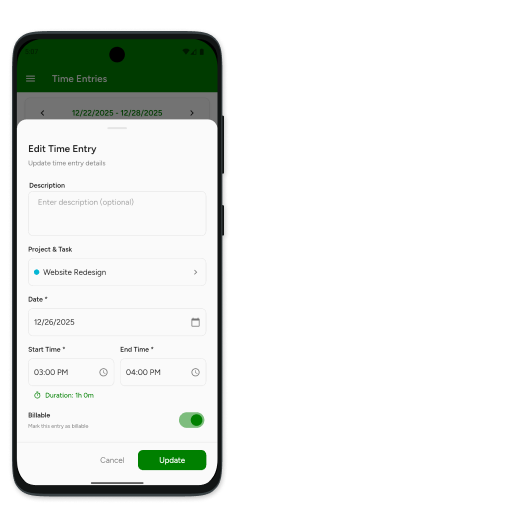
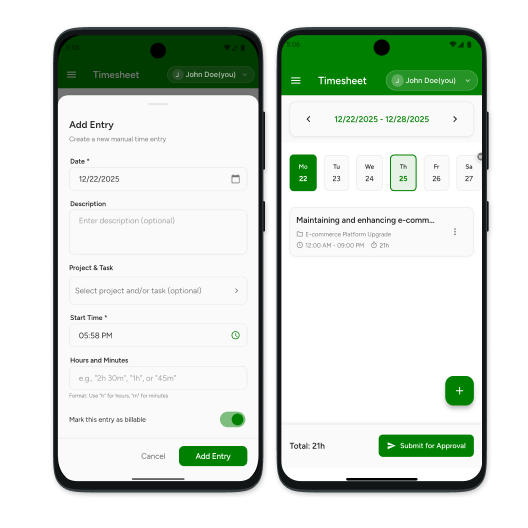
Add time manually
Create manual time entries for previously completed work, meetings, training sessions, or administrative tasks.
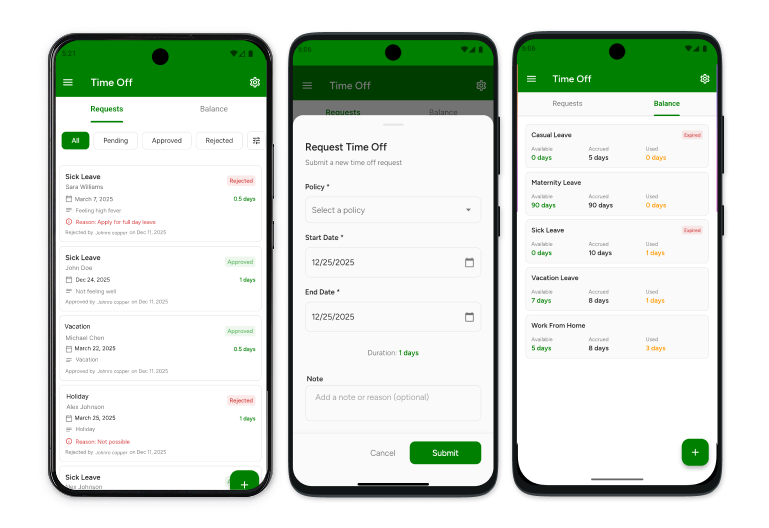
Request time off (optional)
Submit vacation, sick leave, or personal time-off requests directly through Punchly for manager review and approval.
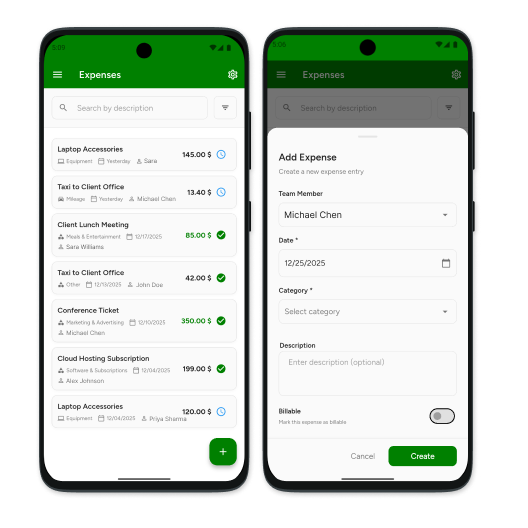
Record expenses (optional)
Log project-related expenses and submit receipts for reimbursement while keeping records organized in one place.
More features on the web
Access advanced reporting, payroll summaries, approvals, team management, project tracking, and productivity insights through the Punchly web application.
Get started with Punchly for Windows
Download Punchly’s Windows time tracking app and simplify employee time tracking, project management, and workforce productivity.