
GPS time tracking for teams that work on the road
When work happens at a client’s site, on a route or on a job, the hours alone do not tell the whole story. Punchly can record where people are while their timer runs, and show a manager the route of the working day on a map.
Pro plan, $6 a person a month. Off by default. 7-day free trial of the Pro plan’s features, no credit card needed.
Location only while the timer runs
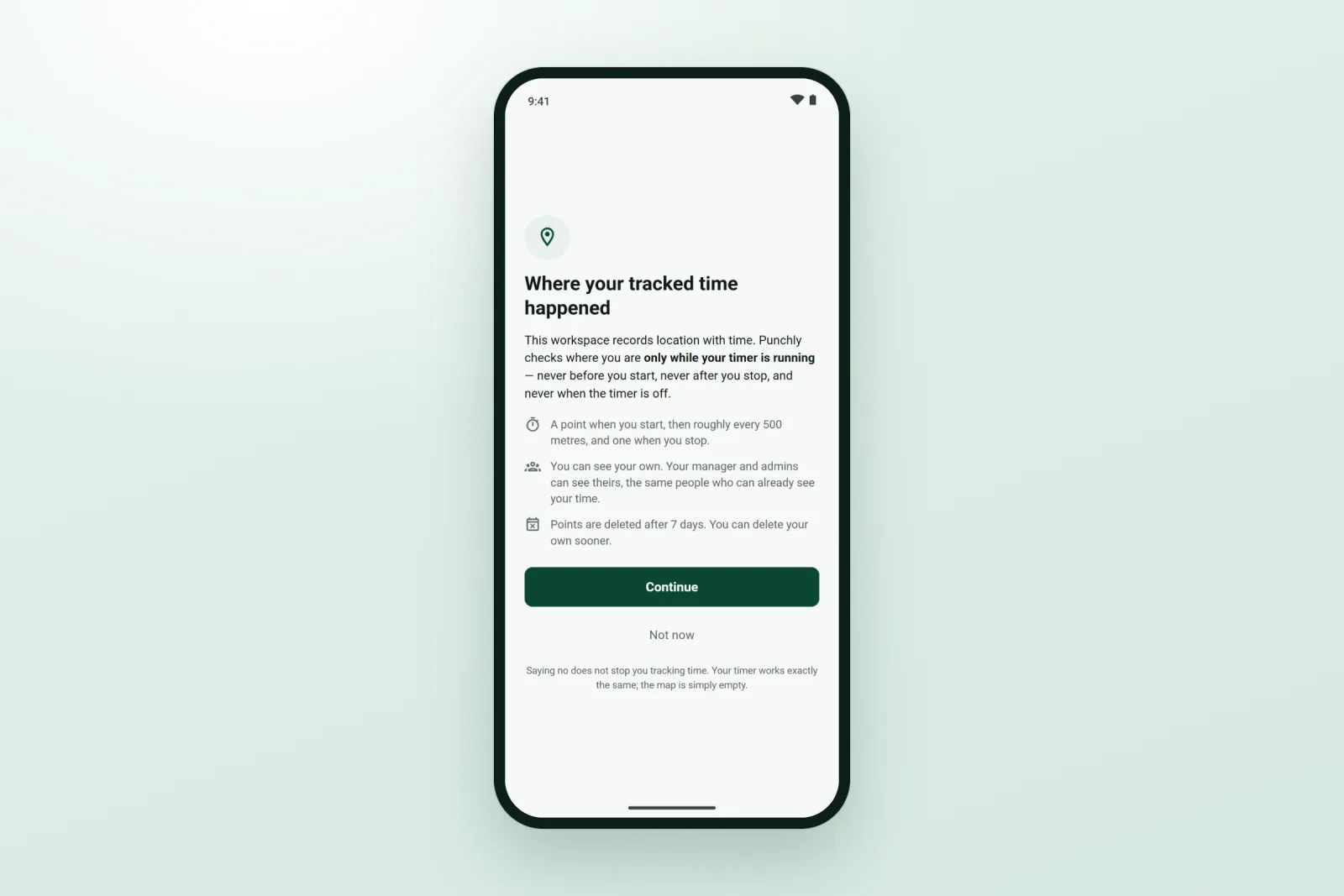
This is the rule everything else follows. Punchly records a point when a timer starts on the phone, and then about every 500 meters (a third of a mile) while it keeps running. When the timer stops, recording stops.
Nothing is recorded between timers, after work or on weekends. People are not followed; their working time is given a place.
See the route of a working day
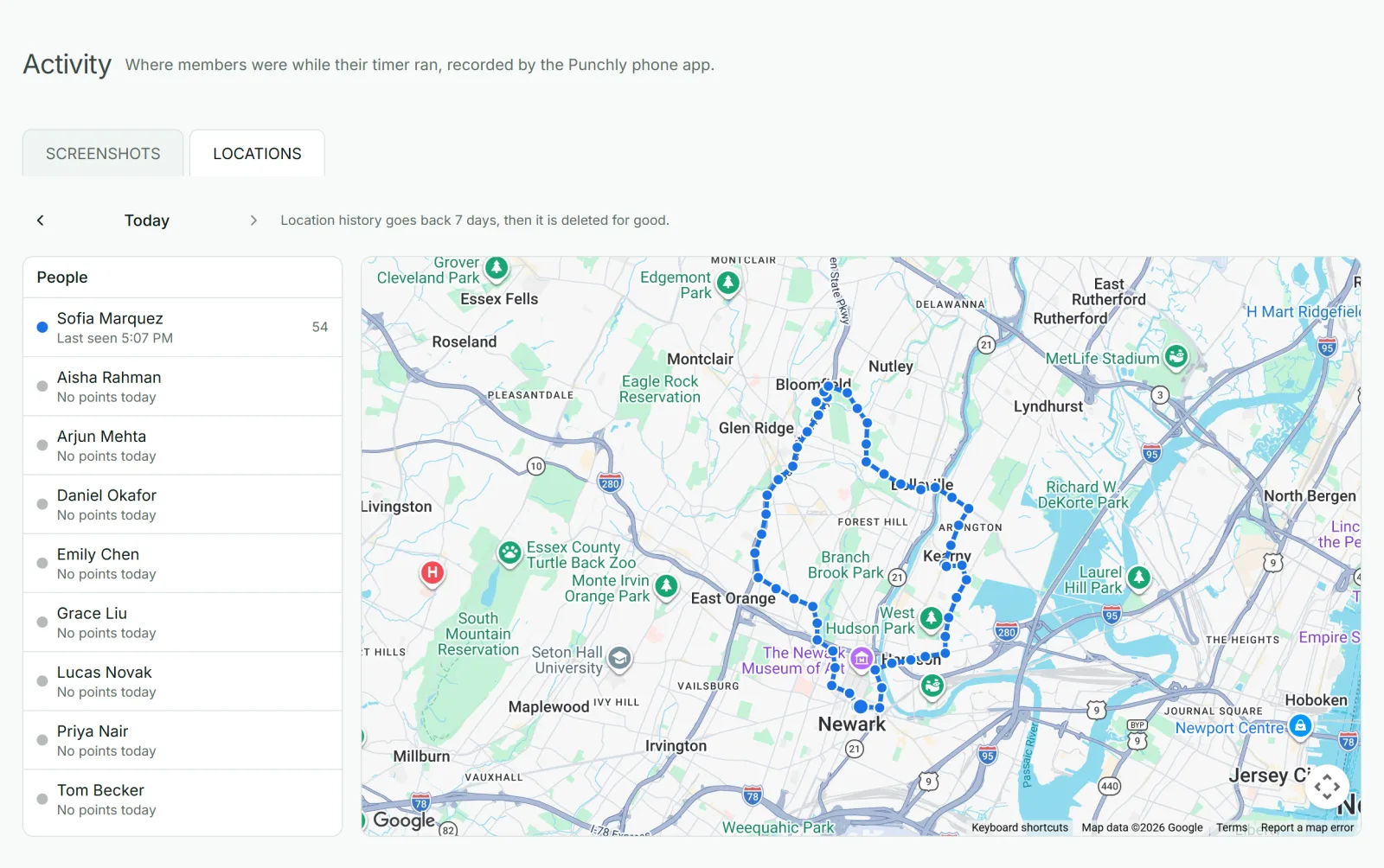
Open Activity, choose a day and a person, and their points are drawn as a route on a map, with a list of the times beside it. A red dot beside a name means that person’s timer is running now. For a service manager, that answers “did the visit happen, and when?” without a phone call.
Fair to the people being tracked
They are told. When location is switched on, everyone in the workspace is told, and the phone app explains what is recorded and who can see it before asking for permission.
They can say no. Choosing “Not now” does not stop anyone tracking time. Their timer works the same; their map stays empty.
It is visible. On Android, a notification stays on the phone for as long as location is being recorded.
They see their own. Each person can see their own points in the app, and delete a day of them.
It is kept for 7 days, then deleted.
Only the people who should see it
Managers and admins see the location of the people whose time they can already see in reports, and nobody else’s. Nobody can delete another person’s points, admins included, so the record cannot be tidied up after the fact.
On the phone app only
Location is recorded by the Punchly phone app, on Android and iPhone, on phones where the person allowed it. The web app and the desktop app record no location at all. The switch is for the whole workspace, so everyone who uses the phone app is asked; anyone can say no and keep tracking time as before.
Who uses GPS time tracking
Field service and maintenance teams
Visiting several customers a day.
Construction companies
With crews on more than one site.
Delivery and sales teams
On a route.
Cleaning and security companies
That have to show a visit took place.
What it is not
Punchly does not have geofencing: it does not start or stop a timer when someone enters or leaves a place, and it does not block clocking in away from a site. It records where the work was tracked. For a fixed workplace, a kiosk on a tablet at the door is the simpler answer.
Questions people ask
Something else on your mind? Our team answers from inside the app and by email.
Know where the work happened
Start the free trial, switch location on and track a visit on your own phone to see what your team would see.