
Time tracking for lawyers who bill by the hour
Time written down at the end of the week is time rebuilt from memory, and memory is generous to the client. Punchly lets a lawyer record each piece of work as it happens, against the right client and matter, with a note of what was done, on the computer or on a phone outside the courtroom.
Free for teams of up to 5. Paid plans from $2 a person a month. 7-day free trial of the Pro plan’s features, no credit card needed.
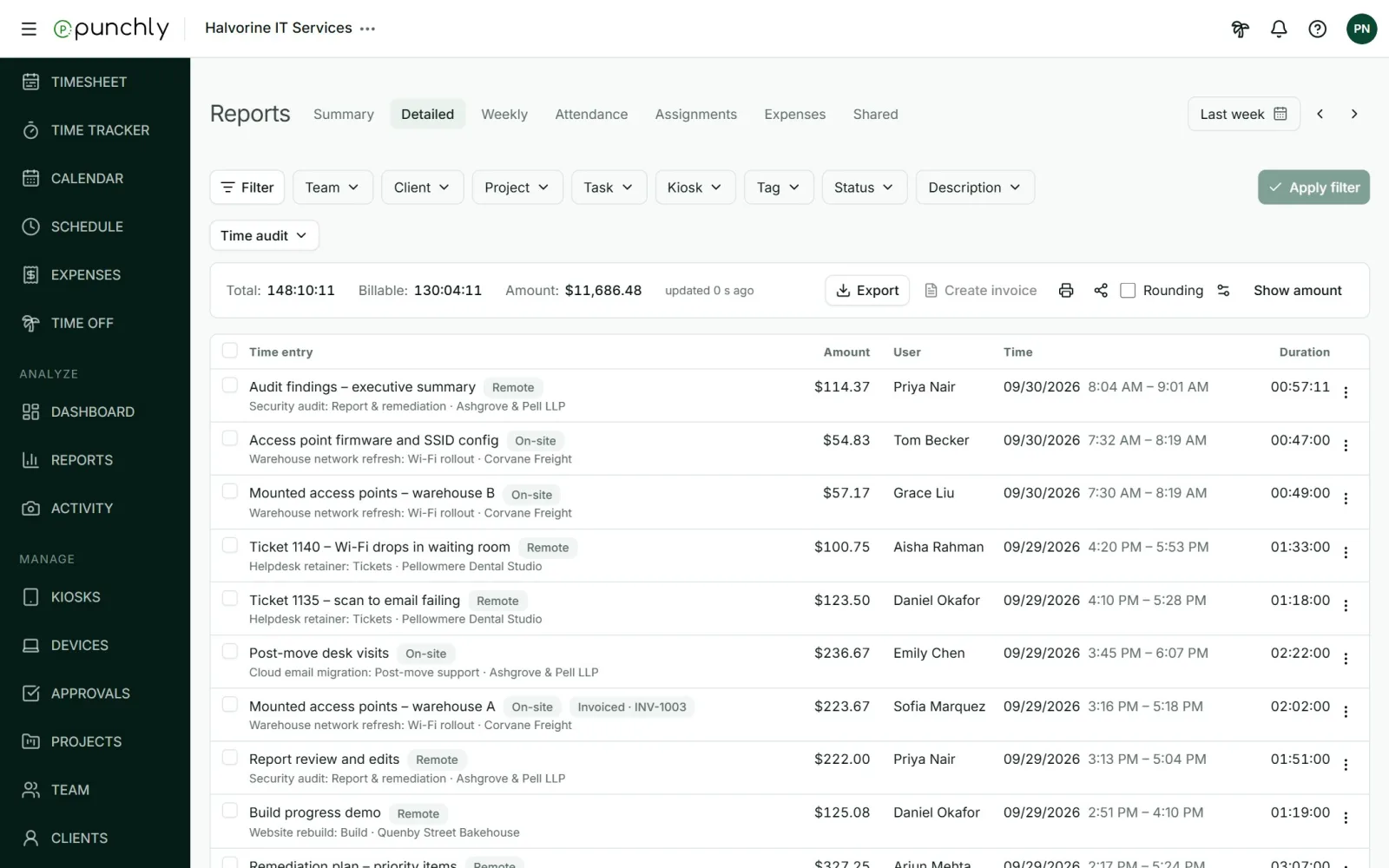
Clients and matters
Each client has its matters as projects beneath it, and each matter can be split into tasks such as research, drafting, correspondence and court time. A lawyer starts a timer, picks the matter and types what the work is. Starting a timer on another matter stops the one before it, and an admin can block overlapping entries altogether, so two matters are not billed for the same minutes.
A narrative on every entry
A bill a client will pay without argument says what was done, not only how long it took. Every time entry carries a description, and you can make the description required, so a timer cannot be stopped and time cannot be added by hand without one (Basic plan). The detailed report then lists each piece of work with its date, its fee earner and its time.
Six-minute units, without changing the record
If your firm bills in tenths of an hour, switch on rounding and reports and invoices show time rounded up to the next 6 minutes. Other steps are available, including 10, 12 and 15 minutes. Only what is shown changes; the time as it was tracked is kept, so the original record is always there (Standard plan).
A rate for each fee earner, and for each matter
A partner, an associate and a paralegal bill at different rates, and some matters are agreed at a rate of their own. Set a rate for each person and override it for a matter, or for one person on one matter. Punchly uses the most specific one, and beside each rate it shows which level applies and why (Basic plan; task rates on Standard).
From time to bill
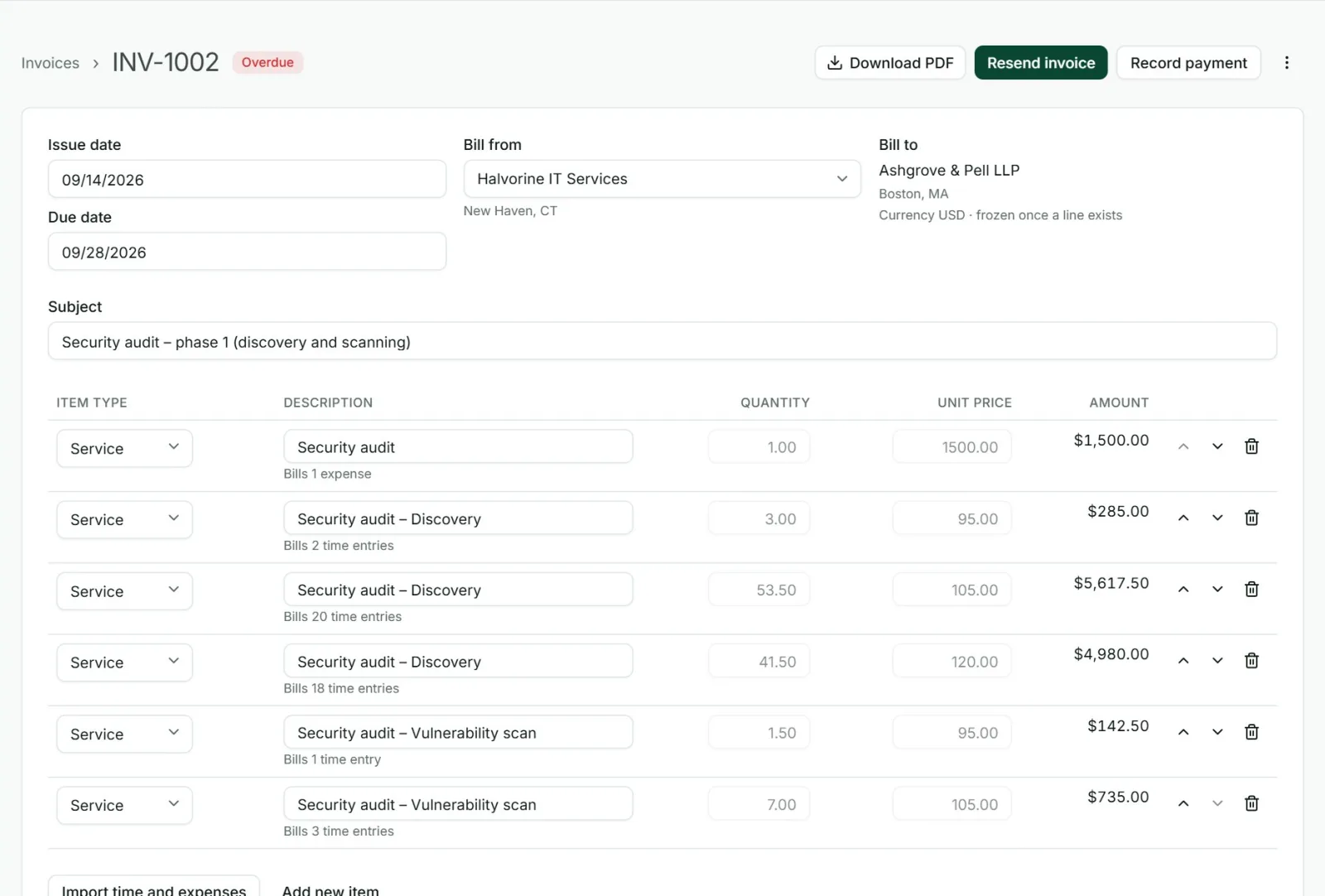
Choose the client, the matters and the dates, and Punchly puts the unbilled time on an invoice. The detailed layout gives one line for each time entry, with the details you choose to show. Court fees, couriers and other costs paid on a client’s behalf can be recorded as billable expenses with the receipt attached, and added to the same invoice. Send it by email and record the payments, including part payments (invoicing on Standard; expenses on Pro).
Confidential by design
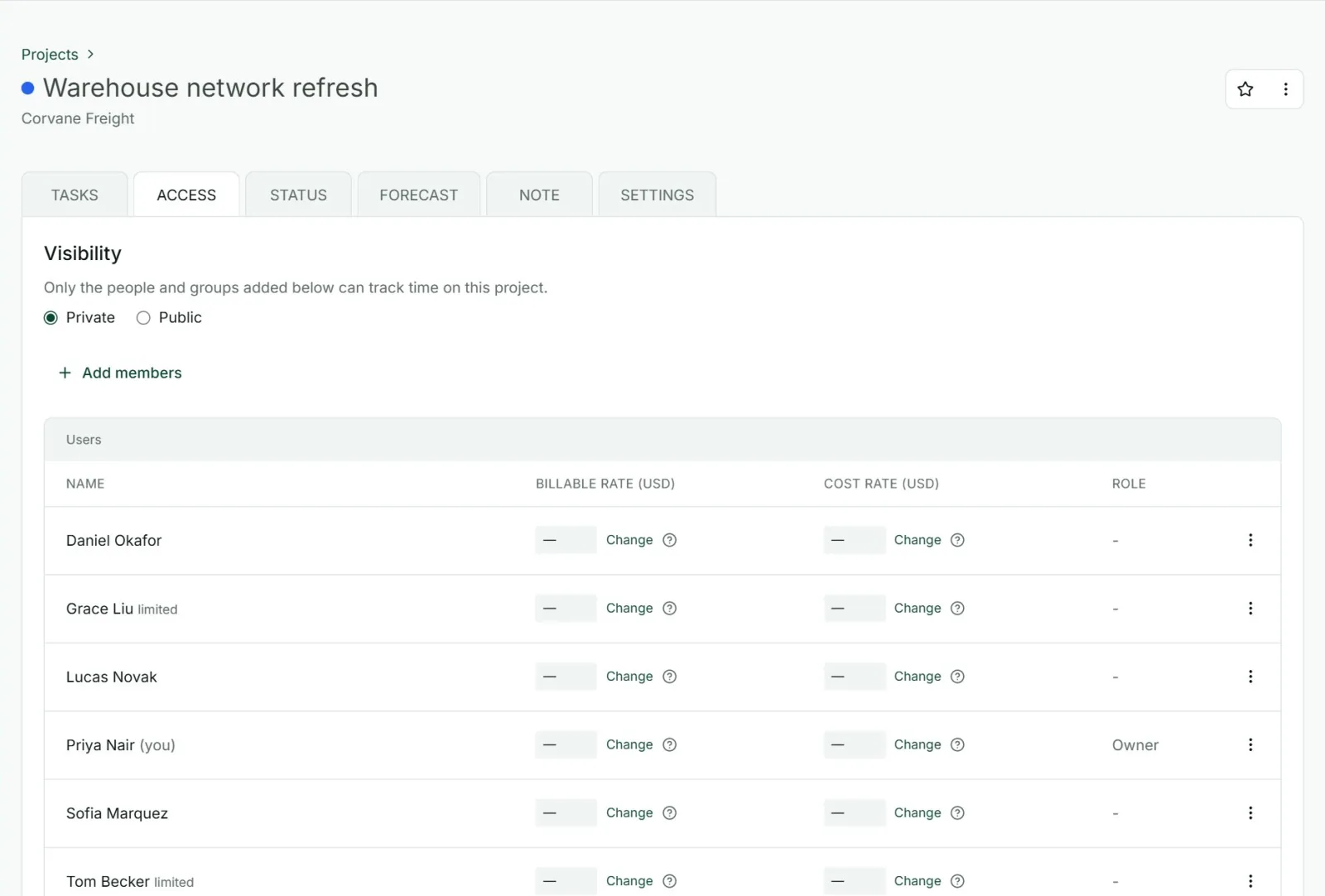
Private matters. Make a project private and only the people you add can see it or track time on it (Basic plan).
Rates stay with the partners. By default only admins see rates and amounts.
People see their own time. Unless you allow more, each person sees only what they tracked.
What Punchly is not
Punchly is time tracking and billing. It is not a legal practice management system: it does not hold client funds or do trust accounting, it does not check conflicts, manage documents or keep a court calendar, and it does not produce LEDES files. Use it for the time and the bill, beside the tools you have for the rest.
Questions lawyers ask
Something else on your mind? Our team answers from inside the app and by email.
Record the work when it happens
Start the free trial, add a client and two matters, and record one day’s work as you do it.