
Agency time tracking software that shows which clients make money
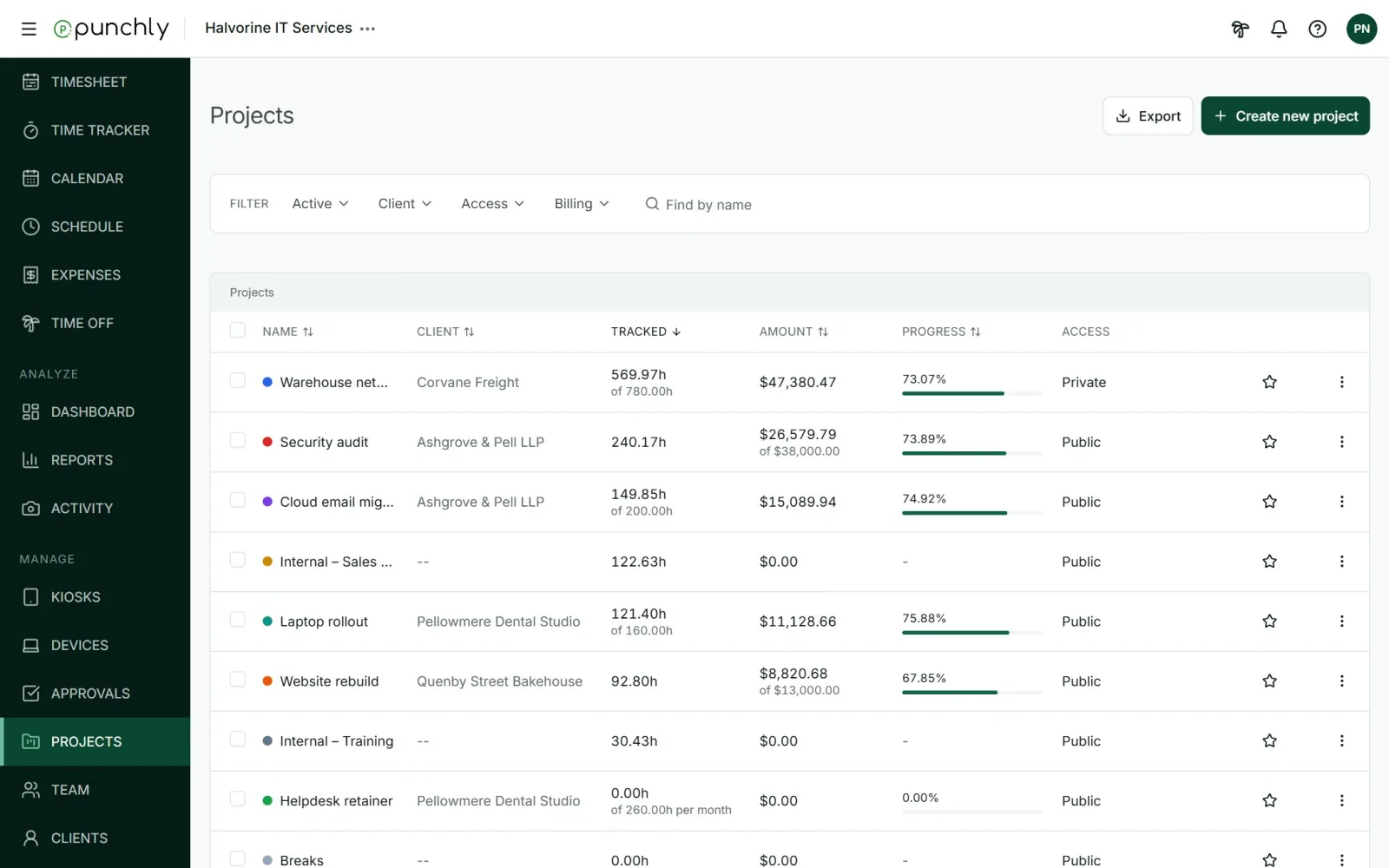
An agency sells hours, whether the contract says retainer, fixed price or day rate. Punchly shows where those hours go while there is still time to act: which retainer is nearly used up, which project is drifting past its budget, and who has room for the next brief.
Free for teams of up to 5. Paid plans from $2 a person a month. 7-day free trial of the Pro plan’s features, no credit card needed.
01
Which retainer is nearly used up?
02
Which project is drifting past its budget?
03
Who has room for the next brief?
Every client, every project, one place
Create a client, put its projects under it, and the team picks the project when they start a timer or fill in the week. From then on, every report can be grouped by client, project, task or person, so “how much time did we spend on that campaign?” has an answer without a search through spreadsheets.
Ashgrove & Pell LLP
95:40
Security audit
58:25
Discovery
21:05
Report and remediation
37:20
Cloud email migration
37:15
Corvane Freight
141:27
Example: a report grouped by client, project and task
Retainers and budgets you see coming
Over-servicing is rarely one bad week. It is ten small favors nobody added up. Give a project a limit and Punchly adds them up for you.
Helpdesk retainer
31 h of 40 h this month
Hours estimate that starts again each month
Website rebuild
$10,560 of $12,000
Budget in money, time and expenses counted
Alert at 80%
Monthly retainers Basic
Set an estimate in hours that starts again every month, and progress counts only this month’s work.
Fixed-price work Pro
Set a budget in money, and tracked time and expenses count against it.
A warning in time Pro
Set an alert, for example at 80% of the limit, and Punchly emails the admins, the project’s manager or everyone on the project when it is crossed.
Forecast Pro
See where a project will end, from the hours tracked plus the hours still planned on the schedule.
Workspace rate
$90 an hour
Person
$105 an hour
Project
$120 an hour
Task
Not set
This person on this project
$135 an hour Used
Example: the most specific rate that is set wins
Different rates for different work
A strategist and a junior designer do not bill at the same rate, and one client may have negotiated its own. Set rates for the workspace, a person, a project, a task, or one person on one project; Punchly uses the most specific one. Add cost rates and reports show each project’s profit, not only its revenue (rates from Basic, task rates on Standard, cost and profit on Pro).
Know who is free before you say yes
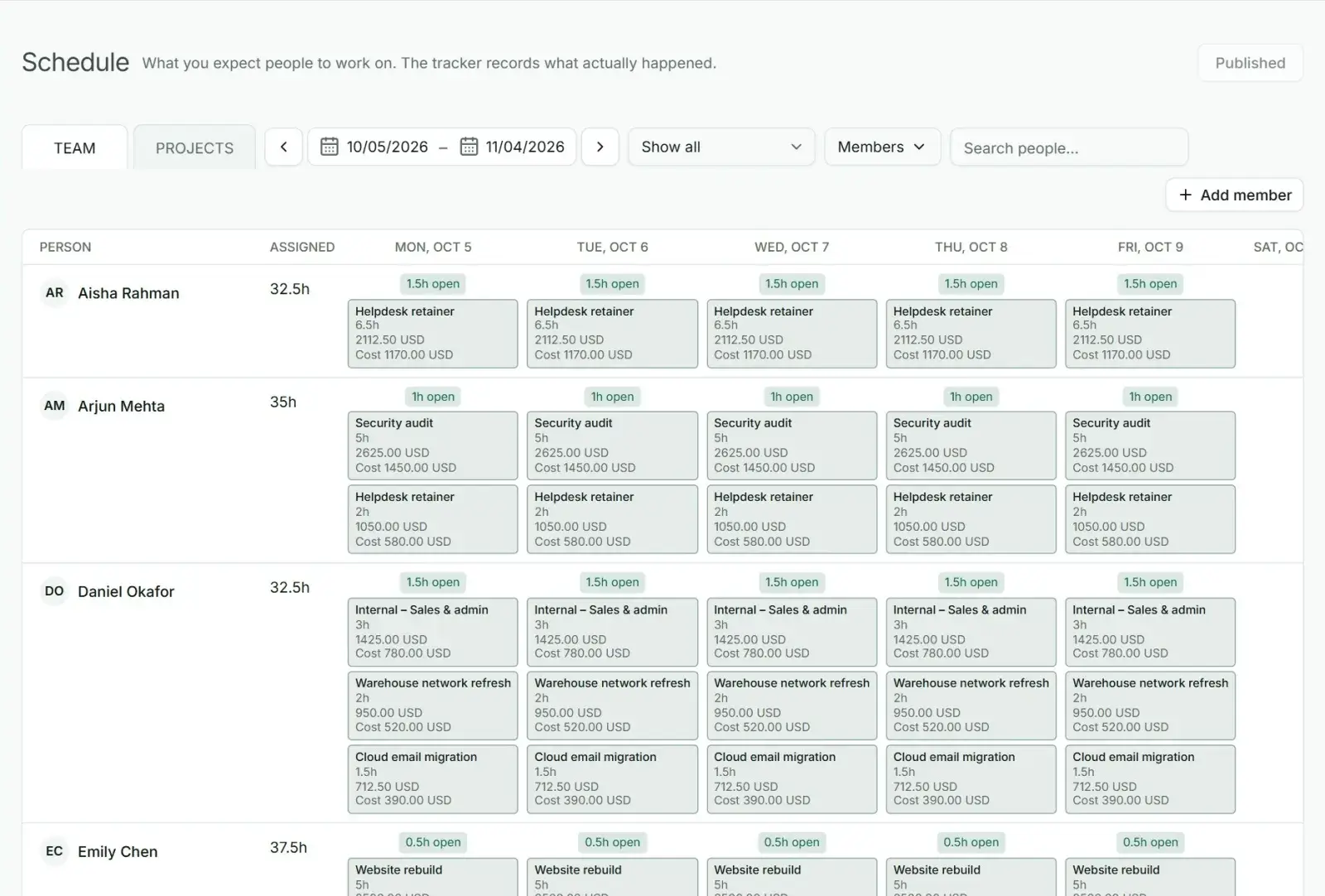
The schedule shows each person’s planned work by day against their capacity, with leave and holidays already taken off. Plan a new project as a draft, see who it overloads, and publish when it works. Afterwards, compare planned hours with tracked hours for each person and project (Pro plan).
From tracked hours to a sent invoice
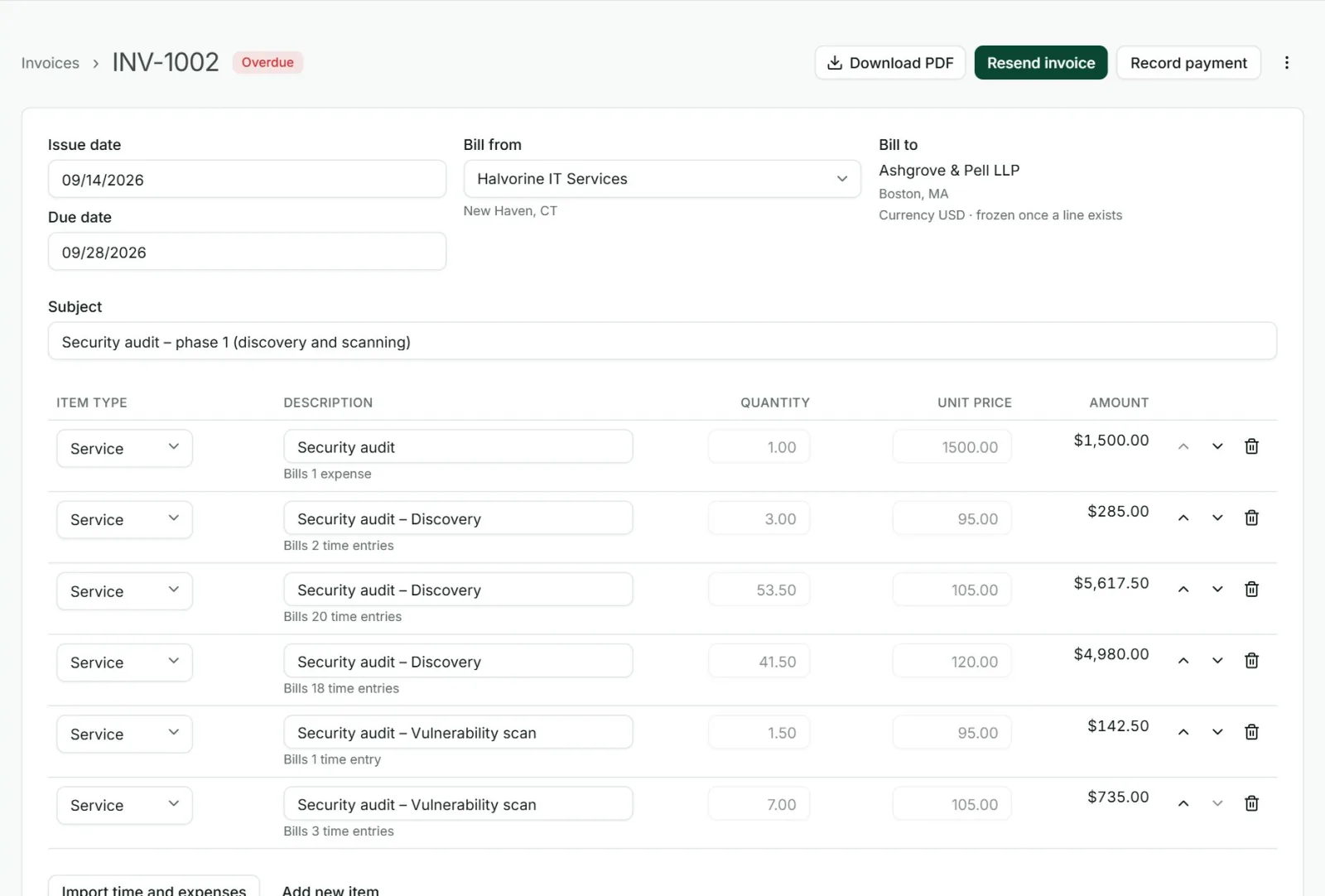
At the end of the month, choose the client and the dates and Punchly puts the uninvoiced billable time on an invoice at your rates, with billable expenses if you record them on the Pro plan. Send it by email from Punchly and record the payment when it arrives. Time that has been invoiced is marked, so it is never billed twice (Standard plan).
Billable hours→Invoice→Sent by email→Payment recorded
Works with how your team already plans
Jira
Bring in issues as tasks from your own Jira and from each client’s, in one workspace (Standard plan).
Approvals
Team leads approve the week before it is billed, and project managers can approve only their own projects’ hours (Standard plan).
Client reports
Export a Summary, Detailed or Weekly report to PDF and send it with the invoice.
Which plan an agency needs
Clients, projects, tasks, reports
Free
Billable rates, monthly retainers
Basic, $2
Invoices, approvals, Jira, task rates
Standard, $4
Budgets, alerts, forecast, scheduling, profit, expenses
Pro, $6
Prices are for each person each month. Most of what is on this page needs Standard or Pro.
Questions agencies ask
Something else on your mind? Our team answers from inside the app and by email.
See where your agency’s hours really go
Start the free trial, add two clients and a retainer, and look at the numbers after one week of real work.