
Time tracker for Mac, in a small window of its own
Stop hunting for the right browser tab to start a timer. Punchly for Mac is a small app that stays one click away: say what you are working on, choose the project, press Start. When you are away from the Mac for a while, it asks about that time instead of guessing.
Free on every plan. For Macs with Apple silicon, macOS 12 or later. 7-day free trial of the Pro plan’s features, no credit card needed.
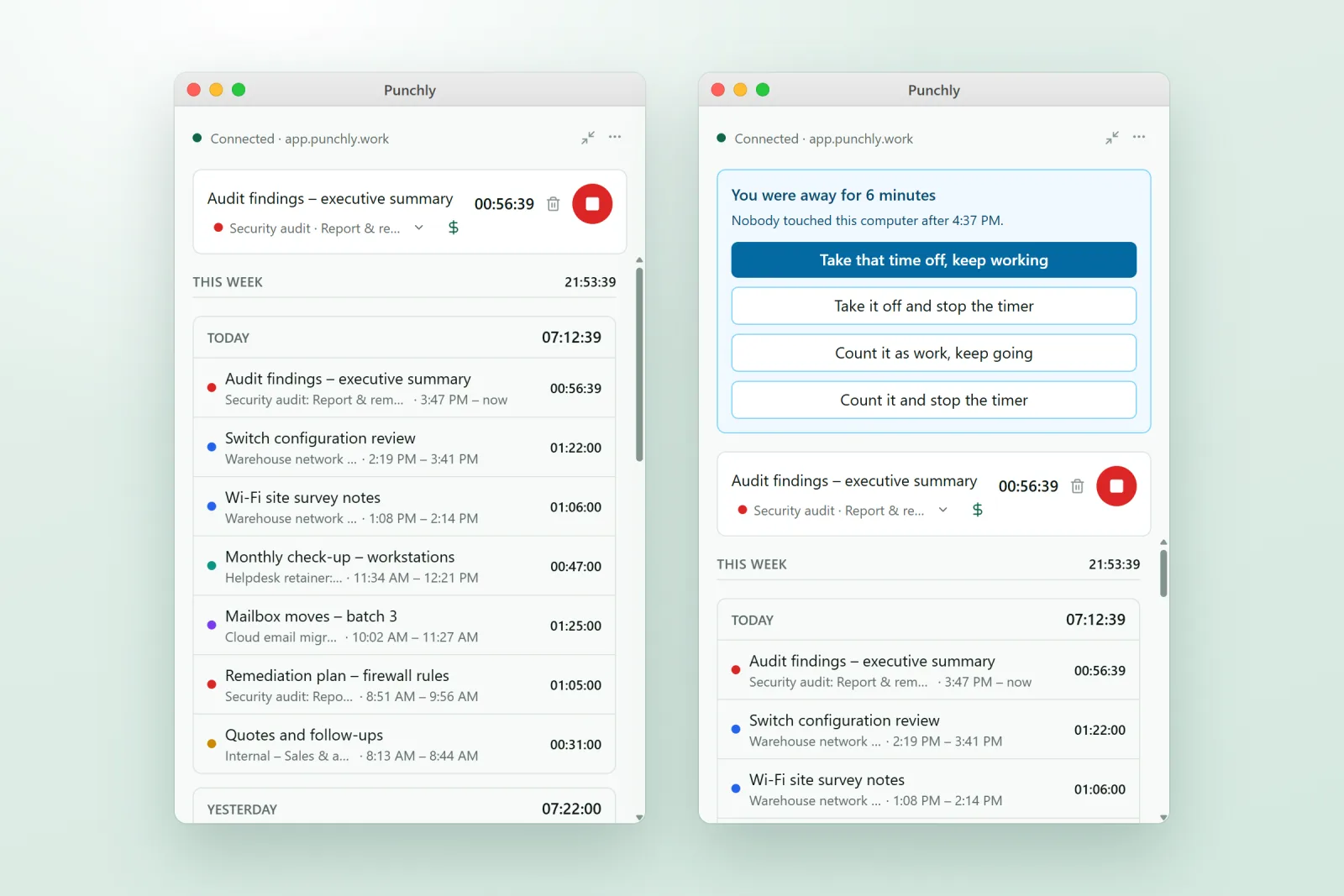
A timer that is always one click away
The app does the three things people do all day, without opening the website: start a timer on a project and task, add time by hand by typing a length such as 1:30 or 90m, and, if your company uses breaks (Basic plan), take a break. Below the timer is your last seven days, where an entry can be continued, edited, split, duplicated or deleted.
If you prefer it smaller still, the mini timer is a one-line bar that stays on top of your other windows, and the menu bar icon stops the timer or continues your last entry without opening the app at all.
Honest about the time you were away
If nobody touches the keyboard or trackpad for a few minutes while a timer runs, Punchly asks what to do with that stretch when you are back. You can take the time off or count it as work, and either keep the timer going or stop it. The wait starts at 5 minutes; an admin can change it or switch it off.
That one question saves tidying up the timesheet on Friday from memory.
Works on a plane
With no connection the app keeps tracking. Entries are saved on the Mac and sent when you are back online, and the top of the window shows “Offline” with the number of things waiting.
What stays private
Your day
A list of the apps you used and when, to help you add time you forgot. It stays on your Mac and is never sent to Punchly.
Screenshots are off unless your company switches them on
(Pro plan). If it does, the app tells you what is recorded before anything is, and macOS also asks for your own permission before any app can record the screen.
Set up once for the whole team
Admins choose how the app behaves on every computer from Workspace settings: whether it opens when the Mac starts, whether a timer starts as it opens, and whether the timer stops when the Mac sleeps or shuts down. The Devices screen lists every computer running the app, and a lost or handed-on Mac can be removed there.
Install and sign in
Download the .dmg, open it and drag Punchly into Applications.
Open Punchly and press Sign in. Your browser opens.
Press “Pair this computer” in the browser after checking the Mac’s name.
No password is typed into the app. New versions download in the background, and the app offers to restart when one is ready.
Questions people ask
Something else on your mind? Our team answers from inside the app and by email.
Put your timer one click away
Download Punchly for Mac, sign in with your Punchly account and start tracking.