
Expense tracking software that sits beside your time
Travel, materials, mileage and software are part of what a project costs. Your team records each expense against the project with a photo of the receipt, a manager approves it, and the billable ones go onto the client’s invoice with the hours.
Pro plan, $6 a person a month. 7-day free trial of the Pro plan’s features, no credit card needed.

Record an expense on the spot
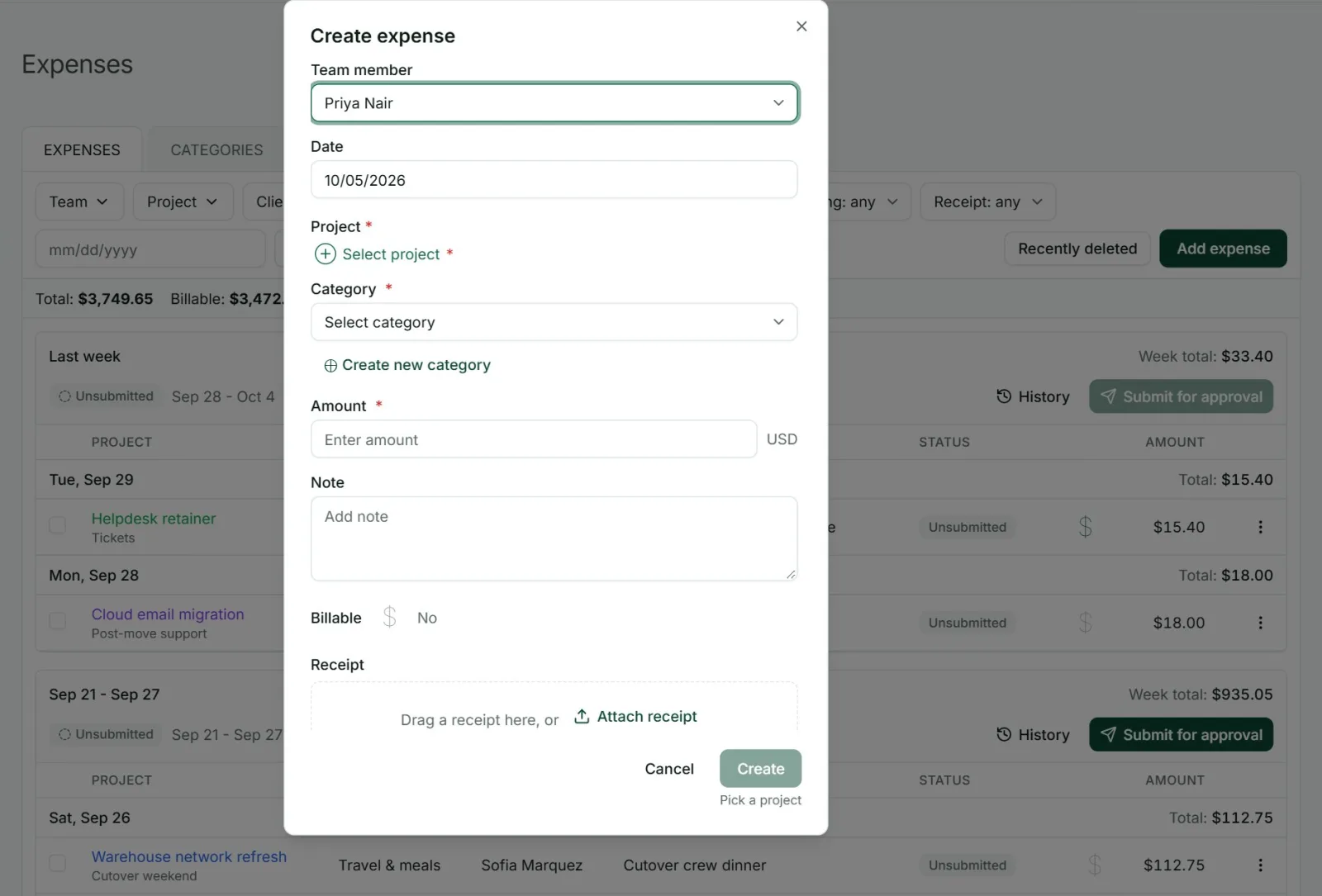
Press Add expense, pick the project, choose a category, type the amount and attach the receipt. That is the whole job. The expense is then tied to the project it belongs to, so nobody has to work out later what a hotel bill was for.
Each person sees their own expenses, listed by week and by day with a running total. An expense without a receipt is marked, so missing paperwork is caught while people still remember where it is.
Photograph the receipt on the spot
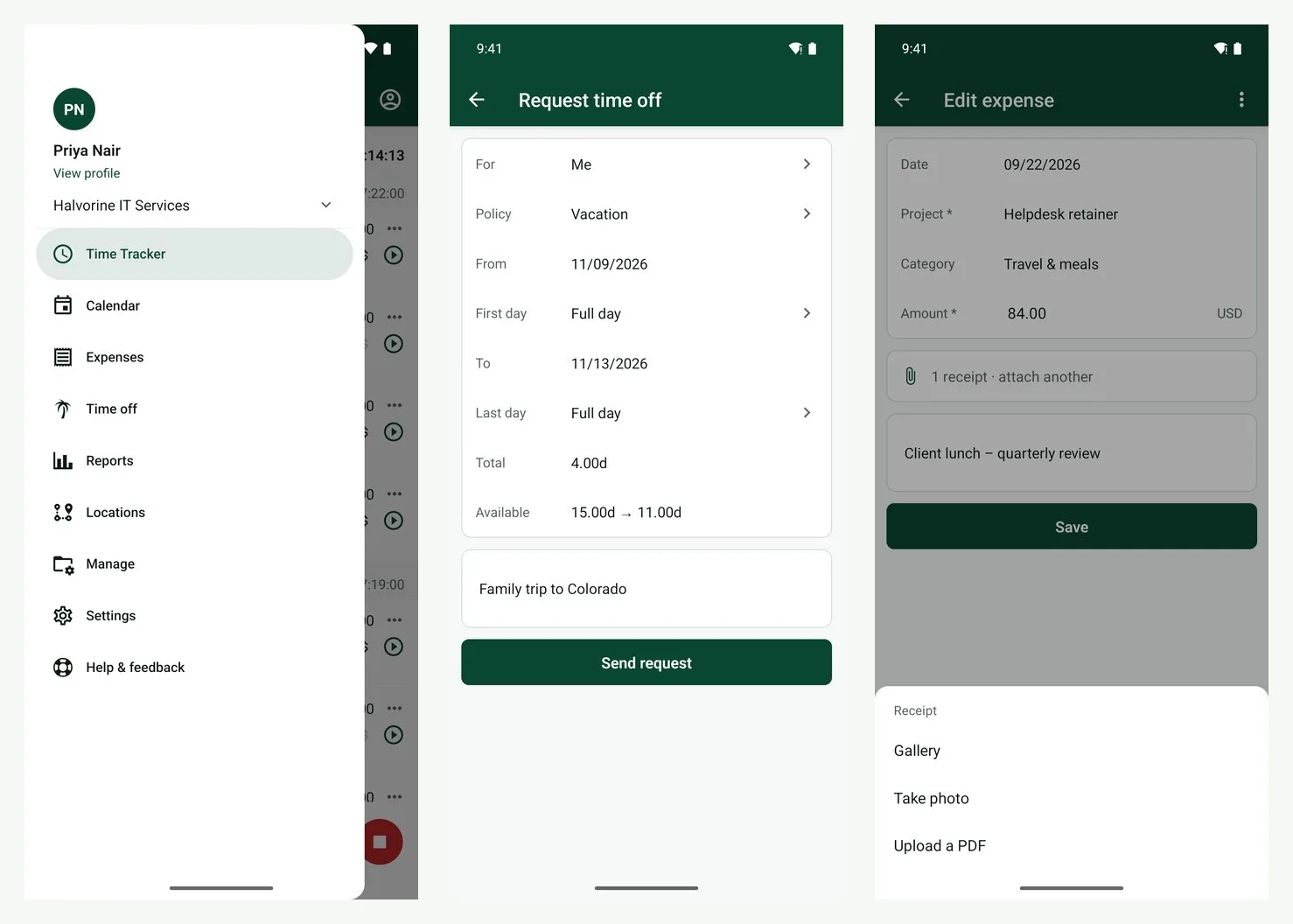
Receipts get lost between the taxi and the office. With the phone app, people take a picture of the receipt the moment they pay and the expense is done. On the web, drag in a photo or a PDF. Each expense can hold up to five receipts.
Mileage and day rates, worked out for you
Not every expense is a fixed amount. For costs with a price per unit, such as mileage, set the price once. People then type the distance and Punchly works out the amount.
Categories also keep reports tidy. You start with seven, such as Meals, Lodging, Mileage and Transportation, and can rename them or add your own.
Plain amount: the person types what they spent.
Unit price: the person types a quantity, and the amount is quantity times the price.
Billable by default, for each category, so client costs are marked without thinking.

Approve expenses before they are paid
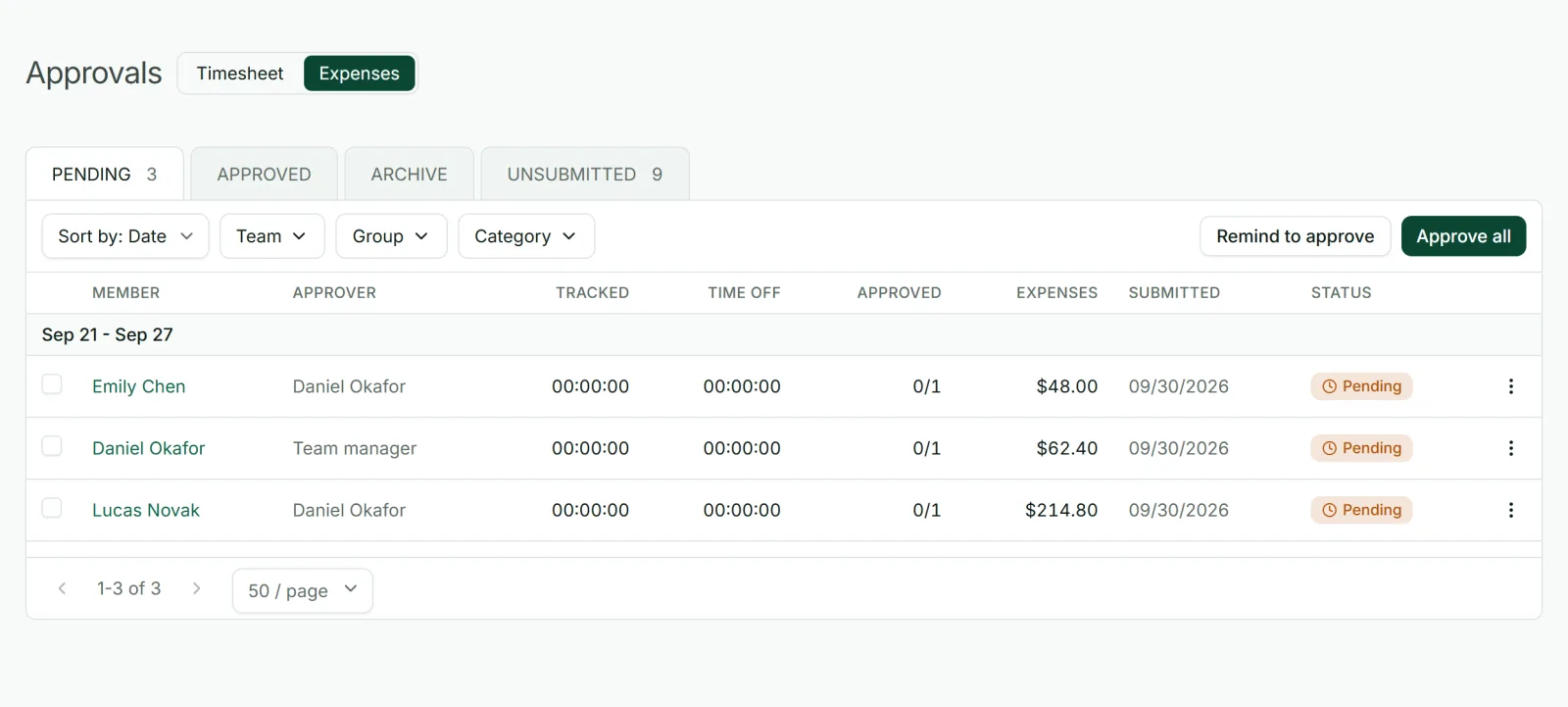
Expenses go through the same approval as timesheets. People submit their expenses for the period, a manager checks them against the receipts and approves or rejects them, and an approved expense is locked so it cannot be changed afterwards.
Know the real cost of every project
Hours are only part of what a project costs. Because expenses are recorded against projects, each project’s status shows them next to the time, in total and per task.
If the project has a budget, billable expenses count toward it, so a project that is under on hours but over on travel is still flagged.
Put billable expenses on the invoice
When you invoice a client, check one box and the billable expenses for the period are added with the hours. They are then marked as invoiced, so nothing is charged twice, and the receipts for an invoice can be downloaded together to send with it.
Find any expense later
Filter by person, project, client, category, date, approval status, or whether it has been invoiced or has a receipt. The Expenses report shows what was spent across projects and people. Deleted an expense by mistake? It can be restored for 30 days.
Who it is for
Consultants and agencies
Who pass travel and other costs on to clients.
Field and construction teams
Recording materials and mileage against each job.
Companies that reimburse staff
And want receipts and approval in one place.
Project managers
Who need the full cost of a project, not only the hours.
Questions people ask
Something else on your mind? Our team answers from inside the app and by email.
Stop collecting receipts in an envelope
Start the free trial, record your next expense with a photo of the receipt, and see it on the project.