
Employee time tracking app for your computer and your phone
Punchly runs where your team works: a small desktop app for Windows, Mac and Linux, a phone app for Android and iPhone, and the full product in any browser. Everyone signs in to the same workspace, so a timer started in one place is running in all of them.
Every app is free on every plan. 7-day free trial of the Pro plan’s features, no credit card needed.
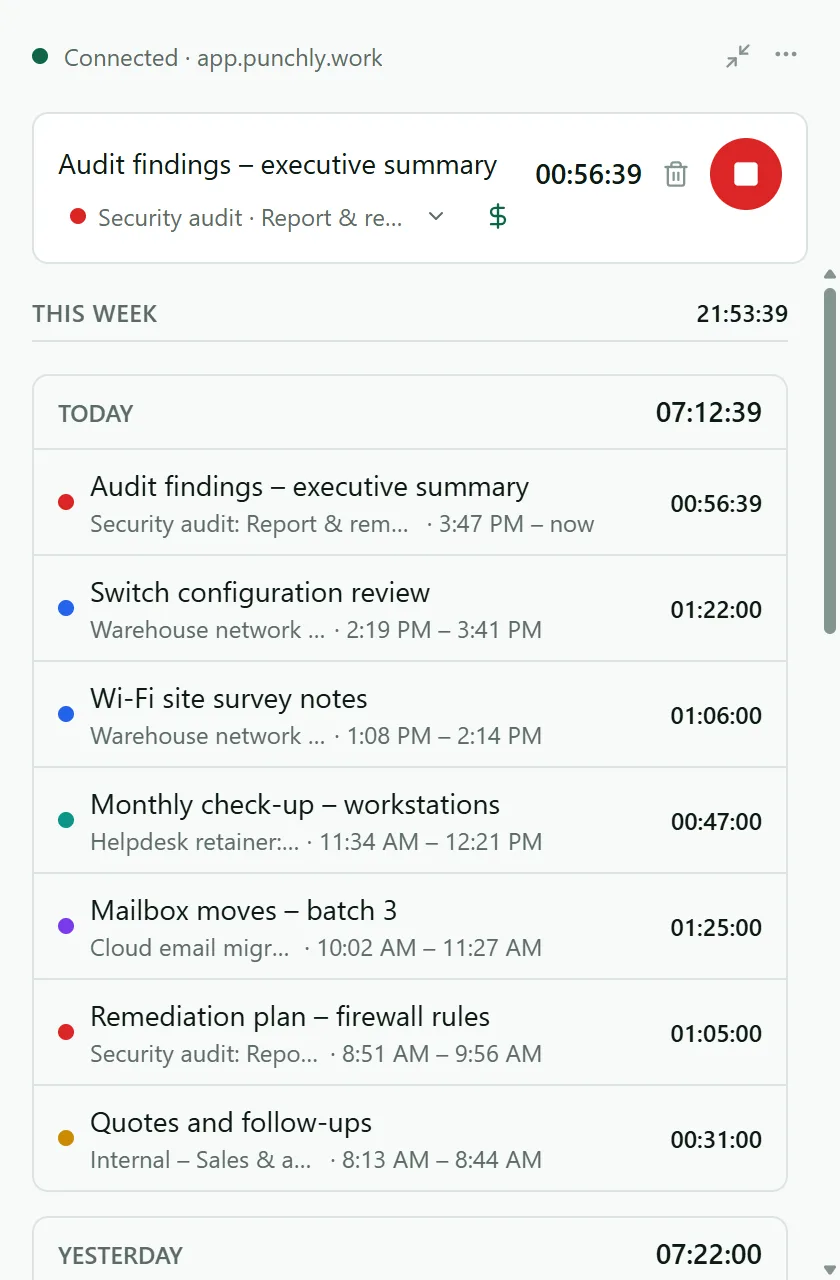
Desktop app for Windows, Mac and Linux
The desktop app is a small window that tracks time without a browser tab. It asks what to do with the time when you have been away from the computer, keeps tracking when the internet drops, and can show a one-line mini timer on top of your other windows.
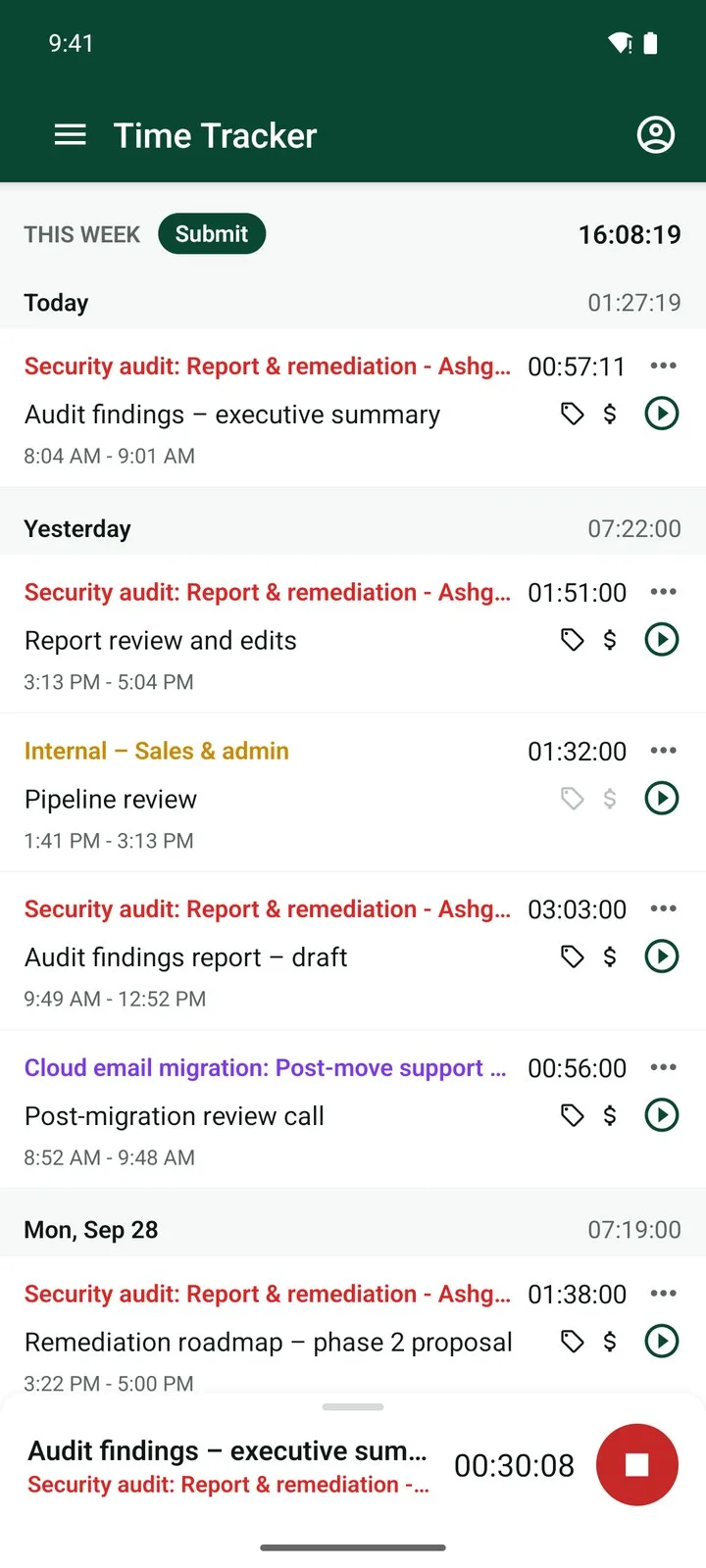
Phone app for Android and iPhone
The phone app covers what people need away from a desk: start and stop a timer, add time by hand, check the day in the calendar, photograph a receipt for an expense, and ask for time off. It keeps working with no signal and sends everything when the phone is back online.
Or install nothing at all
Punchly works fully in the browser at app.punchly.work, on any computer. Reports, invoices, approvals, the schedule and the workspace settings live there. The apps are for tracking; the web is where the managing happens.
ReportsInvoicesApprovalsScheduleSettings
One account on every device
You do not choose between the apps. Sign in to as many as you like and they show the same time.
Start in one place, stop in another
A timer started on the computer is running on the phone and on the web, and can be stopped from any of them.
The same projects everywhere
Projects, tasks and tags are the ones your workspace set up, in every app.
The same rules everywhere
If your workspace makes a project required, it is required in every app, not only on the web.
Which app should my team use?
| If your people are | Use | Because |
|---|---|---|
| At a computer all day | Desktop app | It is one click away and catches the time you were not at your desk. |
| On the road or on site | Phone app | For time, receipts and leave requests. |
| Sharing a tablet at the door | Kiosk | People clock in with a PIN or a QR code and need no app of their own. |
| Managers and admins | Web | For reports, approvals and settings. |
Questions people ask
Something else on your mind? Our team answers from inside the app and by email.
Get Punchly on the device you work on
Create a free account, then add the apps you need. The same sign-in works on all of them.