
Simple Time Tracking for Accountants
Scale your accounting practice with a dedicated tool built to track billable time, manage complex client workflows, and automate invoicing. Get the visibility you need to increase firm profitability without the manual entry.
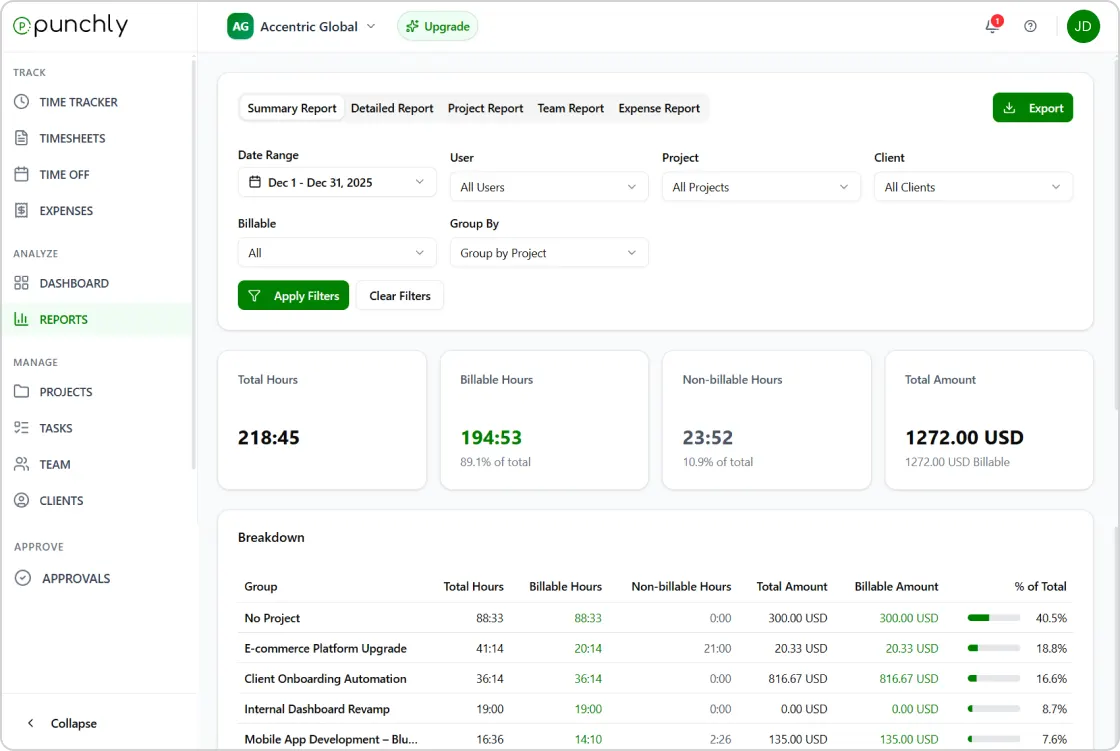





Software for HR & accountants
Punchly records work hours consistently across teams, departments, and roles. Tracked time flows directly into timesheets, helping HR and finance teams prepare payroll with confidence.
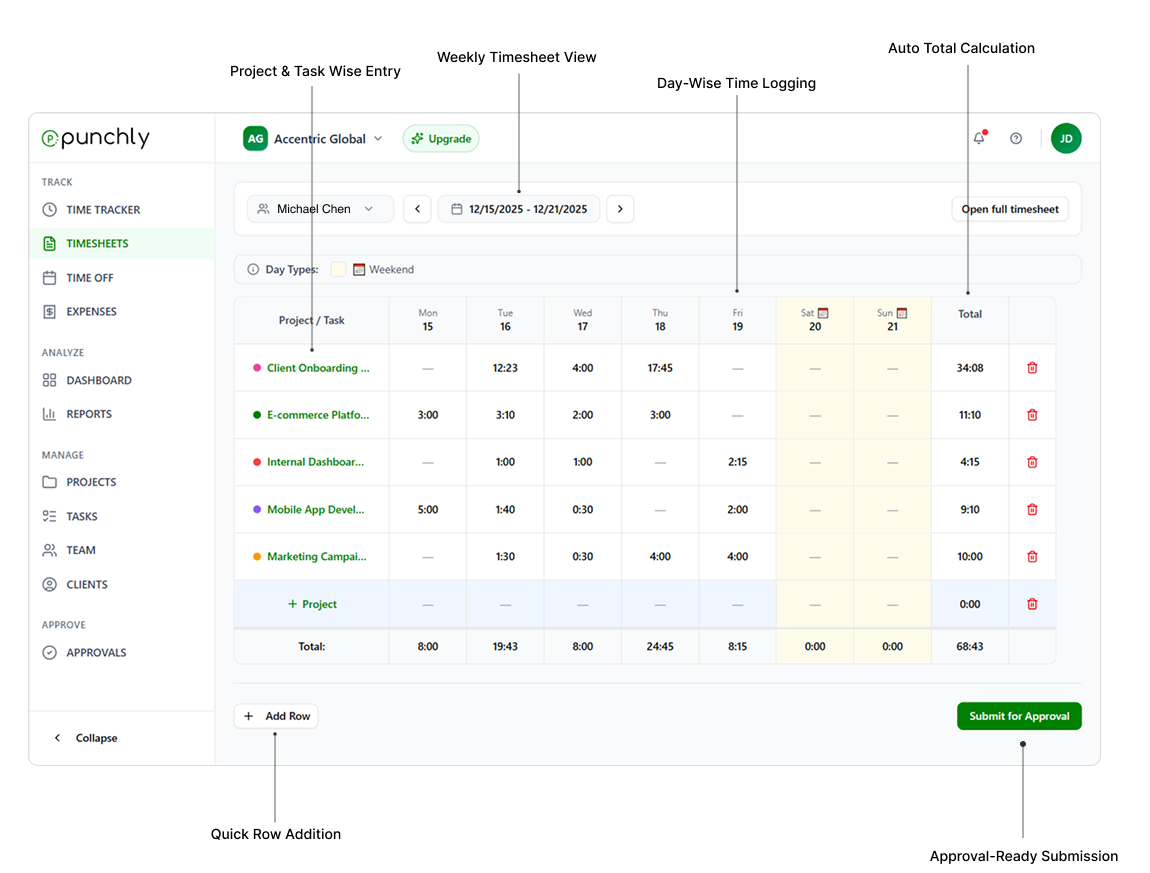
Timesheets with approvals and audit trails
Punchly generates structured timesheets that can be reviewed and approved before payroll processing. Every change is logged, creating a clear audit trail. This supports internal controls and compliance requirements.
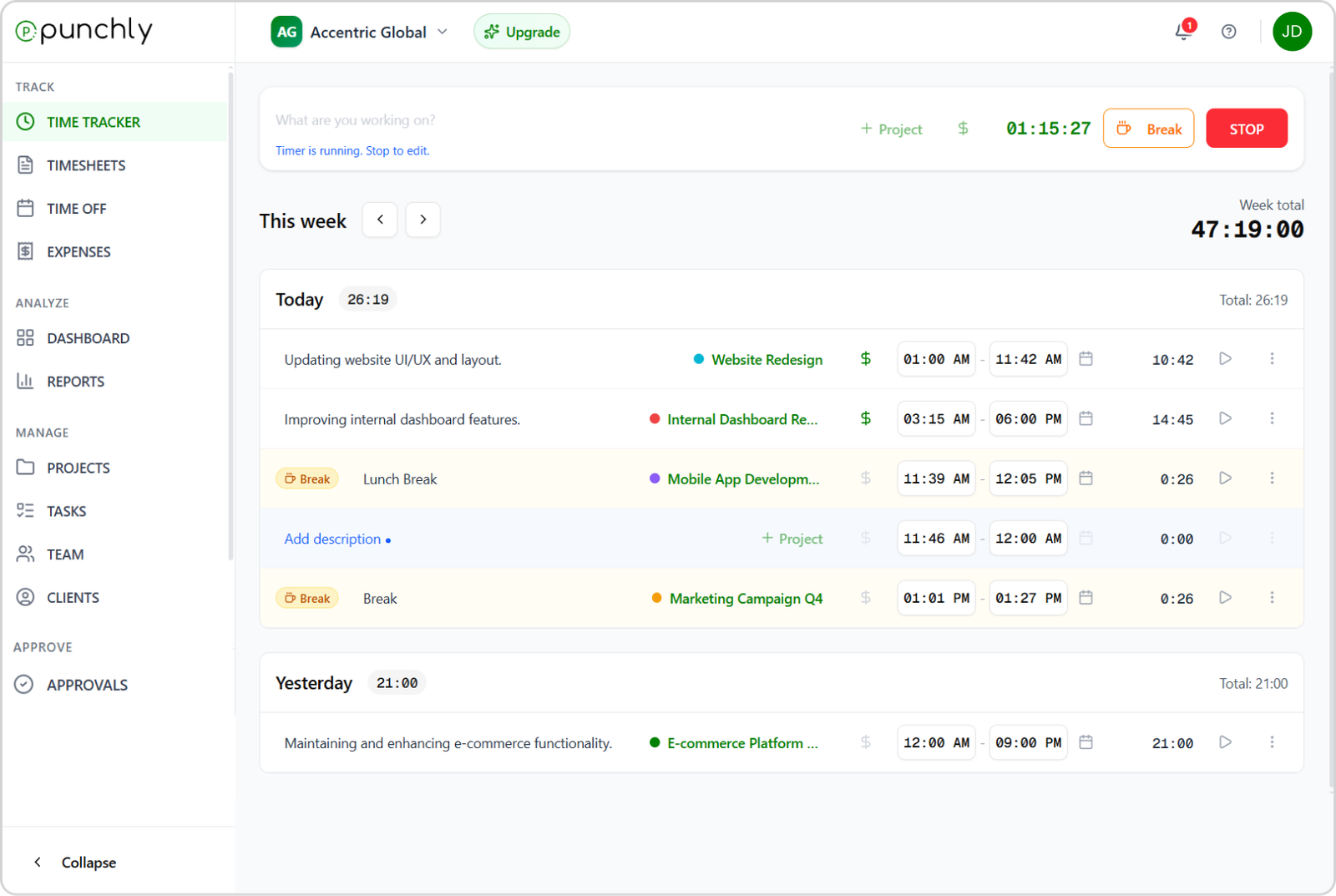
Centralized time tracking for payroll accuracy
Punchly records work hours consistently across teams, departments, and roles. Tracked time flows directly into timesheets, helping HR and finance teams prepare payroll with confidence. Accurate time data reduces payroll errors and manual corrections.
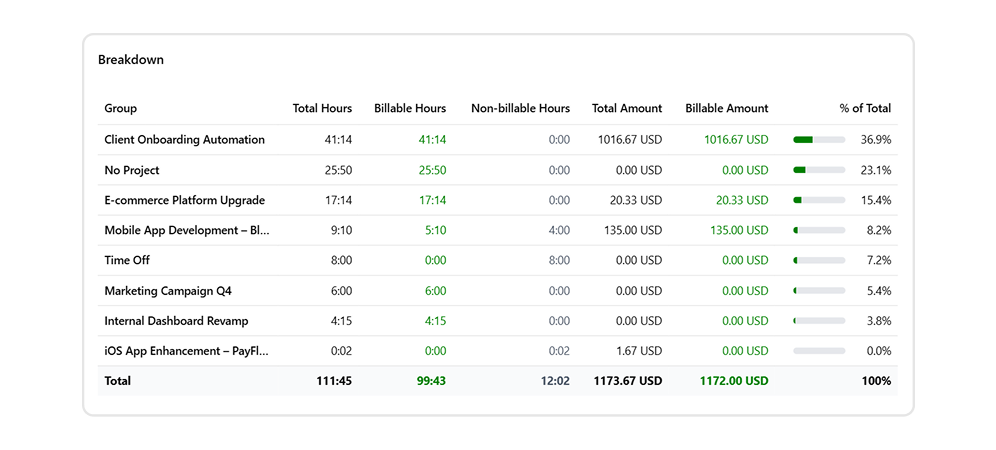
Billable hours and client accounting
For firms that bill clients, Punchly separates billable and non-billable time clearly. Billable hours and expenses can be reported and exported for invoicing. This ensures consistent and transparent client billing.
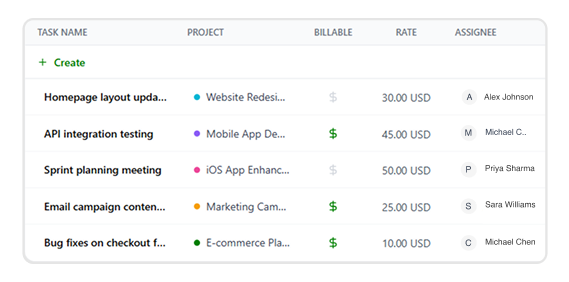
Cost tracking for accounting teams
Associate time entries with internal cost rates to understand labor costs accurately. Punchly helps accountants analyze cost distribution across teams, projects, and departments. Cost visibility supports budgeting and financial planning.
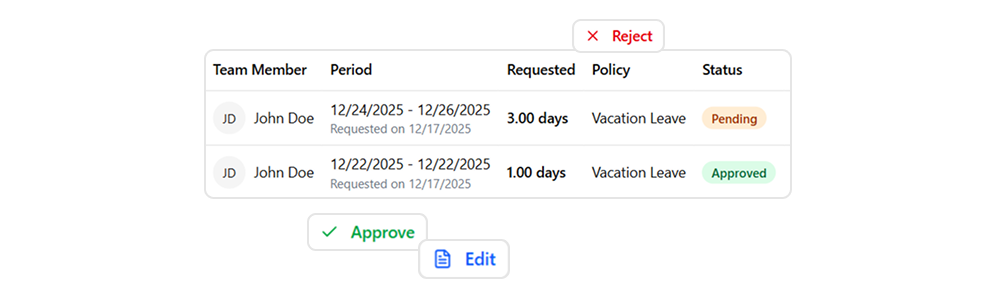
Attendance and leave management
Track employee attendance, absences, and time off in one system. Approved leave is reflected automatically in availability and attendance views. This helps HR teams maintain accurate attendance records without spreadsheets.
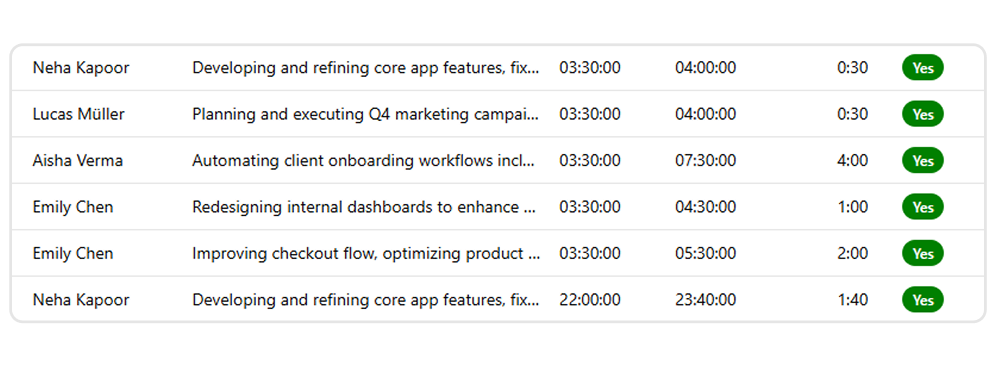
Flexible rate management
Set hourly rates by employee, role, project, or client. Punchly supports historic rates, ensuring that past records remain accurate even when rates change. Rate flexibility supports diverse payroll and billing structures.
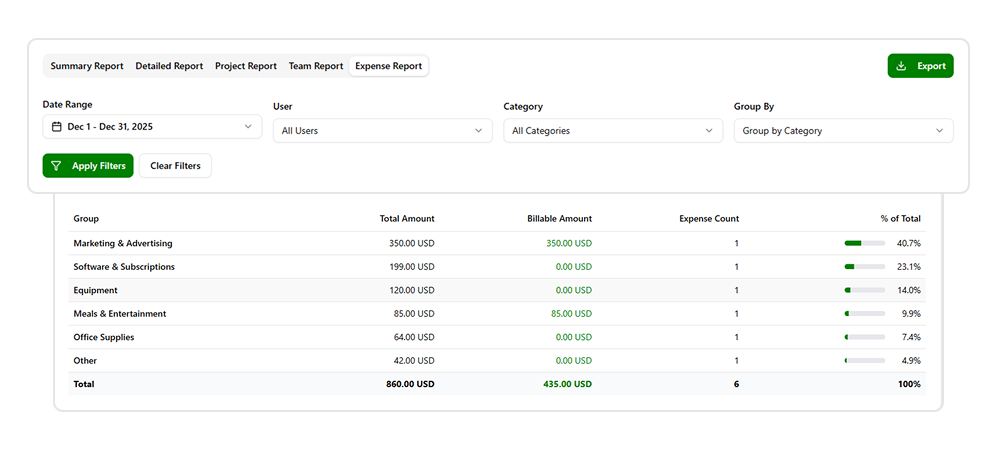
Expense tracking and reimbursement support
Record work-related expenses and link them to employees, departments, or projects. Approved expenses can be included in reports for reimbursement or accounting. This keeps expense data aligned with time and cost records.
Role-based access and data security
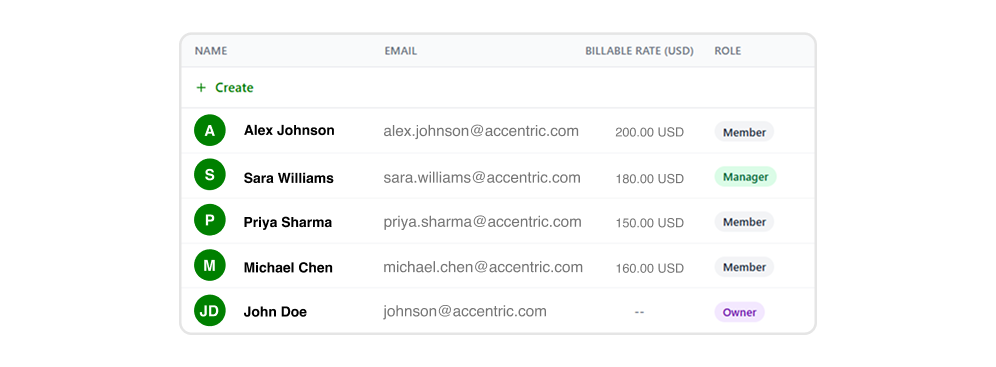
Control access to sensitive HR and financial data with role-based permissions. Punchly ensures that only authorized users can view or manage payroll-related information. This supports data protection and governance.
Works across teams and locations
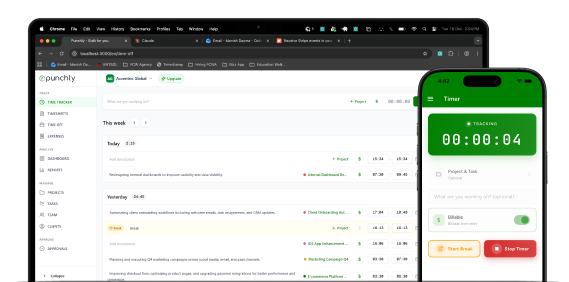
Punchly supports office-based, remote, and hybrid work environments. Time and attendance data sync automatically across web, desktop, and mobile devices. Offline tracking ensures continuity when connectivity is limited.
How Punchly CPA time and billing software works
Punchly helps accounting firms accurately track billable hours, manage client work, and maintain compliance with minimal manual effort. From daily time entries to approval-ready reports, every step is designed to support CPA workflows and billing accuracy.
Create an account
Set up your Punchly workspace for your accounting firm. This becomes the central system for tracking staff hours, managing clients, and preparing billing and compliance reports
Set up projects
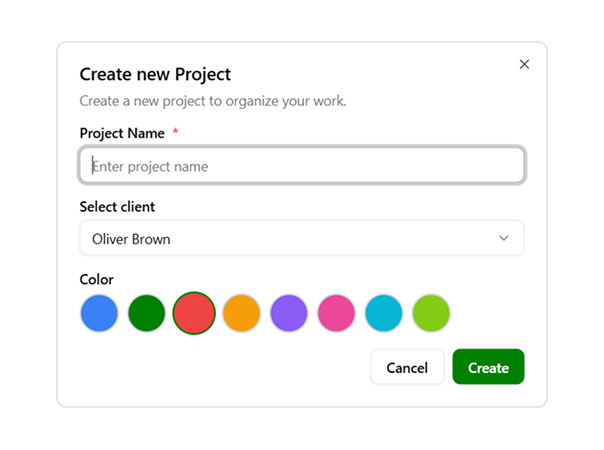
Create projects for each client, engagement, or filing period. Projects help CPAs organize work by audit, tax filing, advisory service, or ongoing retainers for clear reporting.
Set hourly rates
Define hourly or billable rates for staff, roles, or specific engagements. This ensures time entries automatically translate into accurate billable values for client invoicing.
Track billable hours and fill timesheets
Accountants track time against projects and tasks throughout the day. Timesheets automatically calculate totals, reduce manual errors, and prepare entries for approval.
See and analyze time in reports
Generate detailed reports to review billable hours, staff utilization, and client costs. Reports support payroll validation, client billing, and compliance audits with complete transparency.
Start using Punchly for HR and accounting workflows
Simplify payroll preparation, improve compliance, and gain confidence in your workforce data. Built for teams that demand accuracy and accountability.