
Time tracking app for iPhone and iPad
Your timesheet should not wait until you are back at a desk. With Punchly on your iPhone you start a timer when the meeting starts, correct an entry on the train, and send the receipt before you lose it. The same time shows on your computer when you get there.
Free on every plan. 7-day free trial of the Pro plan’s features, no credit card needed.
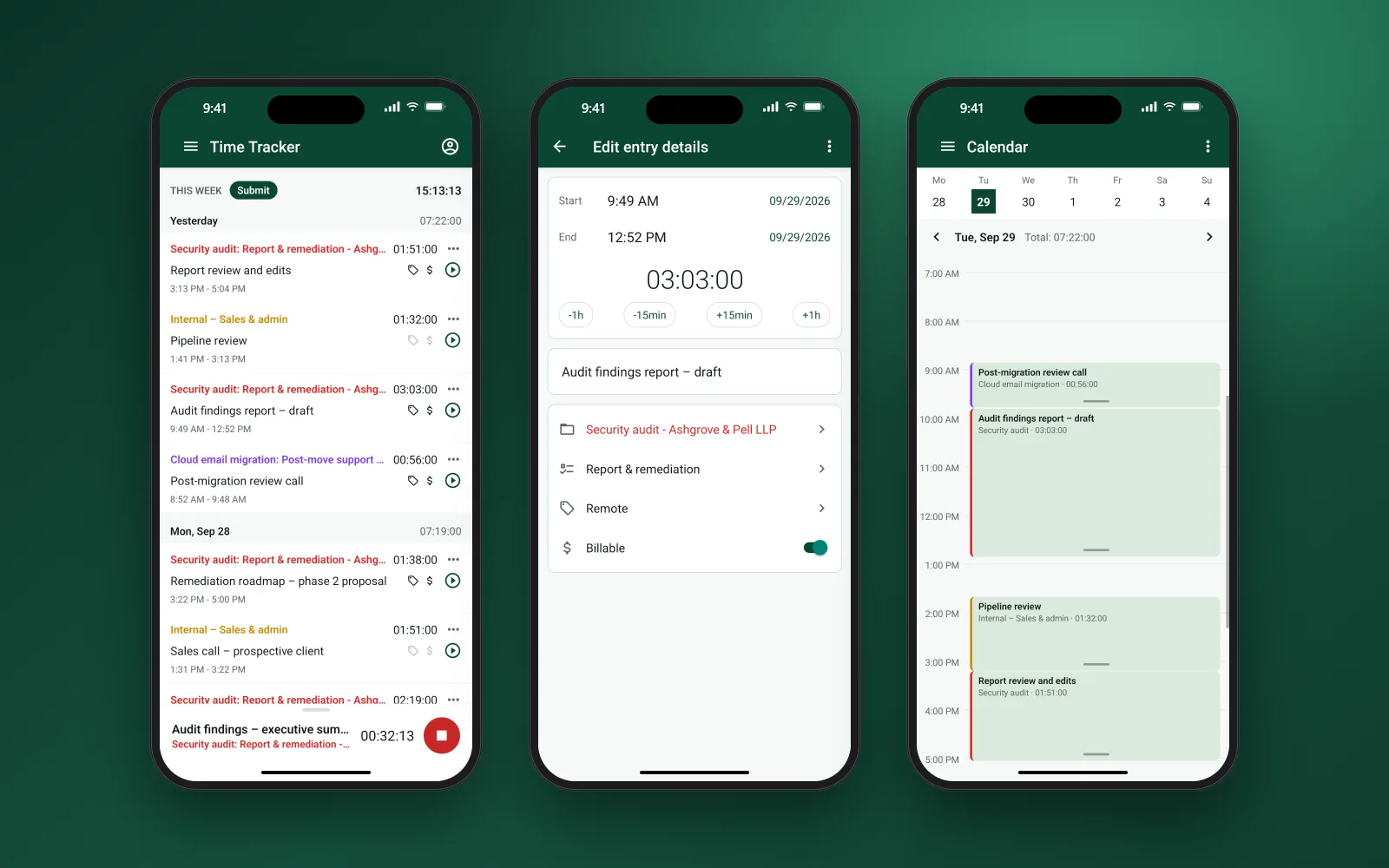
Start, stop and fix your time
Press + and choose Timer or Manual, or Break if your company uses breaks (Basic plan). While a timer runs it sits at the bottom of the screen with a red Stop button. Your week is listed underneath, and every entry can be put right on the spot.
Swipe right to continue or duplicate an entry, swipe left to delete it.
Tap an entry to change its times, description, project, task, tags and billable setting, or to split it.
Submit the week for approval when it is complete, if your company uses approvals.
See your day, and your meetings, in the calendar
The Calendar shows the day as blocks of time. Hold and drag an entry to move or stretch it. If you connect your Google or Outlook calendar, your meetings appear beside your time, and one tap turns a meeting into a timer or an entry.
Receipts, leave and reports
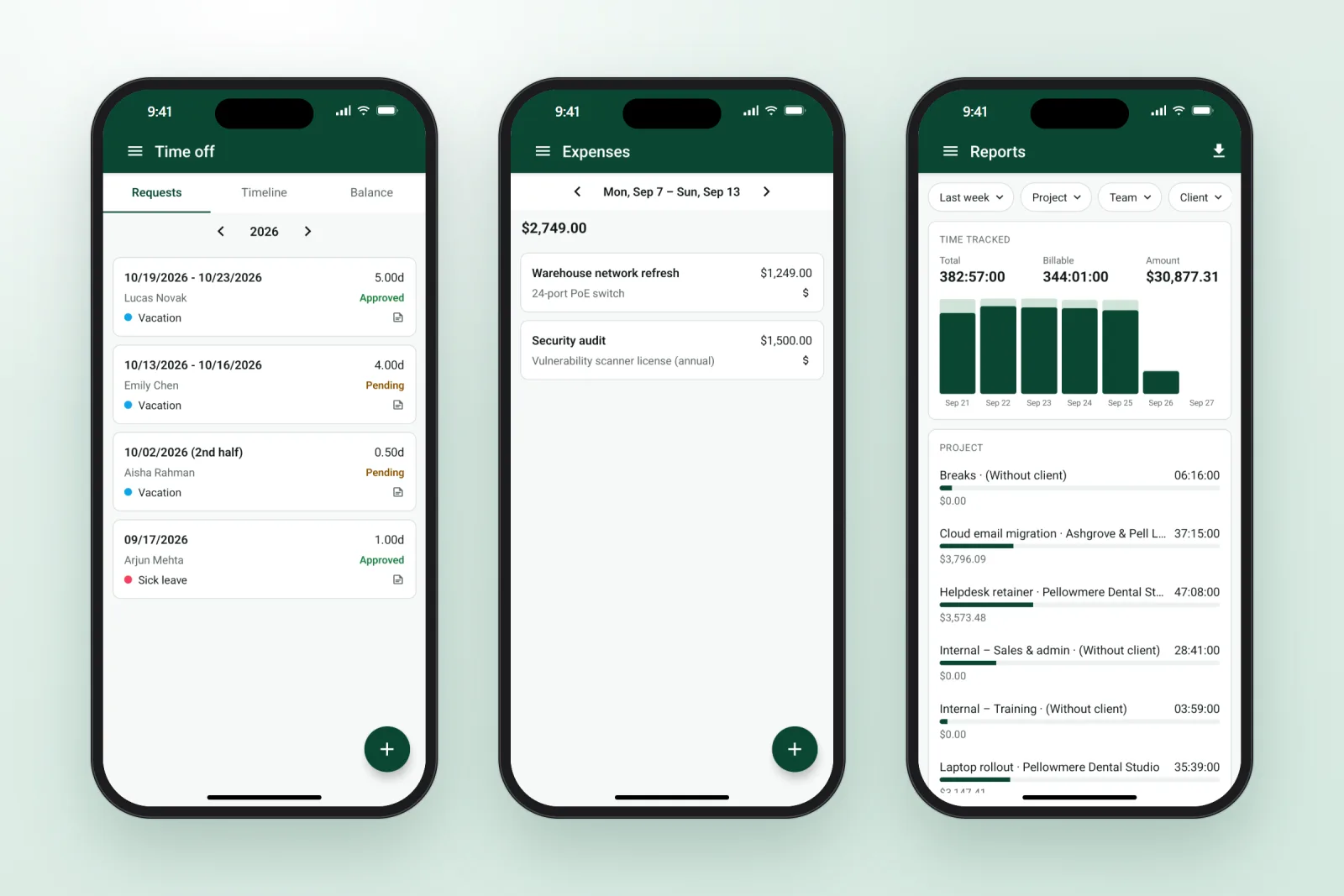
Expenses. Add an expense and attach the receipt from the camera, your photos or a PDF, then submit the week (Pro plan).
Time off. Request leave, see your balance and who else is off. Approvers can approve and reject from the phone (Standard plan).
Reports. The Summary report with grouping, filters and export.
Reminders. Have the phone remind you to start and stop tracking at set times.
Works without signal
Tracking keeps working with no connection. Changes are saved on the phone, listed under “Unsynced”, and sent when you are back online. A timer you started online can be stopped offline.
Private by default
The app asks for the camera only when you photograph a receipt, and for your photos only when you choose one. Location is recorded only if your company has switched it on (Pro plan), only after the app has explained it and you have allowed it, and only while your timer is running. Learn more →
What still needs the web
The weekly timesheet grid, approving other people’s timesheets, the schedule, invoices, the dashboard, the detailed reports and workspace settings are on the web, where there is room for them.
Questions people ask
Something else on your mind? Our team answers from inside the app and by email.
Your timesheet, in your pocket
Install Punchly from the App Store and sign in with your Punchly account, or create one in the app.