
A leave management system that keeps the balances for you
People request time off in a few clicks, their manager approves it, and the balance is updated without a spreadsheet. Approved leave then shows up everywhere it matters: on timesheets, the calendar, attendance and the schedule.
Standard plan, $4 a person a month. 7-day free trial of the Pro plan’s features, no credit card needed. In India? See rupee pricing, attendance and leave together →

Request leave in a few clicks
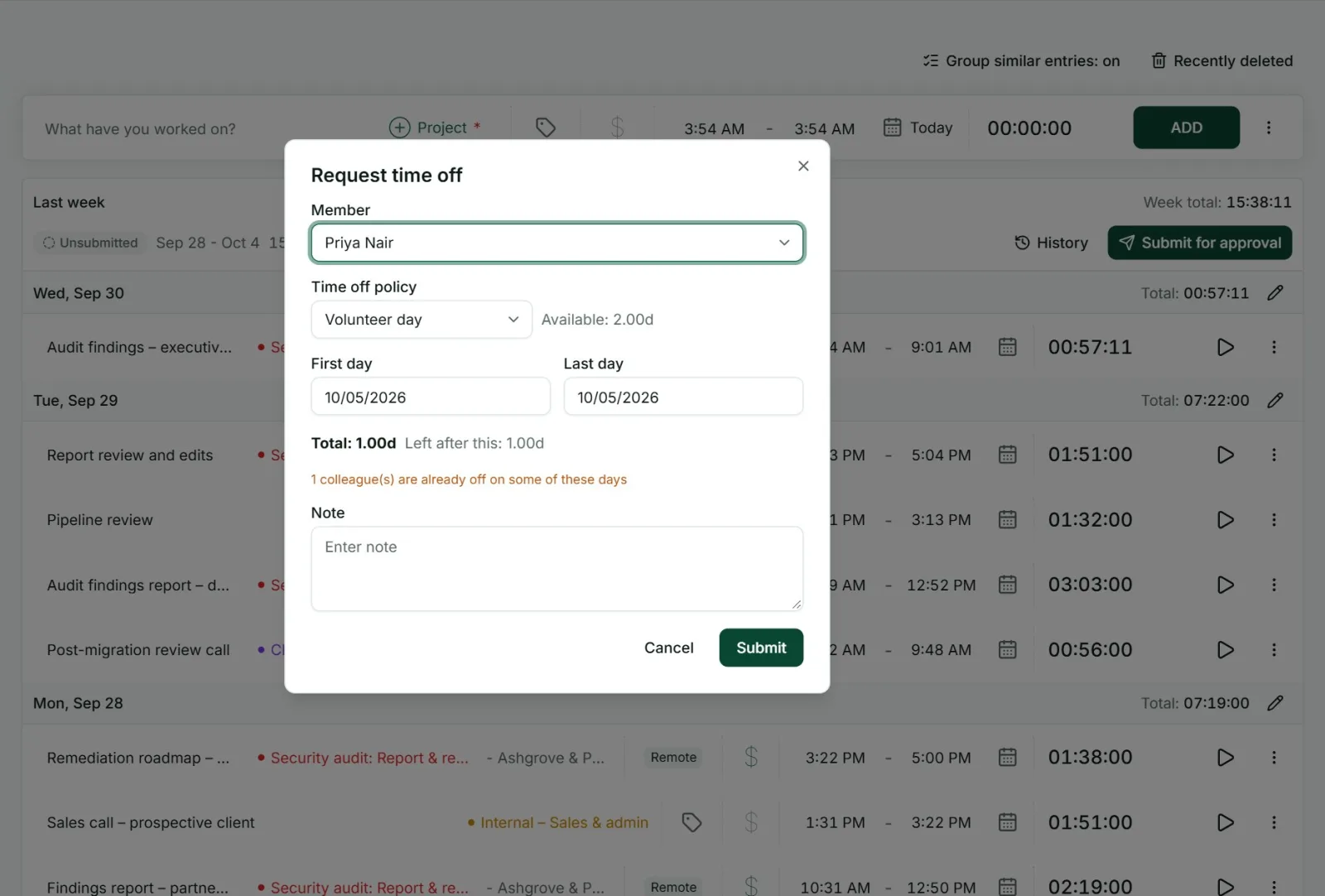
A button at the top of every screen opens the request form. Pick the kind of leave, the first and last day, and submit. The form shows the balance you have and what will be left, so nobody has to ask HR how many days remain.
Weekends and public holidays are left out automatically. A request from Friday to Monday uses two days, not four. Half days are supported too.
Approve with the full picture
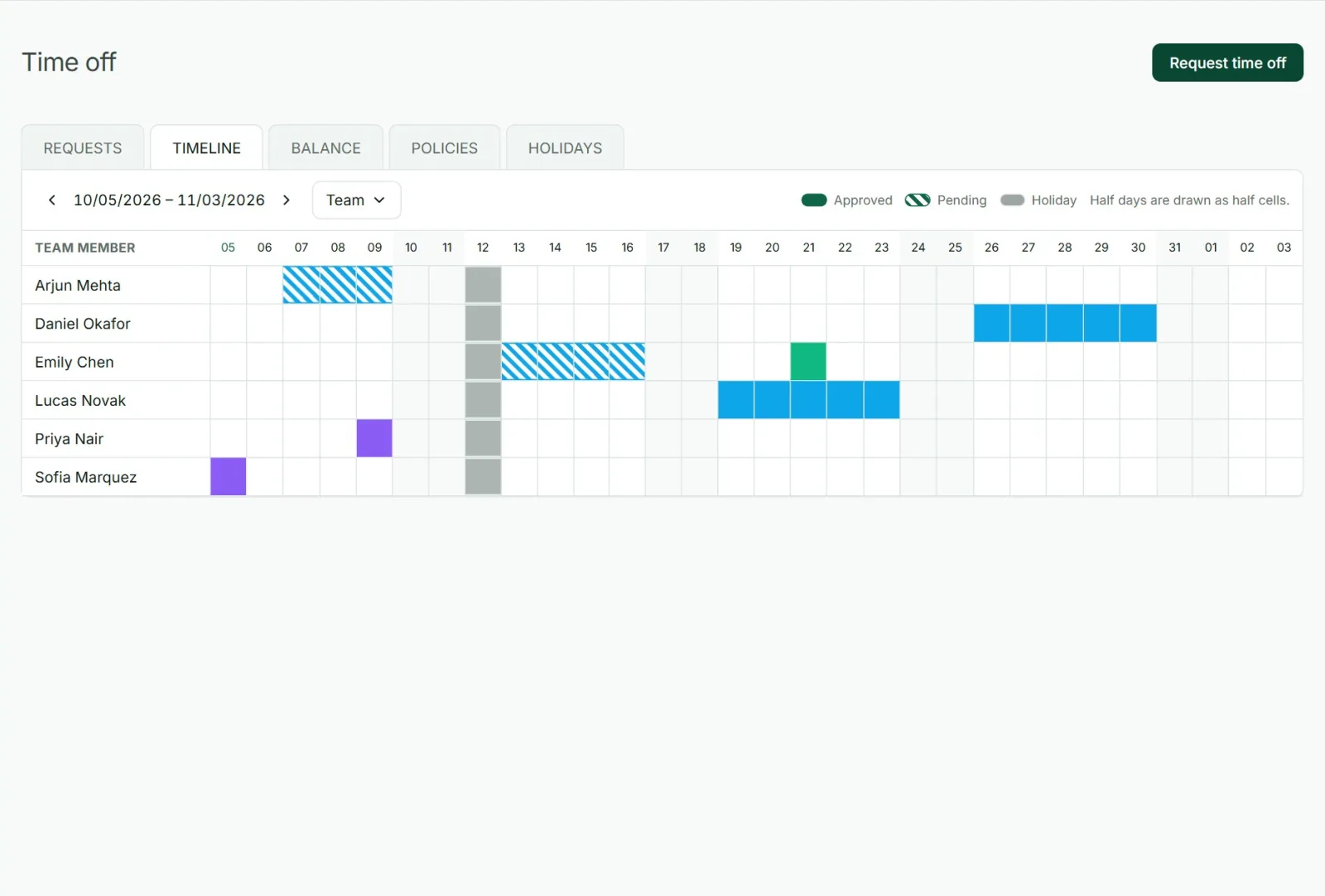
The approver is told straight away and decides from one list: approve, or reject with a note. The timeline shows who else is off on those days, so two people from the same team are not away by accident. Managers can also request leave on someone’s behalf, for the call that comes in sick.
See who is off, and when
The timeline shows the next 30 days for the whole team: approved leave, requests still waiting, and public holidays. You choose whether people see only their own leave, their team’s, or everyone’s.
Balances that keep themselves up to date
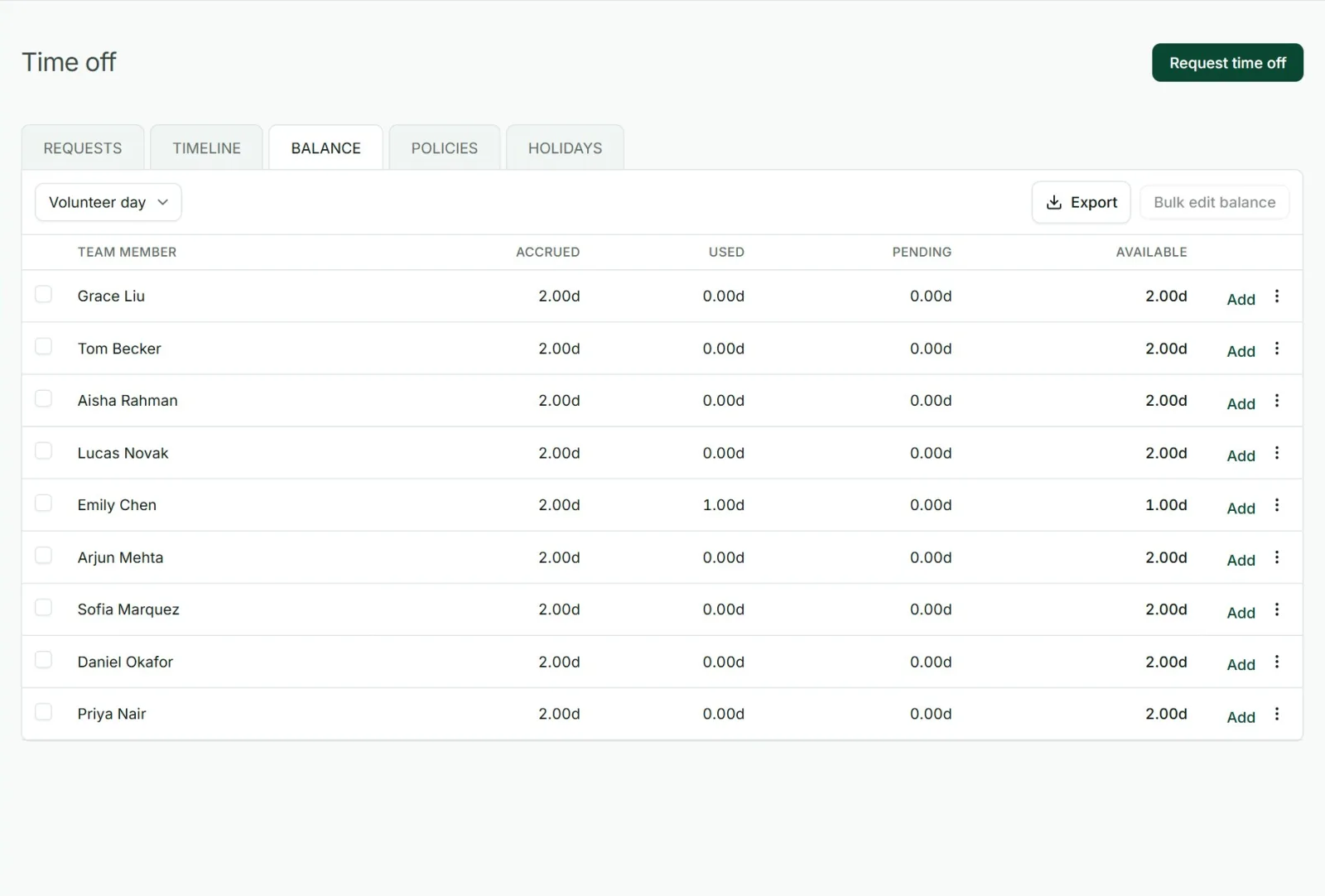
For each kind of leave, every person has a balance: what they have earned, what they have used, what is waiting for approval and what is available. Punchly adds to it on the schedule you set and takes off approved leave.
When something needs correcting, an admin adjusts a balance with a note, and the full history of every change is kept.
Policies that match your company’s rules
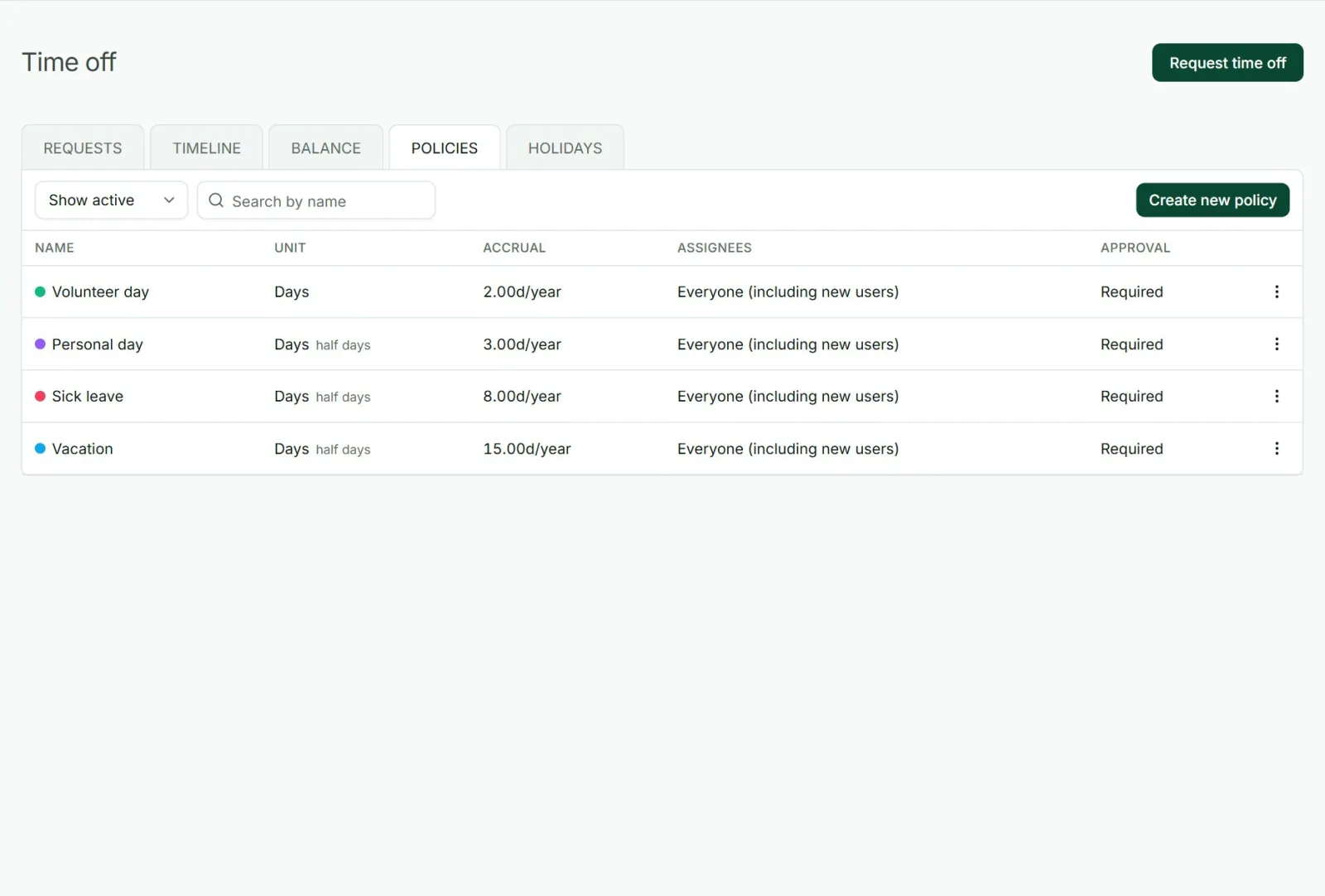
A policy is one kind of leave with its own rules. Create as many as you need: vacation, sick leave, unpaid leave, compensatory time.
Who gets it: everyone, or certain groups and people.
Days or hours, with half days if you allow them.
How it is earned: an amount every month or every year, added automatically.
Carry over and expiry: how much moves into next year and how long it stays usable.
Approval: required or not, and who can approve.
Negative balance: allowed or not, with a limit.
Public holidays, set once
Add your company’s holidays, mark the ones that fall on the same date every year, and choose who each applies to, which matters for teams in more than one country. A holiday is never counted as leave, and nobody is expected to work that day.

Leave that the rest of Punchly knows about
Because time off lives in the same tool as time tracking, it does not need to be copied anywhere.
Timesheet and calendar mark the days someone is away.
Attendance counts approved leave, so a day off is not shown as a short day.
Scheduling gives a person on leave no capacity that day.
Time entries for leave can be created automatically, when leave has to appear in time reports.
On the phone as well
People can request leave, check their balance and see who is off from the Android and iPhone apps. Approvers can approve and reject there too.
Who it is for
Small companies
Replacing a shared leave spreadsheet.
HR and office managers
Who answer “how many days do I have left?” every week.
Team leads
Who need to know who is away before planning work.
Companies with teams in several countries
And different holidays.
Questions people ask
Something else on your mind? Our team answers from inside the app and by email.
Stop keeping leave in a spreadsheet
Set up your first policy, add your holidays and let your team send their requests today.