
QuickBooks time tracking, without typing hours in twice
Your team tracks time in Punchly. You send the billable hours to QuickBooks Online in a few clicks, each with its customer, person, date and rate, and invoice from QuickBooks exactly as you do today.
Standard plan, $4 a person a month. For QuickBooks Online Essentials, Plus and Advanced. 7-day free trial of the Pro plan’s features, no credit card needed.
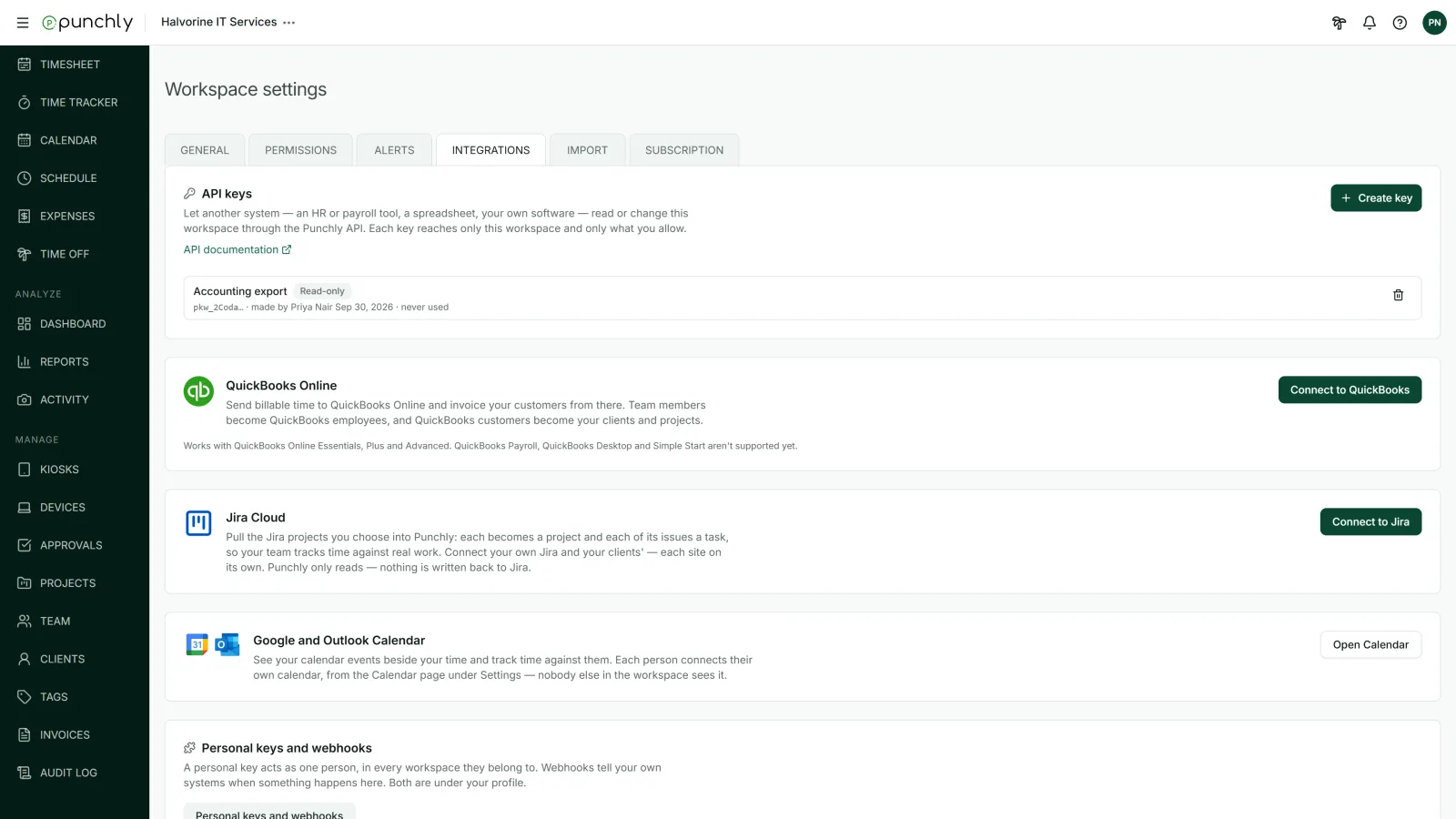
How it works
Connect
An admin signs in to Intuit and chooses the QuickBooks company.
Pair
Match your people to QuickBooks employees or vendors, and your clients and projects to QuickBooks customers. Punchly can create the missing ones for you.
Send
Open the Detailed report, filter to the time you want, and press Send to QuickBooks.
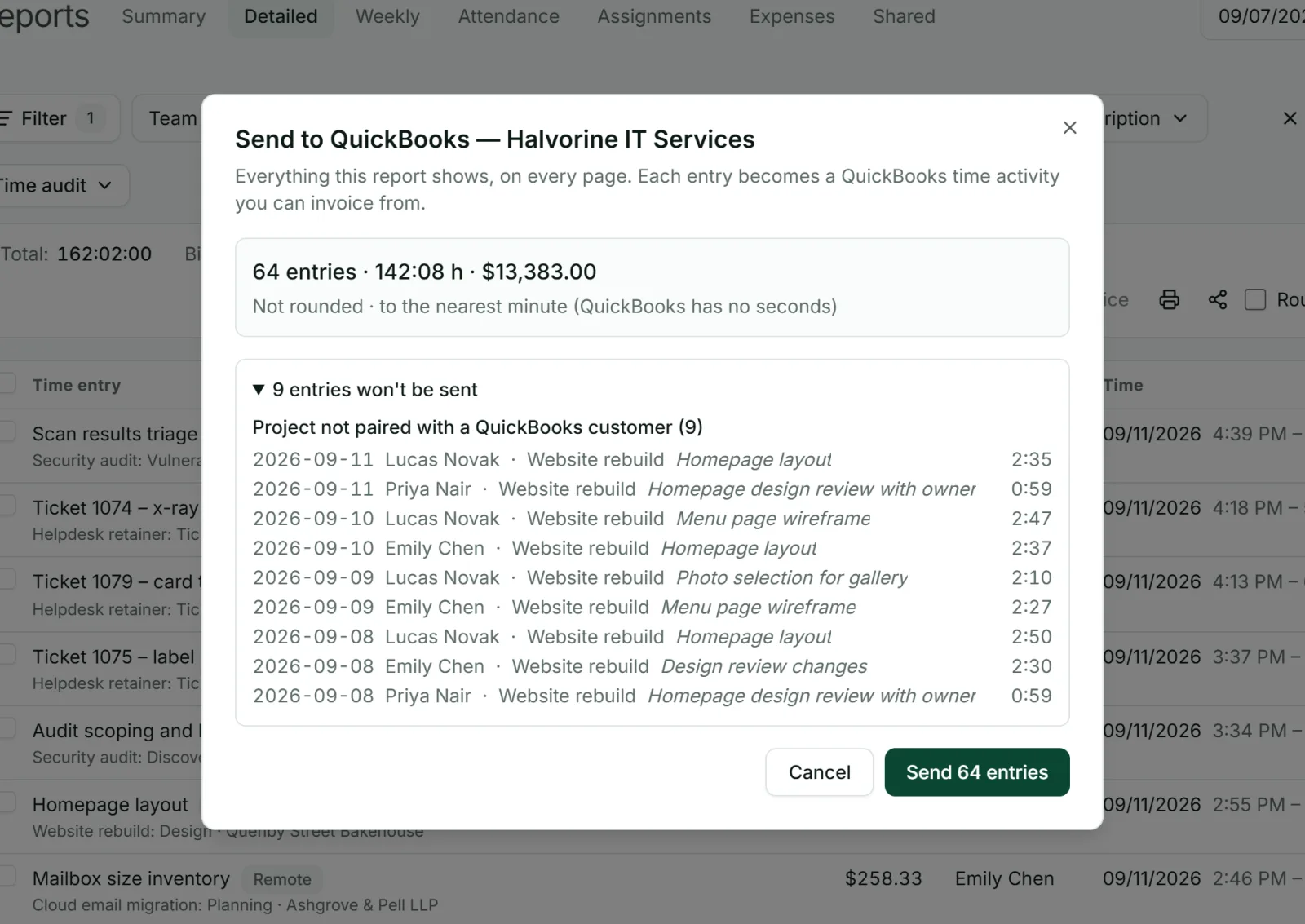
You see what will be sent before it goes
Nothing reaches your books by surprise. Before sending, Punchly shows how many entries will go and lists any that will not, each with the reason, such as a project that is not paired yet. You can send everything the report shows or only the rows you select.
What arrives in QuickBooks
Each time entry becomes a time activity in QuickBooks with the person, the customer, the date, the hours, the rate and a description. From there it can be added to a customer’s invoice in the usual QuickBooks way.
Only the right time is sent
Billable time by default. Non-billable time is included only if you ask for it.
Never twice. Time already sent is left out the next time.
Not sent: running timers, breaks, time off and holidays, and time on projects or people that are not paired.
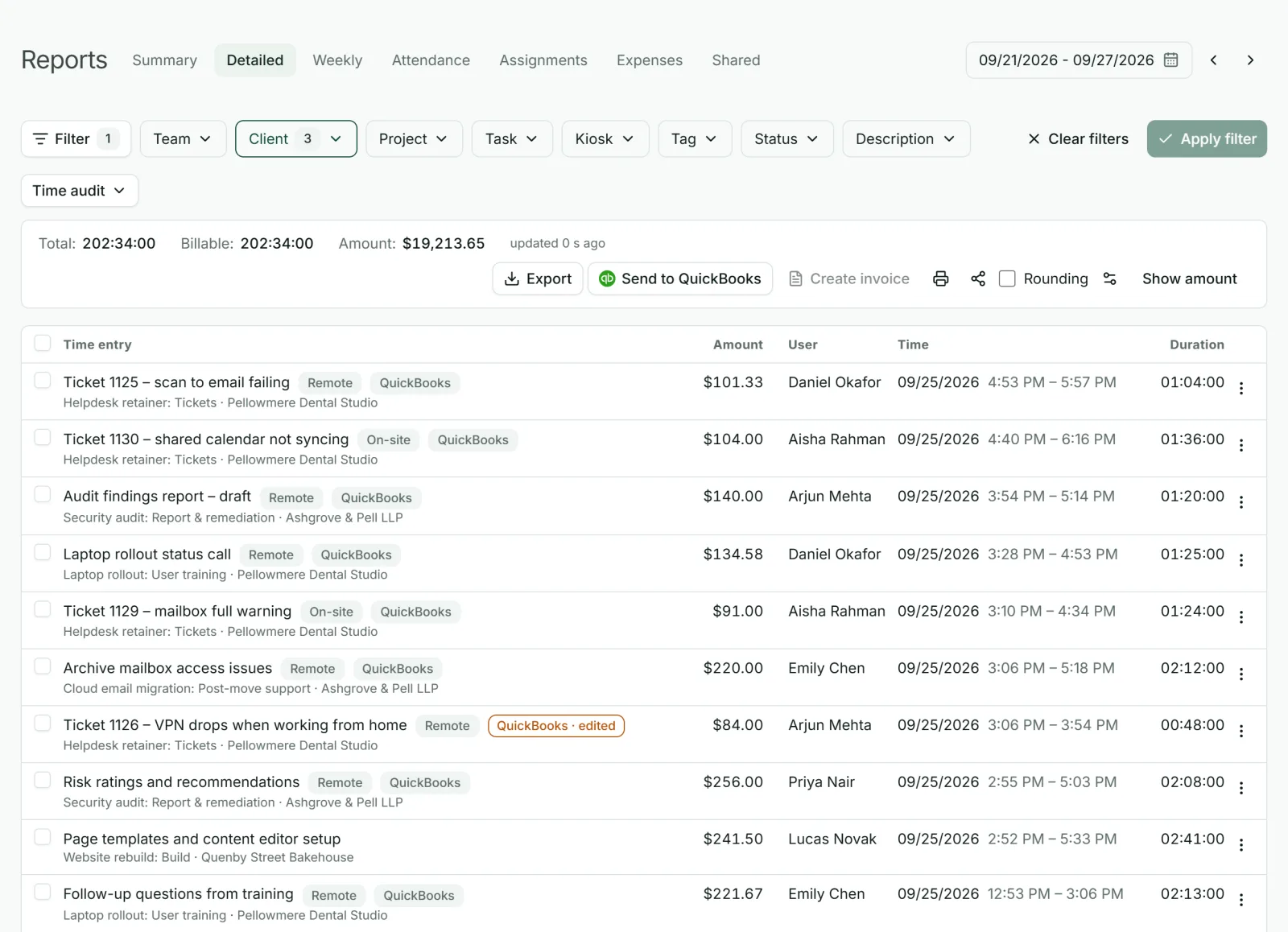
Changes stay in step
Sent entries carry a QuickBooks mark in the Detailed report. If one is edited afterwards, the mark says so, and sending again updates it in QuickBooks. If one is deleted, Punchly asks whether to remove it from QuickBooks too.
Start from your QuickBooks customers
If your customer list already lives in QuickBooks, bring it across. QuickBooks customers can be imported as Punchly clients and projects, so nobody retypes them and the names match from day one.
Questions people ask
Something else on your mind? Our team answers from inside the app and by email.
Get your hours into QuickBooks the easy way
Start the free trial, connect QuickBooks Online and send your first week of time.