

Time Tracking and Management for
Construction Teams
Punchly helps construction companies track work hours, manage crews, and control labor costs across job sites. From daily timesheets to project-level reporting, Punchly provides accurate records that support payroll, billing, and compliance. Built for construction teams that need clarity across sites, crews, and timelines.





What makes Punchly better than other construction timesheets?
Timesheets for construction crews
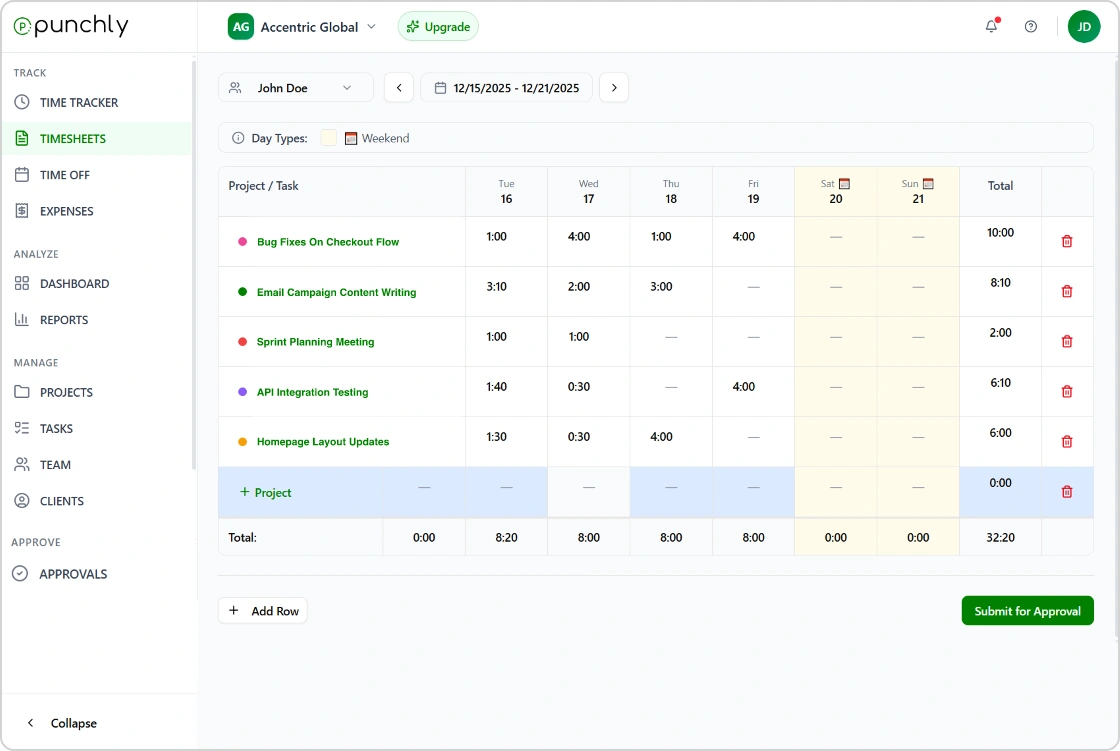
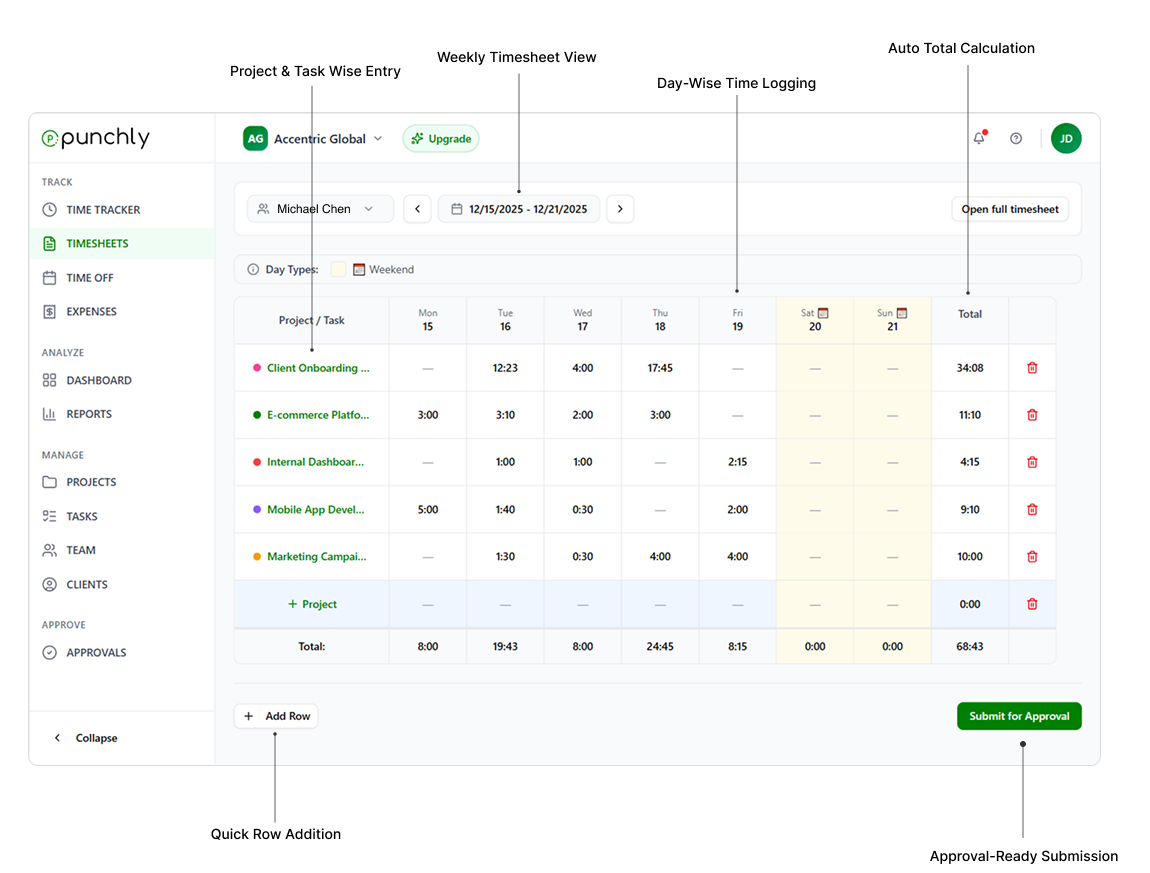
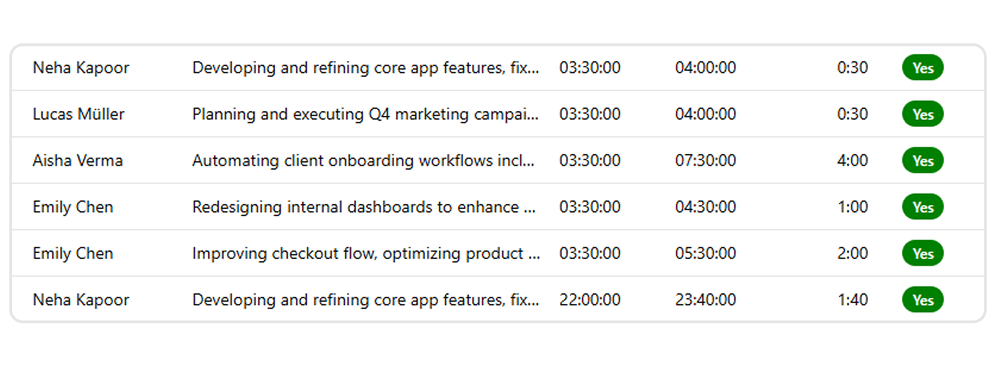
Punchly generates structured daily and weekly timesheets for construction workers. Supervisors can review and approve timesheets before payroll processing.
Timesheets remain consistent across crews and locations.
Monitor labor costs and productivity
Understand how labor hours translate into cost at the project level. Punchly helps construction managers analyze labor usage and identify inefficiencies early.
Labor visibility supports better project control.
Support multiple roles and crews
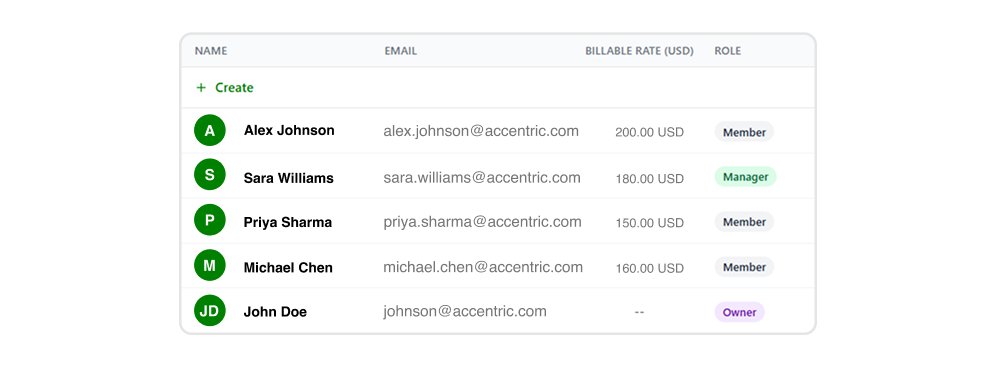
Manage foremen, site supervisors, contractors, and office staff within one system. Role-based access ensures each user sees only what they need.
This supports clear accountability across teams.
Track billable and non-billable work
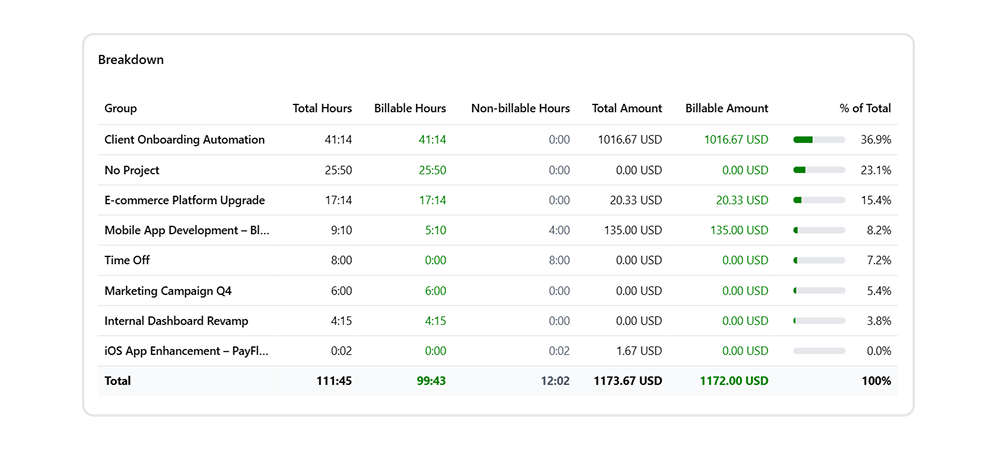
Separate billable work from internal or non-billable activities. Punchly helps construction companies maintain accurate billing records for clients and contractors.
This reduces reconciliation work later.
Reports for payroll, billing, and compliance
Generate reports showing hours worked, labor costs, and project progress. Reports can be filtered by site, project, crew, or date range.
Export-ready data supports payroll processing and compliance requirements
Reduce paperwork and manual errors
Replace paper timesheets and spreadsheets with a centralized system. Punchly reduces manual data entry, improves accuracy, and saves administrative time.
Digital records remain accessible and auditable.
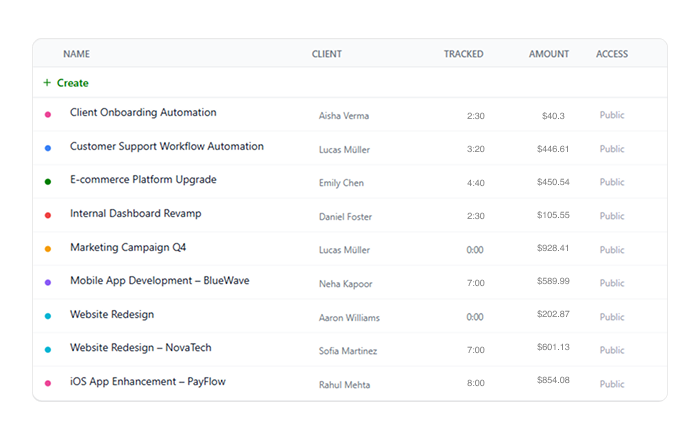
Track earnings and project progress
Clockify calculates how much money you've earned based on your billable rates and project ROI and assesses your productivity levels. The project time tracker also helps you:
- Organize projects by client and task
- Assign hourly rates by project
- Track project status using estimates
How does construction timesheet software work?
Punchly helps construction teams track labor hours accurately across sites, crews, and projects. From field workers to site managers, everyone logs time consistently, ensuring reliable payroll, billing, and compliance.
Step 1
Create an account
Sign up and set up your workspace to start managing construction projects, crews, and work hours from one central dashboard.
Step 2
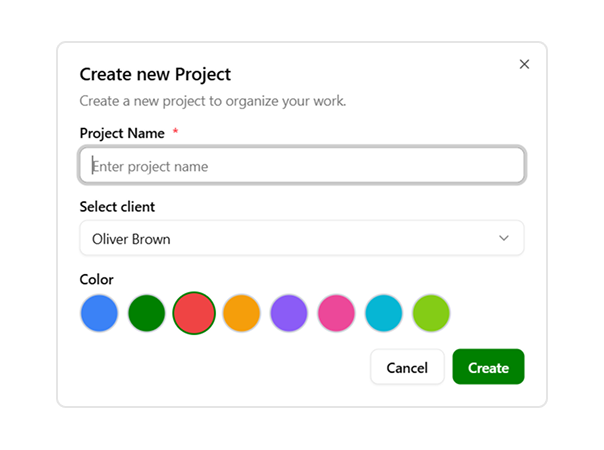
Set up projects
Create projects for each site or job and assign them to clients or internal cost centers to track labor by location and scope.
Step 3
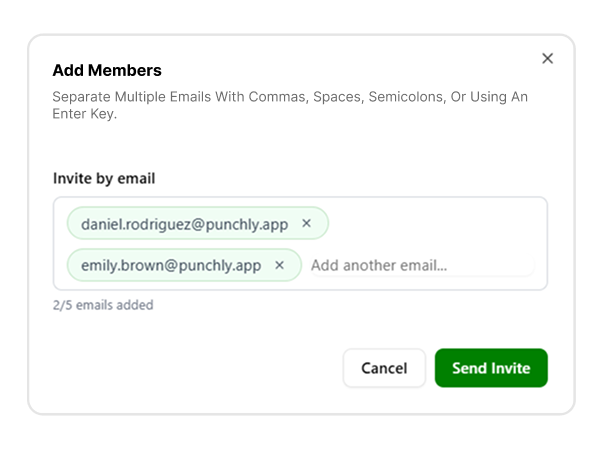
Invite your team
Add workers, supervisors, and managers so everyone can log time and collaborate using the same system.
Step 4
Track time
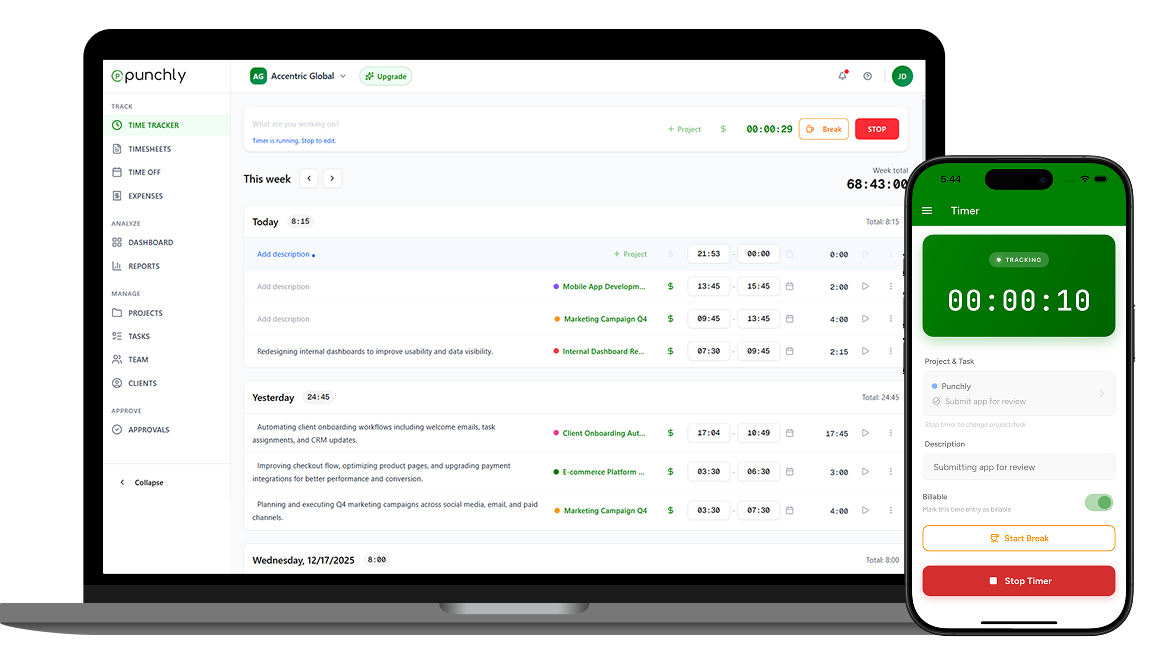
Crew members clock in and out from the job site using desktop or mobile devices, capturing accurate work hours in real time.
Step 5
Set hourly rates
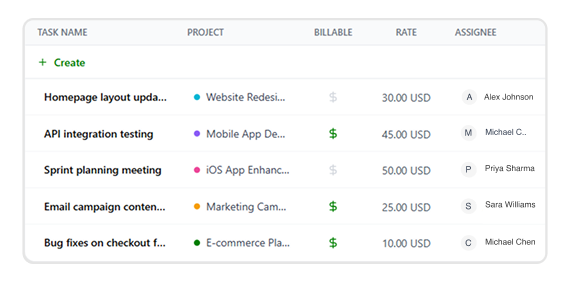
Define hourly rates for different roles, trades, or projects to ensure precise labor cost calculations.
Step 6
Export reports
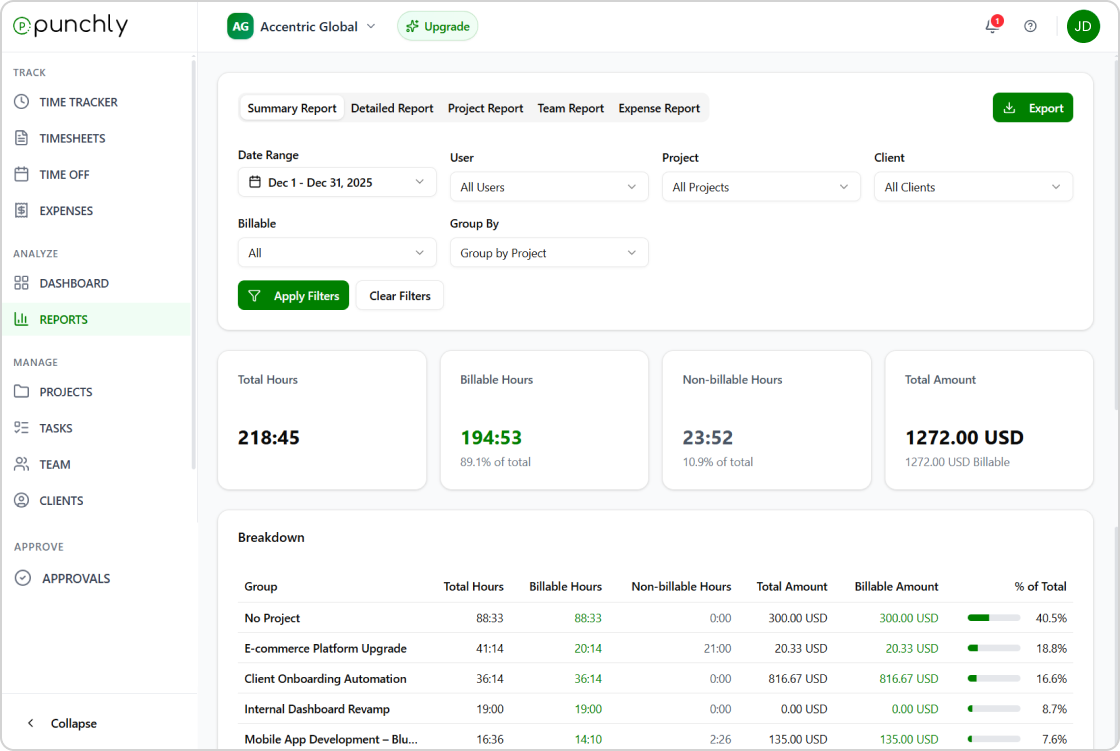
Generate and export timesheet reports for payroll processing, job costing, and client billing with just a few clicks.
Start using Punchly for construction projects
Track labor time accurately, control costs, and keep projects on schedule. Built for construction teams that value reliability and control.
- 24/7 Support
- Cancel Anytime
- Free Forever