

Real-Time Team Activity
& Performance Dashboard
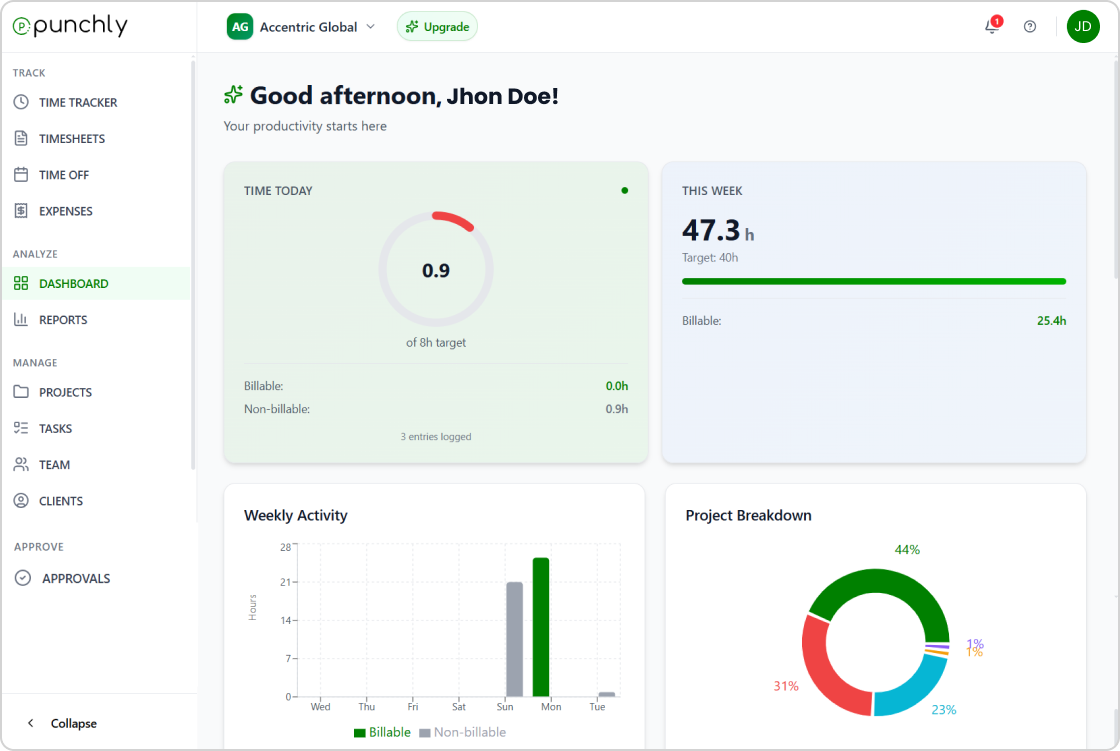
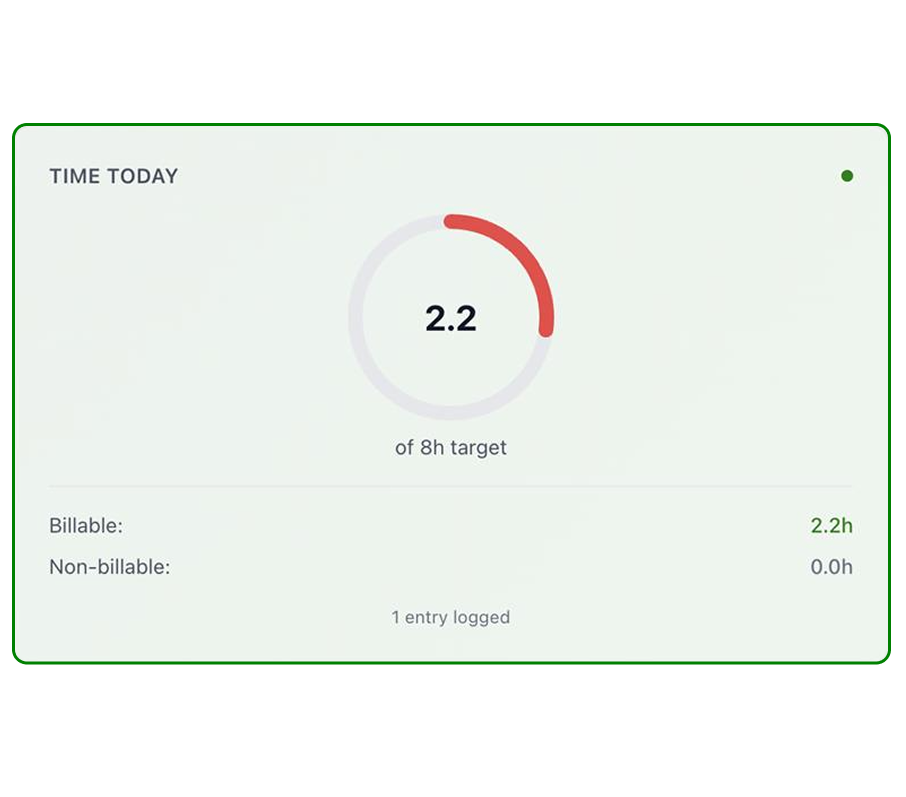
Get a clear overview of your team’s time, activity, and performance in one place. The dashboard highlights daily and weekly tracked hours, billable versus non-billable time, and project breakdowns, helping teams stay informed and make better decisions quickly.
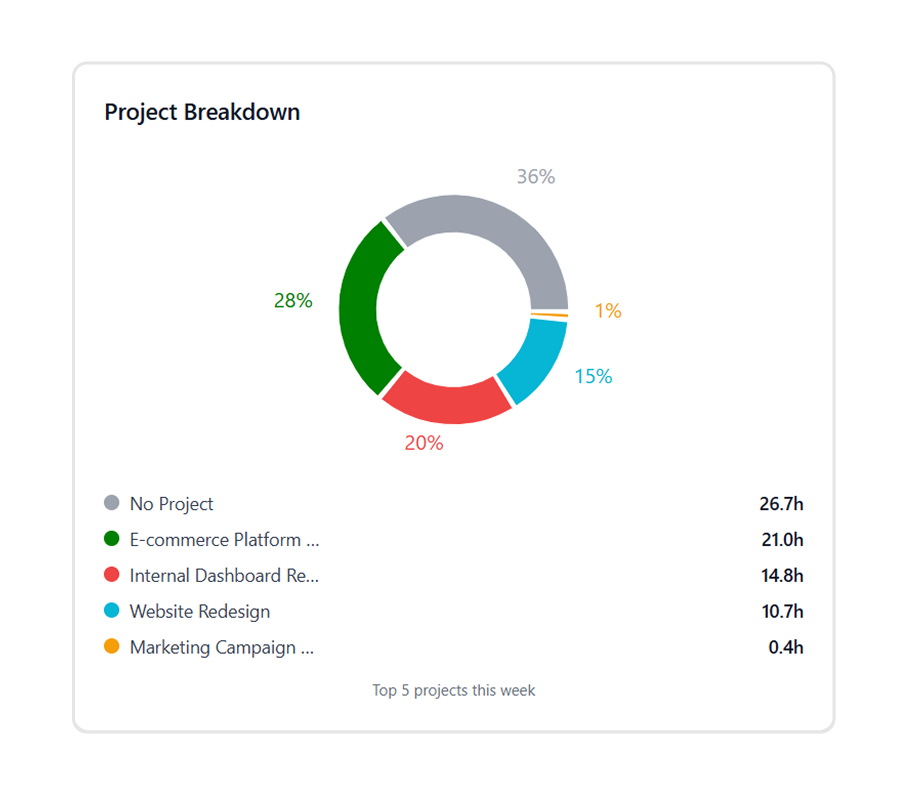
Project Breakdown
View how tracked time is distributed across projects in a clear visual format. Project breakdowns help teams understand where effort is spent, compare project workloads, and identify priority areas based on actual time data.
Required Fields
Ensure accurate time entries by defining required tracking fields. Required fields help maintain consistent data, reduce errors, and improve reporting by making sure essential details are captured for every entry.
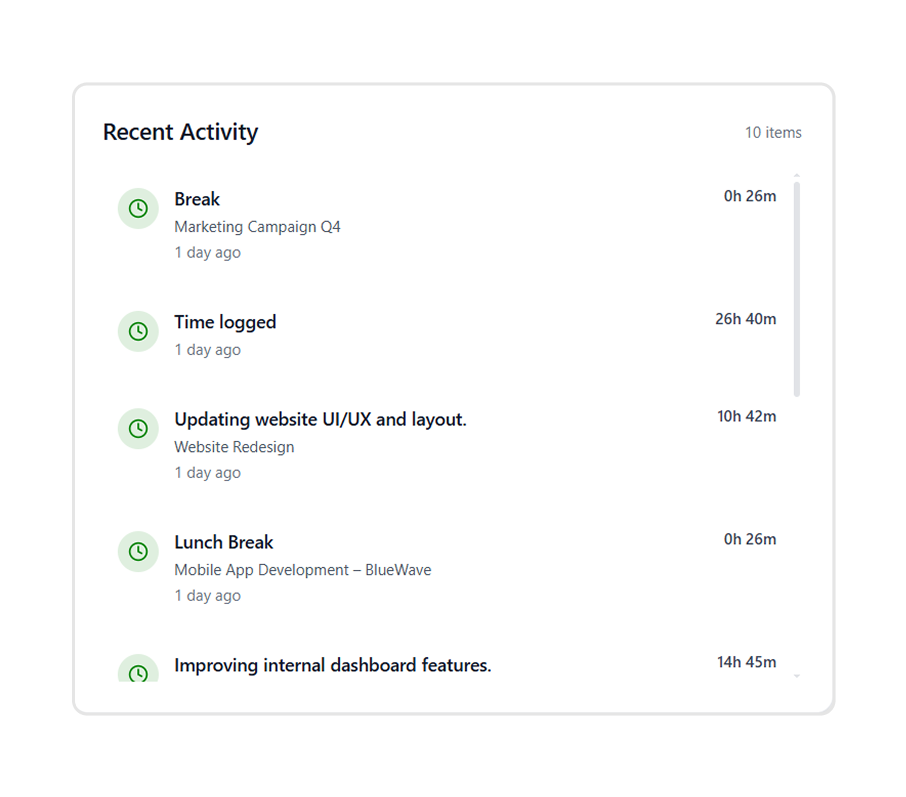
Recent Activity
View a real-time log of recent actions and time entries across your work. Recent activity helps teams stay updated on progress, track changes, and quickly review what has been logged throughout the day.
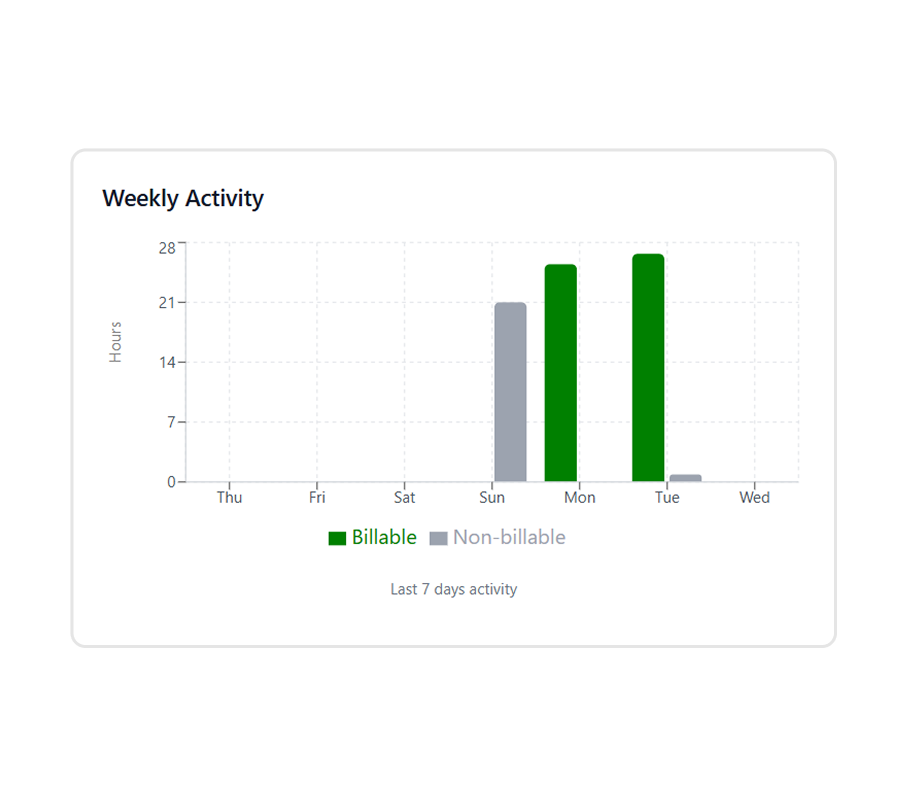
Weekly Activity
See a summary of time tracked over the past week in a clear visual format. Weekly activity helps identify work patterns, compare billable and non-billable time, and understand overall productivity trends.
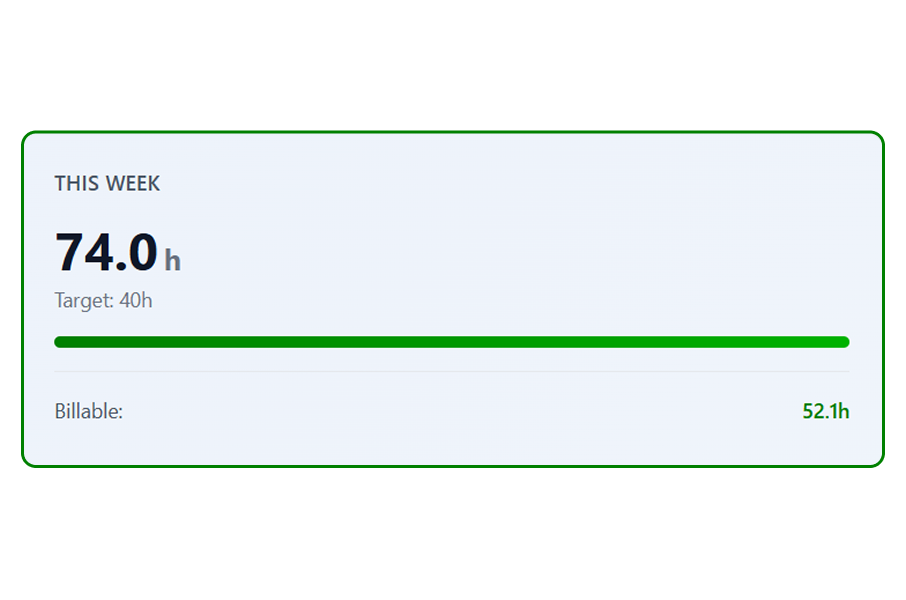
Billable
Track billable hours separately to understand how much time contributes directly to revenue. Billable insights help teams measure productivity, monitor targets, and ensure accurate client billing based on actual tracked work.
Related Features
Timesheet
Review time entries linked to leave.
Projects
View time and progress by project.
Time Tracker
Track time in real time with timers.
Start tracking time with Punchly
- 24/7 Support
- Cancel Anytime
- Free Forever