

The All-in-One Management Platform
for Professional Consultants
Punchly helps consultants track billable hours, manage client engagements, and understand how time translates into value. Whether you are an independent consultant or part of a consulting firm, Punchly provides clear records for billing, reporting, and performance analysis. Built for consultants who depend on precision and transparency.
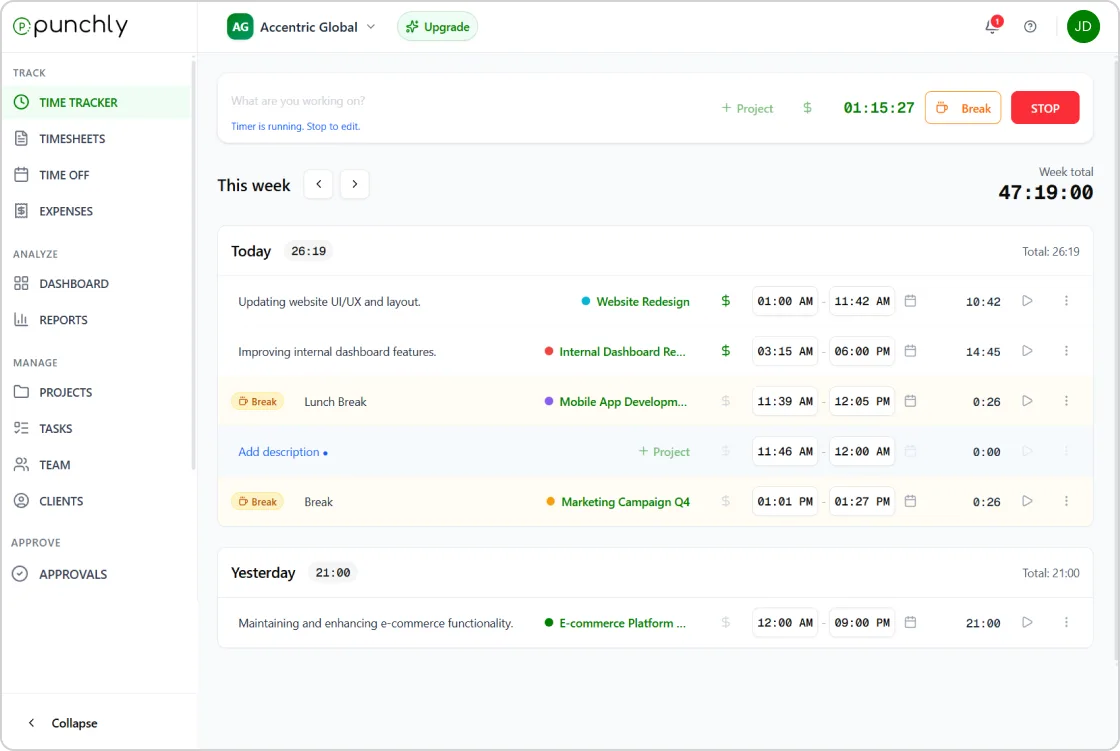





Free time tracker for consultants
Accurate time tracking and billing for consulting professionals
Punchly helps consultants track billable hours, manage client engagements, and understand how time translates into value. Whether you are an independent consultant or part of a consulting firm, Punchly provides clear records for billing, reporting, and performance analysis.
Built for consultants who depend on precision and transparency.
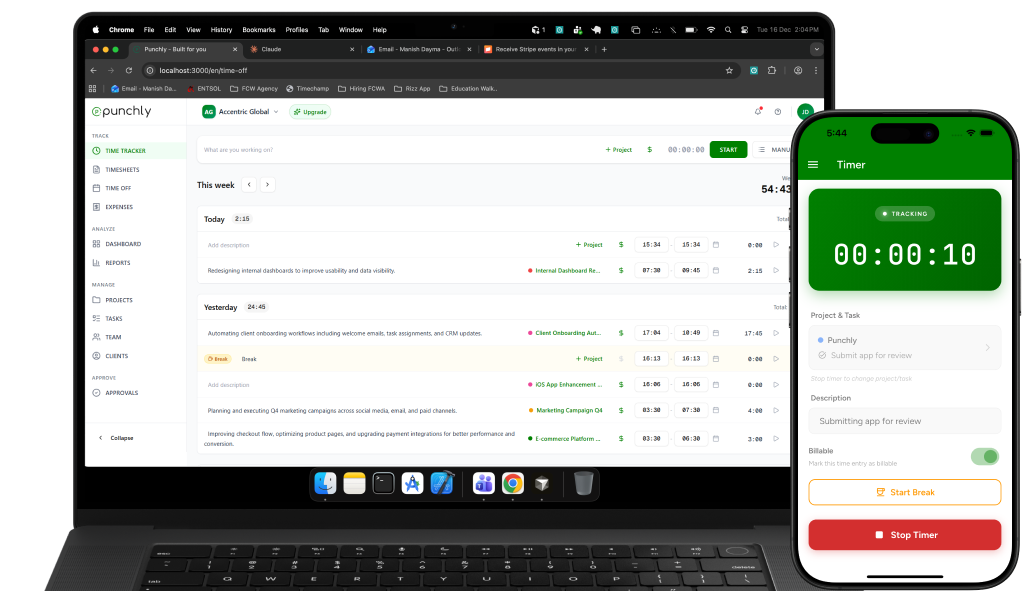
Track billable hours across clients and engagements
Punchly allows consultants to track time separately for each client, project, or engagement. Work can be logged in real time or added manually, ensuring all billable effort is captured accurately.
Clear tracking helps consultants bill fairly and confidently.
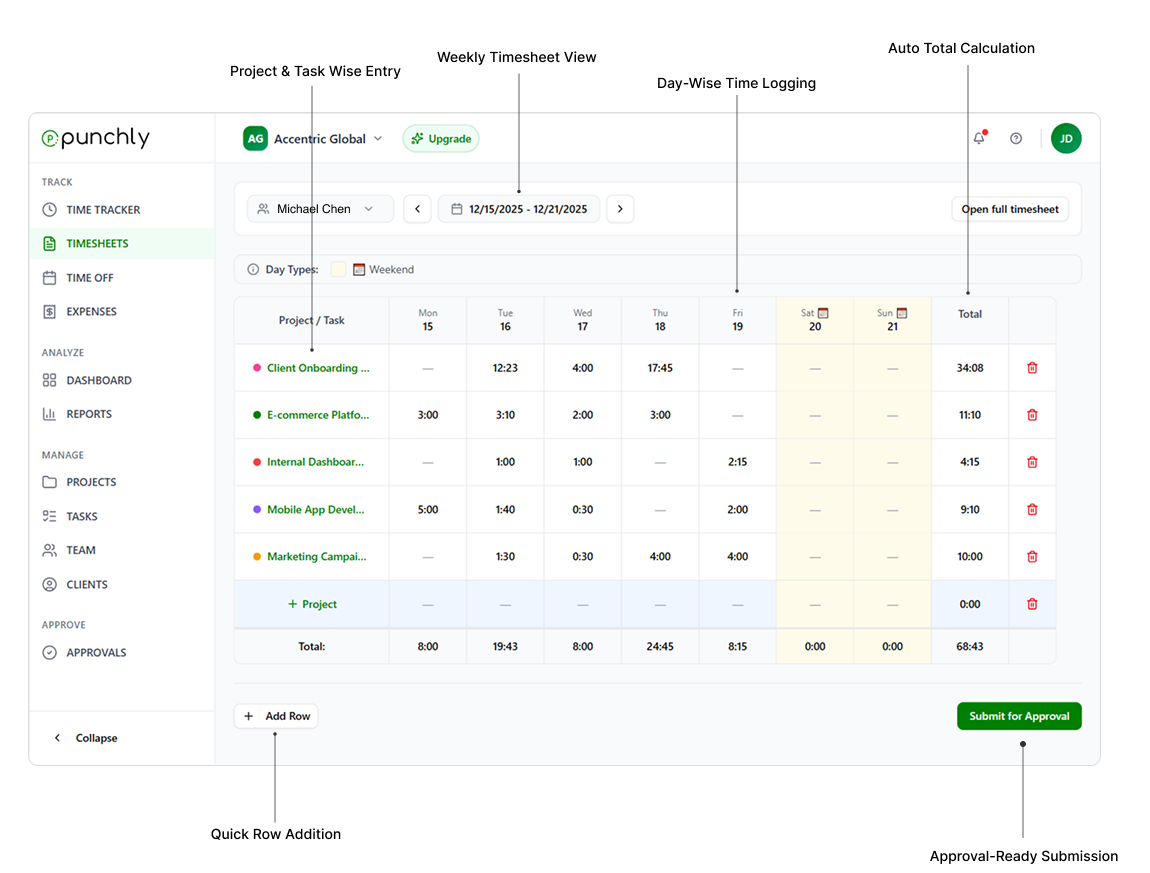
Engagement-based time organization
Organize work by client, engagement, or service type. This structure makes it easy to review historical work, prepare invoices, and answer client questions.
Well-organized records support long-term client relationships.
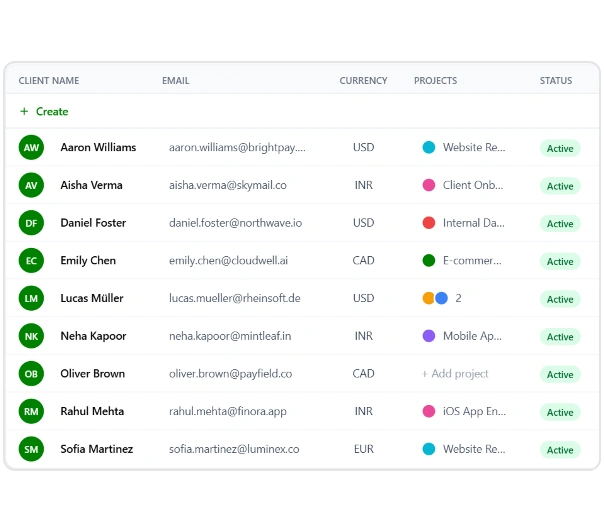
Flexible billing rates and pricing models
Set different hourly rates for different clients, engagements, or consultants. Punchly supports varied pricing models commonly used in consulting, including fixed-fee, hourly, and blended rates.
Historic rate tracking ensures billing accuracy even when rates change.
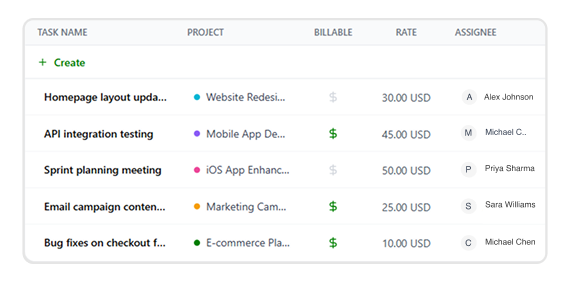
Profitability and cost visibility
Compare billable revenue with internal costs to understand engagement profitability. Punchly helps consultants focus on high-value work and adjust pricing strategies where needed.
Profit visibility supports sustainable growth.
Timesheets for review and approvals
Automatically generate structured timesheets from tracked time. Timesheets can be reviewed internally or approved before billing to ensure accuracy.
Approval workflows reduce disputes and errors.
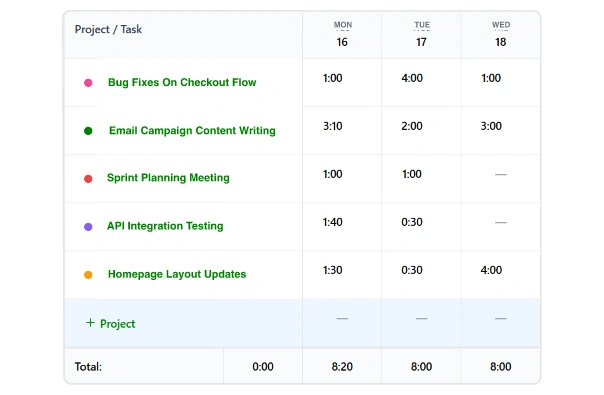
Reports for clients and internal reviews
Generate reports filtered by client, engagement, consultant, or date range. Reports support invoicing, performance reviews, and management reporting.
Export-ready formats simplify sharing and accounting integration.
Expense tracking for consulting work
Record expenses related to client engagements and associate them with specific projects. Billable expenses can be included in reports or invoices when required.
This ensures complete cost recovery.
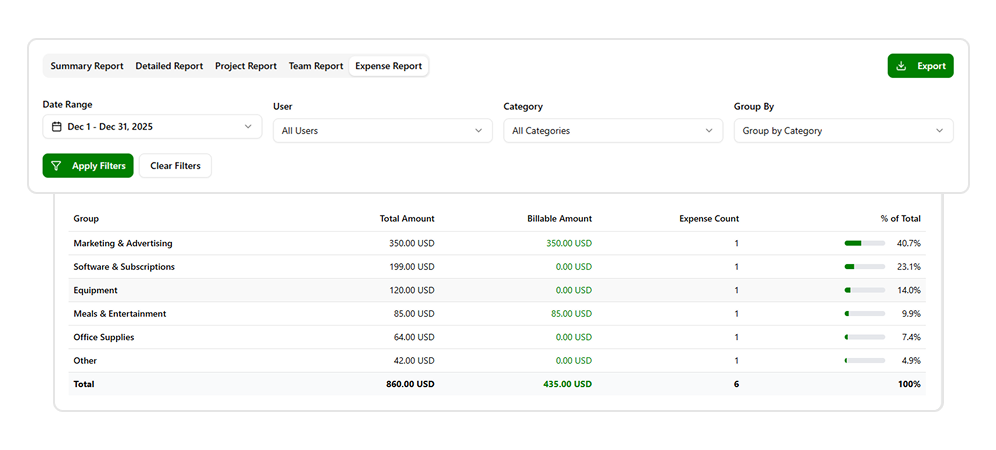
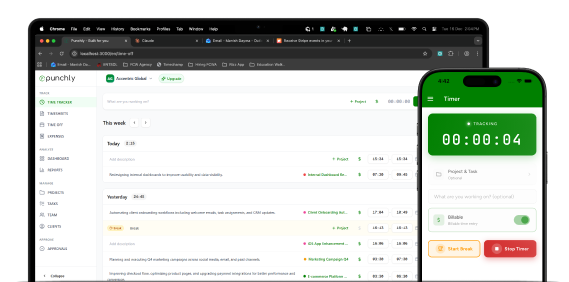
Work from anywhere
Punchly works across web and mobile devices. Consultants can track time whether working onsite with clients, remotely, or while traveling.
Offline tracking ensures no hours are lost.
Professional and privacy-focused
Punchly tracks time, not behavior. Consultants retain full control over their data without invasive monitoring features.
This aligns with professional standards and client trust.
How do consultants track hours?
Consultants track billable and non-billable hours to ensure accurate client billing, project profitability, and transparent reporting. Punchly helps consultants log time effortlessly across clients, projects, and engagements—without disrupting their workflow.
Step 1
Create an account
Sign up in minutes to start tracking consulting hours securely. Your workspace becomes the central hub for managing time, clients, and reports.
Step 2
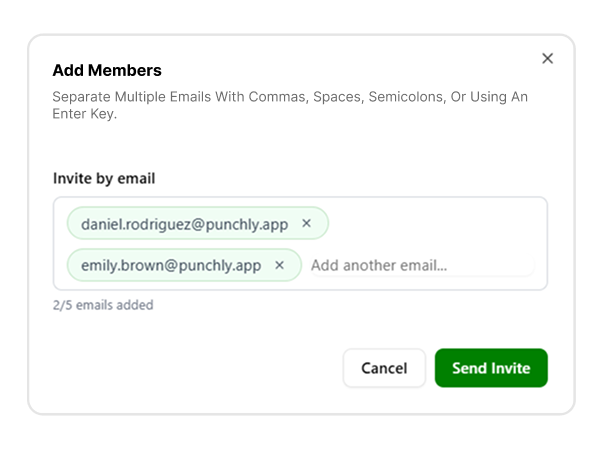
Invite your entire team
Add consultants, associates, or partners to collaborate in one shared workspace. Each team member can track time while maintaining role-based access
Step 3
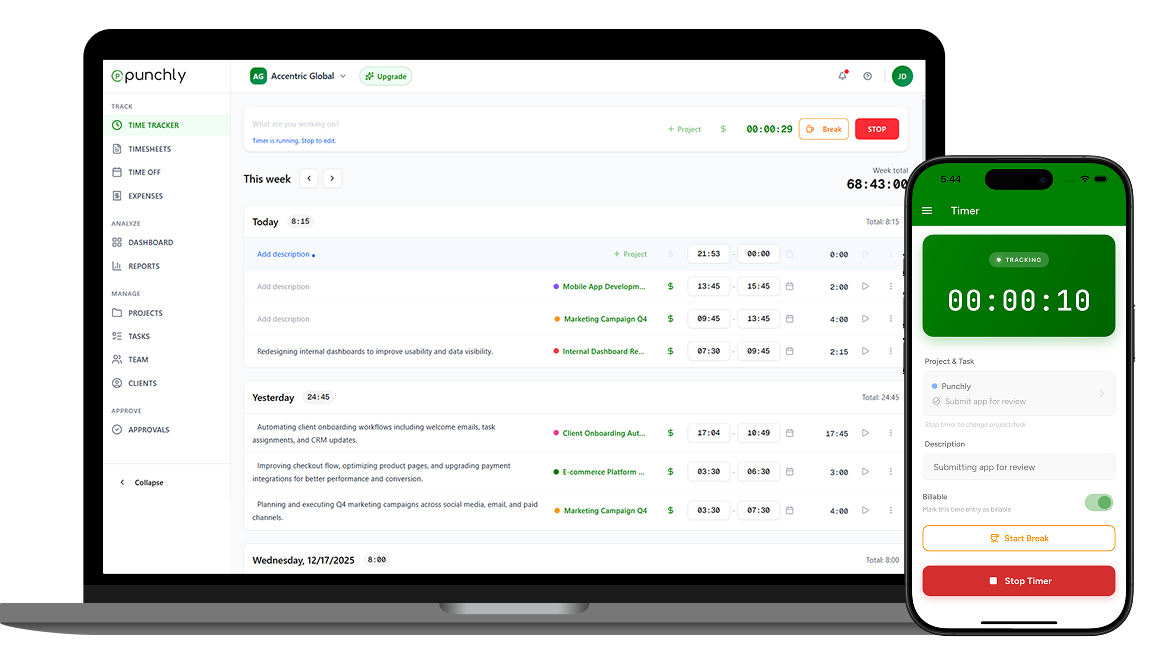
Track time
Start and stop timers as you work, or add time manually for meetings and offline work. Time entries stay organized by client and engagement.
Step 4
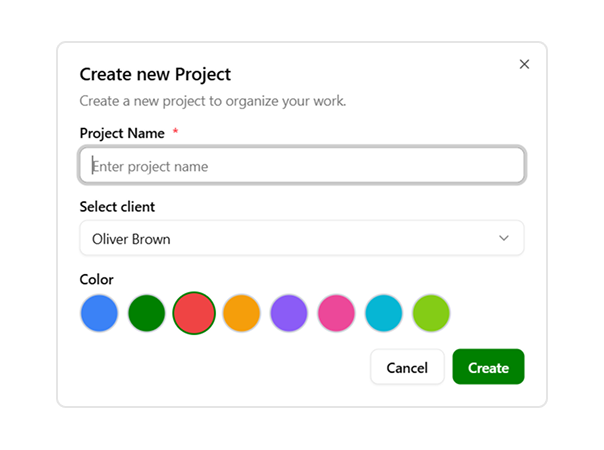
Set up projects
Create projects for each client or engagement to separate billable work. This keeps consulting hours structured and easy to review later.
Step 5
Set hourly rates
Assign hourly rates by consultant, role, or project. This ensures accurate billing and clear visibility into revenue and margins.
Step 6
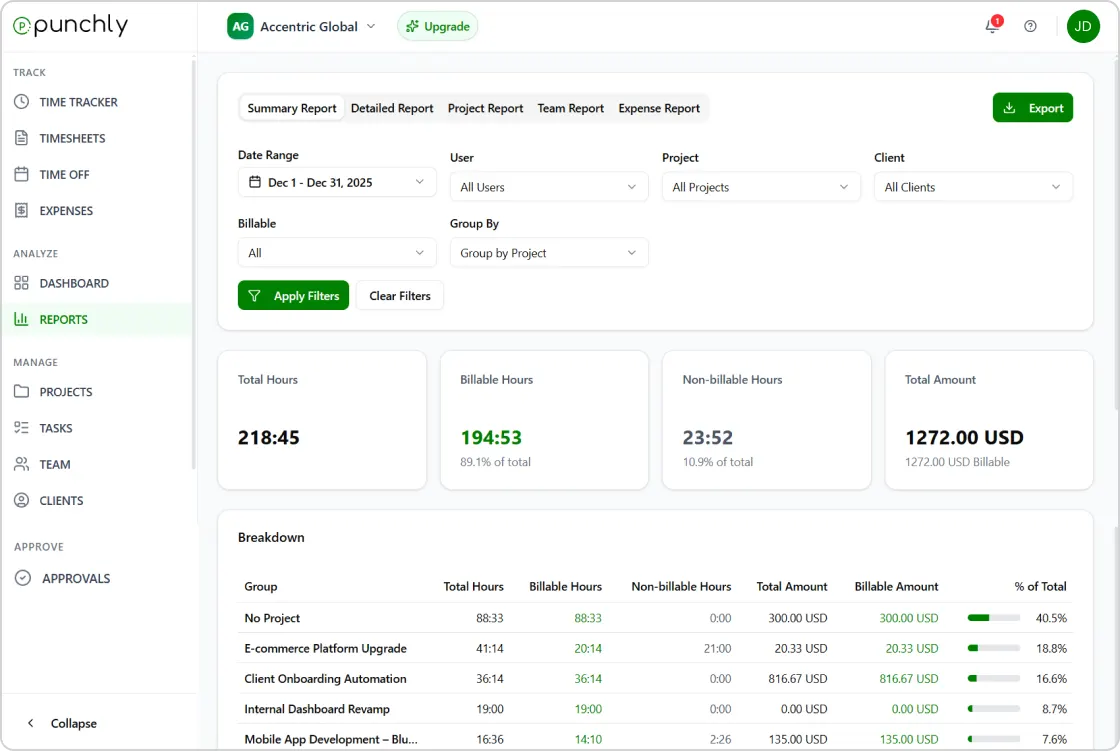
Export reports
Generate detailed timesheets and billing reports to share with clients or accounting teams. Exports support invoicing, audits, and compliance needs.
Start using Punchly for consulting work
Track your time accurately, bill clients confidently, and manage engagements with clarity. Designed for consultants who value accuracy and accountability.
- 24/7 Support
- Cancel Anytime
- Free Forever