

Time Tracking for Software Developers
and Engineering Teams
Punchly helps developers track time across tasks, projects, and repositories without breaking concentration. Whether working solo, in a product team, or as part of a distributed engineering organization, Punchly provides clear visibility into development effort. Designed for developers who value accuracy without distraction.
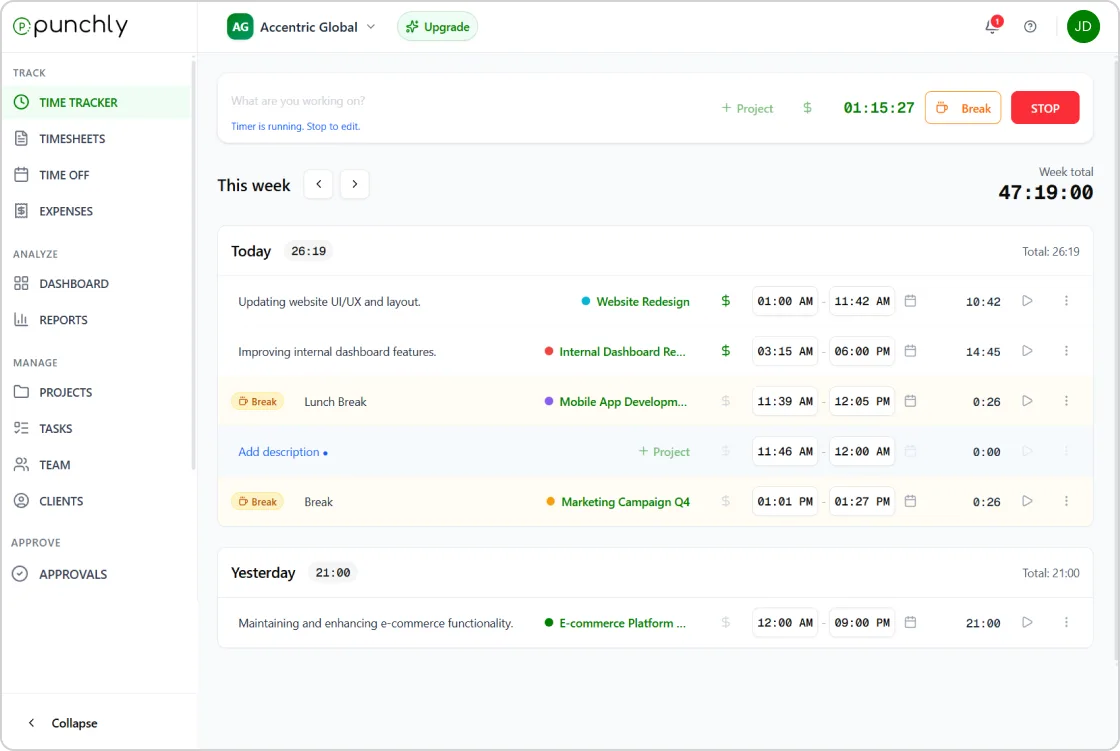





Time tracker for developers
Track time by task, feature, or project
Developers can track time against specific tasks, features, or projects. This makes it easier to understand how long development work actually takes and supports realistic planning.
Task-level tracking helps teams improve estimates and delivery timelines.

Simple time tracking that stays out of the way
Punchly offers live timers and manual time entries so developers can choose how they track work. The interface is clean and unobtrusive, allowing developers to focus on coding rather than tools.
Time tracking adapts to different workflows.

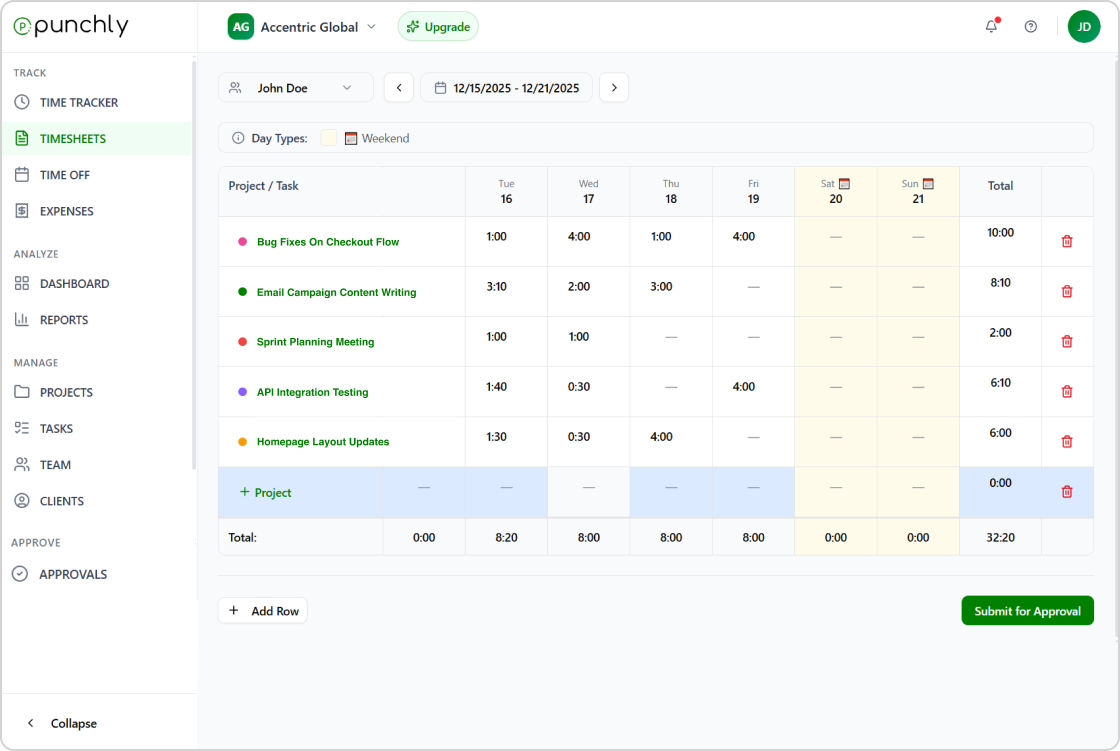
Visibility for sprint planning and delivery
Punchly helps teams understand how time is distributed across development work. Managers and tech leads can review effort by sprint, feature, or team without constant check-ins.
This supports better sprint planning and workload balancing.
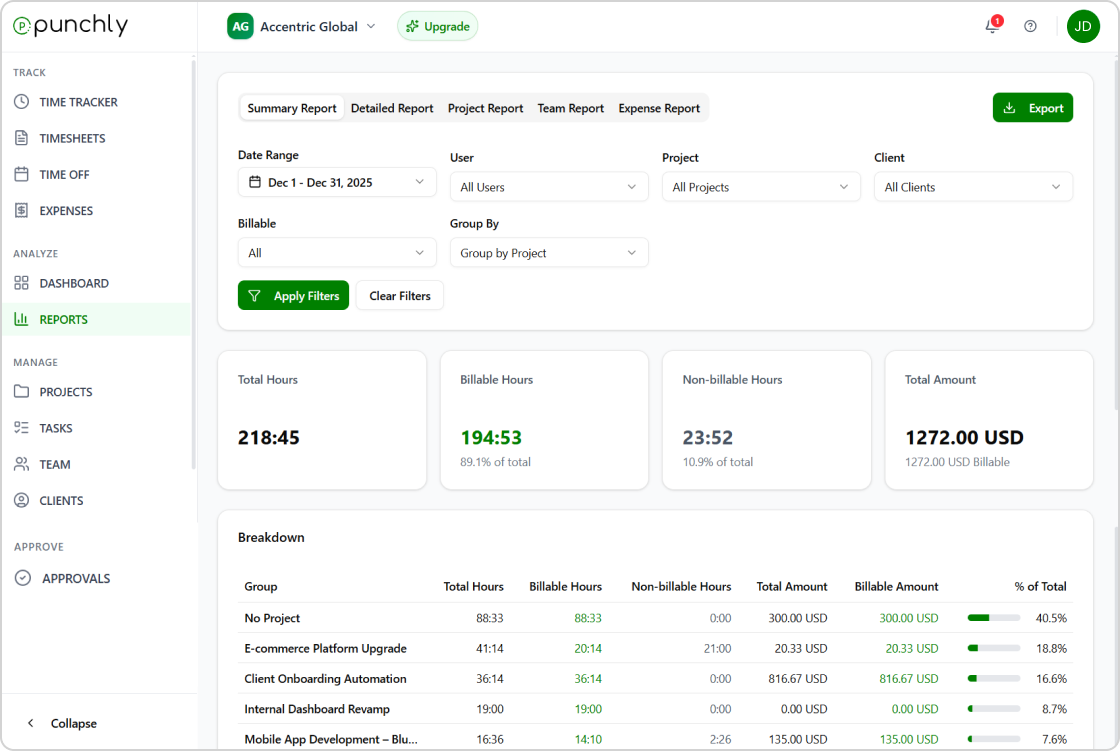
Reports for engineering leads and management
Generate reports that show time spent by developer, project, or task. Reports help engineering leaders understand productivity trends and support planning discussions.
Exportable reports integrate easily with planning and review processes.
Works with distributed and remote teams
Punchly works across web, desktop, and mobile, making it suitable for remote and hybrid engineering teams. Offline tracking ensures time is captured even when working without connectivity.
All data syncs automatically.
Respectful, privacy-first approach
Punchly focuses on tracking time, not monitoring behavior. Developers maintain control over their work data without invasive tracking features.
This supports trust and healthy engineering culture.
How does developer time tracking work?
Track development time accurately without interrupting your flow. Punchly helps developers log time across projects, tasks, and clients, making it easy to understand effort, manage workloads, and report billable hours with clarity.
Step 1
Create an account
Create an account to set up your development workspace. This gives you a single place to track coding time, manage projects, and organize work across repositories, clients, or teams.
Step 2
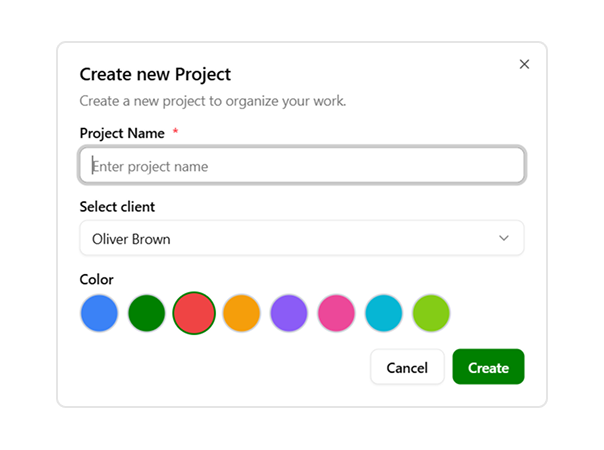
Set up projects
Create projects for applications, features, or client work. Project-based tracking helps developers separate tasks, monitor progress, and keep time entries structured across different codebases.
Step 3
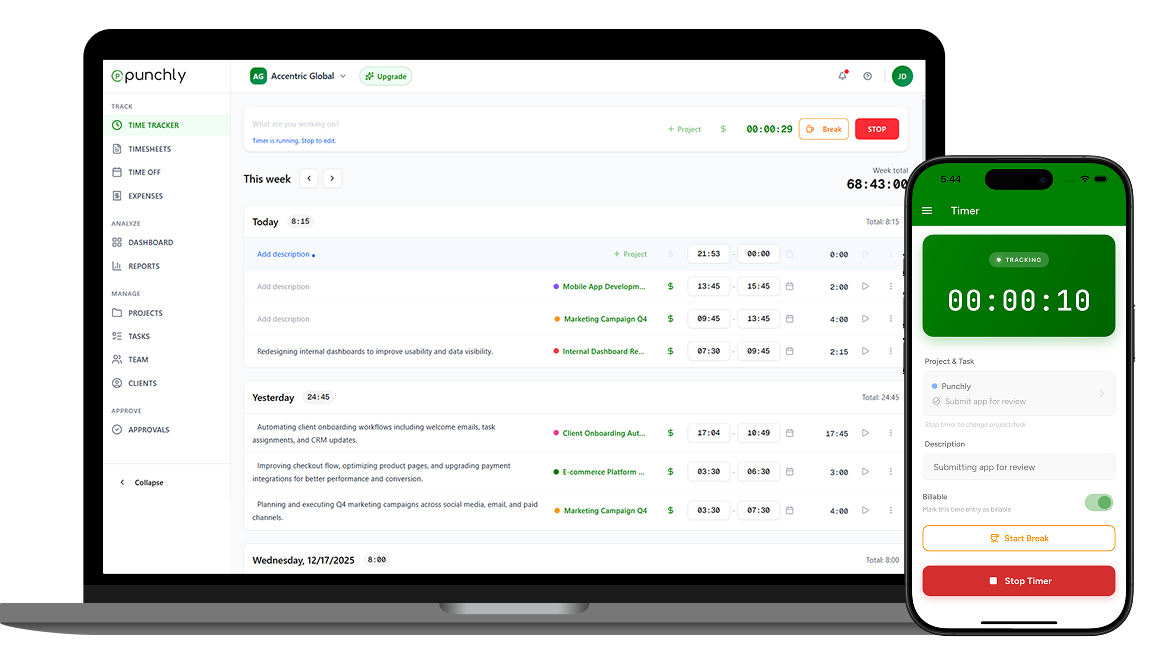
Track time
Track time while coding, debugging, or reviewing code using real-time or manual tracking. Accurate time tracking helps developers understand effort spent on tasks and ensures no billable time is missed.
Step 4
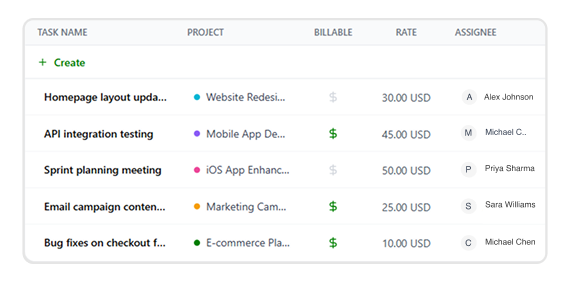
Set hourly rates
Assign hourly rates based on project type, role, or client agreement. Setting rates helps calculate billable work automatically and keeps pricing consistent across development tasks.
Step 5
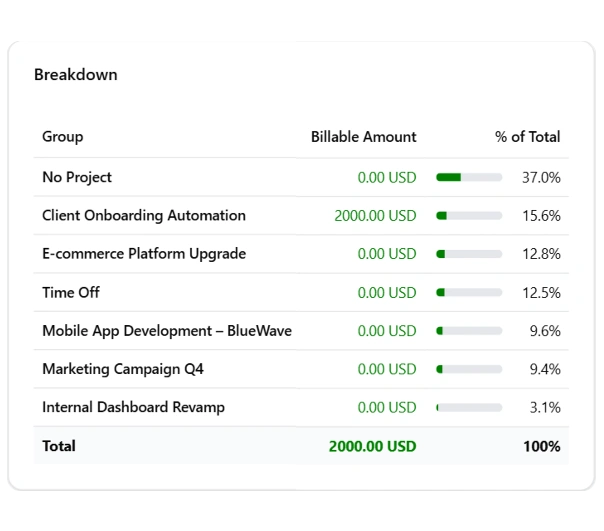
Export reports
Generate and export time reports for billing, reviews, or internal analysis. Reports help developers and teams share progress, support invoicing, and make data-driven decisions.
Suitable for all types of developers
- Product engineering teams
- Remote development teams
- Freelance developers
- Agency-based development teams
- Enterprise engineering organizations
Start using Punchly for development teams
Track development time accurately, improve planning, and gain visibility without interrupting focus. Built for developers who care about quality and clarity.
- 24/7 Support
- Cancel Anytime
- Free Forever