
Free Time Tracker App for Android
Track work hours effortlessly from anywhere with Punchly’s free Android time tracking app. Start timers in one tap, log work on the go, and keep all your time entries perfectly synced with the web—so nothing slips through the cracks.

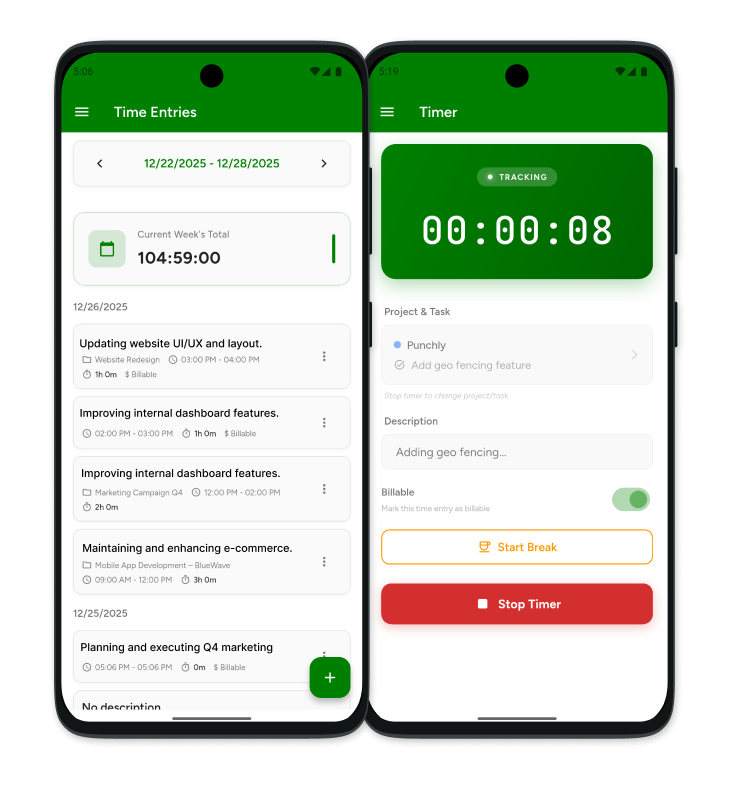
What is Punchly
Punchly is an all-in-one time tracking and work management platform built for modern teams and individuals. It helps you track time, manage projects, submit timesheets, request time off, and record expenses—all from a single, easy-to-use system across web and mobile.
How to track time with Punchly’s Android app
Tracking time with Punchly on Android is simple and flexible. Whether you want to run a live timer, add time manually, or manage work details on the go, the app makes it easy to stay accurate and organized. All time entries sync instantly with the web, so your hours, projects, and reports are always up to date—no matter where you work from.
Create Punchly account
Sign up here for free and set up your workspace in just a few clicks.
Download Android time tracking app
Get the Punchly Android app on the Play Store and log in using your account.
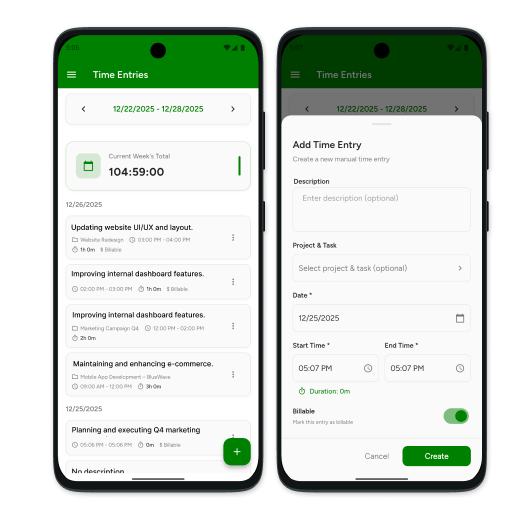
Start the timer
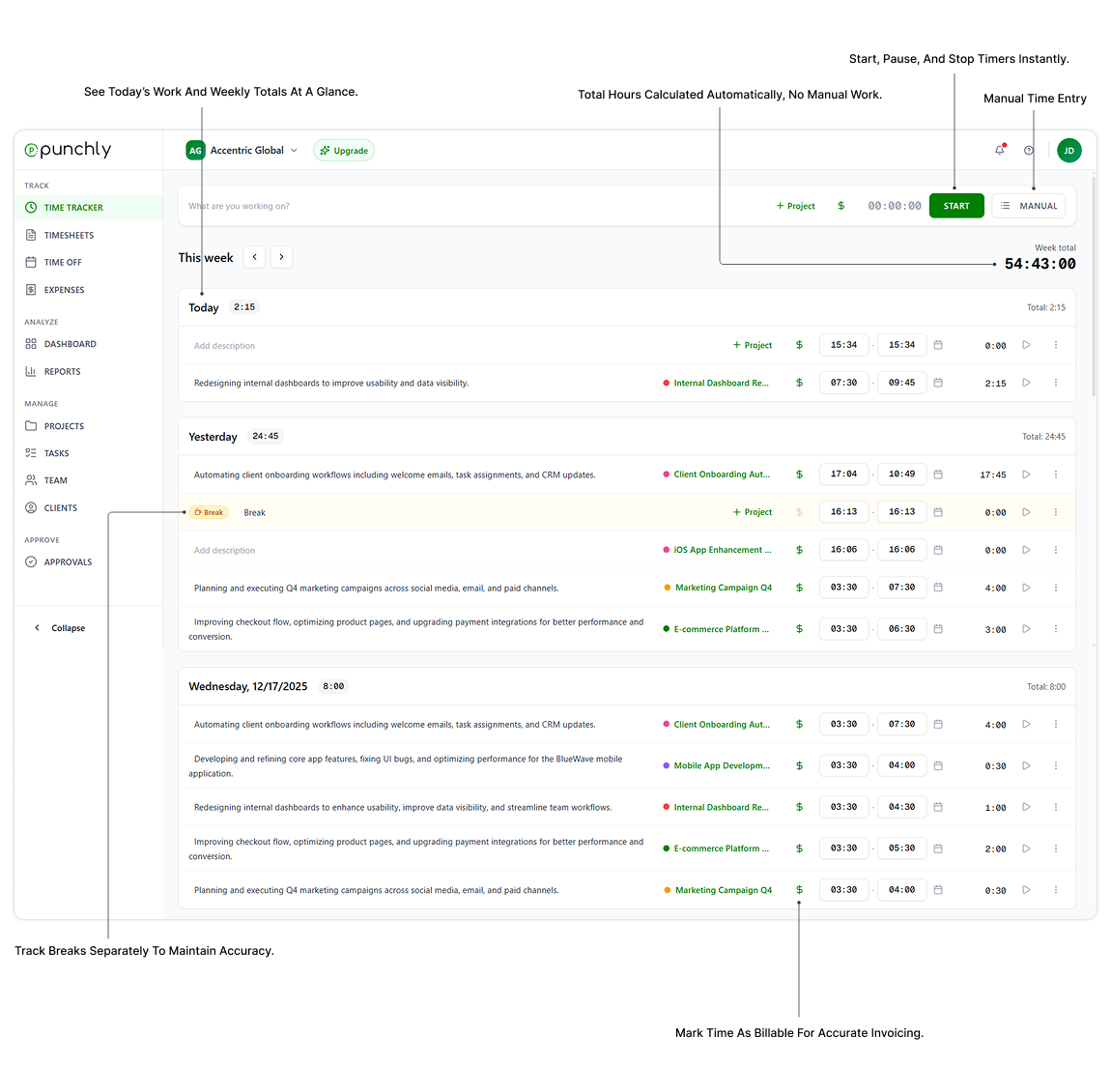
Select a project and task, then start the timer to track work in real time—whether you’re at your desk or on the move.
Enter details and stop the timer
Add descriptions, mark time as billable if needed, and stop the timer when your work is done.
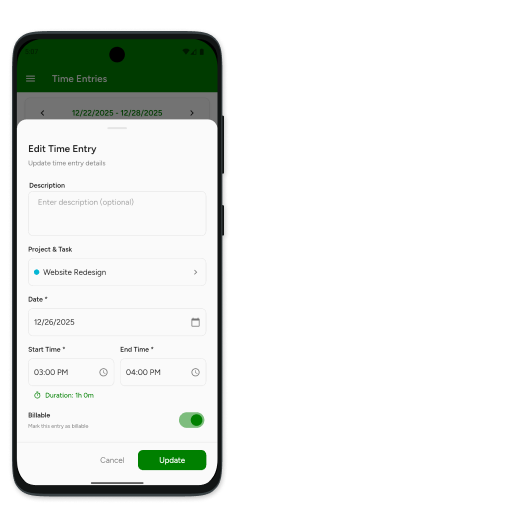
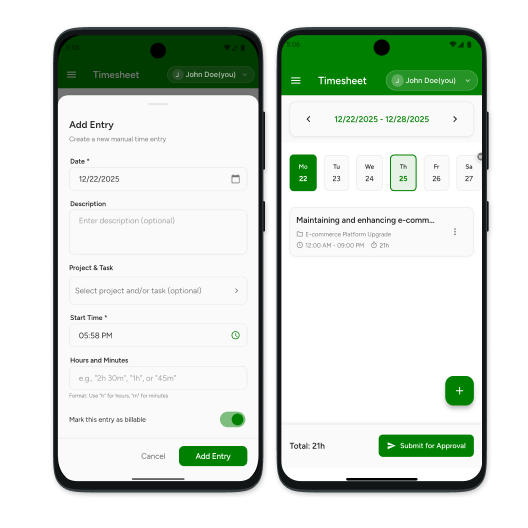
Add time manually
Forgot to start the timer? No problem. Add time entries manually with exact dates and durations.
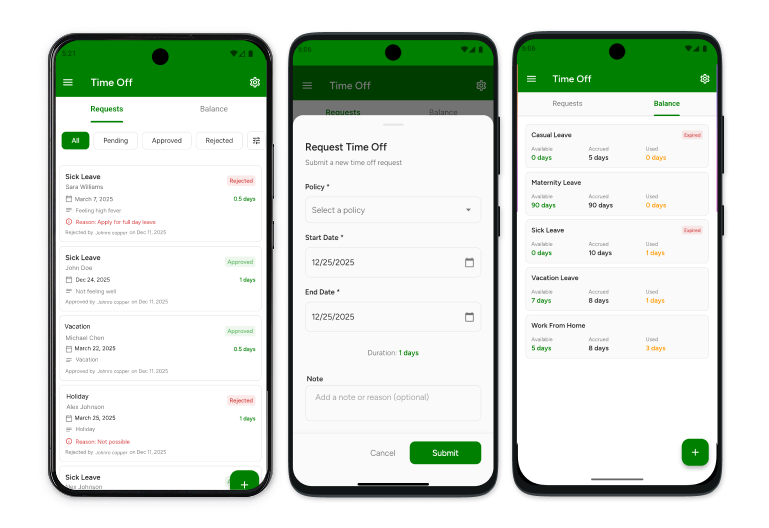
Request time off (optional)
Submit time off requests directly from the app and view your available leave balance anytime
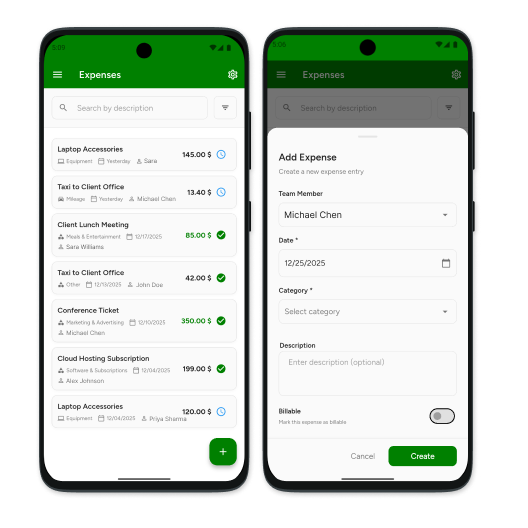
Record expenses (optional)
Log work-related expenses, attach details, and keep everything organized alongside your time entries.
More features on the web
Access advanced reporting, approvals, project insights, and detailed analytics from the Punchly web dashboard.
Get started with Punchly for Android
Download the Punchly Android app and start tracking time from anywhere. Everything syncs to the web automatically.