
Free Time Tracker App for macOS
Track work hours, projects, and productivity directly from your Mac. Punchly’s macOS time tracking app makes it easy for employees and teams to record time accurately and stay focused throughout the workday.

What is Punchly
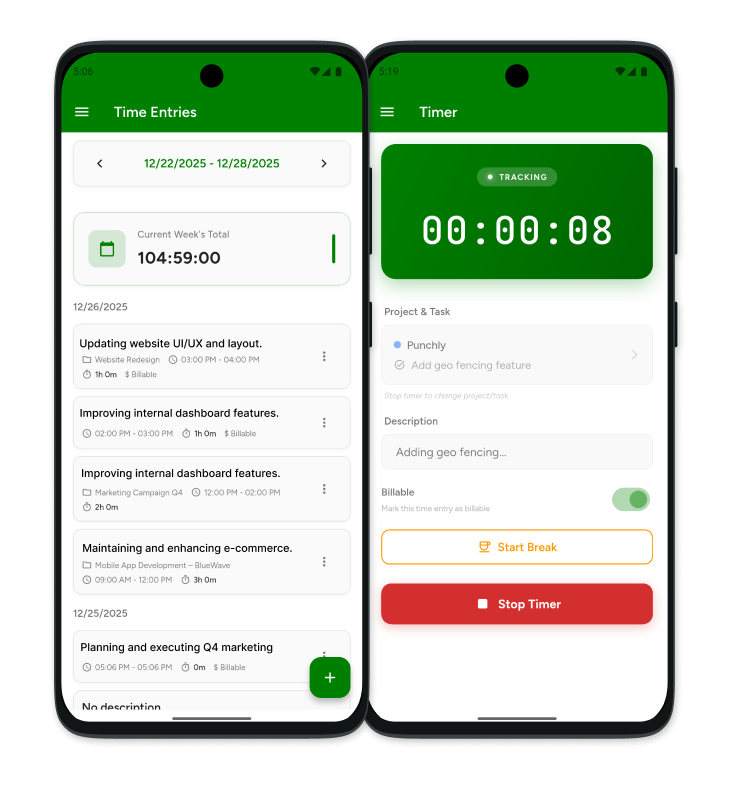
Punchly is an employee time tracking software designed to help teams track work hours, manage projects, monitor productivity, and simplify payroll preparation. The macOS app gives employees a seamless way to record time while keeping all data synced with the Punchly web platform.
How to Track Time with Punchly’s macOS App
Follow these simple steps to start tracking time and managing work activities from your Mac.
Create Punchly account
Sign up for a Punchly account and create your workspace. Invite employees, set up projects, and configure your team’s time tracking preferences.
Download macOS time tracking app
Download and install the Punchly macOS application from the Mac App Store. Sign in using your Punchly account credentials to access your workspace.
Start the timer
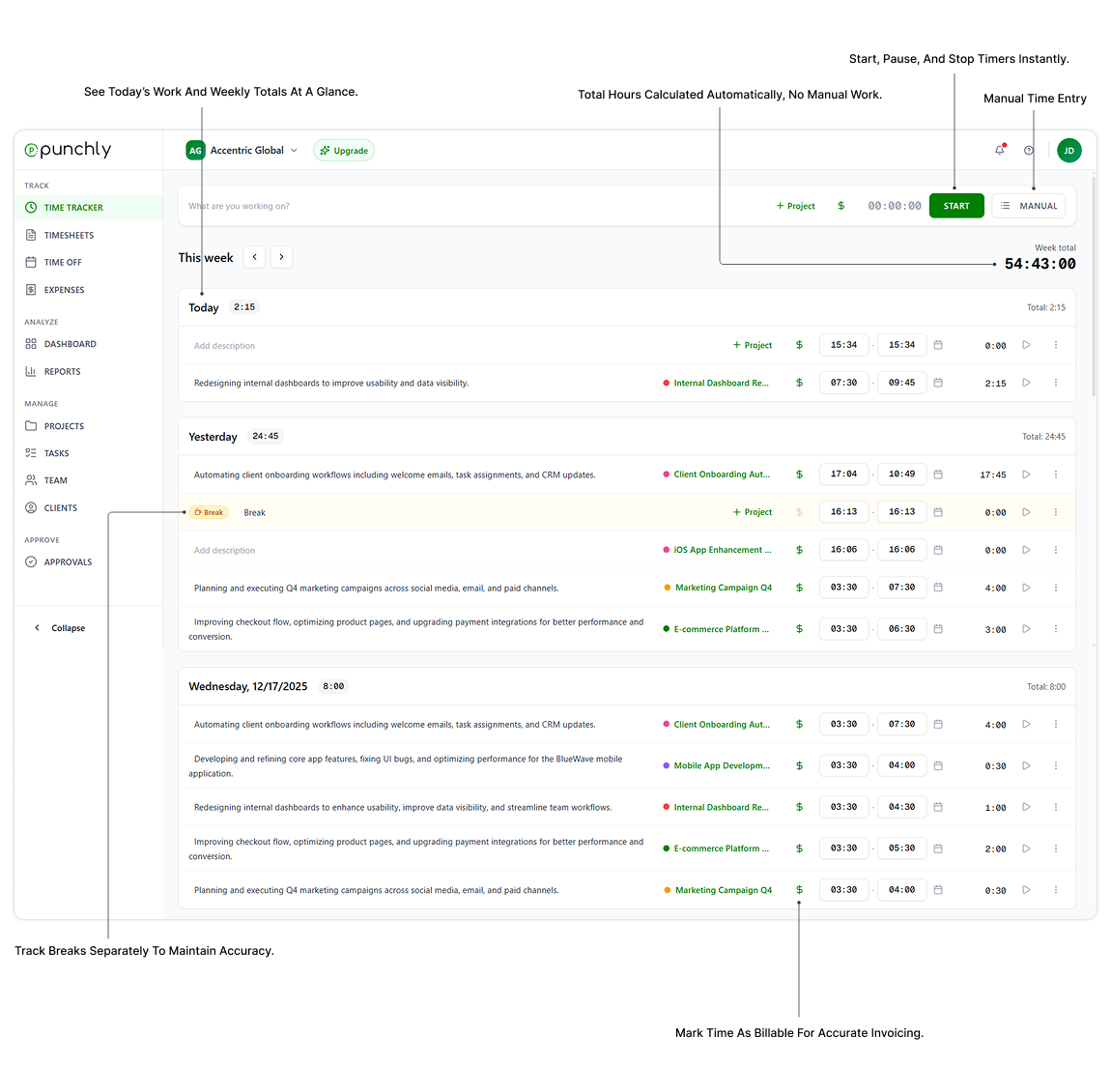
Select a project, task, or activity and start the timer with a single click. Punchly automatically records your work time and keeps it synchronized across devices.
Enter details and stop the timer
Add notes, project details, or task descriptions to your time entry. When your work session is complete, stop the timer and save the recorded time.
Add time manually
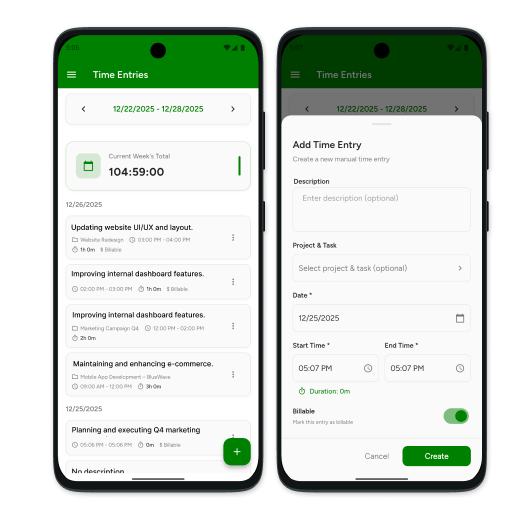
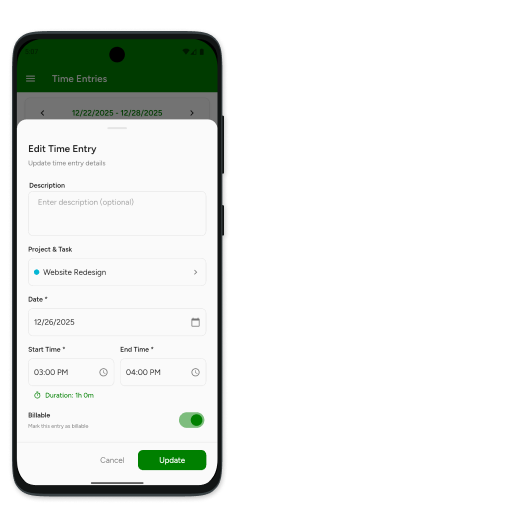
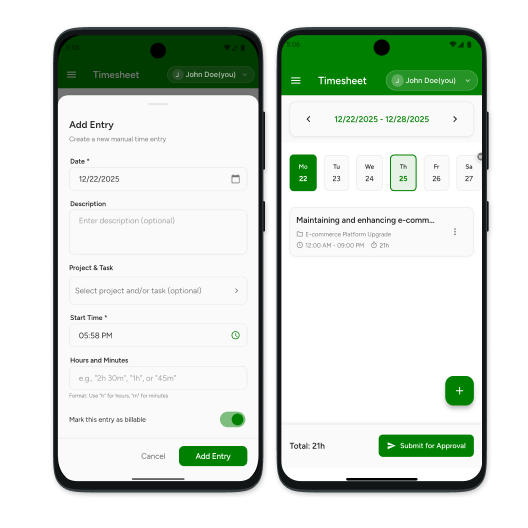
Need to record time after completing work? Create manual time entries for past activities, meetings, administrative tasks, or offline work.
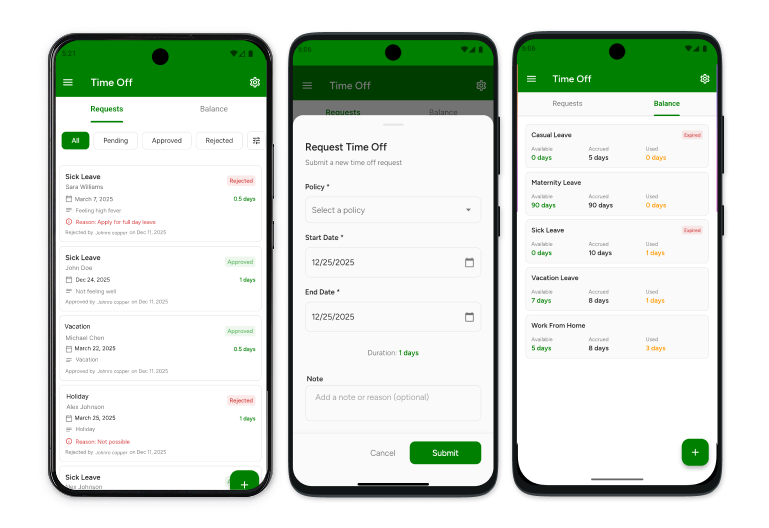
Request time off (optional)
Submit vacation requests, personal leave, sick days, or other time-off requests directly through Punchly. Managers can review and approve requests from the web dashboard.
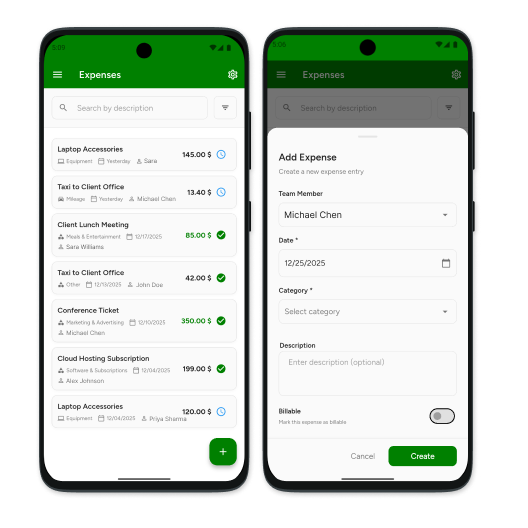
Record expenses (optional)
Capture and submit business expenses related to projects, travel, or client work. Keep all work-related records organized in one place.
More features on the web
Access advanced features through the Punchly web application, including team management, project reporting, payroll summaries, productivity insights, approvals, and administrative controls.
Get started with Punchly for macOS
Download Punchly’s macOS time tracking app and start tracking work hours with accuracy and ease. Stay productive whether you’re working independently or as part of a growing team.