From Hours to Insights: How to Build a Monthly Time Report Your Clients Will Actually Read
Introduction: The Client Report Dilemma
Every month, agency founders, consultants, and project managers face a familiar, dreaded task: compiling the monthly time report. You gather data from various spreadsheets, filter lines of unstructured logs, and format them into a comprehensive document. You send it off with a sense of accomplishment, only to realize your client skipped straight to the final invoice figure without digesting any of the hard work your team put in. At worst, they follow up with confusion, questioning why a specific task took “so long.”
The core issue isn’t a lack of diligence; it’s a gap in communication. Clients don’t want to buy raw hours—they buy outcomes, progress, and problem-solving. When you deliver a report that is merely a list of timestamps, you accidentally invite micromanagement. To break this cycle, agencies need to transform their data reporting workflow from basic hour logging to a visual, insights-driven summary that highlights value, monitors project burn rates, and builds unwavering trust.
Why Traditional Time Logs Fail Client Expectations
Traditional time reports fall flat because they lack contextual relevance. An unformatted export of Excel or CSV lines doesn’t tell a story. Here’s why standard tracking workflows hurt client relationships:
- The “Big Brother” Friction: Traditional trackers monitor every mouse click or screenshot, making remote teams feel suffocated while offering little meaningful context to the client.
- Cognitive Overload: Showing a client 140 separate entries for “minor bug fixes” gives them noise, not data. It forces them to look for patterns themselves, which breeds doubt.
- Lack of Clear Project Status: If a client cannot look at a report and immediately know whether their project is within budget limits or if the burn rate is alarming, the document fails its fundamental purpose.
To counter this, high-performing service providers utilize advanced, non-intrusive time tracking software like Punchly, which cleanly categorizes time by project and task, ensuring that tracking stays stress-free for employees and highly legible for stakeholders.
Step-by-Step Blueprint: Transforming Hours into Strategic Insights
Creating a client-ready monthly time report requires a structural change in how your agency structures and presents data. Follow this precise architecture to turn your logs into insights:
Step 1: Start with an Executive Summary Dashboard
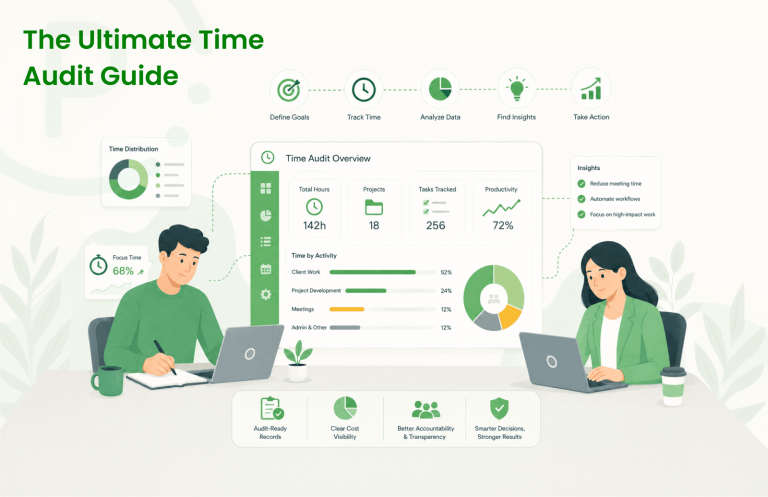
Never start your report with a granular table. The first page should always feature an executive dashboard summarizing high-level metrics. Highlight total hours invested, percentage of milestones completed, and project cost metrics. This gives stakeholders an instant overview before they dive into specific project allocations.
Step 2: Group and Align Hours with Clear Milestones
Instead of listing chronological entries, organize your data by task and project categories. For example, instead of listing 15 distinct entries for internal communication, group them under “Strategic Alignment & Quality Assurance.” This immediately communicates that your meetings are driven by project progress, not administrative overhead.
Step 3: Connect Time and Work-Related Expenses
A major source of client confusion occurs when billing hours and project expenses are reported separately. Your monthly report should tie work hours directly to associated material or third-party costs. Integrating expense tracking with active project time provides a clear look at total project cost trends and budget allocation.
Maximizing Agency Transparency and Value Delivery
The most successful digital agencies use reporting as a touchpoint for retaining clients. By using transparent metrics, you eliminate the friction of invoicing and demonstrate true accountability.
| Metric Type | Traditional Approach | Insights-Driven Approach (Punchly) |
|---|---|---|
| Time Granularity | Chronological timestamps with confusing notes | Aggregated tasks grouped by strategic milestones |
| Financial Linkage | Invoices and hours detached from resource costs | Time tied directly to active project burn rates |
With a robust modern workspace ecosystem, managers can review and approve team timesheets seamlessly before converting them into polished client deliverables. Using automated tools removes human bias, reduces error margins, and keeps client relationships moving forward smoothly.
Frequently Asked Questions
Conclusion: Streamlining Your Reporting with Punchly.work
A monthly time report shouldn’t be a source of stress or an invitation for clients to audit every minute of your workday. By moving away from unstructured lists and embracing clear, value-driven reporting dashboards, your agency can turn time tracking into a strategic tool for client retention and growth. True transparency isn’t about micromanagement; it’s about giving your clients real confidence in the work you do.
To achieve this effortlessly, you need a software solution engineered for modern, high-growth teams. Punchly.work provides a clean, intuitive interface that handles accurate time tracking, expense logging, and instant automated timesheets seamlessly. By empowering your team to track project time and costs without feeling monitored, Punchly lets you focus on delivering exceptional work while automatically generating professional, client-ready reports with a single click.
Ready to see what your team’s time is actually telling you? Explore these resources:
- Time Tracker — Real-time hour logging for individuals and teams
- Timesheets — Automated weekly summaries for payroll accuracy
- Project Time Tracking — Billable vs non-billable clarity by project
- Team Management — Workforce visibility across all locations and models
- Reports & Analytics — Data-driven insights for better workforce decisions
- Expense Tracking — Reconcile work expenses with project time in one platform
- Approval Workflows — Ensure timesheet accuracy before payroll processing