
Resource scheduling software that knows what really happened
Plan who works on which project, for how many hours a day, and see at a glance who is full and who has room. Because the same tool tracks the time, you can always compare the plan with what was actually done.
Pro plan, $6 a person a month. 7-day free trial of the Pro plan’s features, no credit card needed.
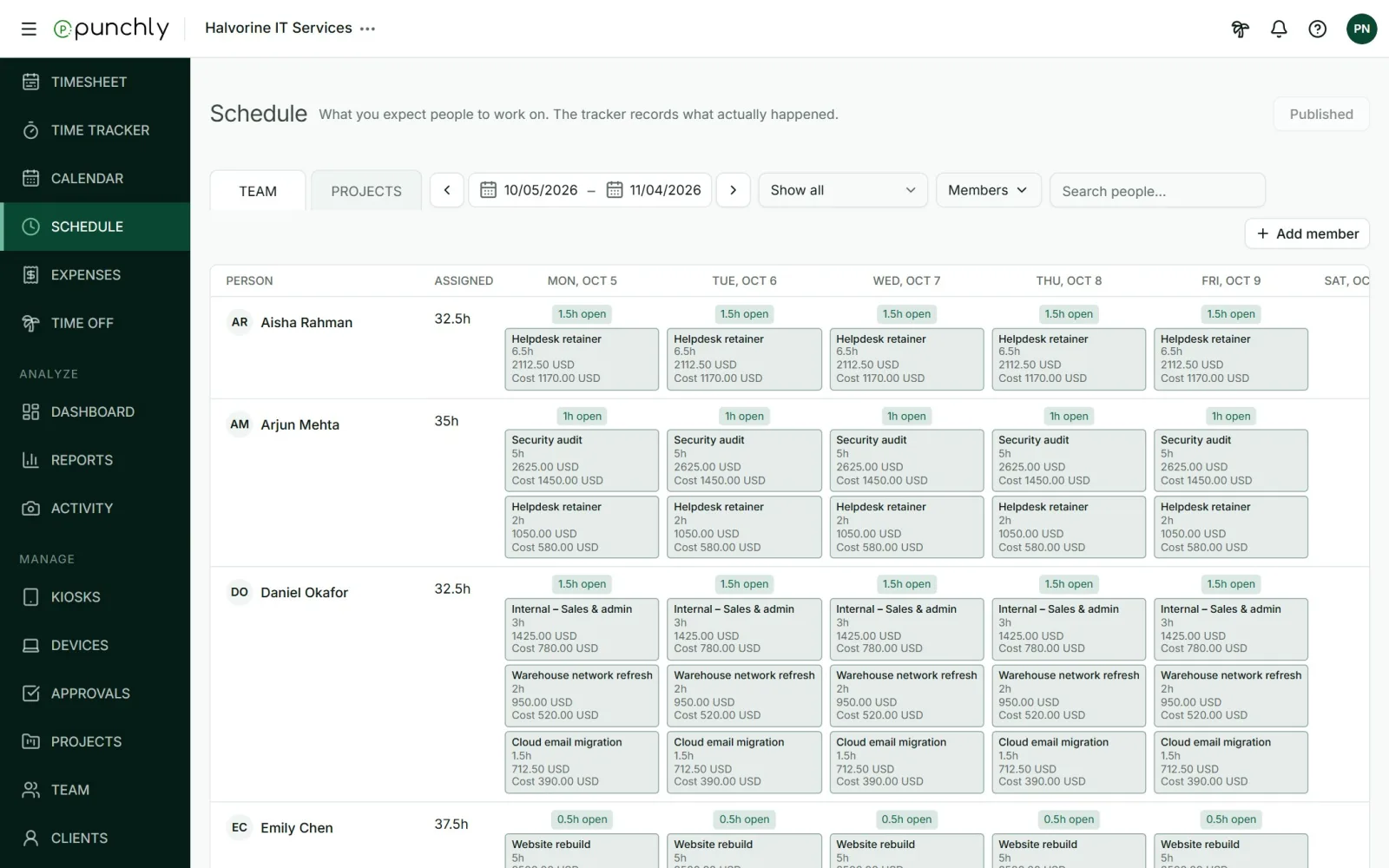
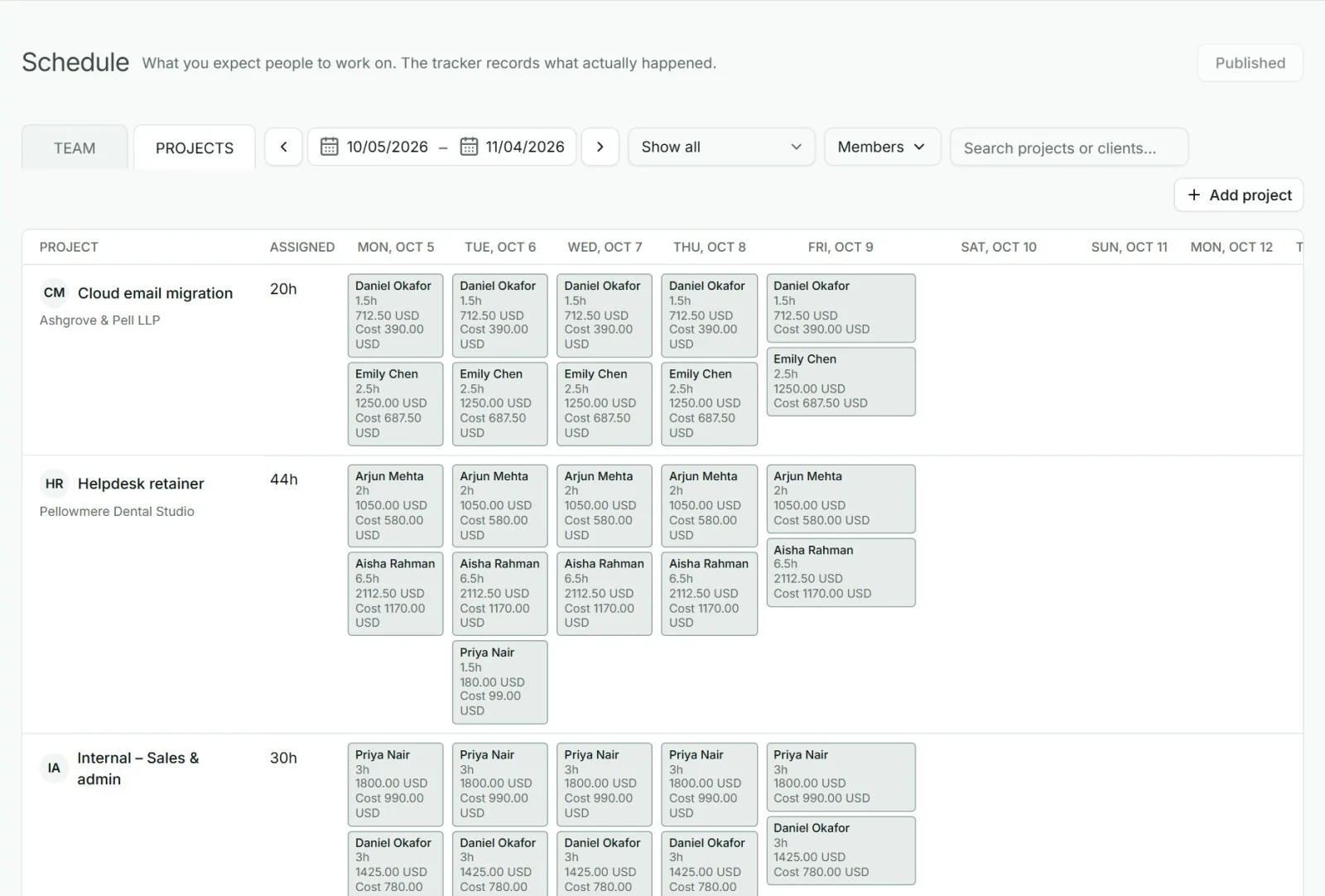
One board for who is doing what
The schedule is your plan for the coming weeks. Each colored block is an assignment: one person, one project, a number of hours a day across some days. Put them on a board and the whole team’s workload is in front of you.
Look at it by person to see who is busy and who is free. Switch to the project view to see who is planned on each project and when.
See capacity before you promise anything
Every day on a person’s row carries a small badge: “4h open”, “Full”, or “2h over” in red. It is worked out from that person’s working hours, minus what is already assigned to them.
Days off, public holidays and approved leave count as zero capacity, and a half day of leave counts as half. So when a client asks “can you start next week?”, the answer is on the screen, and it already allows for who is on holiday.
Plan in drafts, publish when ready
Good plans take a few tries. New assignments start as drafts that only planners can see, so you can move things around without confusing anyone. When the plan is right, press Publish and everyone sees their schedule at the same moment, with a notification if you want one sent.
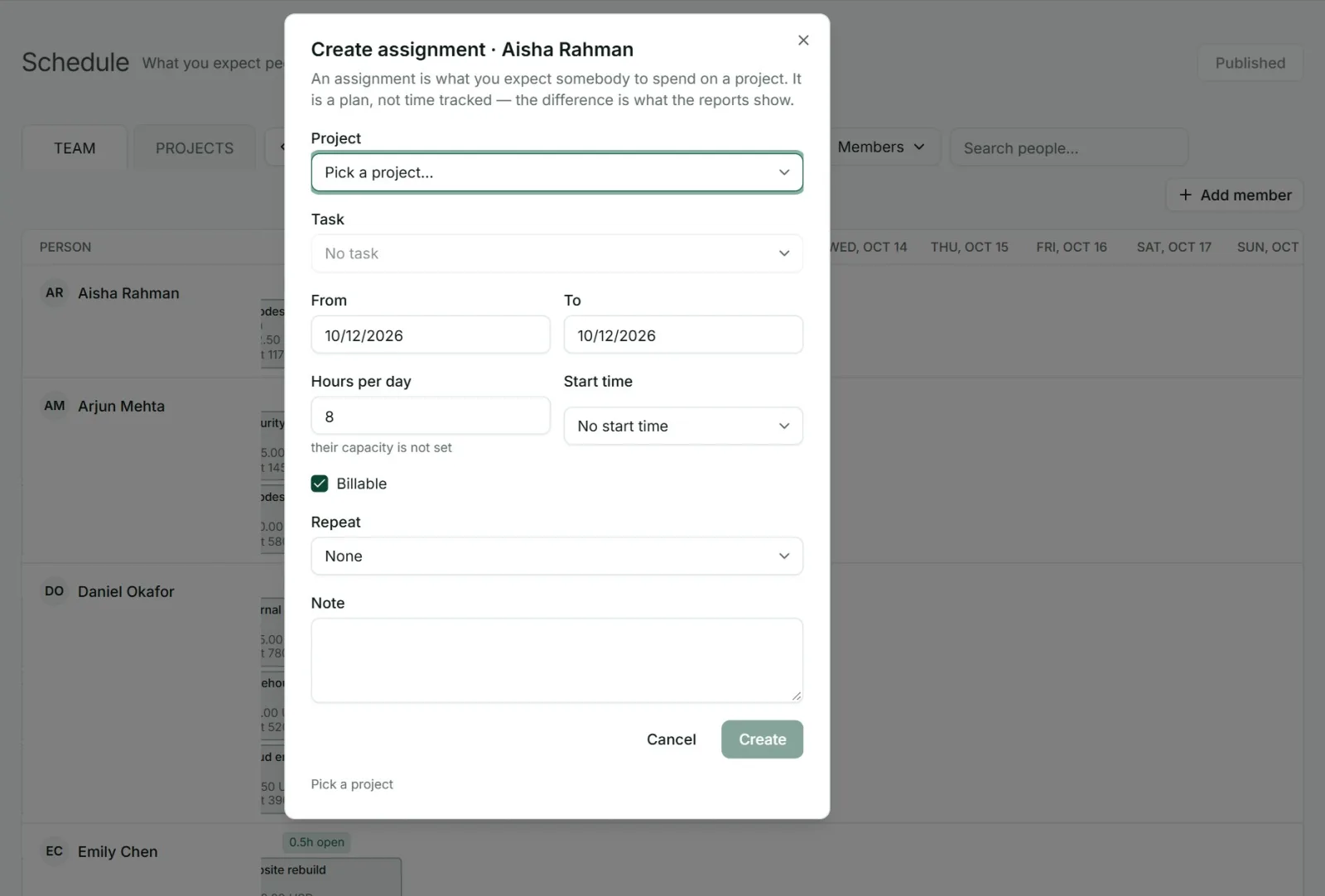
Create an assignment from any empty day: pick the project, the dates and the hours a day.
Repeat it weekly, every two weeks or monthly for regular work.
Warnings tell you when someone would be over capacity, on leave, or planned on a day they do not work.
Milestones mark dates that matter on a project, such as a release.
Compare the plan with reality
Many planning tools stop at the plan. Punchly also knows what people actually tracked, so it can show the two together. The Assignments report lists scheduled hours beside tracked hours for each person and project, with the difference.
After a few weeks you can see which projects always take longer than planned and which people are always booked beyond what they can do, and plan the next month with that in mind.
Forecast where each project will end
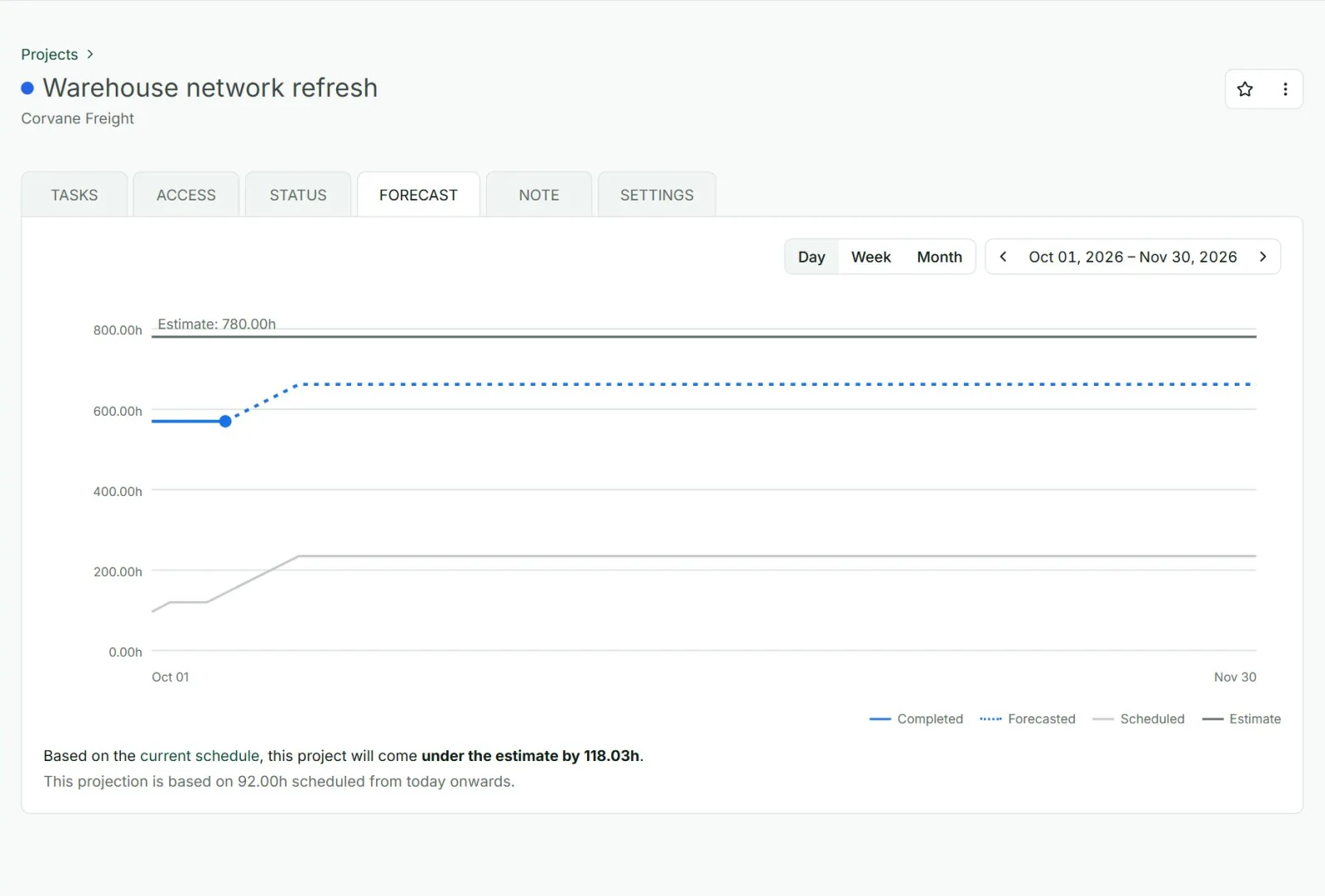
Scheduled work also feeds each project’s forecast. Punchly adds the hours already tracked to the hours planned and tells you whether the project will finish under or over its estimate or budget, and by how much, while there is still time to act.
Decide who can plan and who can see
You control the schedule. Admins plan for anyone and are the only ones who publish. You can let project managers, or everyone, draft their own assignments and ask an admin to publish them. Members see their own published assignments, and you can widen that to their team or the whole company.
What kind of scheduling this is
Punchly’s schedule is made for project work: assigning people to projects for days or weeks and balancing their workload. It is not a shift roster with open shifts and shift swaps for a shop or restaurant. If you need to record when shift staff arrive and leave, the kiosk and the attendance report are the right tools.
Who uses it
Agencies and consultancies
Deciding which people go on which client next month.
Software teams
Balancing several projects across the same developers.
Operations and delivery managers
Who have to say when new work can start.
Any team that sells time
And wants its people neither idle nor overbooked.
Questions people ask
Something else on your mind? Our team answers from inside the app and by email.
Know who is free before you say yes
Create your workspace, add your team’s working hours and plan next week.