
Time tracking reports that answer the question you have
Every hour your team tracks ends up in a report you can shape as you like: by project, by client, by person or by day. See totals, billable amounts and profit, then export the result or share it with the people who need it.
Reports are free for a 31-day range. Paid plans have no limit on the Summary and Detailed reports. 7-day free trial of the Pro plan’s features, no credit card needed.
Group your time any way you like
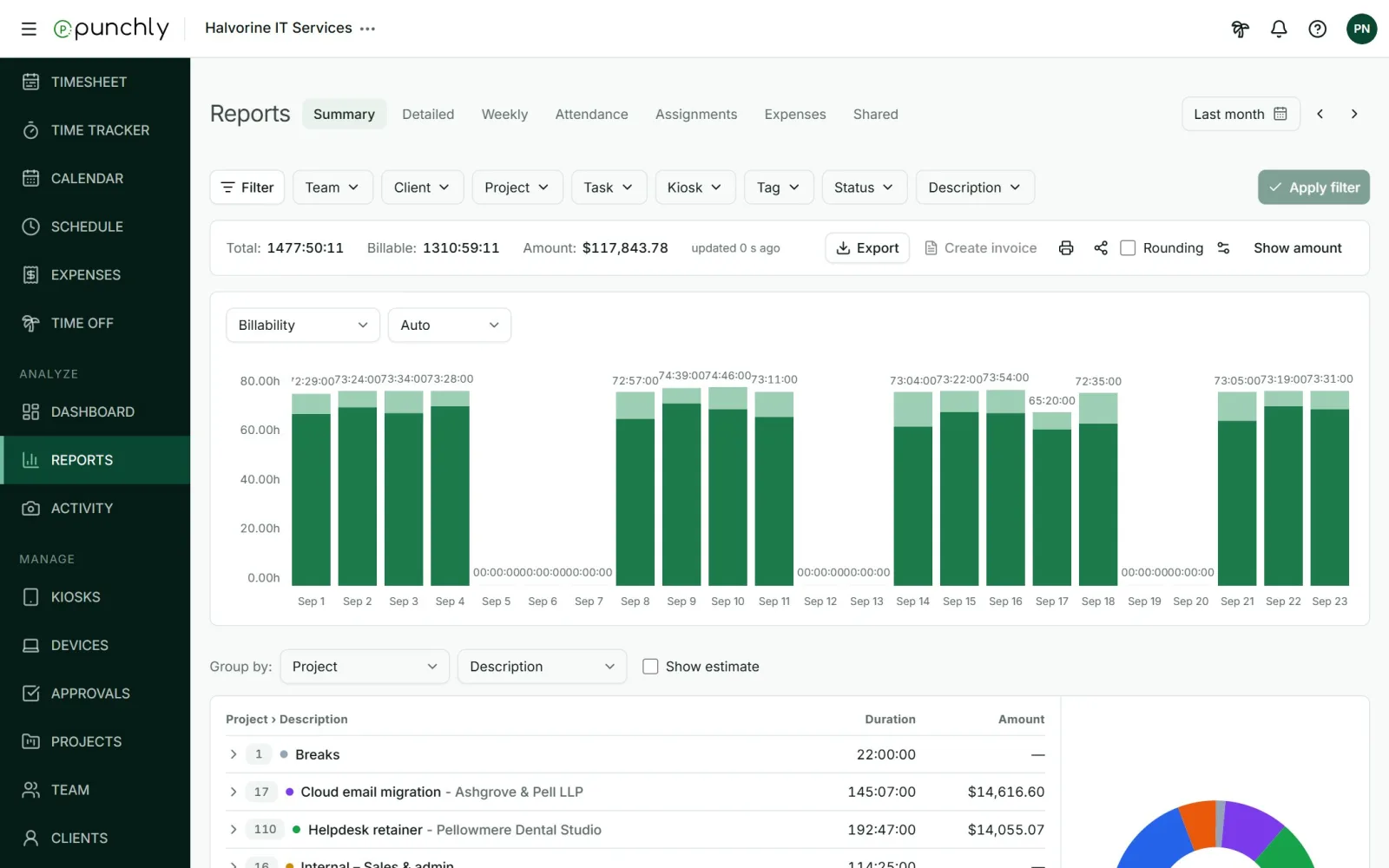
The Summary report adds up tracked time and groups it by up to three levels. Choose client then project for a client overview, person then project to see what each team member worked on, or project then person to see who worked on each job.
A chart across the top shows how the time was spread over the period, split by project or by billable and non-billable hours. The totals line gives you total time, billable time and, if you choose, the amount, the cost and the profit.
Group by project, client, person, group, tag, task, description, billable, month, week or date.
Filter by team, client, project, task, tag and more, including time with no project at all.
Date ranges from today to last year, or any dates you pick.
See every entry when you need the detail
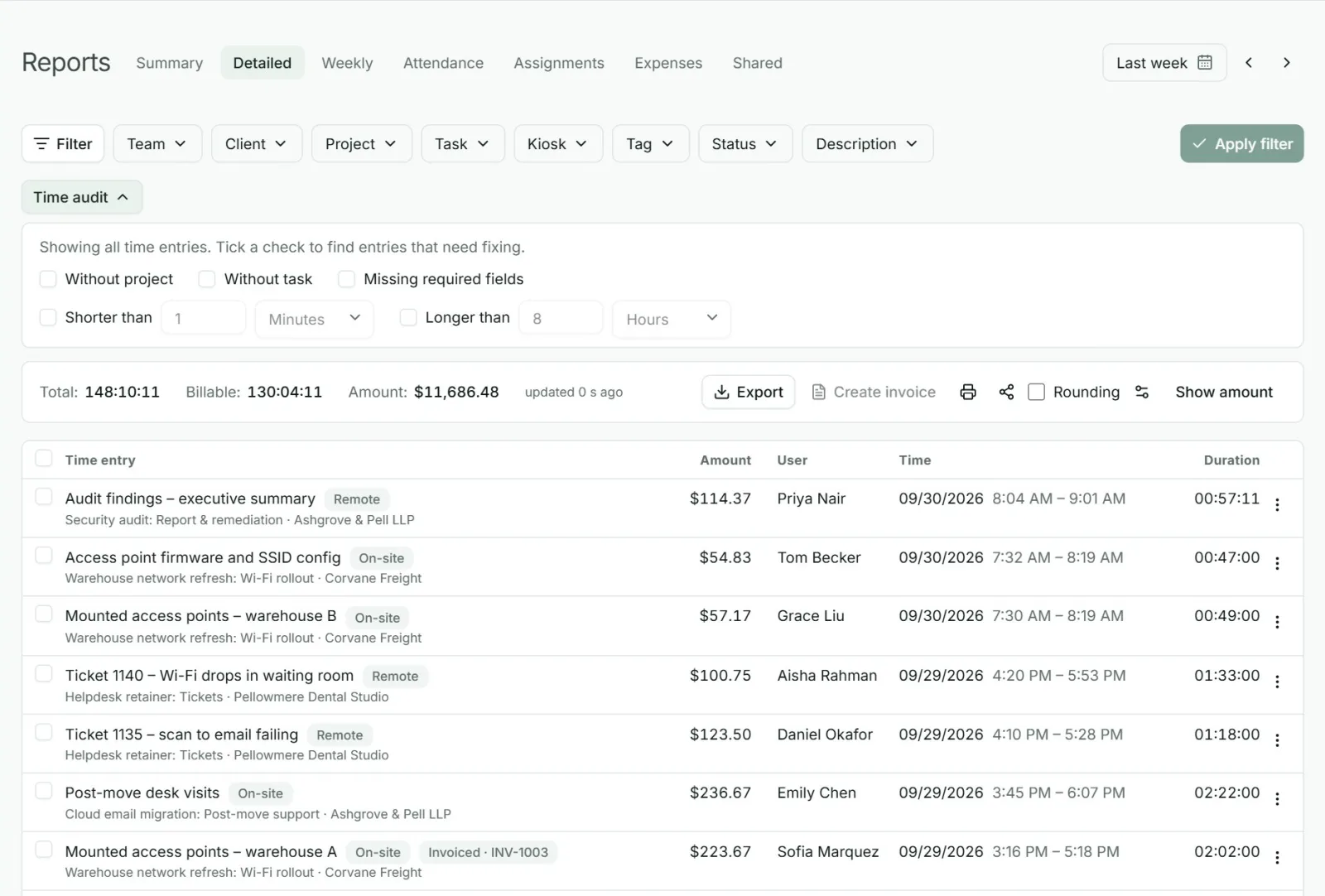
The Detailed report lists every time entry one per row, with the person, project, task, start, end and duration. It is where you check exactly what was tracked before sending it to a client, and where an admin or manager can correct a mistake without leaving the report (editing other people’s time needs the Basic plan).
Edit or delete an entry from its row.
Change many at once: select entries and set their project, tags or billable mark together (Basic plan).
Mark as invoiced so the same hours are never billed twice (with invoicing, on the Standard plan).

The week at a glance
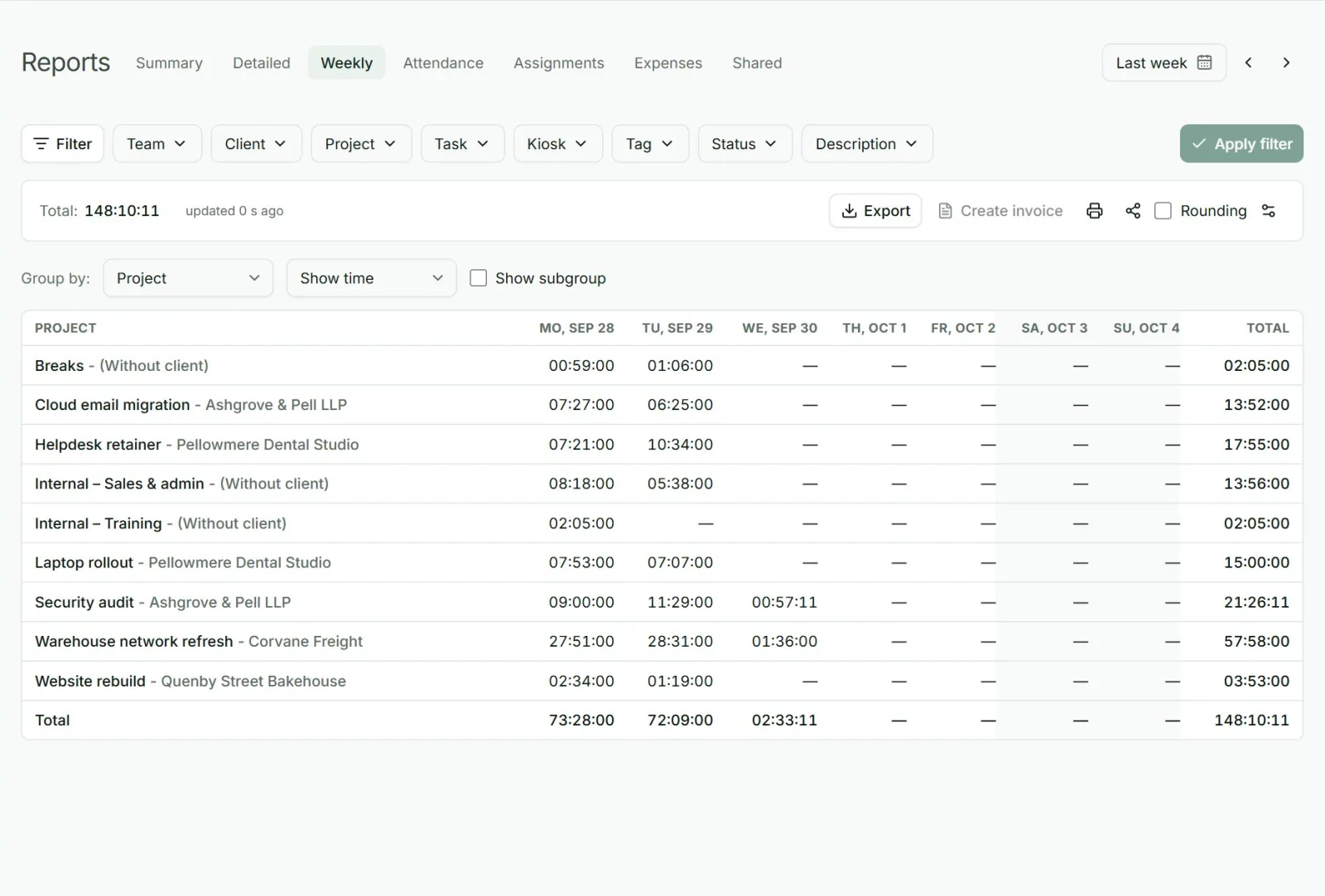
The Weekly report is a grid of hours per day, by project or by person. It shows who worked how much on each day, and it can list the people who tracked nothing, which is the quickest way to see whose week is missing.
Catch mistakes before your client does
Time audit looks through the entries for the ones that seem wrong: time with no project or task, entries missing a required field, and entries that are suspiciously short or long. Fix each one from the list and it disappears from it (Basic plan).
From hours to money
Add the amount to any report and each row shows what the time is worth at your billable rates (rates need the Basic plan). With cost rates switched on, the same report shows the cost and the profit beside it, by client, project or person (Pro plan). People who are not allowed to see rates never see these columns.
Round time for billing, keep the original
If you bill in blocks, switch on rounding and reports show time rounded up, down or to the nearest step you choose, from one minute to four hours. Only the report changes. The time people tracked is never altered (Standard plan).

Export, print or share a live report
A report is only useful when it reaches the right person. Punchly gives you three ways to get it there.
Export to PDF on every plan, and to Excel and CSV from the Basic plan. The file holds everything that matches, not only the rows on screen.
Share a saved report with chosen colleagues or the whole team. It always shows current data, and you decide whether they see amounts (Basic plan).
Schedule a shared report to arrive by email every day, week or month, as a PDF, Excel or CSV file (Pro plan).
More reports for specific jobs
Attendance
Starts, finishes, breaks and overtime for each day (Standard plan).
Assignments
Planned hours beside tracked hours (Pro plan).
Expenses
What was spent, by project and person (Pro plan).
Who uses the reports
Owners and managers
Checking where the team’s time went this month.
Account managers
Preparing the hours behind an invoice.
Payroll and finance
Exporting approved hours for each pay period.
Team members
Looking back at their own week.
Questions people ask
Something else on your mind? Our team answers from inside the app and by email.
See where the time really went
Create your workspace, track a few hours and open your first report today.