
A time tracking API for your own software
Pull tracked time into payroll, push projects in from your own system, or build a report nobody else offers. The Punchly API reads and changes your workspace’s data, and webhooks tell your software the moment something happens.
Free on every plan. Documentation at docs.punchly.work.
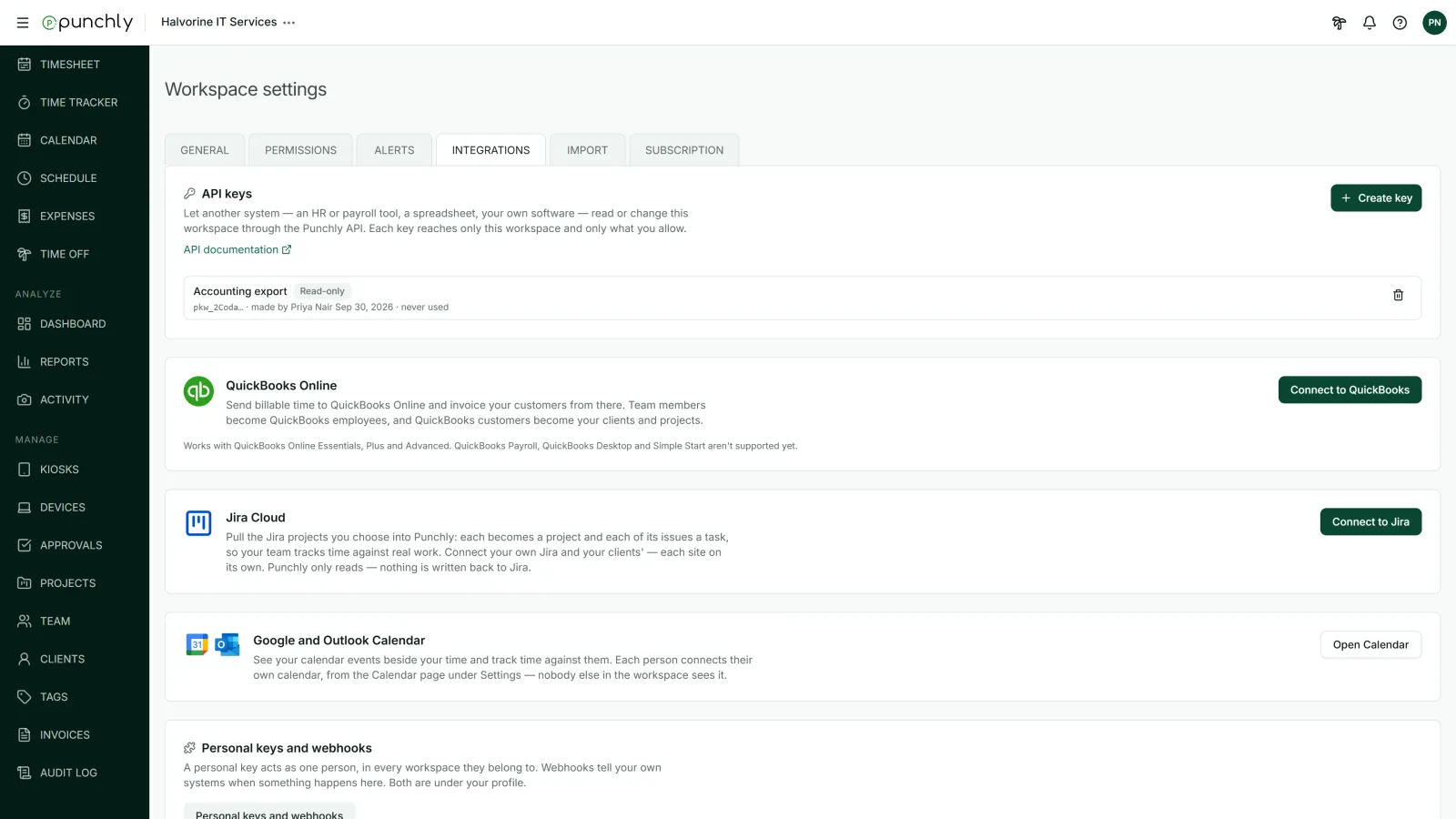
Keys you control
An admin creates an API key in Workspace settings and decides exactly what it can do. A key for a reporting tool can be read-only. A key for one integration can be limited to the areas it needs.
Read-only, full access or custom, area by area.
An expiry date if you want one: 30 days, 90 days or a year.
Revoke at any time. Anything using the key stops at once.
Personal keys let one person’s own scripts act as them.
Webhooks: be told when something happens
Asking “anything new?” every minute is slow and wasteful. A webhook calls an address of yours when something happens in Punchly: a timer stops, a time entry changes, someone clocks in, an approval is given, an invoice is sent.
Signed messages, so your software can check each one really came from Punchly.
Retries when your address does not answer.
A delivery log for every message, with the option to send one again.
What people build with it
Payroll: pull approved hours for each pay period.
Business reports: load time and project data into a data warehouse or a spreadsheet.
Project tools: create projects and tasks in Punchly from your own system.
Notifications: post in your team chat when a timesheet is approved or an invoice is sent.
Fair limits
Each key can make 60 requests a minute on the Free plan and 600 a minute on paid plans. A workspace can have up to 50 keys.
Questions people ask
Something else on your mind? Our team answers from inside the app and by email.
Build on your team’s time data
Create a free workspace, make an API key and send your first request.