
Time tracking software for small businesses and startups
A small company does not need a time system with a consultant attached. It needs to know where the week went, what to bill, and who is off on Friday. Punchly does that out of the box, free for the first five people, and has the grown-up features ready for when you need them.
Free for teams of up to 5. Paid plans from $2 a person a month. 7-day free trial of the Pro plan’s features, no credit card needed.
Start today, with no project to run
Create a workspace, invite the team by email and add your first projects. People sign in with Google, Microsoft or a code sent to their email, so there are no passwords to hand out or reset. If your hours live in a spreadsheet now, clients, projects and past time can be imported from a file (import on the Basic plan).
Let each person track the way they like
The surest way to get no timesheets is to force one method on everybody. In Punchly the same record can be filled by a timer, a weekly grid, the calendar or a phone, so the developer runs a timer, the founder fills in Friday afternoon, and the numbers still add up.
Know where the money and the time go
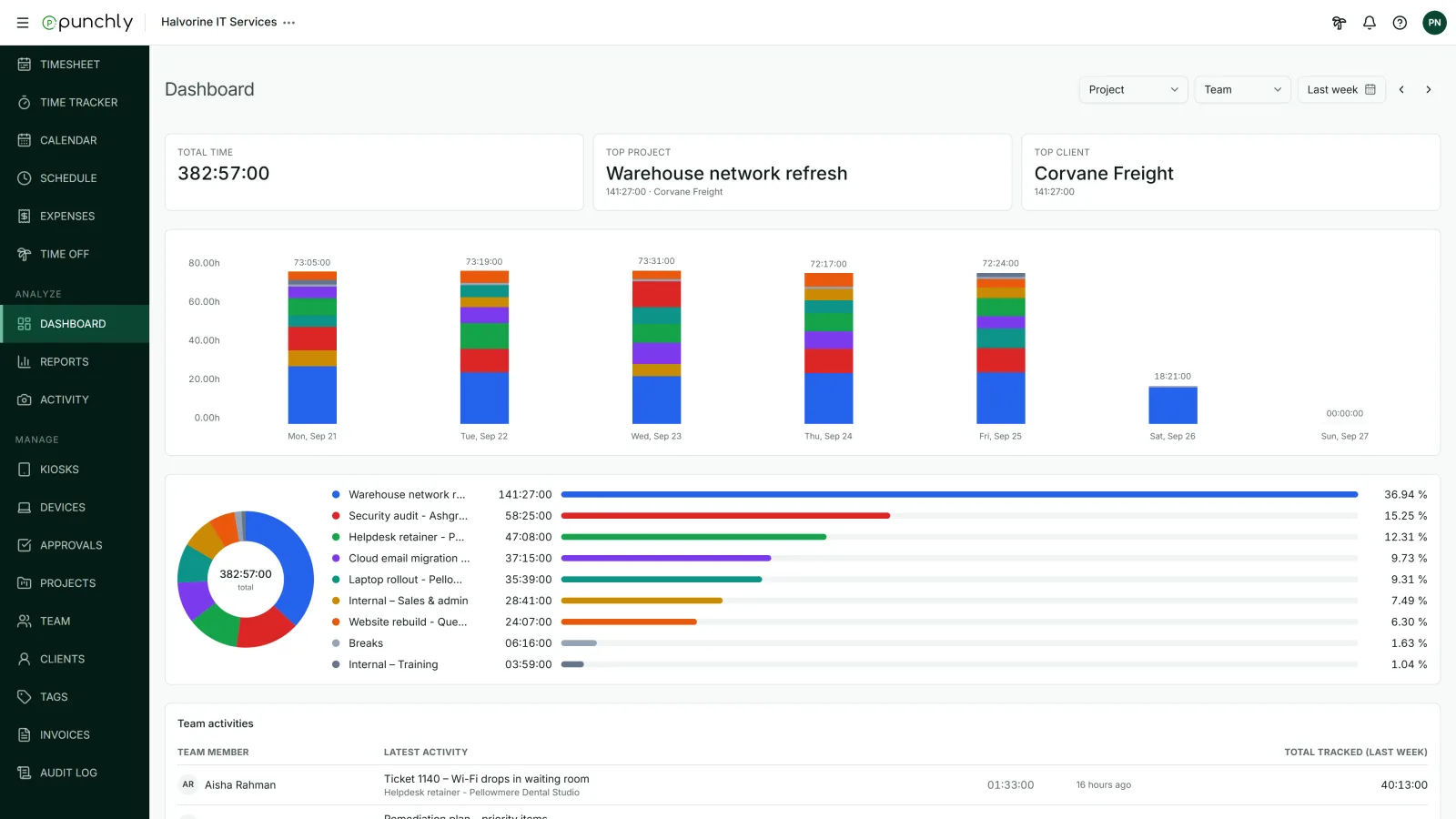
The dashboard shows the week at a glance: total hours, the biggest project, who is working on what. Reports break it down by client, project or person. Add billable rates and they show what the work earned (Basic plan); add cost rates and they show what it cost, and whether a project made money (Pro plan).
Add the next thing when you need it, not before
You should not pay for a feature a team of six will not use. Plans are per person, and you can move up when the need arrives.
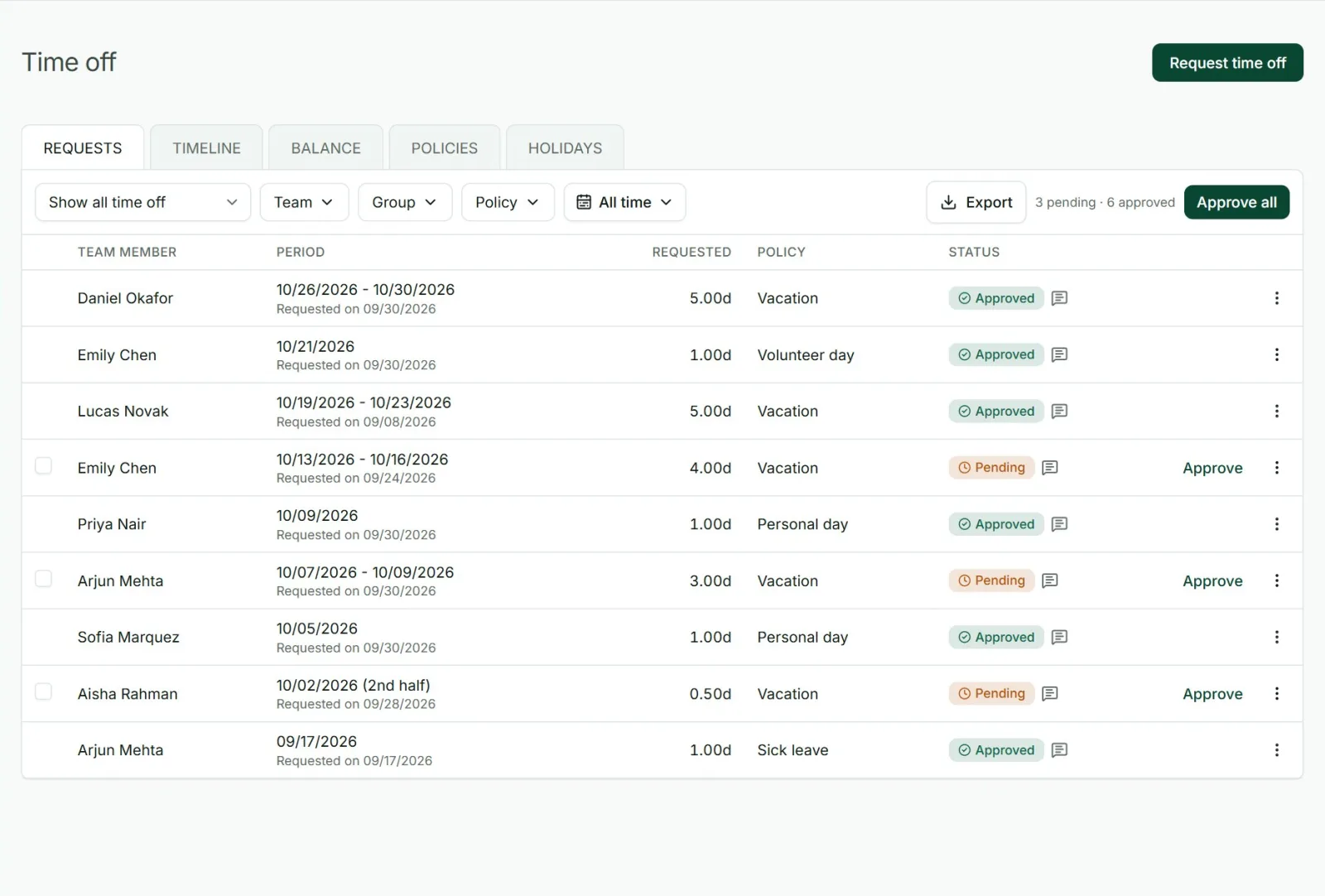
Leave. Requests, approvals and balances that keep themselves (Standard plan). Learn more →
Approvals. A manager signs off the week before it is billed (Standard plan).
Invoices. Bill clients from tracked time (Standard plan).
Expenses. Receipts photographed on the phone (Pro plan).
Scheduling. Plan who works on what, against their capacity (Pro plan).
Roles for when the team grows
With five people, you may be happy for everyone to see everything. With twenty-five, you will want team managers who see and approve their own group, project managers who look after their own projects, and rates that only admins can see. Those roles are there when you get to that point (manager roles on the Standard plan).
Connects to what you already use
Jira for the developers, QuickBooks for the books, Google and Outlook calendars for everyone, and an open API for anything else (calendars and API free; Jira and QuickBooks on Standard). Learn more →
About monitoring
Punchly can take screenshots and record which apps are used, and both are off unless you switch them on (Pro plan). If you do, every person is told before anything is recorded.
Questions small teams ask
Something else on your mind? Our team answers from inside the app and by email.
Free for your first five people
Create a workspace, invite the team and see where this week goes.