
Time tracking with screenshots, for teams that need proof of work
Some work has to be shown as well as timed: hours billed to a client, work by contractors, or teams you rarely meet. Punchly can take screenshots while a timer runs. It is off until you switch it on, and the people concerned are always told first.
Pro plan, $6 a person a month. Off by default. 7-day free trial of the Pro plan’s features, no credit card needed.
An optional feature, not the default
A team can use Punchly without any monitoring at all, and then nothing on this page applies to it. Screenshots are a separate feature that an admin has to switch on for the workspace.
We built it for the cases where proof of work is a real requirement, and we built it so that it cannot be used quietly.
Nothing is recorded without the person knowing
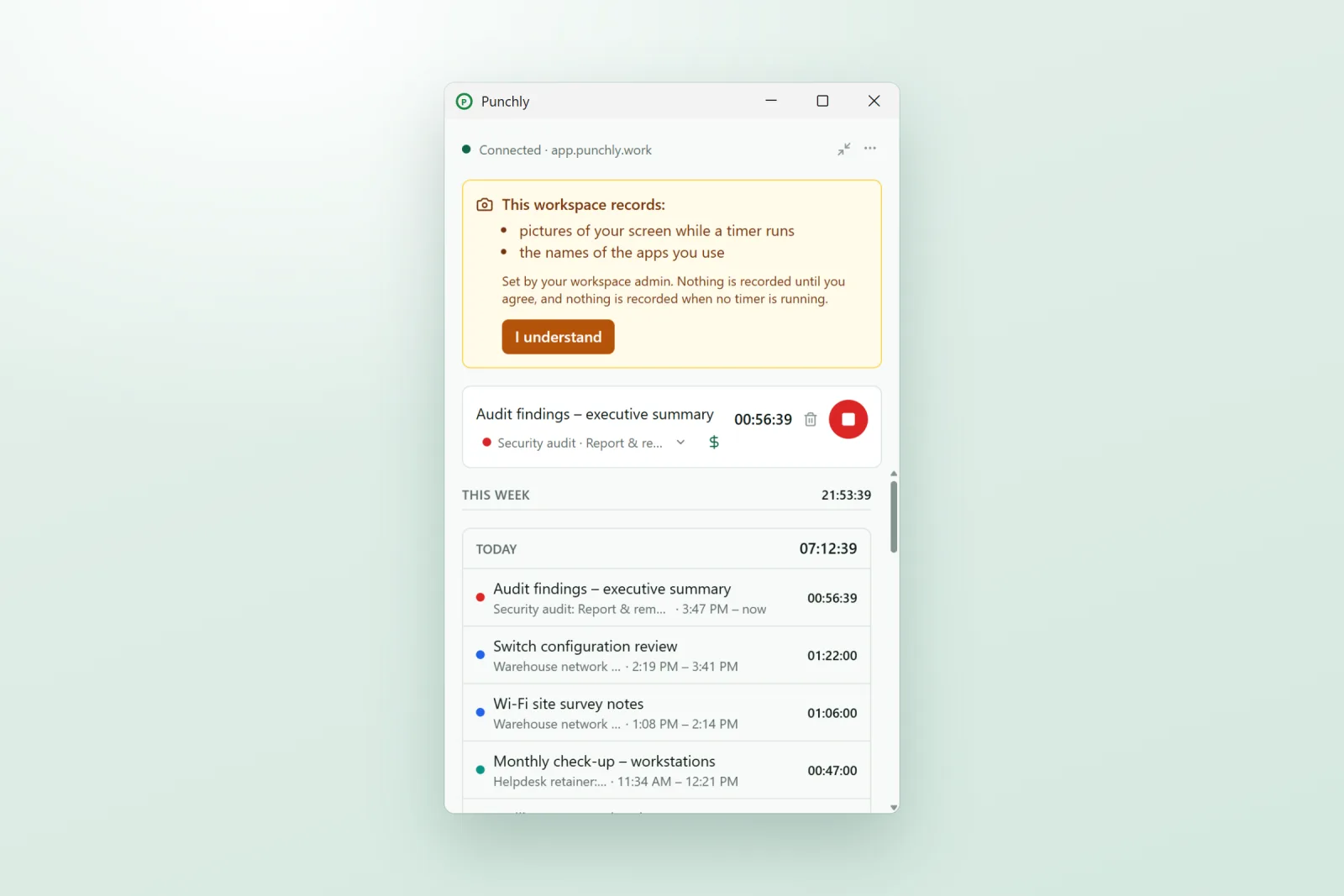
Told first. The desktop app shows each person exactly what the workspace records, and waits for them to confirm before anything is captured.
Always visible. A strip in the app says what is being recorded for as long as it is on.
Only while a timer runs. No timer, no screenshots. Evenings and weekends are not captured unless someone is tracking time.
Only in the desktop app. The web app and the phone app never take screenshots.
How screenshots are taken
While a person’s timer is running in the desktop app, Punchly takes a picture of their screen from time to time. To begin with that is about one every five minutes, at a random moment, and an admin can set it anywhere from one to sixty minutes. If the computer has more than one screen, each is captured.
Look at a day in one place
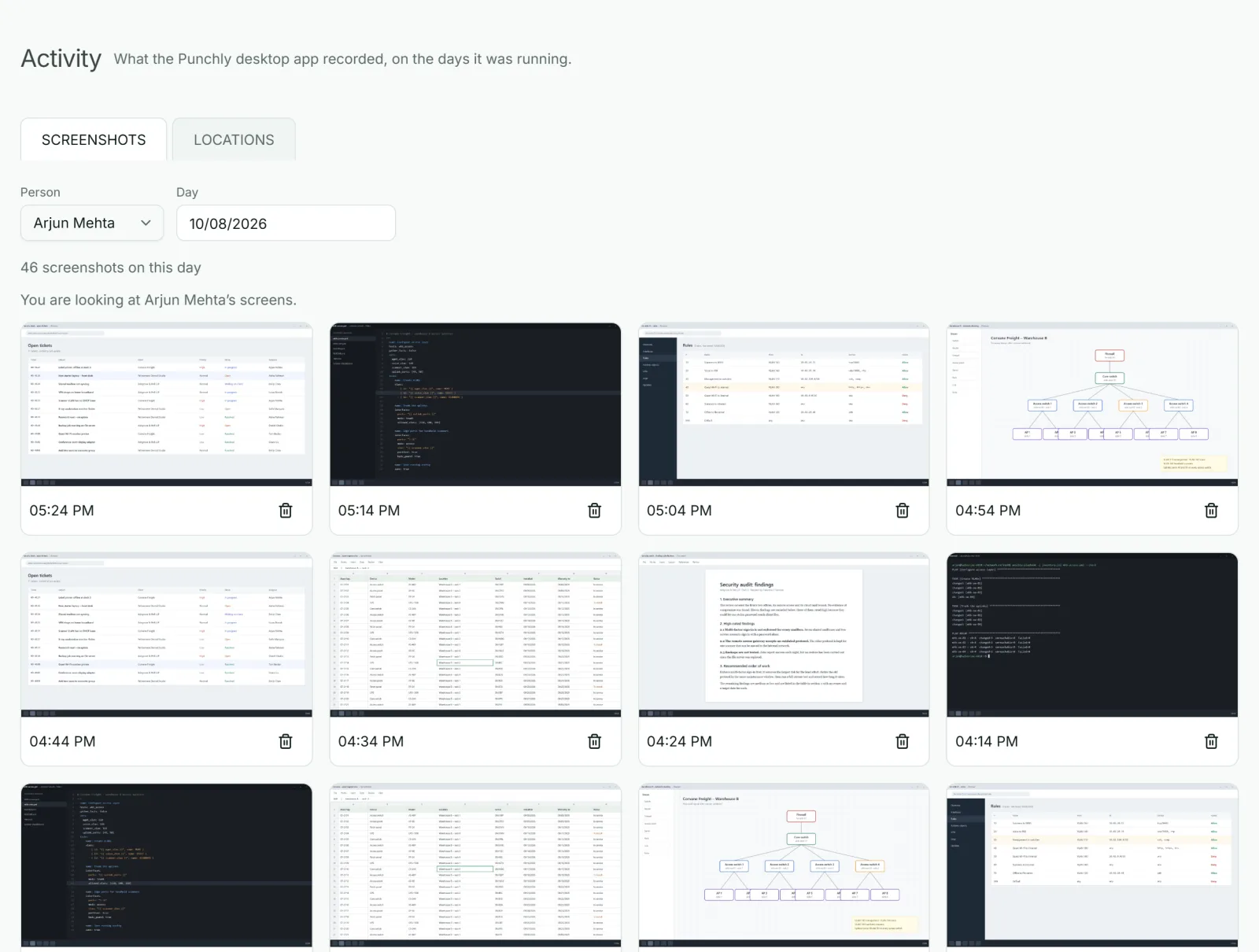
Open Activity, pick a person and a day, and the screenshots are laid out in order, each with the time it was taken. Click one to see it full size. An admin checking a contractor’s invoice can see what was on screen during the hours billed.
You decide who can see them
Screenshots are sensitive, so access is narrow by default: only admins. You can widen it so each person also sees their own, or so the whole team can see each other’s.
Members can delete their own, if you allow it. When they do, the time since the previous screenshot is taken off that entry, and they are told this before deleting.
Kept for a limited time. Screenshots are deleted after 365 days, unless you set another period, from 1 day to 10 years.
Apps used: a private record first
The desktop app can also note which apps a person had open. By default this stays on their own computer as a private timeline that only they can see, and it is never sent to Punchly. It helps them rebuild a day they forgot to track.
If the company wants it, an admin can switch on sharing of app names, and optionally window titles, with admins. For a browser that is the title of the page, never its address.
What Punchly does not do
No keystroke logging. To notice idle time, the app only asks the computer how long ago it was last used.
No recording of what you type.
No webcam pictures while you work at your computer. A shared kiosk can take a photo each time someone clocks in or out or takes a break, if your company switches that on, and people agree to it first.
No screenshots when your timer is off.
Who uses screenshots
Agencies and outsourcing companies
Whose clients ask for proof of the hours billed.
Companies working with freelancers and contractors
Paid by the hour.
Remote teams
In regulated work that must show what was done and when.
Questions people ask
Something else on your mind? Our team answers from inside the app and by email.
Proof of work, with nothing hidden
Try it with your own timer first. Start the free trial, switch screenshots on, and see exactly what your team would see.