
When a team shares an office, a manager sees who is in, who is busy and who went home at nine. None of that is a good measure of work, but it feels like one. Take the office away and the feeling goes with it, and a lot of what is sold as remote time tracking is an attempt to buy it back with screenshots and mouse counters.
This article takes a different line. It covers what the research says about remote and hybrid work, what is worth recording, five rules that work whether people are at home, in the office or both, and when monitoring is justified.
What the research says
The best evidence so far is an experiment, not a survey. Economist Nicholas Bloom and colleagues randomly assigned more than 1,600 employees of Trip.com to either five days a week in the office or a hybrid schedule with two days at home. The results, published in Nature in 2024 and summarised by Stanford, were that the hybrid group was just as productive and as likely to be promoted, and that resignations fell by 33%.
Managers still worry. Microsoft’s 2022 Work Trend Index, a survey of about 20,000 people in 11 countries, found that 87% of employees say they are productive at work, while 85% of leaders say the shift to hybrid work has made it hard to have confidence that they are. Microsoft called the gap productivity paranoia.
Time tracking can close that gap or widen it. A plain record of what was worked on gives a manager facts where there used to be a feeling. A camera on every screen tells the team they are not trusted, and they behave accordingly.
What to track, and what to leave alone
| Worth recording | Why | Not worth recording | Why not |
|---|---|---|---|
| Hours against projects and clients | Billing, costs and planning depend on it | Keystrokes and mouse movement | They measure motion, not work, and people learn to fake them |
| Start, end and breaks, where pay depends on them | Payroll and overtime | Minutes away from the keyboard | Thinking, reading and phone calls all look like absence |
| Time off and public holidays | So nobody plans work for someone who is away | Websites visited | It is private, and it proves little |
| Who is available, and when | A team across time zones needs to know | A constant feed of screenshots | It costs more in trust than it returns in evidence |
The left side describes the work. The right side describes the person at the desk. The first is what a business needs, and it is the same whether the desk is at home or in the office.
How remote and hybrid change the picture
| In the office | Remote or hybrid | |
|---|---|---|
| Start and end of the day | Visible to everyone | Visible to nobody unless it is recorded |
| Overtime | People are seen staying late | Evening work is invisible, and easy to do |
| Breaks | Happen naturally | Often skipped, because nobody else is taking one |
| Availability | Look across the room | Needs a calendar or a status |
| Time zones | One | Several, so “today” means different things |
The surprise for most managers is the second row. The risk in remote work is less that people work too little than that they work too much and nobody notices.
Five rules that work
1. One method for everyone, wherever they sit
If office staff are trusted and remote staff are tracked, you have told the remote staff what you think of them. Use the same timer or timesheet for the whole team, including the days people are in.
2. Track the work, not the presence
Record hours against projects and tasks. “Six hours on the Acme redesign” is useful to the person, the manager and the client. “Online from 9:02 to 5:47” is useful to nobody.
3. Agree core hours and show time zones
Pick a few hours a day when everyone can be reached, and leave the rest to each person. Put time off and holidays where the whole team can see them, so nobody waits half a day for someone who is on leave.
4. Look at the week, not the minute
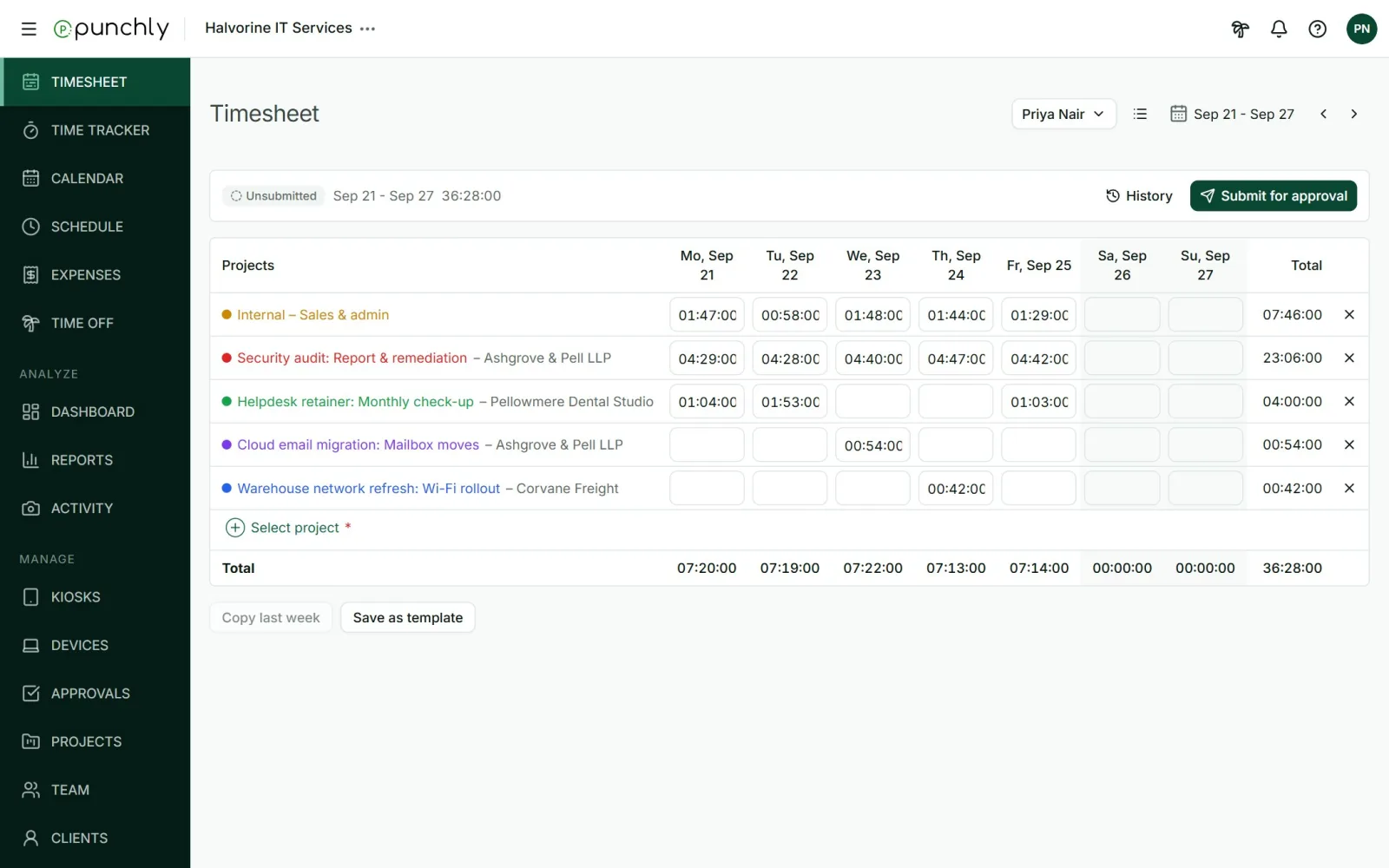
A weekly timesheet that a manager reads and approves is enough oversight for almost every team. It gives a regular moment to ask about anything odd, without watching anyone work.
5. Make overtime visible, and pay for it
In the US, an employer has to pay for work it allowed to happen, even work nobody asked for. The rule on this says management cannot sit back and accept the benefits without compensating for them. At home, extra hours are easy to work and easy to miss, so the record matters more, not less. Other countries have their own rules, and this is general information, not legal advice.
Time zones and work that does not overlap
Once a team spans more than a few hours of time difference, “the working day” stops being one thing. Three habits keep the record usable.
- Let each person record in their own local time. A day should start and end where the person is, or half of someone’s Tuesday lands on Monday.
- Write the overlap down. Two or three hours a day when everyone can meet, with meetings kept inside them.
- Leave a note at the end of the day. Two lines on what was done and what is blocked save the next person an hour of finding out.
Slow replies are a cost of this arrangement, not a sign of anything. A team that works across time zones and still expects an answer within minutes has kept the worst part of the office and thrown away the best part of remote work.
When monitoring is justified
Sometimes it is. A client contract may require proof of work. Some regulated work needs an audit trail. An investigation may need evidence for a short time. If you use screenshots or location records, four conditions keep them fair:
- Tell people before it starts, in writing, and say why.
- Limit it to work time. Only while a timer is running, never in the background.
- Limit who can see it, and let people see what was recorded about them.
- Set how long it is kept, and delete it after that.
If you cannot explain to the team why a piece of monitoring is needed, that is usually the sign that it is not.
Mistakes to avoid
- Tracking remote days only. It reads as punishment for working from home.
- Measuring activity. People optimise for whatever is counted, and mouse movement is easy to produce.
- Answering every message at once. A team that is expected to reply within minutes has no time to work.
- Ignoring the quiet overworker. The person who never complains and logs fifty hours is a risk, not a model.
- Changing the rules without saying so. Switching monitoring on quietly is remembered for years.
What Punchly does for a remote team
Punchly is time tracking software, so here is plainly what it does for a team that is not in one room, and on which plan.
| What you need | In Punchly | Plan |
|---|---|---|
| One way to track, anywhere | The timer and timesheet on the web, with desktop and phone apps | Free |
| Time away handled honestly | The desktop app notices when you step away and asks what to do with that time. It does not decide for you | Free |
| Work without a connection | The desktop and phone apps keep tracking offline and send the time later | Free |
| A weekly look | Approvals: submit, approve or reject a week | Standard |
| Missing or excess hours | Reminders when someone tracks less, or more, than their capacity | Standard |
| Who is away | Time off requests, balances and holidays | Standard |
| Optional monitoring | Screenshots, app names and location: separate switches, all off until an admin turns them on, and only while a timer runs | Pro |
Punchly does not record keystrokes or web addresses, and it does not give anyone an activity score. Keyboard and mouse are used only to notice that you stepped away.
Questions people ask
Punchly is free for teams of up to 5. Every new workspace gets 7 days of the Pro features, with no credit card.