
A time audit is a short, deliberate look at where the working hours actually go. Everyone records what they do for a week or two, the hours are sorted into a few groups, and the team decides what to change. It is not a permanent system and it is not a review of anyone’s performance.
The usual surprise is that the week people describe and the week they recorded are different weeks. This article walks through the audit in seven steps, with an example and the mistakes that make the numbers useless.
When a time audit is worth doing
- Projects keep running over and nobody can say where the extra hours went.
- The team feels busy, but the work that matters most keeps slipping.
- You are about to hire, and want to know whether the problem is too few people or too much of the wrong work.
- You bill by the hour and suspect a lot of client work never reaches an invoice.
A personal time audit or a team one
The method is the same and the question is different. A personal time audit is one person finding out where their own week goes, usually because the important work keeps getting pushed to the evening. Nobody else needs to see it, and it can start tomorrow.
A team time audit asks how the group’s hours divide between kinds of work. It needs agreed groups, a clear promise about how the results will be used, and someone to add everything up. This article is about the team version. Everything in it also works for one person, minus the meeting at the end.
How to run a time audit
1. Start with one question
“Where does our time go?” is too wide to answer. “How much of the week goes to meetings?” or “Why does every website project run over?” can be answered in two weeks. The question decides what you need to record and what you can ignore.
2. Agree the groups before you start
Pick five to eight groups that fit the question, such as client work, internal meetings, email and chat, admin, proposals, rework and training. If people invent their own labels as they go, nothing adds up at the end.
3. Tell the team what it is for
Say that the audit lasts two weeks, that it looks at the work and not at individuals, and that nobody’s hours will be judged. People who feel watched record the week they think you want to see.
4. Record two ordinary weeks, as they happen
Use a timer or note the time when you switch task. Do not rebuild the day from memory at five o’clock, because memory keeps the big tasks and drops the twenty small ones. Avoid weeks with a holiday, a launch or half the team away.
5. Add it up by group
Total the hours for each group and work out its share of the whole. Look at the team first. Individual figures are only useful for spotting a role that carries too much of one thing, such as a senior developer doing all the support.
6. Sort each group: keep, cut, hand over or change
This is where the audit pays for itself. Researchers Julian Birkinshaw and Jordan Cohen studied how knowledge workers spend their days and reported in Harvard Business Review that they spend an average of 41% of their time on activities that give them little satisfaction and could be handled competently by others. Their advice was to go through the list and ask of each task whether it can be dropped, delegated or redesigned.
7. Choose two changes, then check again
Ten changes at once means none of them sticks. Pick the two that free the most hours, put a date on them, and run a shorter audit in three months to see whether the shares moved.
A time audit template
These eight groups cover most teams that sell their time. Rename them to fit your work, but keep the list short enough to remember without looking it up.
| Group | What goes in it |
|---|---|
| Client work | Anything a client would recognise as their project |
| Internal meetings | Stand-ups, planning, one-to-ones, company meetings |
| Email and chat | Reading and answering messages that belong to no single project |
| Admin | Timesheets, invoices, expenses, hiring |
| Sales | Proposals, estimates and pitches |
| Rework | Doing again something that was already delivered |
| Learning | Training, reading, trying a new tool |
| Other | Whatever fits nowhere else. If it grows past a tenth of the week, it needs its own group |
For each entry, record three things: when it started, when it ended, and which group it belongs to. A note is optional. Start and end times matter more than they seem to, because they show how often the day was broken up, and a total cannot.
A worked example
Here is how two weeks might add up for a made-up agency team of five. The numbers are an illustration, not data. They are shown for an average week of 200 hours.
| Group | Hours a week | Share | Decision |
|---|---|---|---|
| Client work | 112 | 56% | Keep |
| Internal meetings | 26 | 13% | Cut: two standing meetings become one |
| Email and chat | 22 | 11% | Change: two fixed times a day for replies |
| Admin and timesheets | 14 | 7% | Keep |
| Proposals and estimates | 12 | 6% | Keep |
| Rework | 8 | 4% | Change: sign-off before build starts |
| Training | 6 | 3% | Keep, and protect it |
Nothing here is dramatic. Meetings and messages together take almost a quarter of the week, and trimming them by a third would give back about sixteen hours, which is two working days.
The review meeting: one hour, four questions
Share the totals a day ahead so the hour is spent deciding, not reading. Then go through four questions in order.
- What surprised us? The gap between what people expected and what was recorded is the most useful thing the audit produces.
- Which group is bigger than it should be? Agree on one or two, not all of them.
- What will we stop, hand over or change? Be specific: this meeting, that report, these approvals.
- Who owns each change, and by when? A change with no name and no date beside it will not happen.
Write the answers down and send them to everyone who recorded their time. People who gave two weeks of notes are owed a look at what came of them.
After the audit
Stop the detailed recording when the two weeks are over. Keeping eight groups going for ever is how a useful exercise turns into a chore. What is worth keeping is lighter: time against projects, and one or two tags for the groups you decided to watch, such as meetings or rework.
Then put the next audit in the calendar. The second one is quicker, because the groups already exist, and it is the only way to know whether the changes you chose made any difference.
Mistakes that make the numbers useless
- Too much detail. Thirty groups and five-minute entries last about two days before people give up.
- An unusual week. A deadline week tells you about deadlines, not about normal work.
- Filling it in afterwards. A week written up on Friday is an opinion about the week.
- Using it against people. The first time a figure from the audit turns up in a performance review, the next audit will be fiction.
- No decision at the end. An audit that ends in a chart and no change has cost everyone two weeks of note-taking for nothing.
Running the audit in Punchly
You can run a time audit on paper. If you use Punchly, here is what does the job, and on which plan.
| Step | In Punchly | Plan |
|---|---|---|
| Record as it happens | The timer on the web, desktop and phone | Free |
| The groups | Tags, or one internal project for each group | Free |
| Add it up | The Summary report, grouped by tag or project, then by person | Free, for 31 days at a time |
| The team at a glance | The team dashboard | Free |
| Keep the export | PDF on every plan. Excel and CSV from Basic | Free / Basic |
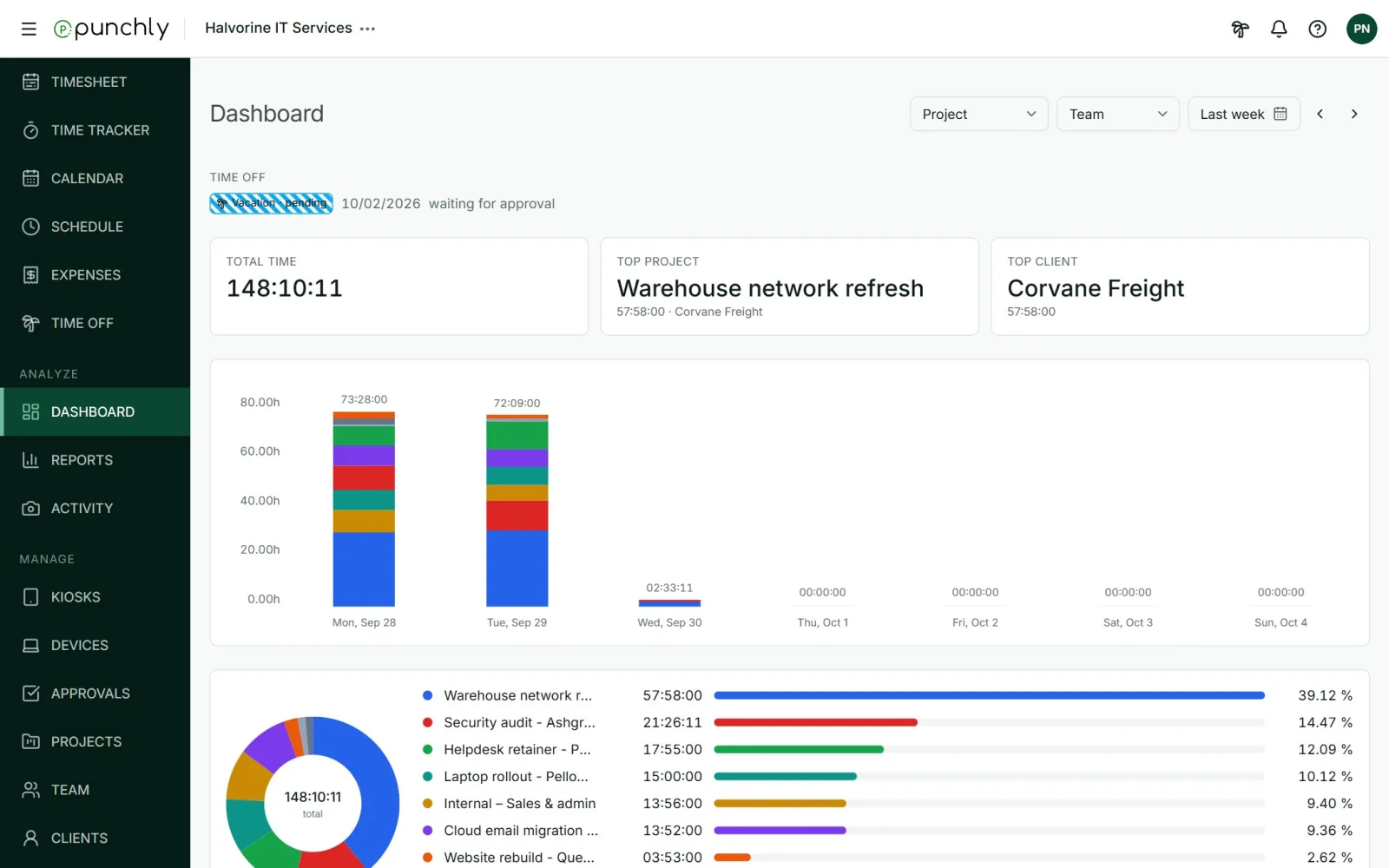
One name to watch: Punchly’s reports also have a check called Time audit. That is a different thing. It lists entries that look wrong, such as time with no project or an entry longer than a normal shift, so they can be fixed before invoicing.
Questions people ask
Punchly is free for teams of up to 5. Every new workspace gets 7 days of the Pro features, with no credit card.