
Timesheet fraud is claiming pay for time that was not worked. Sometimes it is deliberate, like clocking in for a friend who is running late. More often it starts small: a lunch that ran long, a start time rounded in your own favor, a Friday filled in from memory.
This article covers the forms it takes, what it tends to cost, the signs you can see in your own records, and the controls that prevent most of it without treating everyone as a suspect.
What counts as timesheet fraud
The term covers any time record that the person making it knows is false. You will also see it called time theft or time card fraud. The common forms:
- Padding hours. Adding ten or fifteen minutes to the start or end of a shift, or logging a full day for a short one.
- Buddy punching. One person clocks in or out for another.
- Unrecorded breaks. A long lunch or a personal errand left on the clock.
- Phantom work. Hours logged against a project or client that nobody worked. In a business that bills by the hour, this becomes overbilling the client.
- Editing after the fact. Changing old entries once nobody is looking at that week any more.
- Shaving time. The same thing in the other direction: a manager trimming someone’s recorded hours to avoid overtime. This is falsifying a time record too, and it is the employer who answers for it.
A mistake is not fraud. Someone who forgets to stop a timer, or books Tuesday’s work to the wrong project, has made an error. What separates the two is intent and pattern. The same “mistake” every week, always in the same person’s favor, is no longer a mistake.
What it costs
There are no reliable figures for everyday padding, because most of it is never found. The best data is on cases that were serious enough to be investigated. The Association of Certified Fraud Examiners publishes a study of those cases every two years. According to PayrollOrg’s summary of the 2026 edition, payroll fraud schemes ran for a median of 13 months before they were discovered, and cost $4,800 a month on average while they lasted. The same summary calls falsified timesheets and time clock entries “one of the easiest and most common types of payroll fraud”.
Two things stand out. The weekly amounts are small, which is why they go unnoticed. And the time to discovery is long: thirteen months is more than fifty weekly timesheets, each of which somebody approved.
Signs you can see in your records
None of these proves anything. Each one is a reason to look, and then to ask.
| What you see | What it can mean | The innocent explanation |
|---|---|---|
| The same start and end time every day, to the minute | Times typed in afterwards, not recorded as they happened | A fixed shift, entered honestly from the schedule |
| A whole week entered on Friday afternoon | Hours rebuilt from memory, usually rounded up | A busy week and a bad habit |
| Two people clocking in seconds apart, every day | One person clocking in for both | They share a ride to work |
| Overtime that appears only when the supervisor is away | Padded hours | Work that really does pile up then |
| Old entries changed after the week was closed | Hours adjusted once nobody is checking | A genuine correction |
| Long entries with no project or description | Time that cannot be tied to any work | A timer left running overnight |
Seven controls that prevent most of it
1. Write the rules down
Say what counts as work time, how breaks are recorded, whether times are rounded and how, and who may change an entry afterwards. Most padding lives in the gaps a policy never covered. If you round, round both ways. US federal rules allow rounding to the nearest 5 minutes, tenth or quarter of an hour only if, over time, people are still paid for all the time they actually worked.
2. Record time as it happens
A timer or a time clock records the moment. A timesheet filled in on Friday records a guess. The further the record is from the work, the more it drifts, and it rarely drifts down.
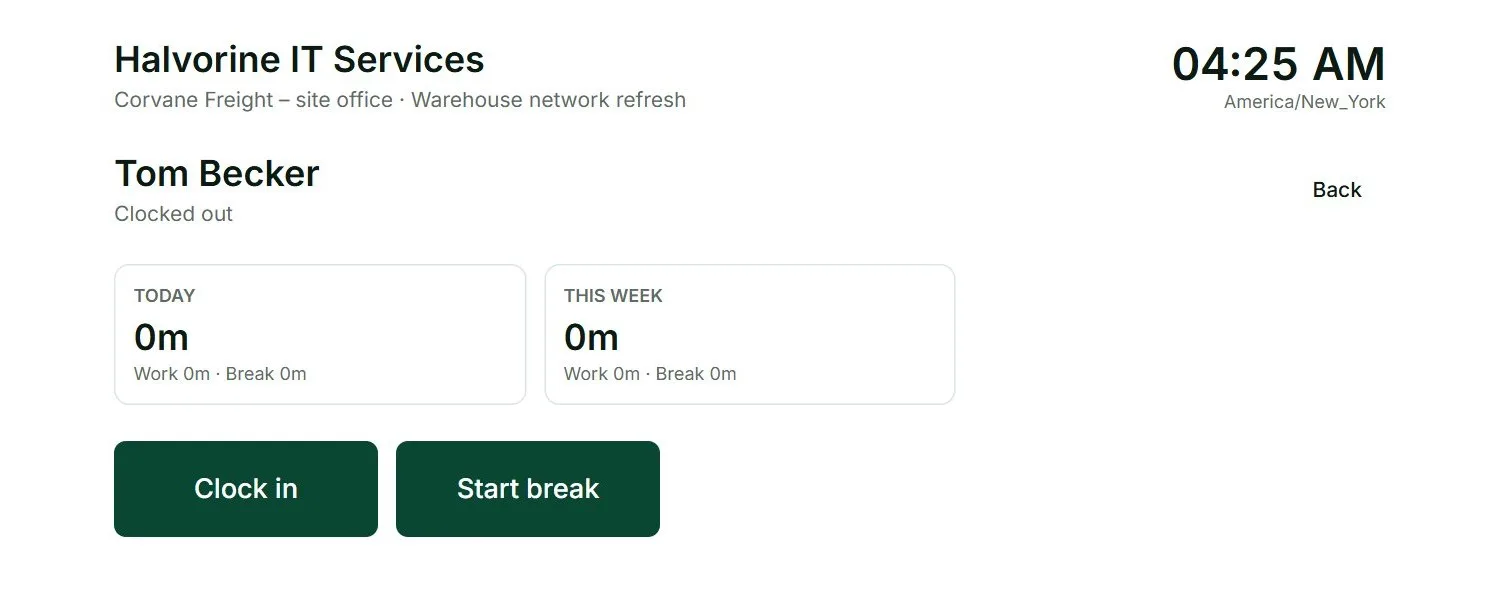
3. Make people prove who they are at a shared clock
Buddy punching only works when anyone can clock in as anyone. A personal PIN stops the casual version. A personal QR code, or a photo taken at each clock-in, stops most of the rest. Tell people what is recorded and why.
4. Approve every week, then lock it
Have a manager who knows the work look at each person’s week and approve it. Once a week is approved, close it to changes. A scheme that runs for thirteen months has passed through more than fifty approvals, so the approval has to be a real look and not a click.
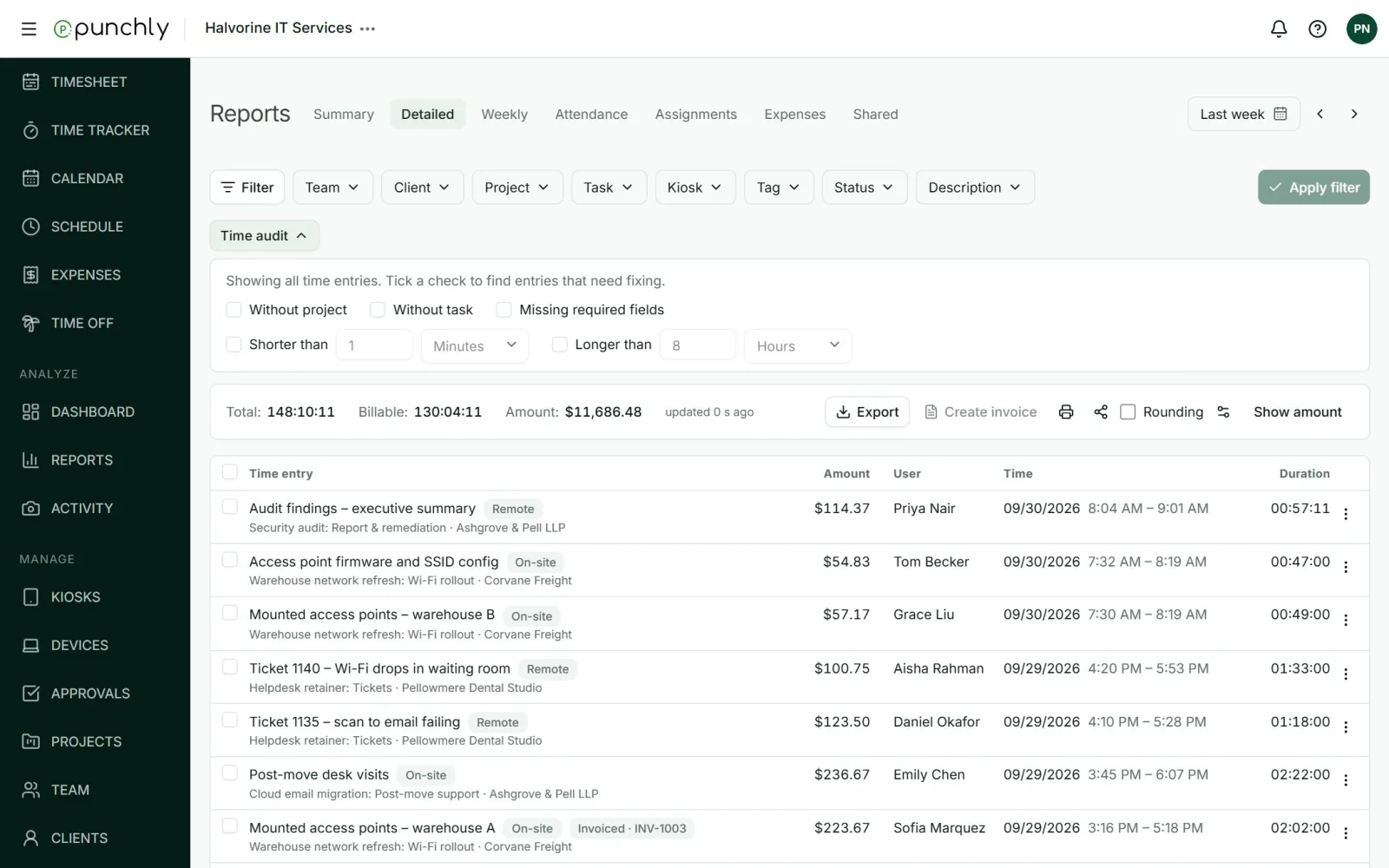
5. Check the exceptions, not every line
Nobody can read every entry. Look for the odd ones instead: entries with no project, entries shorter than a minute or longer than a normal shift, and entries that overlap.
6. Keep a record of changes
When an entry is changed, you should be able to see who changed it, when, and what it said before. This protects honest employees as much as it protects the company.
7. Keep monitoring in proportion
Screenshots and location records can settle a dispute. They can also wreck trust. Use them where the risk justifies it, switch them on openly, and say so in the policy.
What to put in a timekeeping policy
Most of the controls above only work if they are written down where everyone can read them. A timekeeping policy does not need to be long. It needs to answer these questions.
- What counts as work time? Travel between sites, setting up, clearing down and training all need a yes or a no.
- How are breaks recorded, and which of them are paid?
- How is time recorded, and by when must a week be complete?
- Is time rounded? If so, to what, and in both directions.
- Who can change an entry afterwards, and is the change recorded?
- Who approves each person’s time, and what happens when the approver is away?
- What is monitored? Say plainly if photos, screenshots or location are in use, when, and who can see them.
- What happens when a record is found to be false?
Have each person read it when they join, and again whenever it changes. A rule nobody was told about is hard to enforce, and harder to defend.
What to do when you suspect it
- Check the records first. Compare the timesheet with what else you know: the schedule, the clock records, the work that was delivered.
- Ask before you accuse. Most odd entries have a dull explanation.
- Pay for the time that was actually worked. Correct a record only when you can show it is wrong. In the US, employers must keep accurate records of the hours worked each day, and must pay for work they allowed to happen even if nobody asked for it: an employer, the rule says, “cannot sit back and accept the benefits without compensating for them”. Docking pay as a punishment is a different thing from correcting a false entry, and it is where employers get into trouble.
- Close the gap that allowed it. If one person could do it, others can.
- Write down what you found and what you did.
This is general information, not legal advice. Wage and hour rules differ by country and by state. Talk to an employment lawyer before you deduct pay or dismiss someone.
How Punchly handles each control
Punchly is time tracking software, so here is plainly what it does about each of the controls above, and the plan each one needs.
| Control | In Punchly | Plan |
|---|---|---|
| Time recorded as it happens | A timer on the web, desktop and phone, and a kiosk on a shared tablet | Free; kiosk on Standard |
| Timer only, no typed times | Force timer switches off typing or editing times by hand | Pro |
| Proof of identity at the clock | A PIN or a personal QR code for each person, and a photo at each clock-in if you choose | Standard; photos on Pro |
| No double entries | Allow, warn about or block two entries by one person at the same time | Free |
| Weekly approval | Submit, approve or reject a week. An approved week is read-only for everyone | Standard |
| Closing the past | A lock date that can move forward by itself every week or month | Standard |
| Exceptions | Time audit lists entries with no project, or shorter or longer than a length you set | Basic |
| Record of changes | An audit log of who changed what, when, and the value before | Enterprise |
Punchly does not check anyone’s face automatically. Kiosk photos are there for a manager to look at, and they are deleted after the period you choose. Screenshots and location are optional and off until an admin switches them on.
Questions people ask
Punchly is free for teams of up to 5. Every new workspace gets 7 days of the Pro features, with no credit card.