
Most small businesses start tracking time for one of three reasons. Payroll took a whole afternoon again. A client questioned an invoice and nobody could show the hours. Or a project that looked profitable somehow was not.
This article is for the owner or manager who has to set it up. It covers what you are required to keep, the four ways to track time, how to pick one, and a 30-day plan for getting a team of five or fifty to actually use it.
Why a small business tracks time
- To pay people correctly. Hourly pay and overtime depend on a record of the hours, and so does your defense if those hours are ever disputed.
- To bill clients correctly. If you charge by the hour, every hour that is not written down is given away.
- To know what work costs. A fixed-price job only makes money if it takes fewer hours than you priced. Without a record you find out at the end of the year, if at all.
You may only need one of these. A shop with hourly staff needs the first. A two-person consultancy needs the second and third. Knowing which one you are solving decides everything else.
What the law asks for
In the United States, the Fair Labor Standards Act requires employers to keep records for employees who are entitled to minimum wage and overtime. The Department of Labor’s fact sheet on recordkeeping lists what they must contain, including the hours worked each day and the total hours worked each workweek. It also says that employers may use any timekeeping method they choose, and that records on which wage calculations are based, such as time cards, should be kept for two years.
Federal overtime rules entitle most hourly employees to at least one and a half times their regular rate for hours over 40 in a workweek. Some states add daily overtime or their own record rules.
This is general information, not legal advice. Rules differ by country and by state. Check the ones that apply to you with an accountant or an employment lawyer.
Four ways to track time
| Method | Good for | Watch out for |
|---|---|---|
| Paper or a spreadsheet | One or two people, simple hours | Filled in from memory; adding up by hand; hard to prove afterwards |
| A time clock or kiosk | Shops, sites and warehouses, where people share a device | Records presence, not what the time was spent on |
| A timer app | Office and client work, where time belongs to projects | People forget to start it, so it needs an easy way to fix an entry |
| Automatic tracking and monitoring | Work where proof is part of the contract | Trust. Use it openly and only where it is needed |
Many small businesses need two of these at once: a kiosk at the door for the people on the floor, and a timer for the people at desks. Choose a tool that puts both in the same report, or you will be adding two sets of numbers together every payday.
How to choose
Answer four questions and most of the choice is made.
- Where do people work? At a desk, on the road, or at a shared workplace.
- What is the time for? Payroll needs start, end and breaks. Billing needs the client and the project.
- Who needs to see it? Only you, or also team leads, or the client.
- What does it connect to? If payroll or invoicing happens in another tool, check the time can get there without retyping.
Then try it with real work before you pay for anything. A tool that takes more than a few seconds to record an entry will not survive its first busy week.
What to record, and what to skip
A small team needs far less than most tools offer. Start with the left column and add from the right only when a real question needs it.
| Record from day one | Add later, if you need it |
|---|---|
| Who worked, and on which day | Tasks inside each project |
| Start and end, or the length of time | Tags |
| The client or project it belongs to | Notes on every entry |
| Whether the time is billable | Rates for each person and task |
| Breaks, where pay depends on them | Budgets and estimates |
Every field you add is one more thing to fill in a dozen times a day. If nobody will ever read a field in a report, leave it out.
A 30-day plan
Week 1: decide and write it down
Pick the method. Then write one page of rules: what counts as work time, how breaks are recorded, when a week must be complete, and who can see whose hours. Keep the list of projects or job types short. Ten is plenty to begin with.
Week 2: try it with two or three people
Start with yourself and the people most likely to tell you what is wrong with it. Record everything for a week. You will find the missing project, the rule nobody understood and the step that takes too long, while it is still cheap to fix.
Week 3: everyone
Bring in the whole team with a fifteen-minute walk-through. Say why you are doing it and what you will not do with it. For the first week, check each day that everyone has recorded something, and help the ones who have not. A habit that is missed for three days is hard to restart.
Week 4: use the numbers
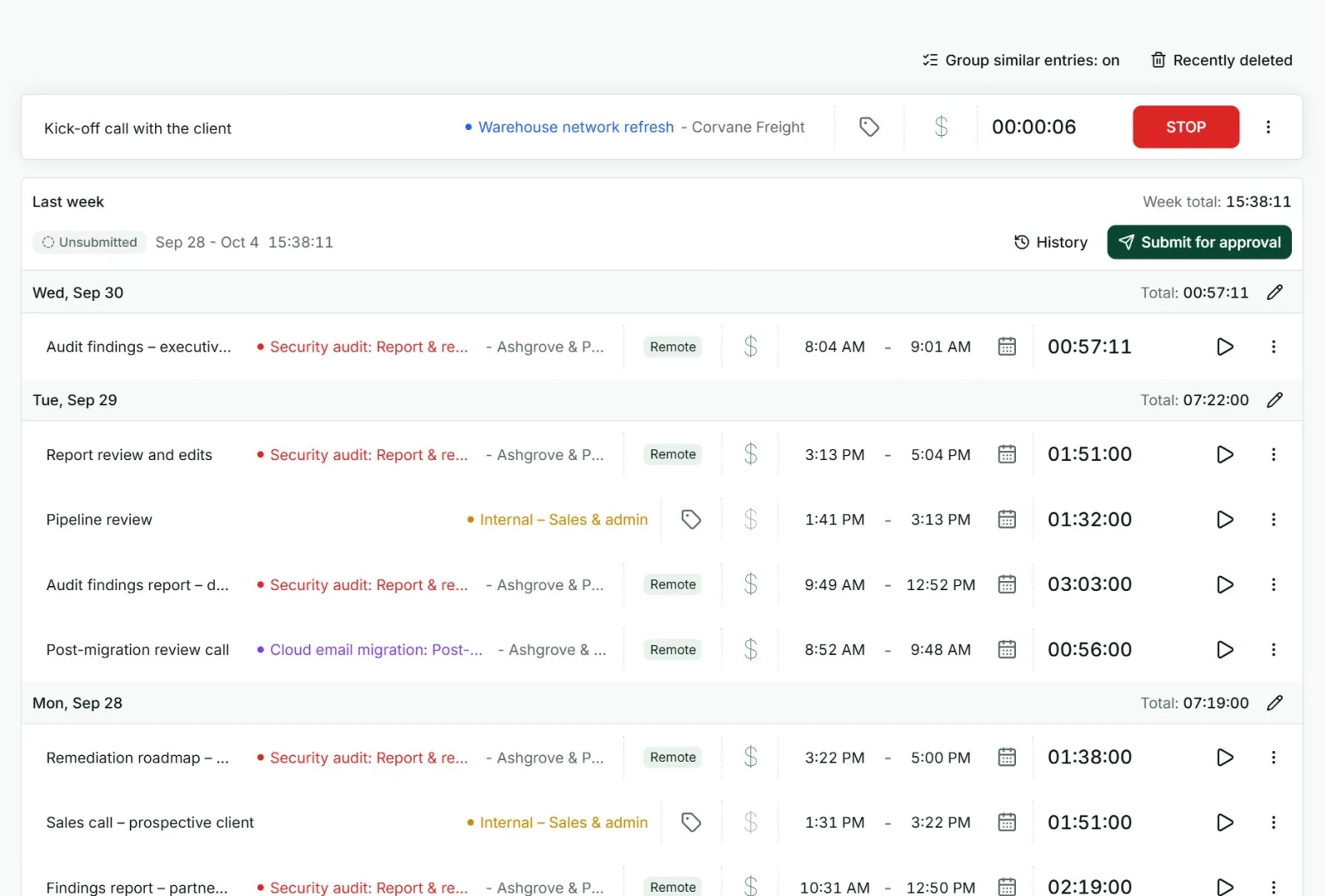
Run payroll or the first invoices from the record, in front of the team if you can. Nothing convinces people that the tracking matters like seeing it used. Then fix what the month showed up: a project that needs splitting, a rule that needs a sentence more.
Getting the team to use it
- Give the reason. “So payroll is right and invoices are not argued over” is a reason. “Because I said so” produces made-up timesheets.
- Say who sees what. People record more honestly when they know where the numbers go.
- Make it take seconds. One tap to start, one to stop, and an easy way to correct a mistake.
- Remind, do not chase. An automatic reminder on Friday is less personal than a manager asking for the third time.
- Track your own time too. A rule the owner is exempt from is read as a rule about distrust.
Mistakes small businesses make
- Too much detail. Fifty task codes in the first week. Start with the client and the project, and add detail only when a question needs it.
- Starting in the busiest month. Pick a normal one.
- Recording and never looking. If nobody reads the reports, people notice and stop.
- Buying for the company you might be in five years. Buy for this year. Moving your records later is easier than running a system nobody uses now.
What Punchly gives a small business
Punchly is time tracking software, so here is plainly what it offers a small team, and on which plan. There is a fuller picture on the page about time tracking software for small business.
| What you need | In Punchly | Plan |
|---|---|---|
| A timer and a weekly timesheet | The time tracker and timesheet on the web, with desktop and phone apps | Free, for up to 5 people |
| Reports | Hours by project, client or person, with PDF export | Free, for 31 days at a time |
| Rates and amounts | Billable rates, and Excel and CSV export | Basic, $2 a person a month |
| A shared time clock | A kiosk on any tablet, with a PIN or QR code. People who only clock in do not need a full seat | Standard, $4 |
| Start, end, breaks and overtime | The attendance report | Standard |
| Approvals and reminders | Weekly approval, a lock date, and reminders for missing time | Standard |
| Invoices | Built from tracked time and sent by email | Standard |
Punchly does not run payroll or move money. It gives you the hours, overtime and amounts to pay through your own payroll or bank.
Questions people ask
Punchly is free for teams of up to 5. Every new workspace gets 7 days of the Pro features, with no credit card.