
Billable rates and cost rates
A billable rate is what the client pays per hour. A cost rate is what that hour costs the company. With both, Punchly shows the amount earned, the cost and the profit.
Who sets rates
Owner and admins. Project managers on their projects, if they may see rates
Who sees them
Admins by default. A setting can widen it
Plan
Billable rates: Basic. Task rates: Standard. Cost rates: Pro
The five places a rate can be set
A rate can be set at five levels. For each time entry, Punchly uses the most specific one that is set.
| Order | Level | Where to set it |
|---|---|---|
| 1 (wins first) | One person on one project | Project, Access tab |
| 2 | Task | Project, Tasks tab |
| 3 | Project | Project, Settings tab |
| 4 | Person | Team screen |
| 5 (used last) | Workspace | Workspace settings, General |
An empty level means “not set, use the next one”. A rate of 0 is a real rate of zero. If no level is set, amounts are 0.
Why this rate? Beside every rate there is a small question mark. It lists the levels with their values and ticks the one that wins.
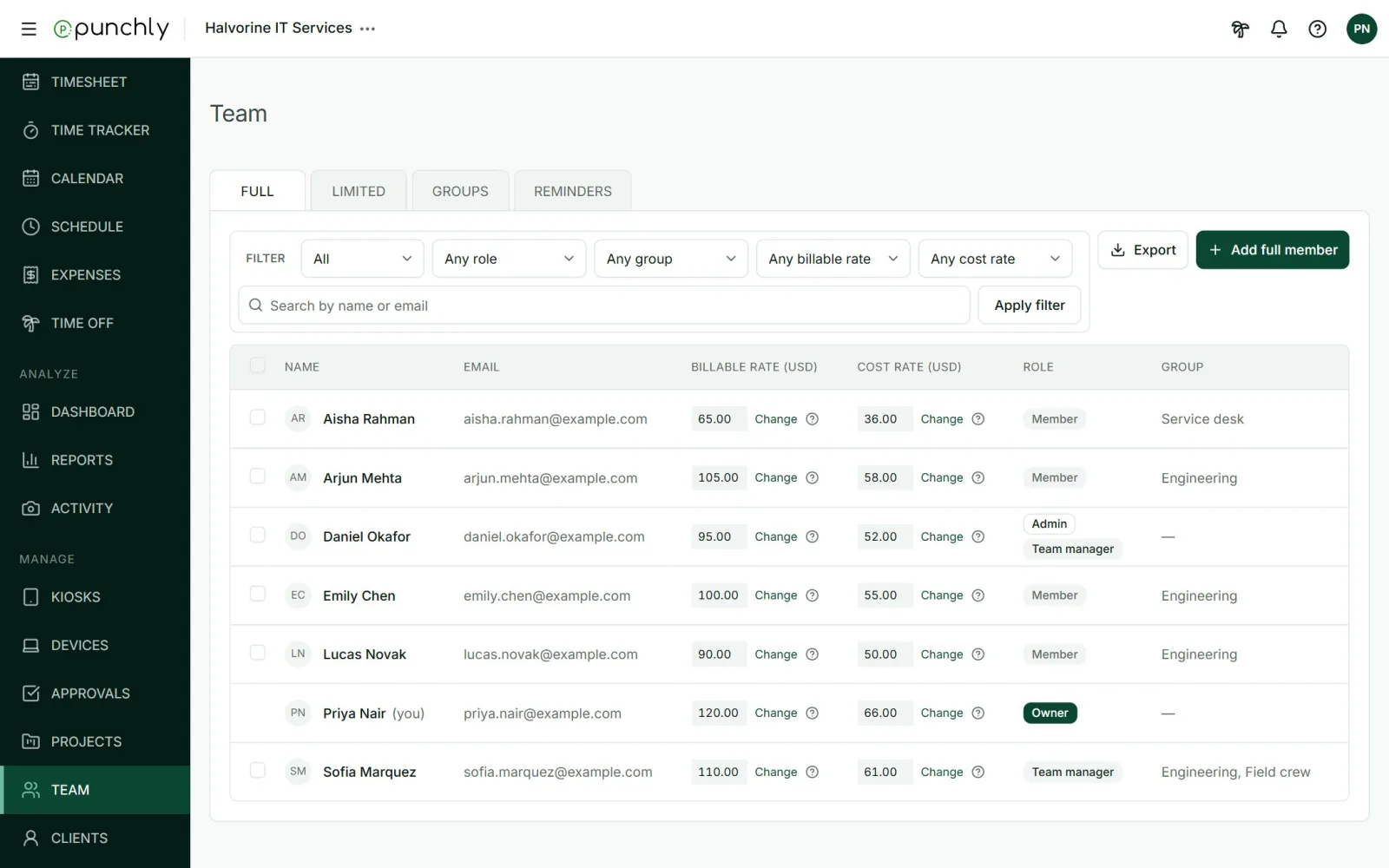
Change a rate
- Press Change beside the rate.
- Type the new rate per hour. Leave it empty to remove the rate at this level.
- Choose what it applies to: Time entries from a date onwards (today by default), or All past and future time entries.
- Read the preview. It says how many existing entries will change and by how much in total.
- Save.
Entries that are approved, locked or already invoiced always keep the rate they had.
Cost rates and profit
Cost rates are switched on in Workspace settings, General, under Cost rates. They are set at the same five levels and follow the same order. Reports can then show amount, cost and profit.
Who can see rates and amounts
The workspace setting Who can see rates and amounts has three choices: Admins, Admins and managers, or Everyone. It starts as Admins. People who may not see them get no rate columns and no money figures anywhere in the app.
Currency
A workspace has one currency, set in Workspace settings, General. The number format and where the currency symbol goes are set there too.