
Your profile
Profile settings are personal. They follow you into every workspace you belong to, and nobody else can change them.
Where
Click your initials, then Profile settings
Who
Everyone, for themselves
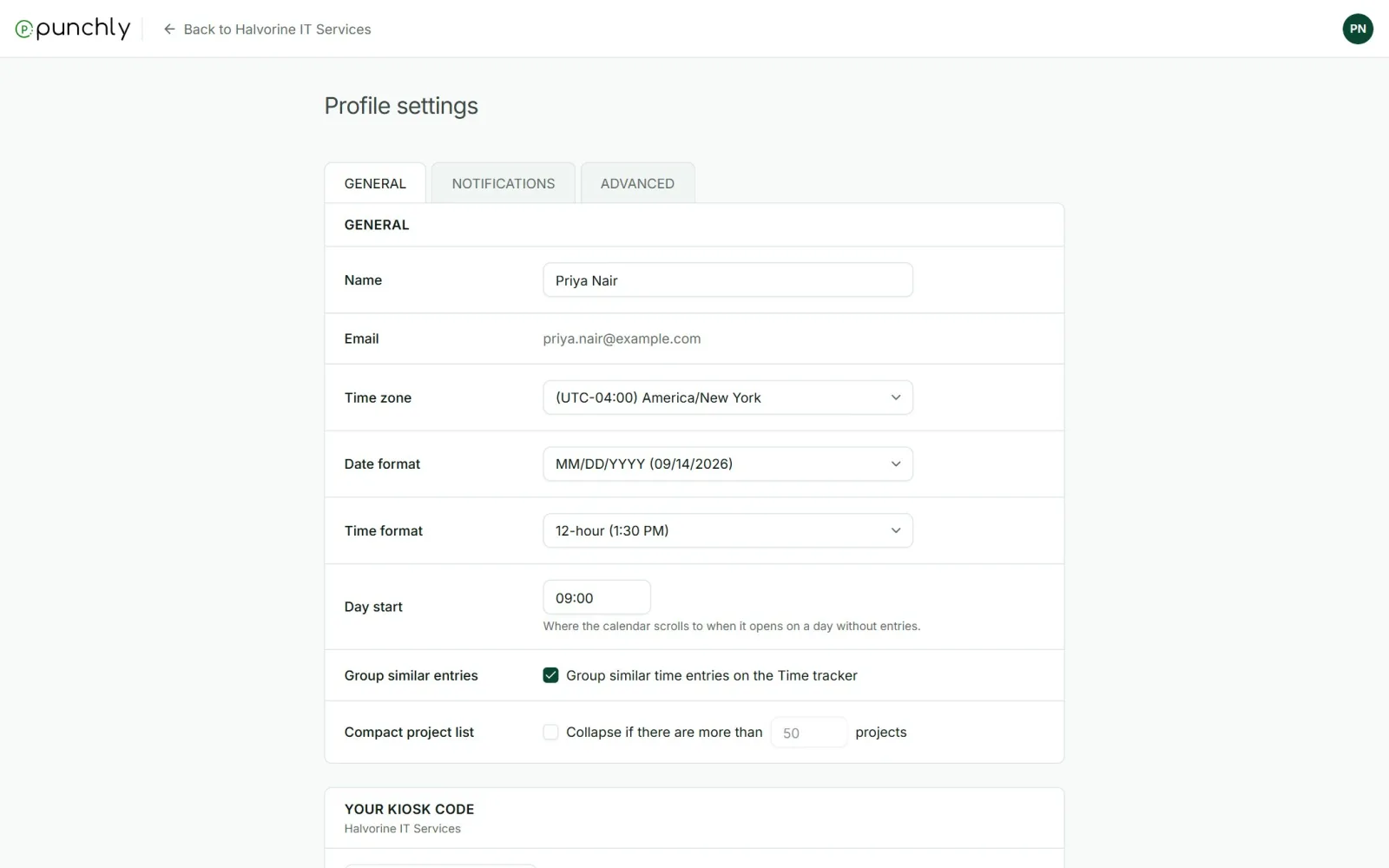
General
- Name. The email address is shown but cannot be changed here.
- Time zone: all times are shown in it.
- Date format and Time format: for example DD/MM/YYYY, and 24-hour or 12-hour.
- Day start: where the Calendar opens on an empty day.
- Group similar entries: the starting choice for the Time tracker.
- Compact project list: folds the project picker when there are many projects.
- Your kiosk code: your personal QR code, when your workspace uses them.
- Theme: Light, Dark or System.
Notifications
One row per kind of notification, with a column for Email and one for Push (the phone app). Untick what you do not want.
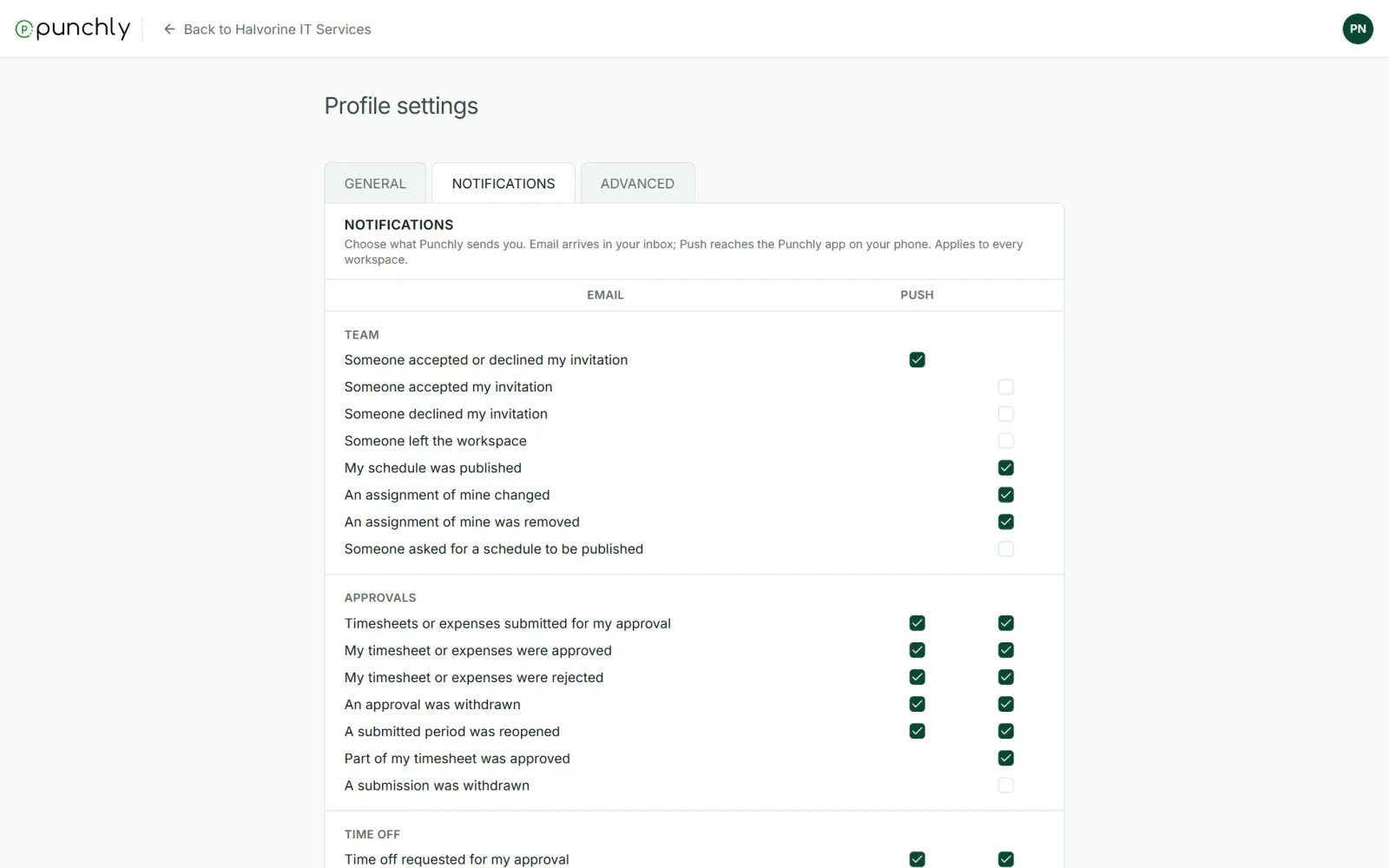
A few emails are marked Always on and cannot be switched off, such as sign-in codes, invitations, and reminders set up by an admin.
Advanced
Personal API keys and webhooks, for people who connect Punchly to other tools.
Delete your account
At the bottom of the General tab. Punchly emails a code to confirm, then deletes the account for good.
- Workspaces only you are in are deleted with it.
- In other workspaces your tracked time stays, under your name.
- It is blocked while you own a workspace that still has other active people or a paid subscription. Transfer ownership first, or deactivate everyone and cancel the subscription.