
Invoice settings
Set these once and every new invoice starts out right: your company details, the numbering, taxes, and the email that goes to clients.
Where
Workspace settings, General, Invoicing
Who
Owner and admins
Plan
Standard
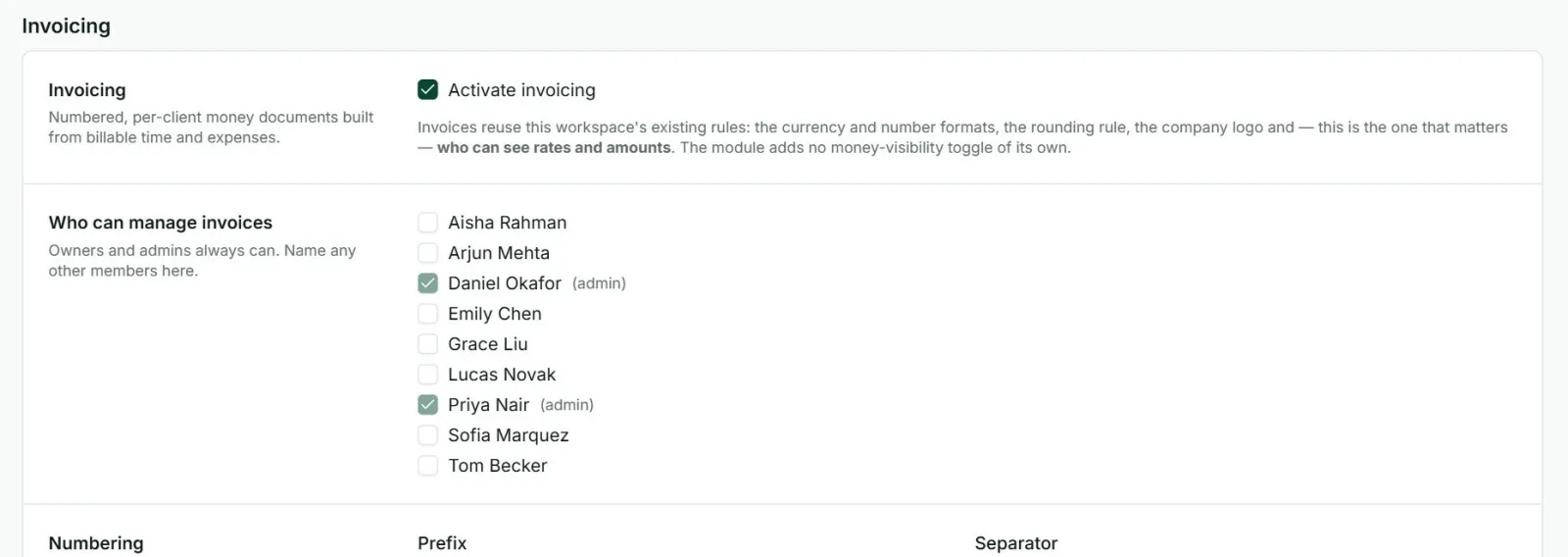
| Activate invoicing | Switches invoices on or off for the workspace. |
| Who can manage invoices | Owners and admins always can. Tick any other members who should. |
| Numbering | The prefix (INV- to start with), how many digits, whether the year is included, and whether numbering restarts each year. The next number is shown as you change it. |
| Item types | The kinds a line can be. Service and Product to start with. |
| Companies | Your own company details for “Bill from”: name, address, tax ID, country and state. Several companies can be kept. |
| Defaults | What a new invoice starts with: item type, due date (10 days after issue to start with), tax rates, company, subject and notes. |
| PDF columns | Which columns print: item type, quantity, unit price, tax. Right-to-left text is available. |
| Emails | The subject and message for invoices and for reminders. |
| Labels | The 17 words printed on the PDF, such as “Bill to” and “TOTAL”. Change them to your own wording or language. |
Words that fill themselves in
In the email subject and message, these are replaced with the invoice’s own details when it is sent:
| $invoiceID | The invoice number |
| $clientName | The client |
| $billFrom | Your company |
| $invoiceAmount | The total |
| $invoiceIssueDate, $invoiceDueDate | The dates |
| $daysPastDueDate | How many days overdue, for reminders |
| $invoiceSubject, $invoiceNote | The invoice’s subject and notes |
Good to know
- Invoices use the workspace currency, number format and logo.
- The client’s email, Cc addresses and postal address are set on the Clients screen.
- A number is never used up by a deleted invoice.