
Time audit
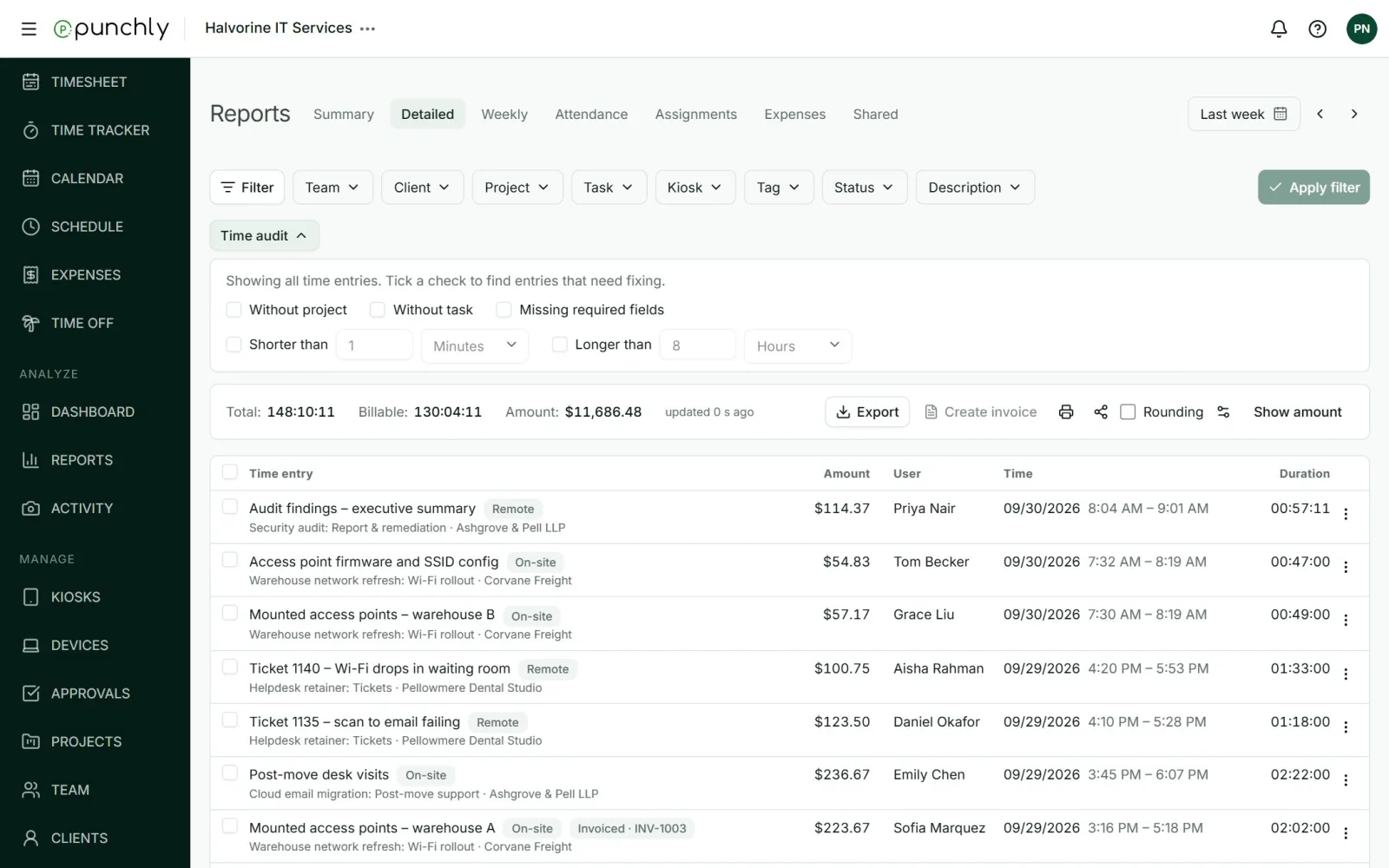
Time audit finds entries that look wrong before they reach a client or payroll: time with no project, entries that are suspiciously short or long, and entries missing a required field.
Where
Reports, Detailed tab, Time audit button
Plan
Basic
The checks
- Without project.
- Without task, for entries that do have a project.
- Missing required fields, by the workspace’s current rules.
- Shorter than a length you set. It starts at 1 minute.
- Longer than a length you set. It starts at 8 hours.
How to use it
- Open the Detailed report and choose the date range.
- Press Time audit and tick the checks you want.
- The list now shows only entries with at least one of those problems. Each row carries a badge saying which.
- Fix an entry from its three-dot menu. Once it is right, it leaves the list.
Someone who is not an admin sees only the entries they answer for: their own, their team’s, or their projects’.