
The Schedule
The Schedule is the plan: who is expected to work on which project, on which days, for how many hours. The Time tracker records what really happened, and reports compare the two.
Where
Schedule, in the menu
Who plans
Owner and admins. Others if the workspace allows it
Plan
Pro
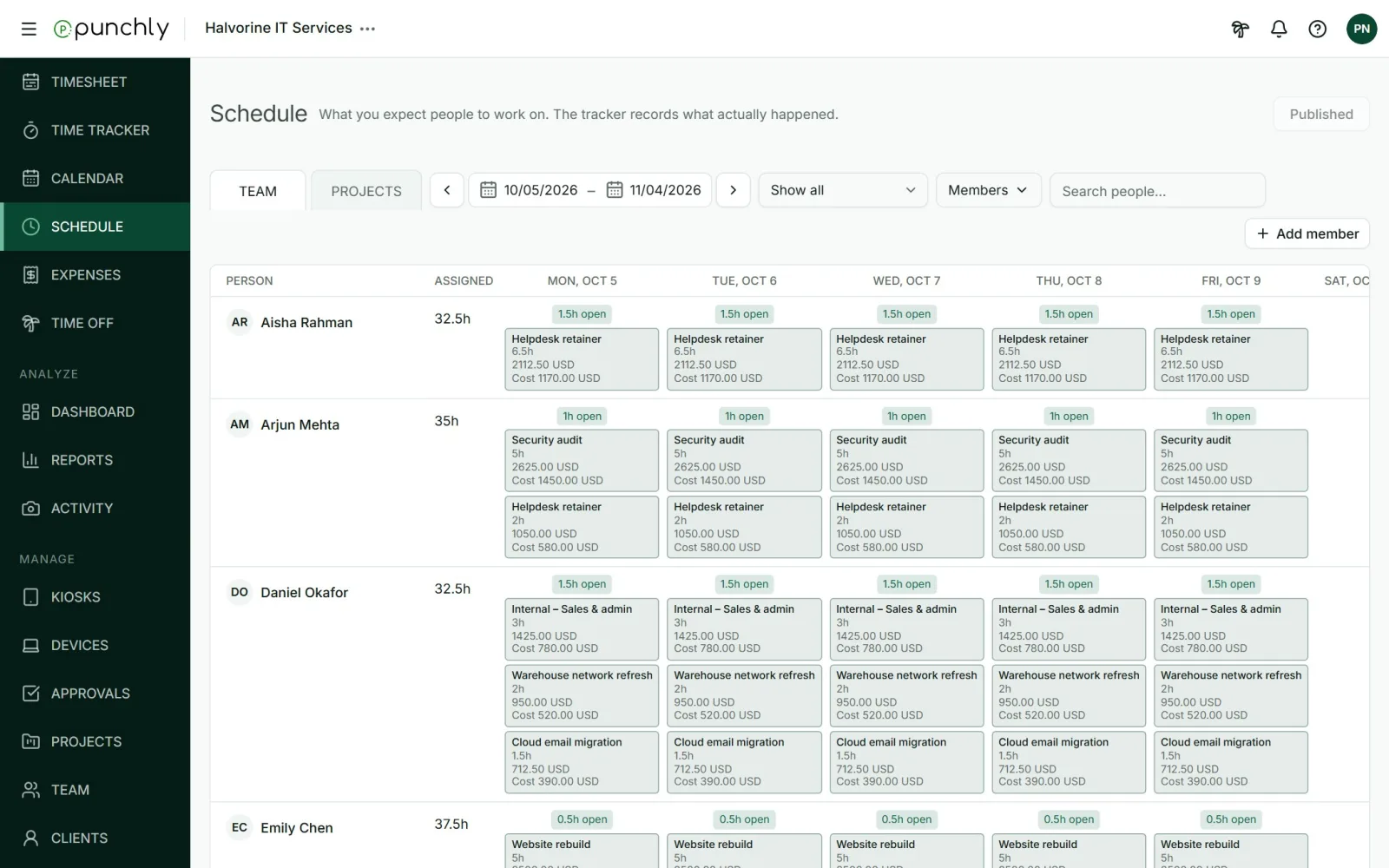
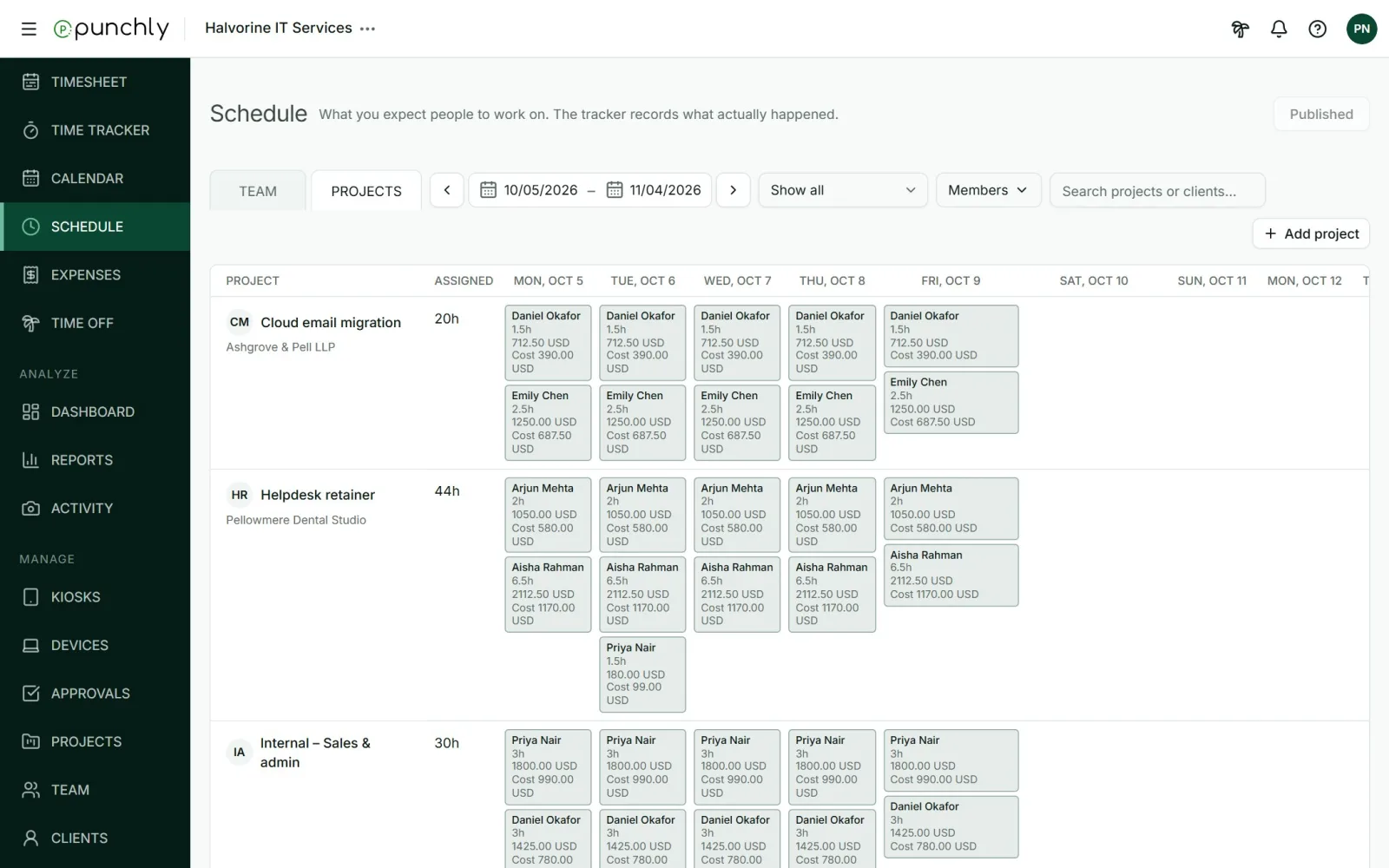
Two views
- Team: a row for each person. Use it to see who is busy and who is free.
- Projects: a row for each project. Use it to see who is planned on a project.
Reading the board
- Each coloured block is an assignment: a project, a number of hours per day, across some days.
- The Assigned column is the person’s or project’s total hours in the range.
- A small badge on a day shows how full the person is: “4h open”, “Full”, or “2h over” in red.
- Hatched blocks with a dashed border are drafts. Nobody else sees them until they are published.
The board shows today and the next 30 days. Use Earlier and Later, or the From and To dates, to move. You can filter by published or unpublished, by member, and search.
Capacity
A person’s capacity for a day is their daily working hours. It is zero on their days off, on holidays and on approved leave, and half on a half day of leave. The badges are capacity minus what is already assigned.
Plan against reality
- The Assignments report shows scheduled hours beside tracked hours.
- A project’s Forecast uses the schedule to show where the project will end up.