
Project alerts
An alert warns the right people when a project reaches a chosen share of its estimate or budget, for example at 80%.
Where
Workspace settings, Alerts tab
Who can set them
Owner and admins
Plan
Pro
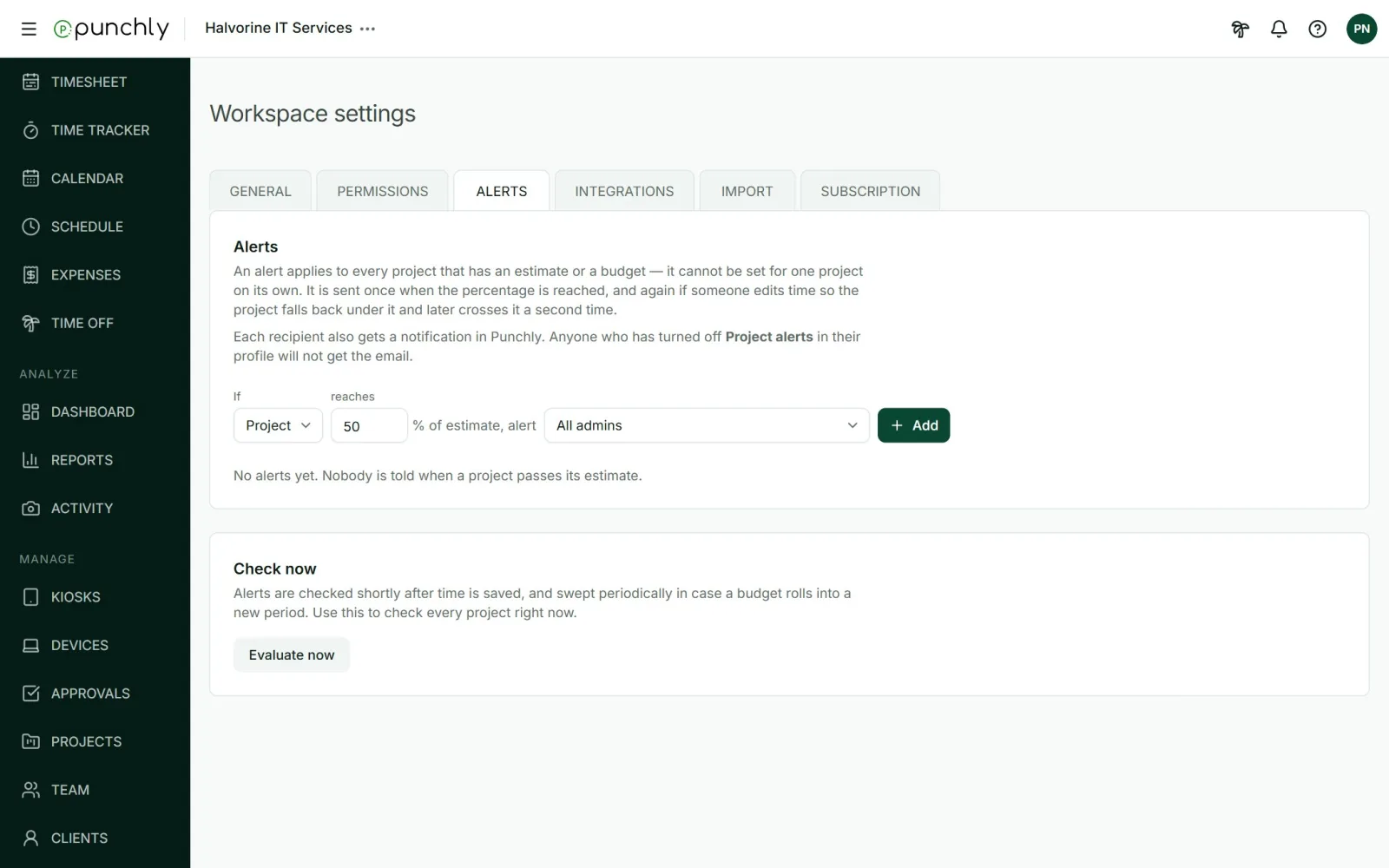
Create an alert
- Open Workspace settings and the Alerts tab.
- Fill in the sentence: if a project reaches a percentage of its estimate, alert a group of people.
- Press Add.
Who can be alerted
- All admins.
- All project managers, each for their own projects.
- The people added to the project.
Good to know
- An alert applies to every project that has an estimate or a budget. It cannot be set for one project only.
- It is sent once when the percentage is reached. If the project drops back under and crosses again, it is sent again.
- People get an email and a notification under the bell. Each person can turn the email off in their profile.
- A new alert does not fire for projects that are already past the line.
- A workspace can have up to 50 alerts.