
Approve and manage time off
Managers decide requests, see who is off when, and keep balances right, all from the Time off screen.
Where
Time off, in the menu
Who
The approvers named on each policy. Owner and admins always
Plan
Standard
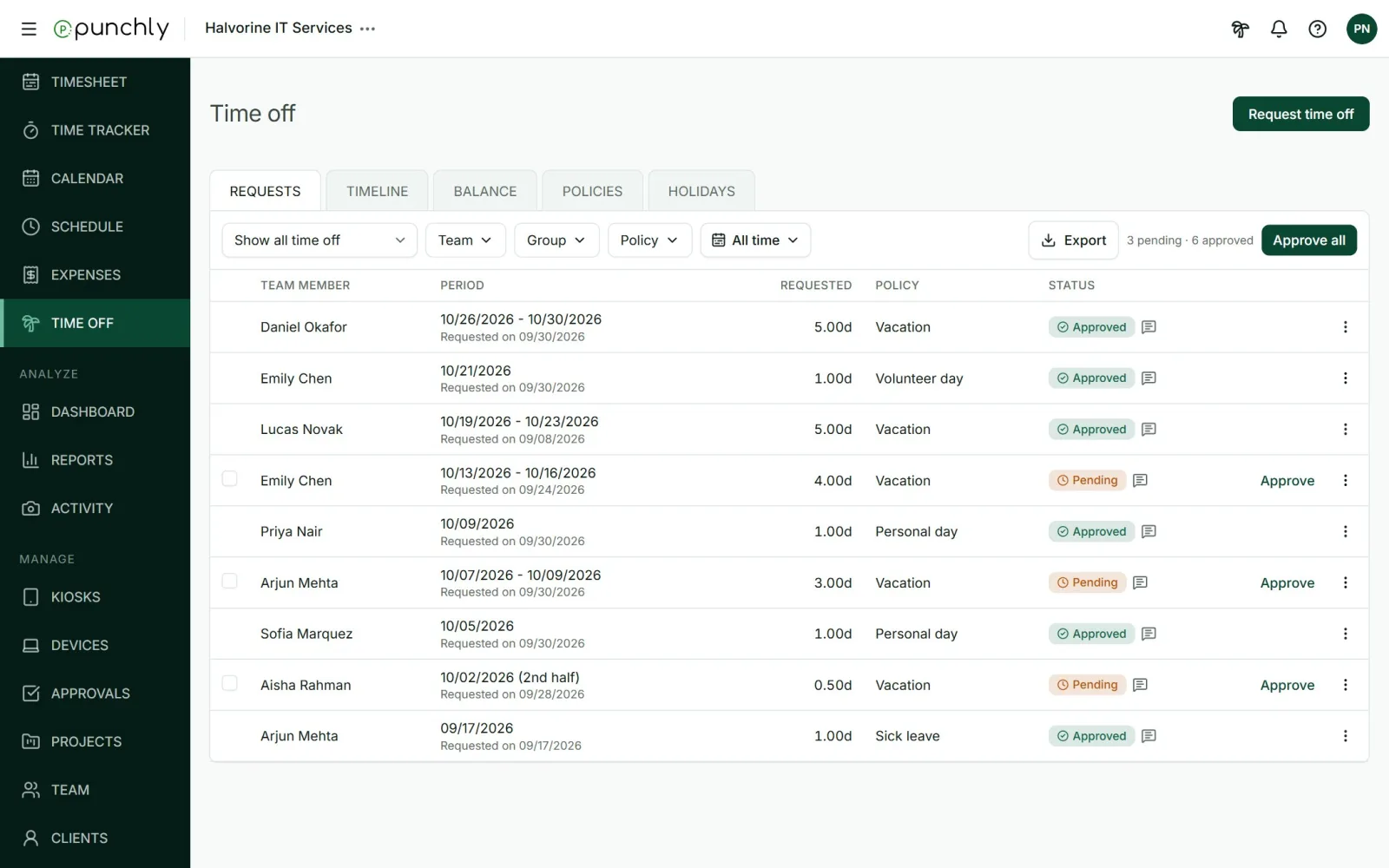
Decide a request
| Action | When | Note |
|---|---|---|
| Approve | On a pending request | Optional |
| Reject | On a pending request | Required |
| Withdraw | Pulls back a pending request | Required for someone else’s |
| Cancel | Ends leave that was already approved | Required |
| Reopen | Brings back a rejected or cancelled request | Required |
Press Approve on a row, or tick several and press Approve all. Filter the list by status, team, group, policy and date.
Request for someone else
The owner, admins and team managers can request leave on a person’s behalf. Pick the member in the request form. A note is required. The person is told.
Timeline: who is off when
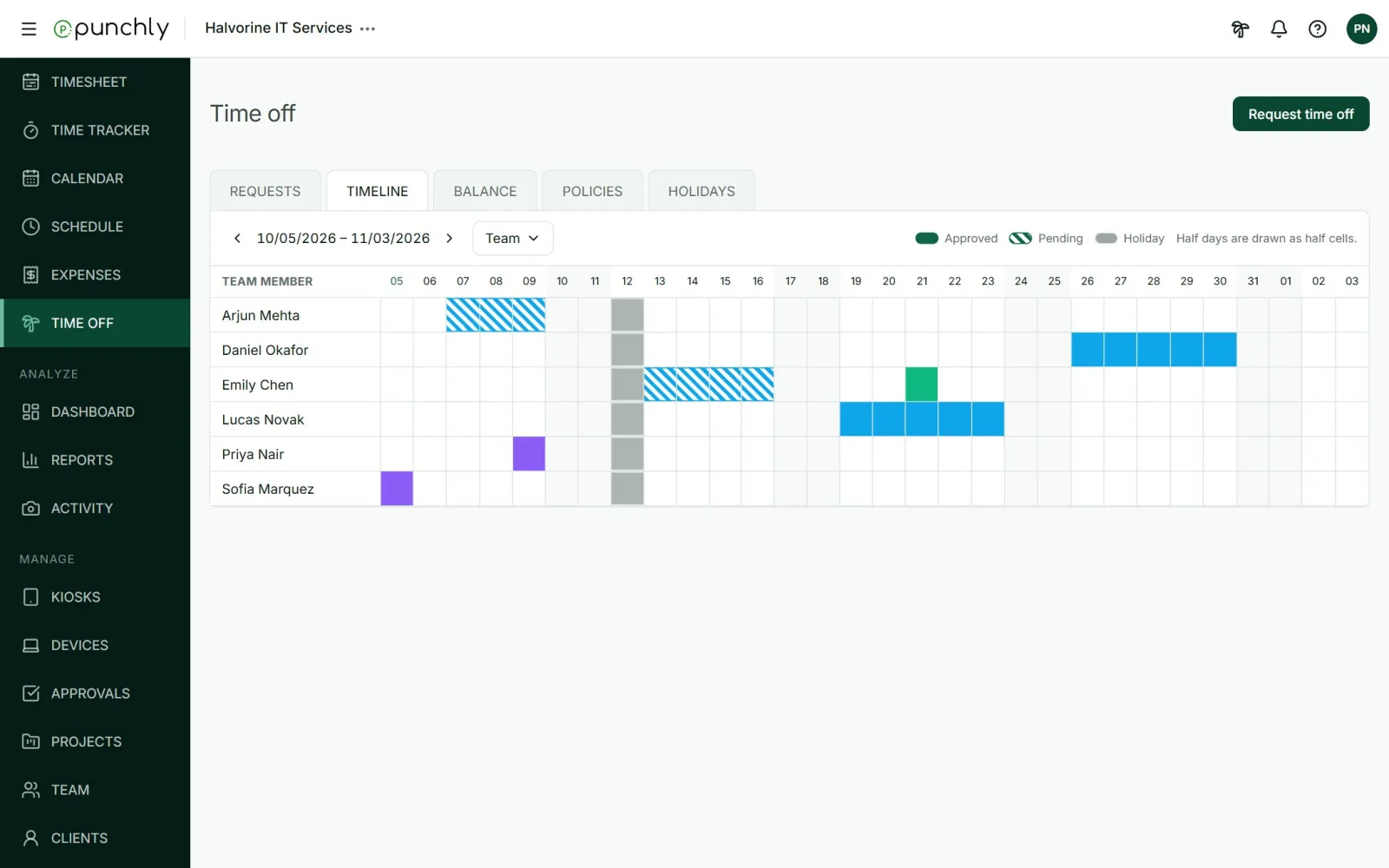
Solid bars are approved leave, hatched bars are pending, and grey marks a holiday. Half days are drawn as half cells.
The workspace setting Who sees whose time off decides what people see here: only their own, their own and their team’s, or everyone’s. The owner and admins always see everyone.
Balances
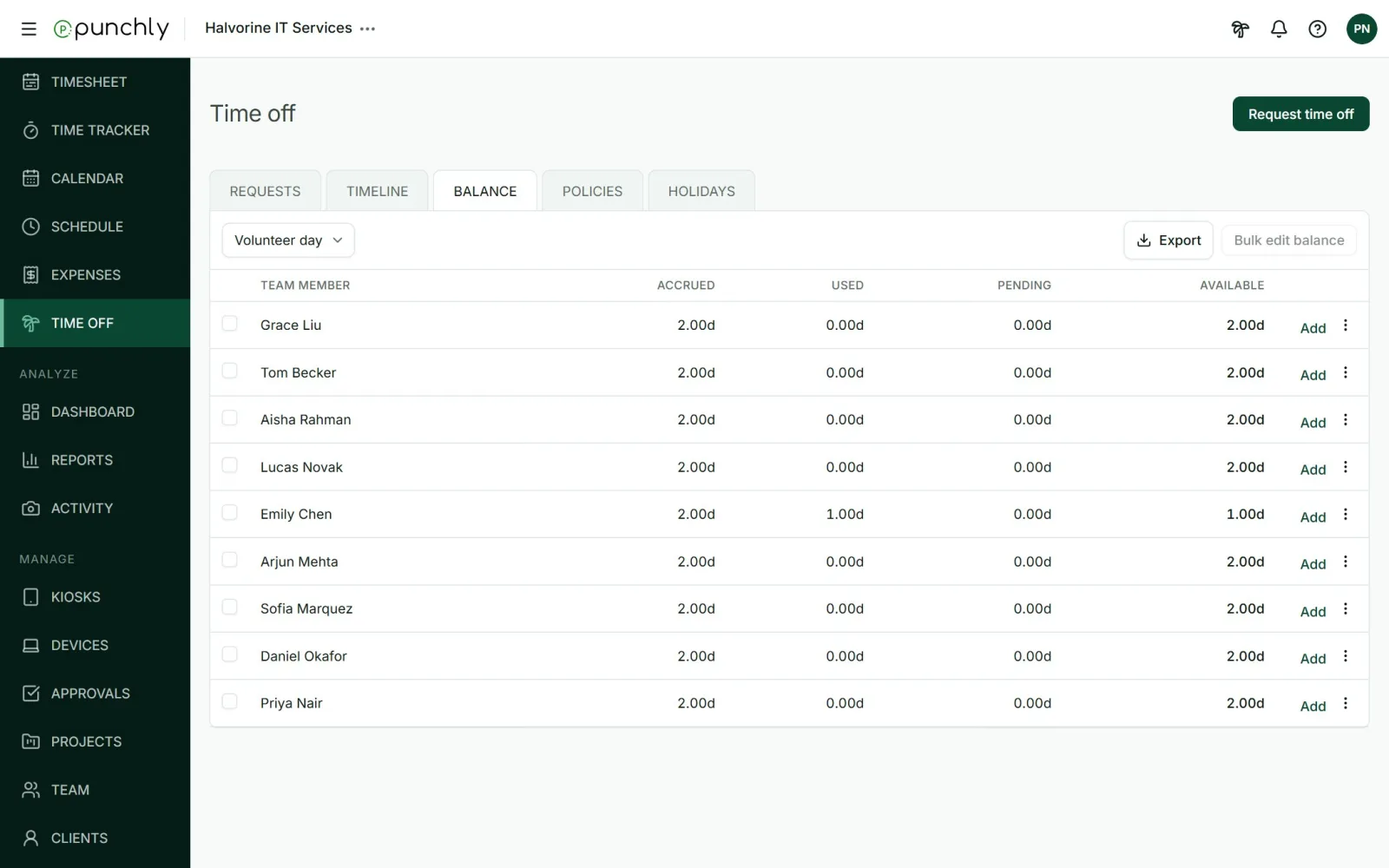
- Accrued: earned so far. Used: approved leave taken. Pending: waiting for approval. Available: accrued minus used and pending.
- The owner and admins can add or remove balance for one person or several at once. A note saying why is required, and the person is told.
- History, in a row’s menu, lists every change to a balance, automatic ones included.
Who can approve
Approvers are chosen on each policy: the owner and admins always, team managers for their own team if ticked, and any named members. A manager cannot approve their own leave.